

Social media profiles can often offer valuable insights into a person’s character and behavior. Whether for hiring purposes or personal curiosity, checking someone’s online presence has become increasingly common. Instead of going through each social media platform manually, a tool like Socialprofiler can simplify the process. Find out more in this review.
This is a sponsored article and was made possible by Socialprofiler. The actual contents and opinions are the sole views of the author, who maintains editorial independence, even when a post is sponsored.
Introducing Socialprofiler
Socialprofiler offers in-depth background checks and personal profile insights by scanning activity across a range of popular social media platforms, including Facebook, Instagram, TikTok, and X (formerly Twitter).
On its official website, Socialprofiler highlights several use cases for its tools across different professional and personal contexts:
- Legal – helping with jury picks, preparation for interrogations, and support for interviews and depositions
- Private investigation – tracking down evidence and building case files
- HR and recruitment – evaluating whether a potential hire aligns with company culture
- Sales and marketing – developing customized sales strategies based on client interests
- Personal safety – screening individuals for home access or relationship compatibility
Getting Started with Socialprofiler
To begin using Socialprofiler, you’ll need to sign up for an account. (Google sign-in is available.) The tool is available on the Web, so it’s accessible through your favorite browser on PC or mobile. There’s currently no mobile app option.
The social media background check tool does not offer a free trial, but you can get use of the tool for just $0.99/week. Ready to take this tool for a spin?
Background Checks
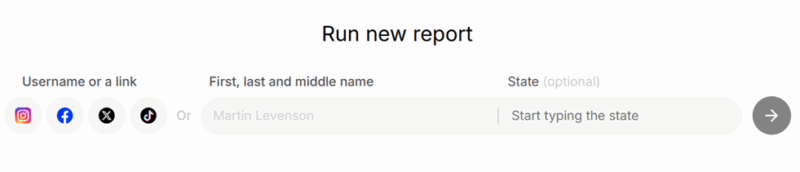
Socialprofiler’s interface is clean and simple. To run a new report, input the name of the person (and state of residence) you want to profile. However, since many people on social media prefer using nicknames (especially on Instagram or TikTok), the best strategy would be to directly copy/paste the links to their social media accounts (if you can find them or have knowledge of them).

Note: Socialprofiler can only create reports for profiles that aren’t set to private, which is an option on Instagram and TikTok.
When opting for the name route, Socialprofiler will search the social network to find their profile.
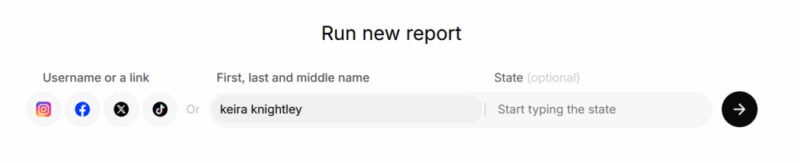
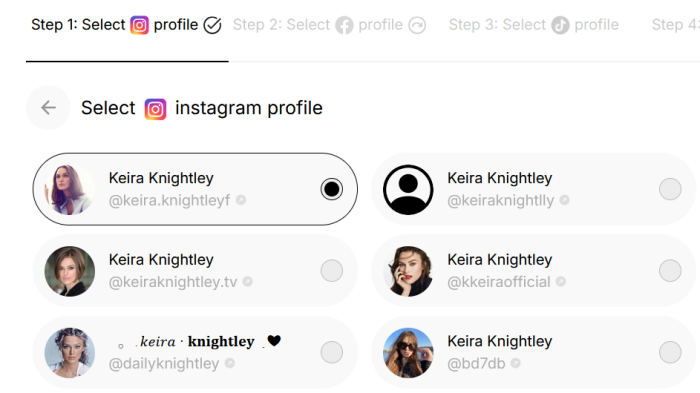
You’ll have to select the profile from the list that it generates for you.
If Socialprofiler can’t find the right profile, you can manually add the person’s handle or profile page link.
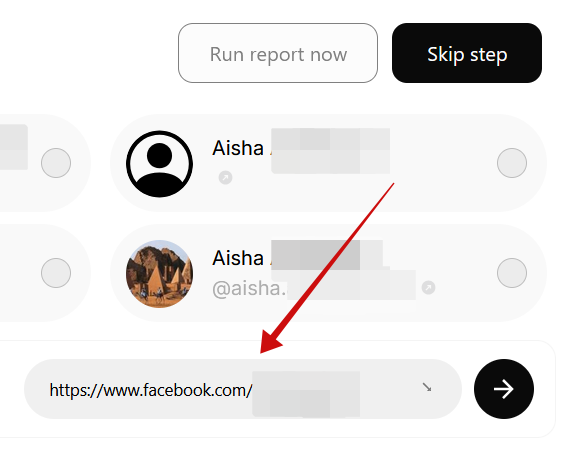
The process starts by adding the Instagram profile first, then continuing with the other social profiles. Of course, it’s not mandatory to add all four social apps, and Socialprofiler can generate a report with a minimum of one profile.
Once you’ve added all the information, press the Run Report Now button.
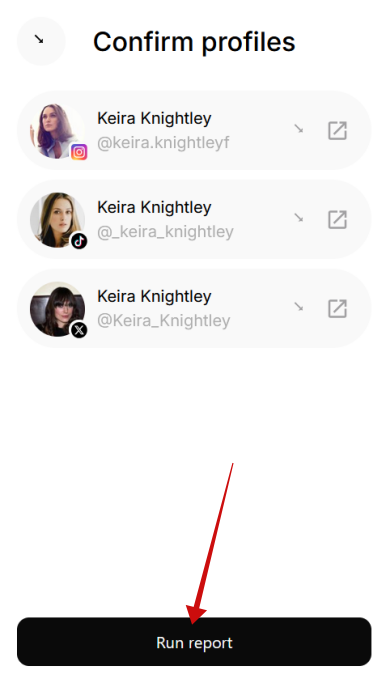
Select the social media profiles you want to use, and press Run Report at the bottom.
Viewing the Results
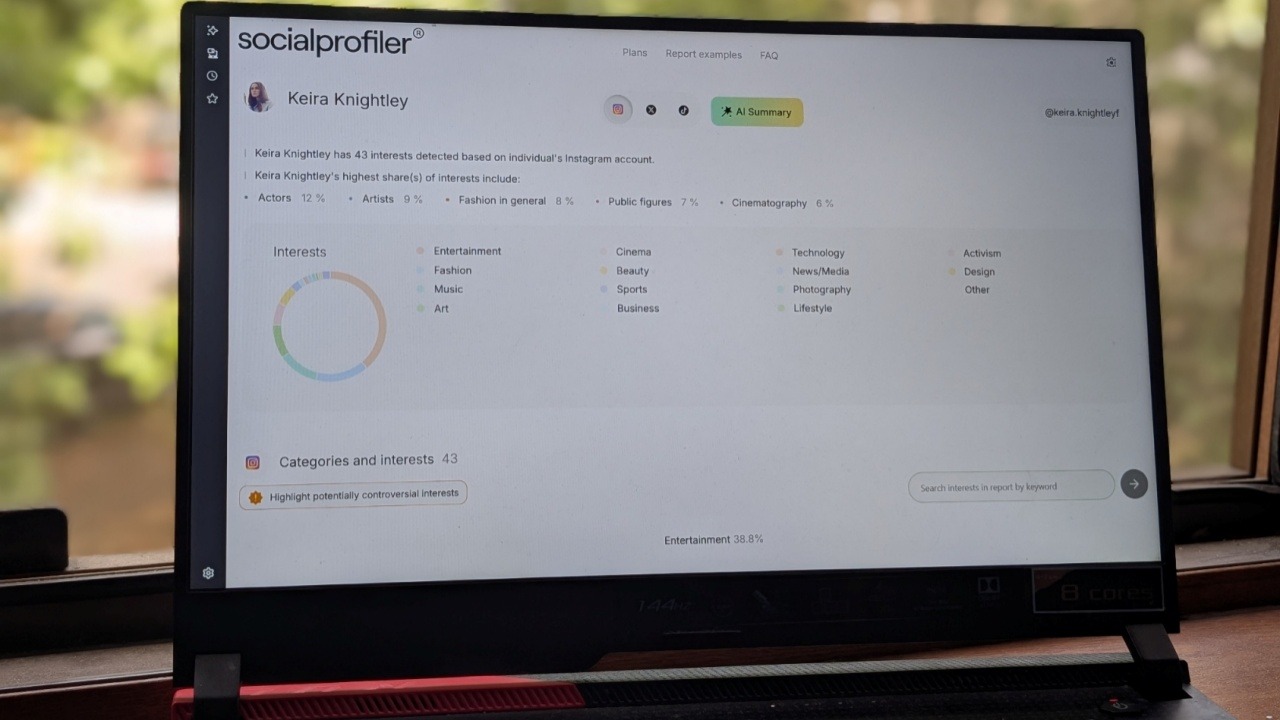
The tool will generate an overview of a person’s interests based on the information gathered from their social media accounts. These are grouped in categories such as Art, Entertainment, Personal Development, and more (depending on each person’s interests), and are visible in a pie chart at the top. A scrollable list is also visible below.
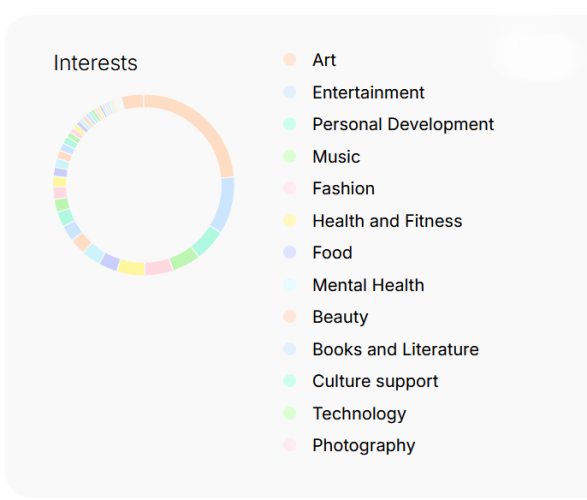
Under each category, you’ll find a list of sub-interests.
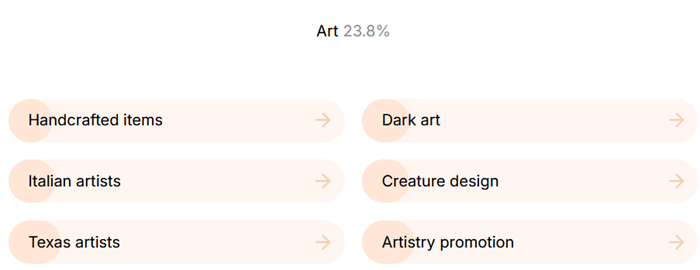
When you click on a sub-interest, you’ll see which accounts the person follows that regularly post content on that topic.
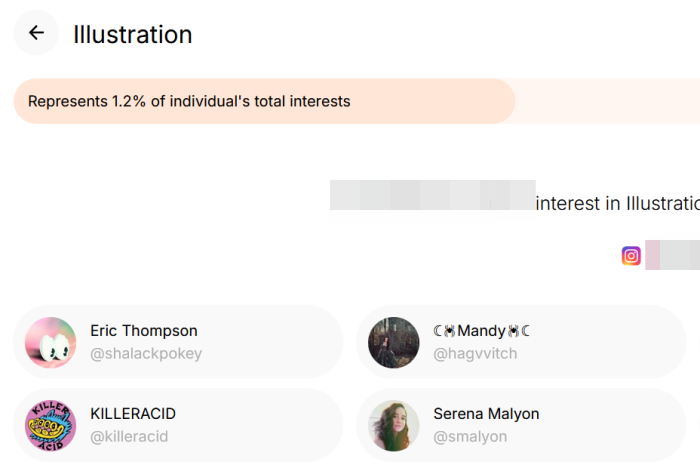
You can use the search bar at the top to look for specific interests.
Socialprofiler displays a separate hierarchy of interests for each social media platform, without combining them into a unified list. While this platform-specific breakdown is useful, I believe an aggregated view of all interests across accounts would have been a helpful addition.
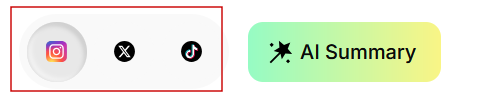
Socialprofiler even includes a Mutual followers/friends section below the pie chart. This includes followers and friends that you share with the person whom you are tracking.
Generating AI Summaries
In my opinion, Socialprofiler’s coolest feature is its AI Summary tool. Once the tool generates the interest, simply press the button at the top of the page to create an AI Summary.

This generates a profile of the individual, highlighting and, in some cases, speculating on various aspects, such as professional and financial status, political views, and other distinctive traits. It’s honestly quite a fascinating read.
Assessing the Results
The results can offer meaningful insights when used correctly. If you’re looking to quickly identify potential red flags, you can use the Highlight potentially controversial interests feature to reveal some of the person’s more unusual or sensitive preferences.
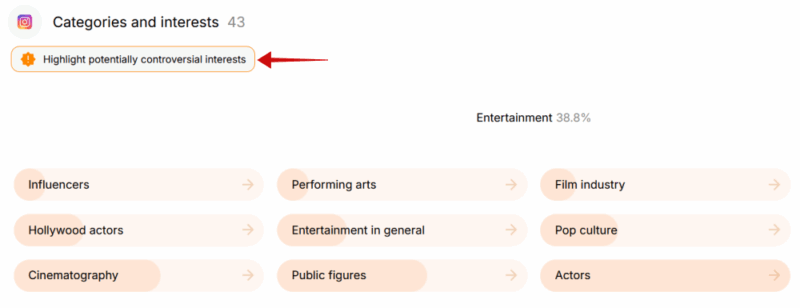
You will want to interpret these results with care. For instance, a simple interest in “tattoo culture” doesn’t automatically suggest a criminal background or a risky lifestyle. It could simply reflect an appreciation for body art, as in my case.
On the other hand, references to controversial interests such as “narcotics” or “hate groups” may warrant closer attention, especially in investigative contexts, where establishing a behavior pattern is key. Following pages that promote violent content could, however, offer a valuable clue when piecing together a broader profile.

When it comes to AI Summaries, you have to keep in mind that Socialprofiler isn’t always accurate in its interpretations, as it lacks context. I ran a report on one of my closest friends who is into a type of extreme metal called “black metal.” This was flagged as a “profound interest in unconventional and potentially controversial themes, prominently including illegal, harmful content”. As her longtime friend, I can assure anyone that she’s not involved in anything illegal; she simply enjoys underground music.
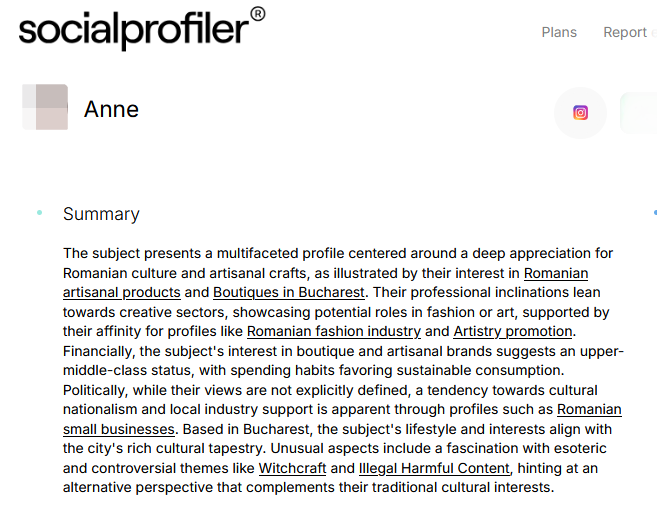
In another friend’s case, Socialprofiler interpreted her interest in national culture and literature as a sign of cultural nationalism. In reality, she holds liberal views. That’s not to say that the inferences don’t make sense somewhat; it’s just that you need to remember to take these conclusions with a grain of salt in some scenarios.
On the other hand, if you’re looking to target a product for a range of consumers who are into national culture and literature, implementing nationalist imagery/ideas into your campaign could make it easier to attract their attention.
Pricing Options
As already noted, you’ll need to jump on board with a paid plan to be able to use Socialprofiler after you use up the free reports. You have a choice between multiple tiers:
- Personal: $6.99/month (two reports per month)
- Family: $19.99/month (ten reports per month)
- Professional: $199.99/month (200 reports per month)
Final Thoughts
During my time using Socialprofiler, I found it a great help in figuring out a person’s views and preferences. That kind of insight has many potential uses, but in my opinion, the most impactful are in sales/marketing and helping assess whether someone’s safe to engage with.
While I do love the AI Summary feature of this social media background check, it would be great if Socialprofiler allowed adding new social accounts after a report was already generated. Sometimes you can come across more profiles later on, and having a way to update the insights could make a difference.
I also found the platform to be user friendly and easy to use. It categorizes interests in a clear format, with a helpful pie chart overview for quick scanning. It’s worth checking out, and you can use the free version to get a feel for what it offers before committing to a plan.