Android phones are powerful, but finding things on them can still feel slow and scattered. Even simple tasks often take too many taps. The Pixel Search app changes that. It’s a free tool that brings fast, Pixel-style search to almost any Android device, making everyday actions quicker and more natural.
What Makes Pixel Search Stand Out on Android
Most Android phones already include search, but it’s usually fragmented. App search, file search, contact search, and web search often feel like separate tools stitched together. They focus on lookup, where you search, then tap again to do something.
Pixel search app flips that approach by making search action-first. It treats search as a single entry point for your entire phone.
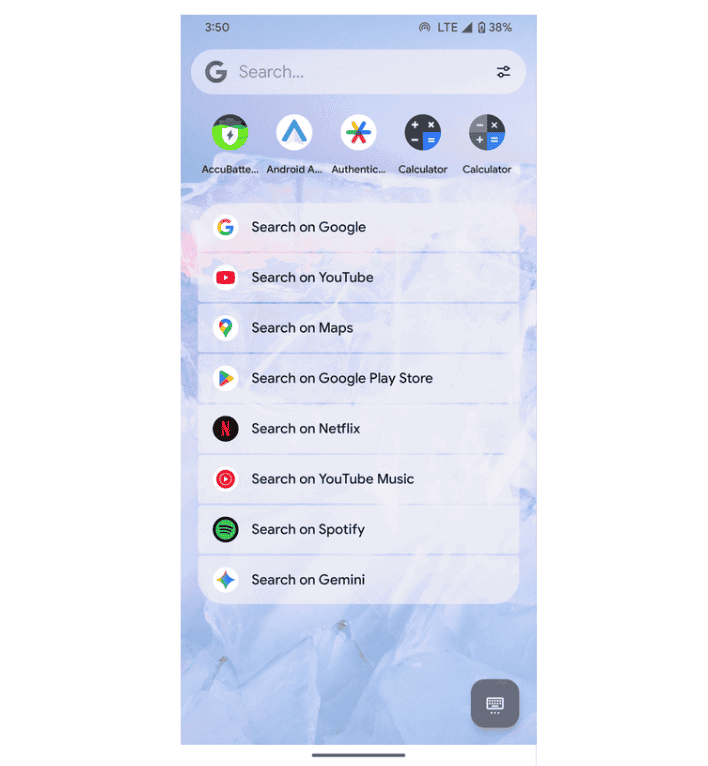
You type once, and the app surfaces apps, contacts, files, shortcuts, and useful actions in one list. Results are grouped clearly, so you are not scrolling through unrelated content.
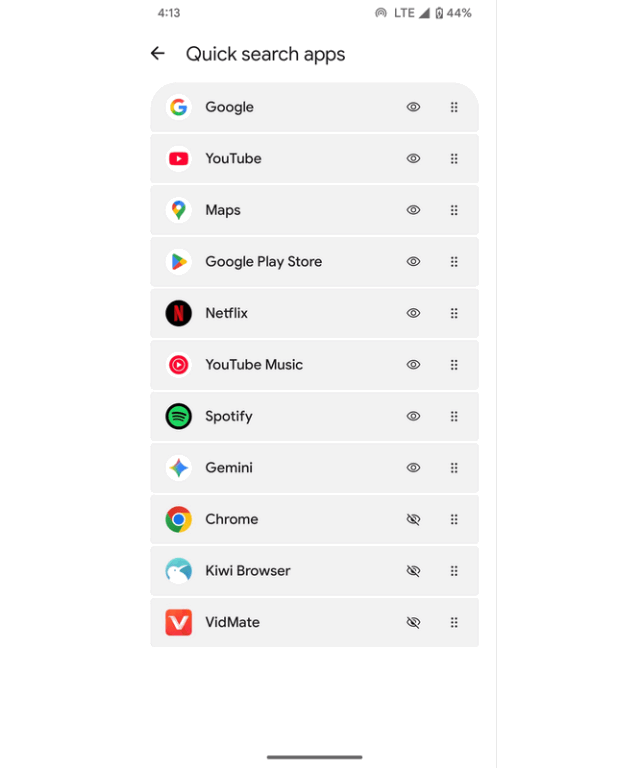
The real difference is intent. Instead of just showing matches, the Pixel search app focuses on what you’re likely trying to do next. That makes searches feel more direct and less cluttered than what many Android devices offer by default.
Action-First Search That Saves Time
The app’s biggest strength is its action-first design. You’re not just finding items; it helps you act right away.
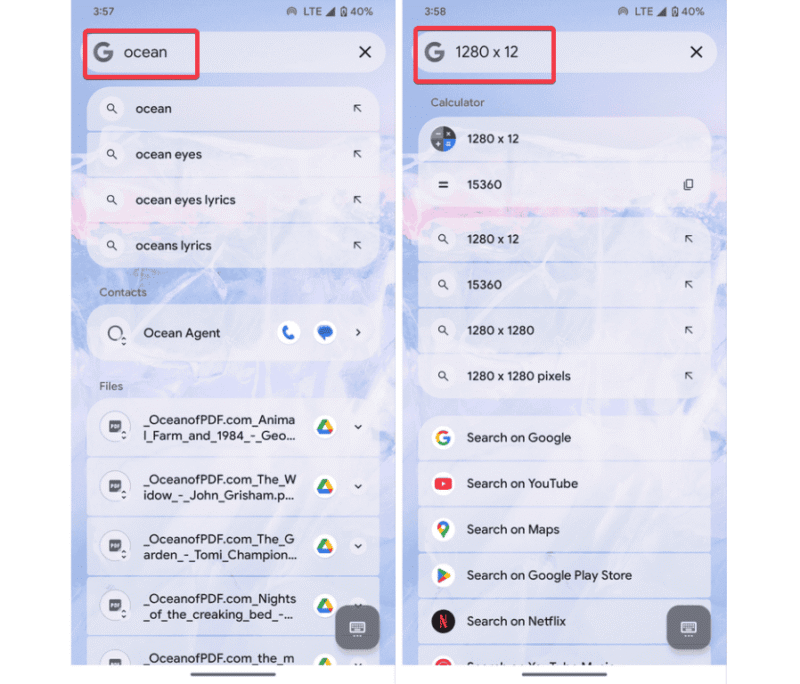
When you search for a contact, you can call or message them instantly from the results. Type a simple math problem, and the answer appears without opening a calculator. Searching for a place shows navigation options right away without opening Maps.
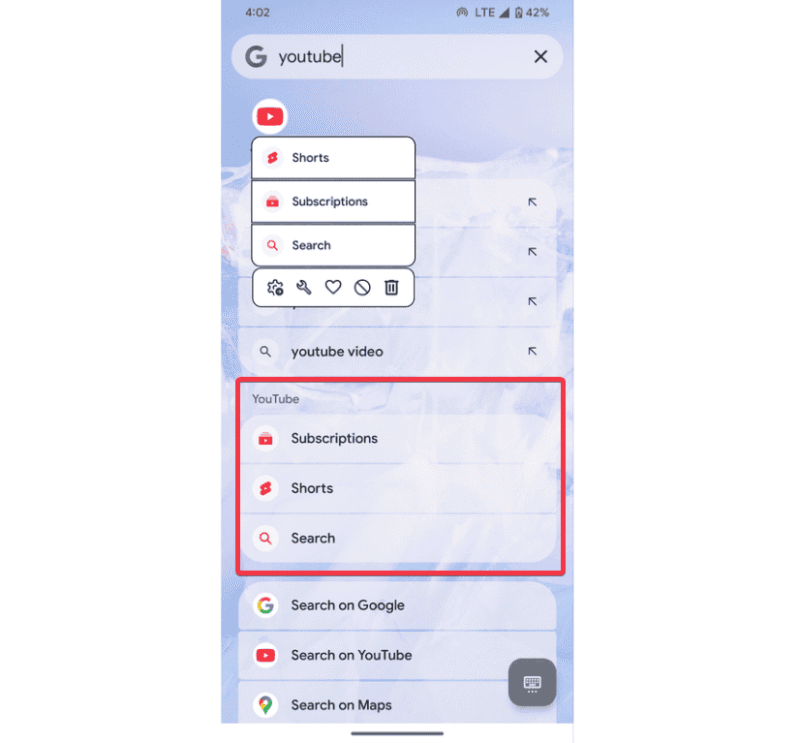
App searches can show shortcuts, letting you jump straight into specific actions instead of opening the app first. Like YouTube, you can click on Shorts directly or open a playlist without opening Spotify first.
This is the core of the app. It reduces the hassle and saves time because you’re not opening multiple apps just to do one small thing. Over time, this makes your phone feel quicker and more focused to use. If you already like using search widgets and shortcuts, this works well alongside them.
Quick Setup
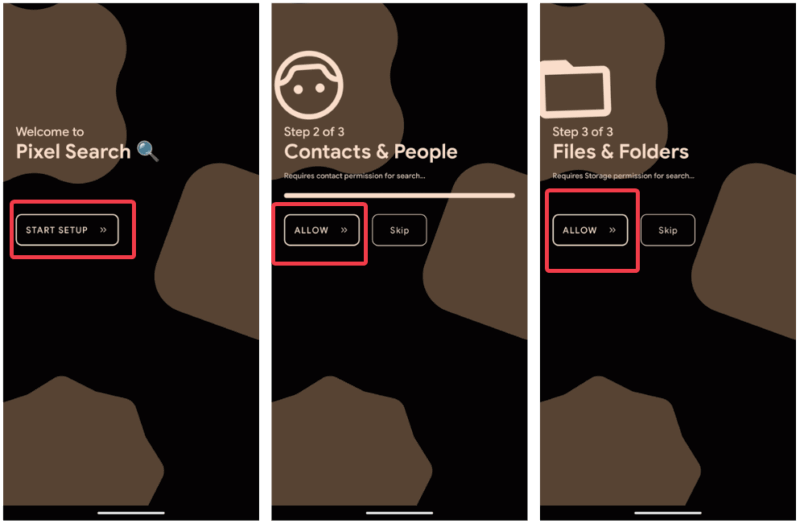
First, approve basic permissions for contacts, files, and calls to unlock its full power.
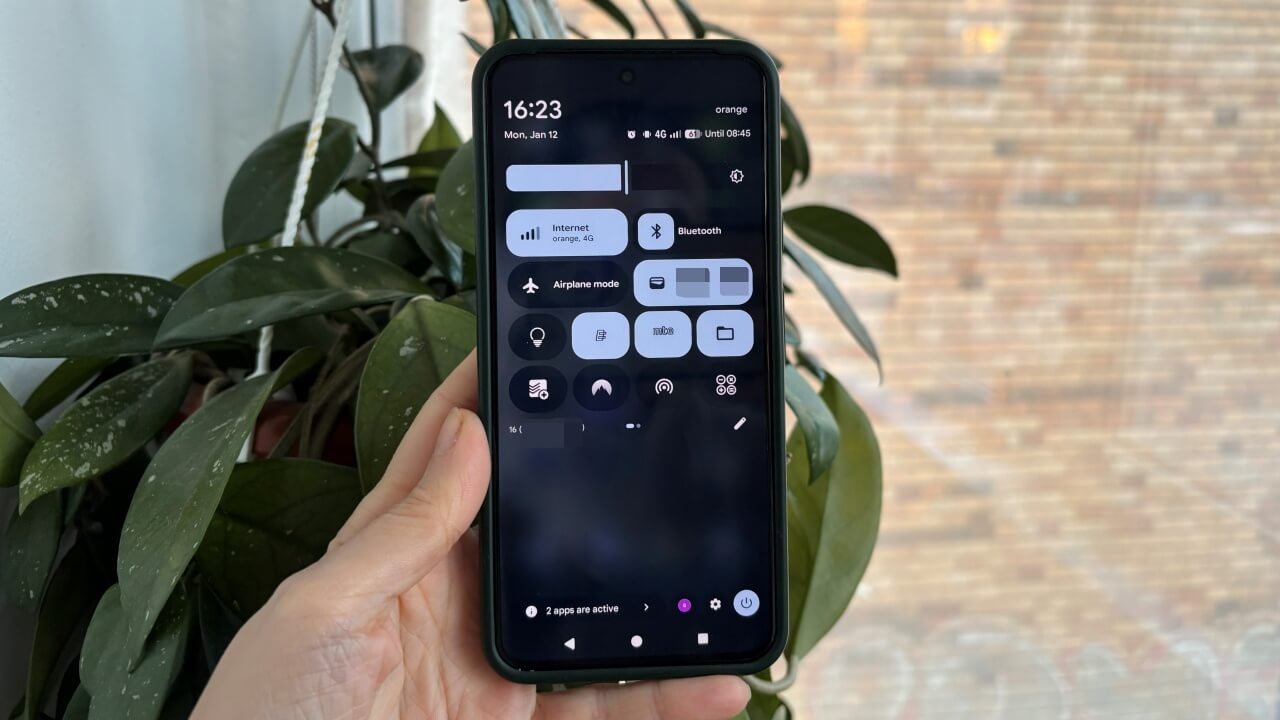
Next, add a widget by long-pressing your home screen, pick the Pixel Search one, and place it somewhere convenient. You can also add it to Quick Settings for faster access.

Within the app, you can customize shortcuts to spotlight the items you use most frequently. This helps tailor results to how you actually use your phone.
A Few Things to Keep in Mind
For all the good it does, the Pixel Search app is not perfect. Some features may feel slightly limited on older devices. Not every app or system setting is indexed, and some features work better on newer Android versions.
On phones with strong built-in search tools, the app can sometimes feel redundant. Also, the widget design may not blend perfectly with every launcher.
To search contacts and files, you need to allow permissions, which some may prefer to keep off. Beyond these, I believe it’s a worthy search upgrade that makes daily use easier and more efficient.
The Pixel search app is about making Android search useful. By focusing on actions instead of simple results, it saves time and hassles and makes daily phone use smoother.