


Having fast Wi-Fi has become indispensable to our daily lives. From surfing the Internet and working from home to playing online games and streaming Netflix, we’re dependent on a robust Wi-Fi connection. But not all Wi-Fi is made equal. With multiple available Wi-Fi technologies, what should you opt for? Wi-Fi 5 vs. Wi-Fi 6 vs. Wi-Fi 6E: which one is the best? And most importantly, should you even care?
Tip: you can install custom firmware on your router and get access to additional features.
[mte_toc]What Are the Current Wi-Fi Standards?
Every few years, we see a jump in Wi-Fi technology. To make sense of the different Wi-Fi technologies and compare them pragmatically, we need to look at the set of standards that routers, devices, and other networking hardware adhere to. These standards are developed by the Institute of Electrical and Electronics Engineers (IEEE) and overseen by the Wi-Fi Alliance.
Before Wi-Fi 6, the latest Wi-Fi standard, the naming convention was much more confusing. We used to notate different Wi-Fi technologies with “802.11xx.” The now retroactively-named Wi-Fi 5 and Wi-Fi 4 were called 802.11ac and 802.11n, respectively. At the same time, Wi-Fi 6 is also known as 802.11ax. The newer naming convention is much more useful and easier to comprehend for the layperson.
Wi-Fi 5 and Wi-Fi 6 are currently the most readily available standards supported by the majority of devices. The newer Wi-Fi 6E brings a few upgrades over Wi-Fi 6 but isn’t as commonplace yet. But what is the difference between these co-existing Wi-Fi standards?
Good to know: Also find out what is WiGig and how is it different from Wi-Fi 6.
Wi-Fi 5 vs. Wi-Fi 6
The Wi-Fi 5 standard was issued way back in 2014, and for a number of years, remained the most commonly used Wi-Fi standard across the world. With the release of W-iFi 6 in 2019, Wi-Fi 5 quickly became outdated. Wi-Fi 6 brought some serious improvements over the previous standard.
The first – and perhaps the most important – improvement is speed. Wi-Fi 6 has a theoretical data transfer speed of 10Gbps compared to Wi-Fi 5, which tops out at only 3.5Gbps. While the actual real-world performance would be determined by your home hardware setup and physical obstructions, Wi-Fi 6 brings a substantial speed upgrade over Wi-Fi 5.

The second major improvement is latency. Wi-Fi 6 brings reduced latency to wireless networks, improving load times and minimizing disconnects. Using technologies like orthogonal frequency-division multiple access (OFDMA), Wi-Fi 6 is more efficient at transmitting data packets over a wireless signal.
The next upgrade has to do with network congestion. With multiple devices competing for the same bandwidth, Wi-Fi 5 networks are unable to keep up. Multi-user multiple input multiple output (MU-MIMO) allows Wi-Fi networks to stream data to several devices simultaneously in both directions. With Wi-Fi 5 supporting only up to four streams, it doesn’t fare well against Wi-Fi 6, which can support up to eight streams.
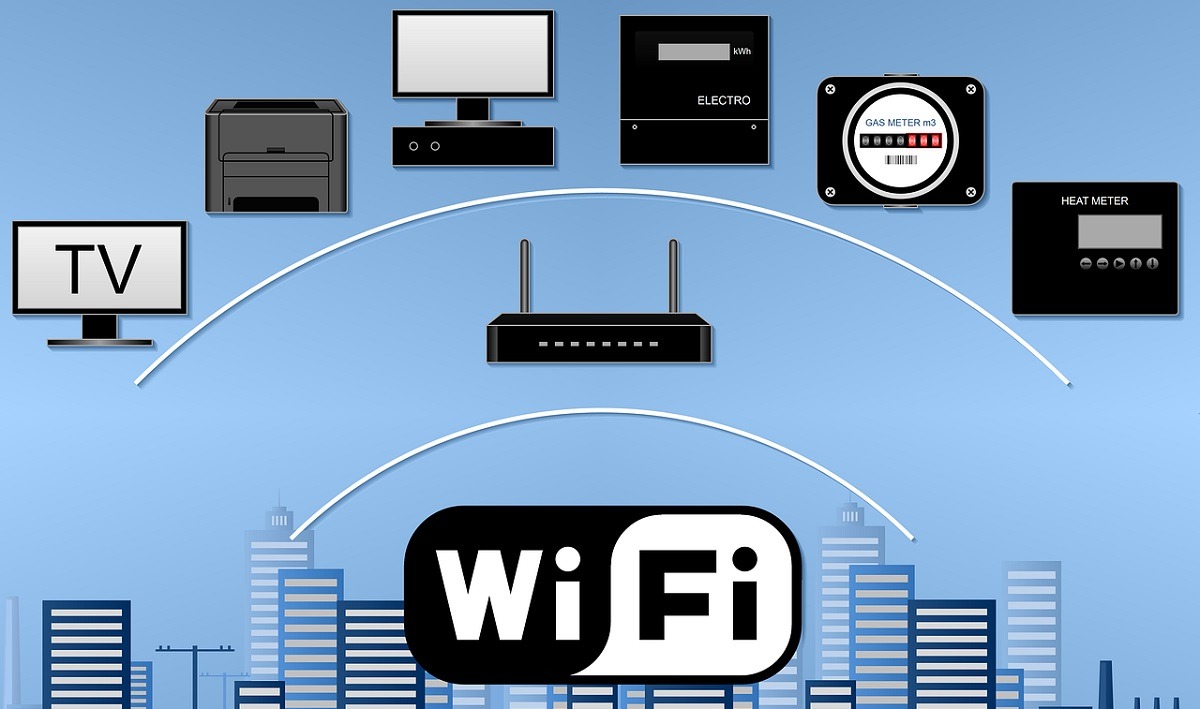
Wi-Fi 6 is not only faster than older Wi-Fi standards but more dependable, too. Note that Wi-Fi signals use the best channel within the frequency band to transmit data. Wi-Fi 5 needs to wait for a clear channel before transmitting a signal. On the other hand, Wi-Fi 6 is better able to determine the source of interference that blocks a particular channel. This enables it to keep transmitting in cases where other networks are interfering with your own network.
Wi-Fi 6 also shines in the battery efficiency area. On supported devices, Wi-Fi 6 can customize how they receive Wi-Fi signals. It helps devices temporarily turn off receiving signals when the device is inactive, helping conserve battery life.

Finally, Wi-Fi 6 is more secure than Wi-Fi 5. With support for the WPA3 standard, network encryption on Wi-Fi 6 is much harder to crack than on older Wi-Fi standards.
Good to know: just get a new router? Learn the difference between “Access Point” and “Repeater” modes.
Wi-Fi 6 vs. Wi-Fi 6E
The Wi-Fi 6E standard was introduced in 2020, with devices supporting the new technology becoming available a few months after. The “E” in Wi-Fi 6E stands for “Extended.” This is because the new standard extends the capabilities of Wi-Fi 6 into the new 6GHz frequency band.
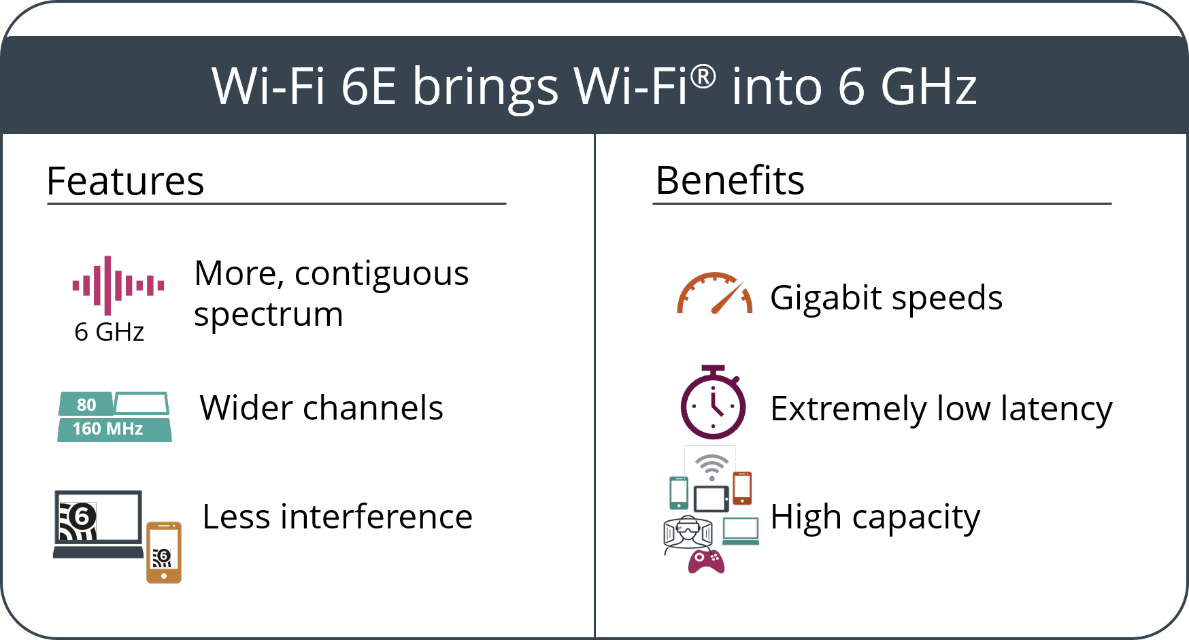
Wi-Fi 6E has access to more and wider channels with far less congestion to transmit signals compared to the already feature-rich Wi-Fi 6 networks. Hence, Wi-Fi 6E achieves less interference from other bands and legacy devices and reduced latency compared to Wi-Fi 6. It’s not perfect, though, as it becomes less reliable over long distances and through thick walls. This is due to the 6GHz radio waves being less adept at handling obstructions compared to the lower frequencies.
Wi-Fi 5 vs. Wi-Fi 6 vs. Wi-Fi 6E Availability
You might still be using some devices limited to Wi-Fi 5 support, but they’re quickly becoming scarce. Wi-Fi 6 routers and devices have quickly gained ground as router costs have decreased. At the same time, device manufacturers have adopted the newer standard for many of their products.
Wi-Fi 6E support, however, has remained spotty at best. Routers supporting Wi-Fi 6E have remained pricey, and device support is still limited to high-end phones, laptops, and TVs.
Currently, the best choice based on availability, features, and price is Wi-Fi 6. It supports up to 10Gbps data transfer speeds, has almost all of the features of Wi-Fi 6E, and doesn’t burn a hole in your pocket with the price. No matter which standard your laptop or PC supports, it will still work with any modern router you have, as both Wi-Fi 6E and Wi-Fi 6 routers are backward compatible with devices supporting Wi-Fi 5 and older standards.
Tip: your Internet connection is unstable? Try troubleshooting your router before looking for other causes.
Frequently Asked Questions
What do I need before upgrading to better Wi-Fi?
Before you can enjoy a faster and more consistent Wi-Fi network, you need to ensure you have all the pieces in place. This includes buying a new router and client device (phone, laptop, TV) that supports the Wi-Fi standard you want to use. Also, make sure your actual Internet plan is capable of providing the speeds you desire. There’s no point investing in pricey Wi-Fi 6E hardware if you can’t make full use of its maximum potential transfer speeds.
Should I wait for Wi-Fi 7?
Wi-Fi 7 is the upcoming Wi-Fi standard, promising speeds of up to 40Gbps. While devices and routers supporting this latest standard will start to appear in early 2023, you shouldn’t hold your breath for this one. Even Wi-Fi 6E routers aren’t what you’d call “affordable,” so it’ll be a long time before we see Wi-Fi 7 hardware become accessible to the masses. Moreover, Wi-Fi 6 and Wi-Fi 6E speeds, supported by appropriate ISP plans, are currently more than enough for most use cases.
Does Wi-Fi 6 penetrate walls better than Wi-Fi 5?
With all other things being equal, yes, as Wi-Fi 5 only runs on the 5GHz band, while Wi-Fi 6 is capable of running on both the 5GHz as well as the 2.4GHz band. This allows Wi-Fi 6 signals to have a longer range and better wall penetration compared to the 5GHz signals of Wi-Fi 5. Some users even steer and combine the 2.4 GHz and 5 GHz bands to achieve optimum Wi-Fi performance.
Is it worth buying a Wi-Fi 6 router if I have a Wi-Fi 5 device?
If you have an older phone or laptop supporting only Wi-Fi 5 speeds, you can still consider investing in a Wi-Fi 6 router to benefit from the other advantages. You can improve your connection latency and congestion and get access to an overall more dependable Wi-Fi – even though you’ll be limited to Wi-Fi 5 speeds.
Image credit: Unsplash