

Just because Chrome and Edge are popular doesn’t mean they are the best fit for everyone. Opera actually surpasses them in several areas. As a long-time Opera user, here’s why I prefer to use Opera over Chrome or Edge on Windows 11.
You Won’t Need Another Ad Blocker
Opera was one of the first browsers, if not the first, to introduce a built-in Ad blocker in 2016. While Chrome does block intrusive ads, it doesn’t offer an actual ad blocker built-in. By default, Opera ad blocker allows non-intrusive ads, but you can disable this as well.
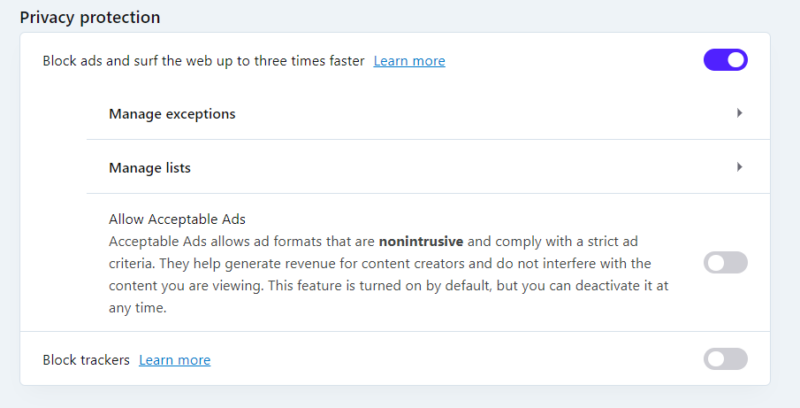
It uses Easylist and Anti-circumvention lists to block ads, which are sufficient to block most ads. However, you can also click on the Manage lists option to enable language-specific lists or even create custom lists. Furthermore, the Privacy Protection icon on the toolbar lets you quickly enable/disable the ad blocker when needed.
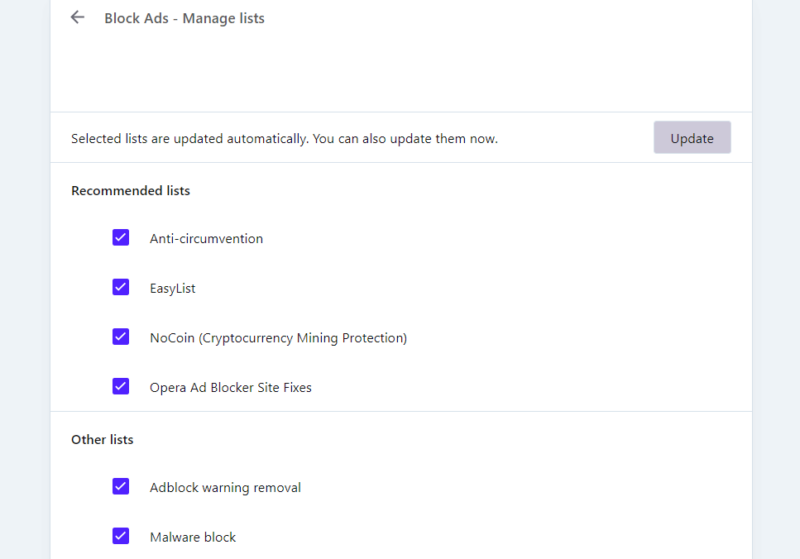
I really like its bonus lists that block more than just ads, like cryptocurrency mining, malicious websites, adblock warning pop-ups, and even a site fixer list for websites that break due to the ad blocker.
I personally never had trouble with any ads. It blocks all ads and tries to block associated pop-ups if possible.
Pinboards Make Saving and Sharing Content a Snap
If you like using read-it-later apps, you’ll surely love the Pinboards feature of Opera. Pinboards lets you save and organize online content, so you can read it later. You can add images, links, notes, emojis, etc. to save content and organize them in a dedicated tab.
Simply click the Pinboards icon in the toolbar while on the website you want to save. Then, you can add a note if you like and choose the pinboard where you want to save it. All the saved content can be arranged in dedicated pinboards and you can also share them with anyone using a shareable link (recipients don’t need Opera installed).
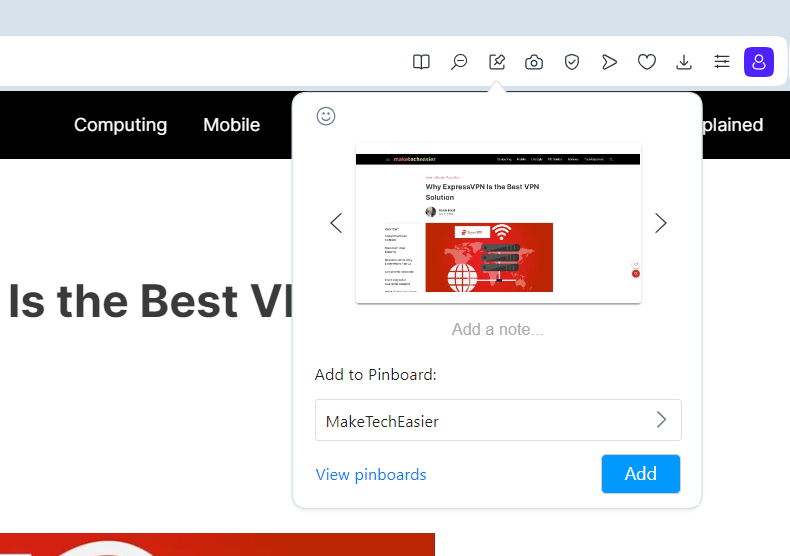
Furthermore, you can manually create pins by adding images, links, titles, and notes to save any type of content. If you think you’ll be offline for a while, you can manually save pinboards for offline access as well.
The Free VPN Is Surprisingly Good
Soon after releasing a built-in ad blocker, Opera also released a free built-in VPN; becoming the first browser with a built-in VPN.
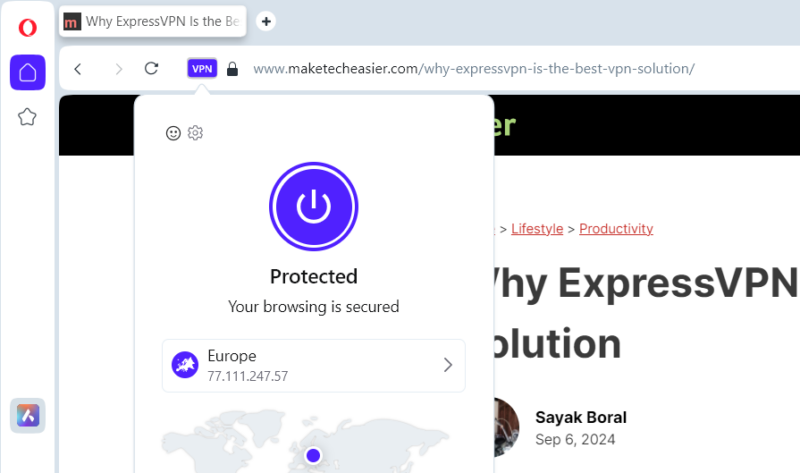
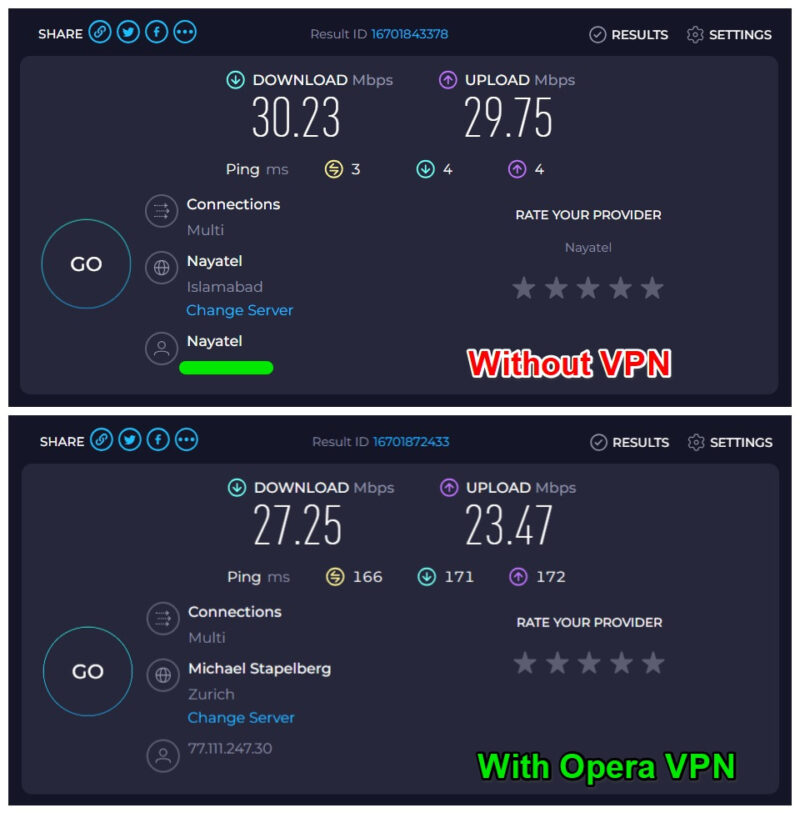
Most free VPNs have limited bandwidth, show ads, and have extremely slow speeds. This isn’t the case with Opera VPN. It’s unlimited with no ads and runs almost as fast as premium VPNs. On my 30Mbps connection, it stays between 25-28Mbps with VPN enabled.
It allows you to select 3 regions, Americas, Asia, and Europe. It selects a server depending on which is optimal at the time of connection. This might not seem much, but most free VPNs limit you to 1-3 fixed servers. If that’s not enough, you can try Opera Pro VPN too, which is quite cheap compared to other offerings.
The Sidebar Is Just Way Better
While Edge’s sidebar does boost your productivity, it’s still mainly an app launcher. Opera’s sidebar does that and much more. What I like most is its quick access to Opera’s Workspaces feature. With it, you can create dedicated workspaces with different tab groups and quickly switch between them with a single click.
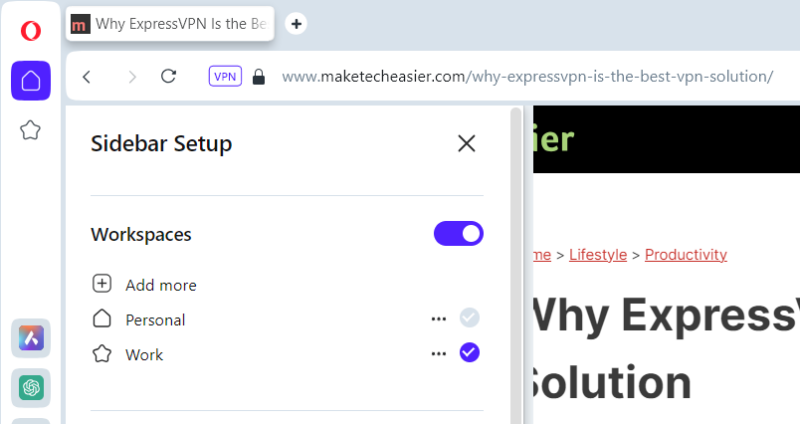
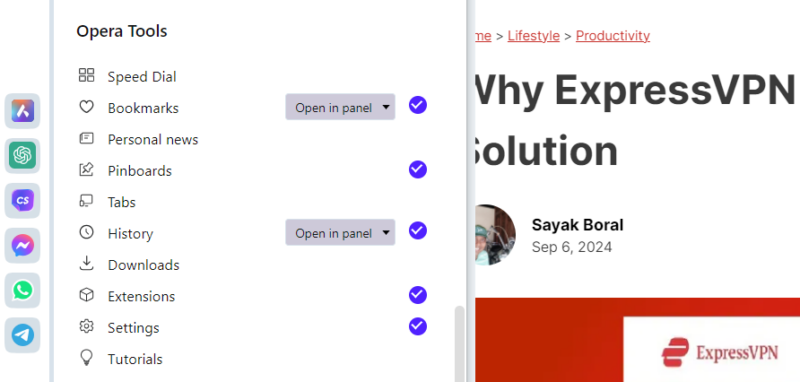
Additionally, it lets you add Opera’s key functions on the sidebar, like Pinboards, History, Extensions, Downloads, and much more. It’s not just a quick access link either, the page will open in the side panel to configure without leaving your current page.
To top it off, it supports dedicated extensions that are specifically created to work in Opera’s side panel. For example, you can open a calculator in the side panel, or even run YouTube in audio mode.
It’s Chrome, but Better
Yes! Just like Chrome and Edge, Opera is also built on Chromium. This means you can enjoy a similar experience to Chrome while having a bunch of extra features to go with it. All the big features like tab grouping, PDF viewer, hardware acceleration, tab snooze, etc. that make their way to Chrome are also added to Opera.
As all 3 of these browsers use the Blink rendering engine, Opera matches Chrome’s and Edge’s speed. They also share security functions, such as all these browsers isolate tabs from each other for security.
Best of all, most of the extensions in Chrome Web Store can also be installed on Opera right out of the box. I install extensions often for work and I never had any issues making a Chrome extension work in Opera.
Overall, Opera offers powerful productivity features while being as reliable as Chrome and Edge. Even though I prefer the minimalist design of the default Opera browser, if you are into gaming, Opera GX is also a great alternative to Chrome and Edge.
Image credit: Vecteezy. All screenshots by Karrar Haider.