


In the broadest sense, virtualization is the process of creating a virtual, rather than actual, copy of something. Virtual in this case means something so similar to the original that it can barely be distinguished from it, as in the phrase “virtually the same.”
Virtualization is the use of computer programs to closely imitate a specific set of parameters. A specific software tool, called a “hypervisor,” creates a virtual environment with software within the given parameters.
There are as many kinds of virtualization as there are uses for it, so we will restrict our discussion to the most common types of virtualization.
Hardware Virtualization
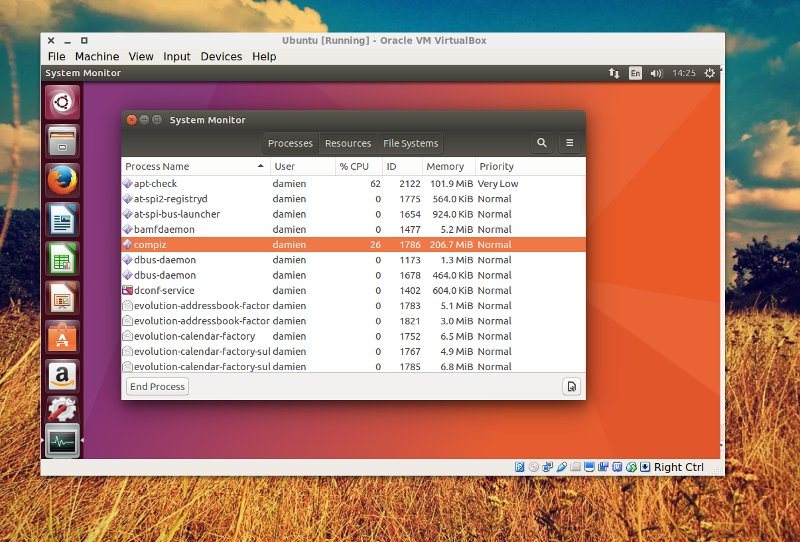
This is the most familiar type of virtualization for most users. When you run a virtual machine in VirtualBox, you’re running a hardware virtualization. Video game system emulators follow the same principle, using a hypervisor to generate the parameters of bygone video game consoles.
In hardware virtualization, the hypervisor creates a guest machine, mimicking hardware devices like a monitor, hard drive, and processor. In some cases the hypervisor is simply passing through the host machine’s configuration. In other cases an entirely separate and independent system is virtualization, depending on the needs of the environment.
This is not the same as hardware emulation, a far more complex and lower-level process. In hardware emulation, software is used to allow one piece of hardware to imitate another. For example, hardware emulation can be used to run x86 software on ARM chips. Windows 10 uses this type of emulation extensively in its one-OS-everywhere strategy, and Apple used it in Rosetta when transitioning from PowerPC to Intel processors.
Often, some limitations are required of virtualization. A hypervisor often cannot exceed the specifications of its host device. You cannot run a hypervisor with 10 TB of hard drive storage on a 2 TB disk. You could try to falsely provide that number through the hypervisor, but that would quickly fall apart under use.
Virtualized hardware is also typically slower than the real hardware environment. However, hardware virtualization comes with the advantages of lower cost, faster implementation, and greater flexibility in deployment — characteristics valued under Silicon Valley’s “move fast and break things” ethos.
Hardware-assisted virtualization uses specifically-designed hardware to aid in the virtualization processes. Some modern processors include virtualization-friendly optimizations, allowing for faster and more fluid processor virtualization.
Also read: 4 Free Virtualization Software for Windows 10
Desktop Virtualization
Desktop visualization separates the desktop environment from the physical hardware the user interacts with. Rather than storing the operating system, desktop environment, user files, applications, and other end-user files on the hard drive of the user’s computer, the desktop is virtualized for the user. From the user perspective, this environment appears to be a local disk, if perhaps a little slow.
However, the entire system is actually managed by a server. This allows system administrators to have complete control over the users’ desktop environment from a remote access point. By rolling out updates on the server, they are instantly applied to the end user, without the need for tunneling, physical access, or device-specific user profiles. By separating the desktop environment from the hardware it runs on, the user is free to access “their” computer from any desktop computer.
Network Virtualization
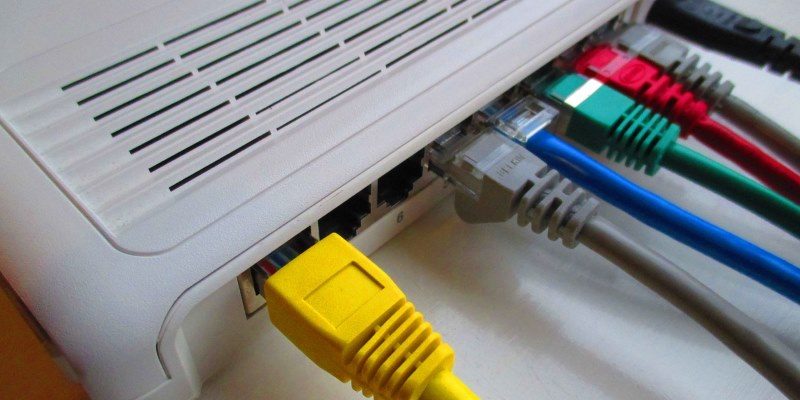
Similar to the two types of virtualization already mentioned, network virtualization mimics network topology, but decoupled from the hardware traditionally used to manage such networks. Rather than running physical networking controlling infrastructure, a hypervisor recreates that functionality within a software environment. Network virtualization can be combined with hardware virtualization, creating a software network of hypervisors all communicating with one another. Network virtualization can be used to test and implement upper-level network functionality like load balancing and firewalling as well as Level 2 and 3 roles like routing and switching.
Conclusion
Virtualization’s main penalty is speed. Virtual environments are universally slower than host environments running on “real” platforms. But speed is not all that matters. In environments when next-second performance is not mission critical, organizations can save money and increase flexibility with virtualization. Single users can use virtualization to mimic hardware environments they don’t have access to, running multiple operating systems on a single computer simultaneously.