


As we move into a more Internet-connected world, we’ll naturally see developments in the digital space to help people set up and run websites. One of these ways is the somewhat incorrectly-named “serverless computing,” which advertises itself as a means for developers to set up web-based services without any of the stress of running a server.
Let’s take a look at what serverless computing is and why its name isn’t ideal.
Also read: How to Set Up a Local Web Server (Windows, Mac, Linux)
What Is Serverless Computing?
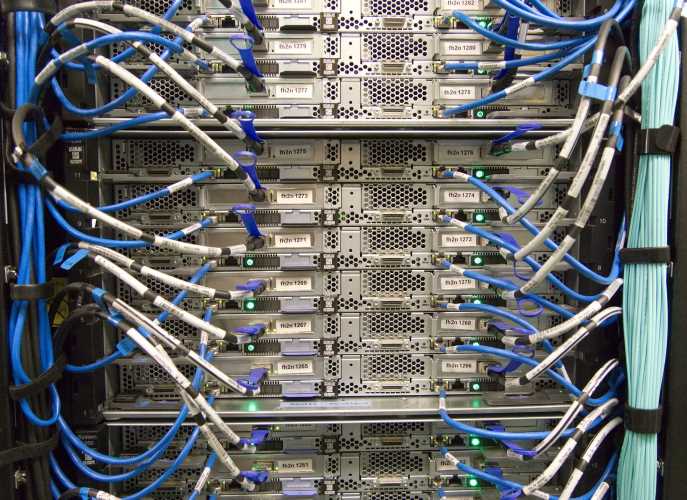
In a world where every person, company, and service needs a website, hosting services need to make creating a site as stress-free as possible. This is what serverless computing aims to do; by removing the server from the equation, clients have one less thing to worry about when they’re setting up their digital space.
Serverless computing does this by hosting websites in the cloud. This allows the host to customize the number of resources that go into the website, allowing it to adapt to the client’s needs. The person making the site no longer has to worry about setting up the server – they just make the site and let the cloud handle the rest.
But Isn’t the Cloud Made Up of Servers?
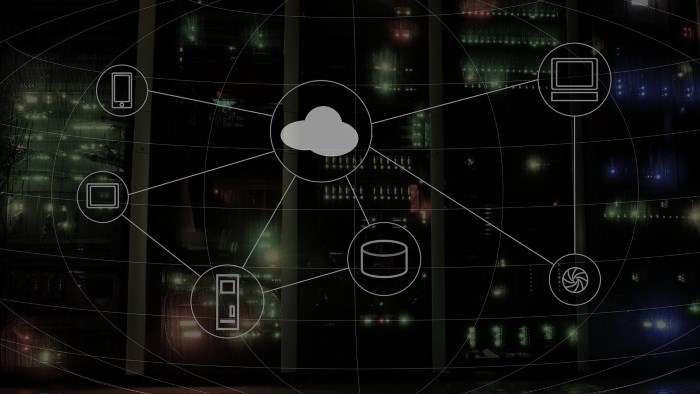
You may have noticed an odd thing about the previous paragraph: “serverless computing” requires the cloud to run. However, “the cloud” is just a term for a server farm that is connected to the Internet. This doesn’t really make it “serverless” at all! This is why the name isn’t the best for this kind of service, as there are definitely servers working in the background.
The main concept behind the name “serverless” is that it removes the requirements for users to set up a server. In this way the client experiences a “serverless” experience, despite the fact that servers are still very much used to host the website.
What’s the Benefit of Serverless Computing?

The main bonus of serverless computing is that it attracts less tech-savvy clients that want to host their websites. It removes the need to manually tweak the settings on a server, so clients can get right into running their site and only pay for what they are using.
It does, however, have an additional benefit for both clients and hosts. The way serverless computing works allows for clients to only pay for what they use. For instance, let’s say you want to host a server for a game with your friends. Under the old model you would have to pay a monthly fee to hire a server.
Under this cloud-based one, however, you use the server to play your game and only pay for the resources you use in the cloud. This means you’re only paying for the times you use the server, so you’re not paying out of pocket for something not being used.
How Does Serverless Computing Work?
Let’s say you register for a serverless option when you want to host a website. What’s happening on the other end that allows your site to be hosted?
As we covered above, serverless computing takes the strain of managing a server off of the user and puts it onto the server itself. This means the server has to calculate parameters such as storage space and memory by itself.
This uses what’s called “Function-as-a-Service,” or “FaaS” for short. When the cloud receives some code to run by the user, it calculates how many resources are required to run it. It then looks into its servers and doles out the resources needed to run the process it’s just been given.
The server also needs to recognize when a process needs to be scaled up or down. If someone hosts a website which sees an influx of visitors, the server automatically adapts to this and assigns more resources to the website. When the stream of visitors dies down, the server can use fewer resources to keep the site online. It then calculates how many resources were used over a month and bills the user for the total.
How to Use Serverless Computing
Typically, a user interacts with serverless computing using a console. This allows the user to design functions which they want the cloud to run. The user then invokes the function when it’s time to run their service and lets the serverless service handle the rest.
This makes it very easy for someone to get a function up and running. The biggest hurdle is figuring out how to use your chosen service’s interface to get something running. Once you’re done, you can get the process going and let the service handle the rest!
Some Useful Links
If you’d like to know more about serverless computing, here are a few links to get you started:
- AWS Lambda – Amazon’s serverless computing service.
- Create a Lambda Function with the Console – Getting started with AWS Lambda.
- Microsoft Azure – Microsoft’s serverless computing service.
- “How Does Serverless Computing Work with Containers and Micro Services?” – An in-depth look into what is automated when using serverless computing.
- “I just launched a serverless website in 15 minutes.” – A guide on making your own serverless website.
Not So Serverless
While the name “serverless computing” is a bit of a misnomer, the idea is that it removes the need for the end user to interact with servers. They have all the benefits of a host service without any of the fiddling with server settings, making it easier for businesses to get online.
Do you think “serverless computing” is a good name for this technology? If not, what would be better? Let us know below.