


Before Facebook walls, Twitter feeds, Reddit, and Telegram channels, there was RSS — a way to get news and updates from multiple sources all conveniently bundled into one place. Social media may have taken a sizeable chunk out of RSS’s market share, but it’s still a fantastic tool for any news junkie, infovore, market-watcher, or social-media-averse individual. In short: if having a feed of constantly-updated, self-curated information sounds like your idea of a good time, you’ll probably enjoy RSS.
What is RSS?
Depending on who you ask, it stands for “Rich Site Summary,” “Really Simple Syndication,” or “RDF Site Summary.” Regardless of the acronym, it’s actually a very straightforward technology: whenever a website publishes new content, that content can automatically be put into an RSS feed.
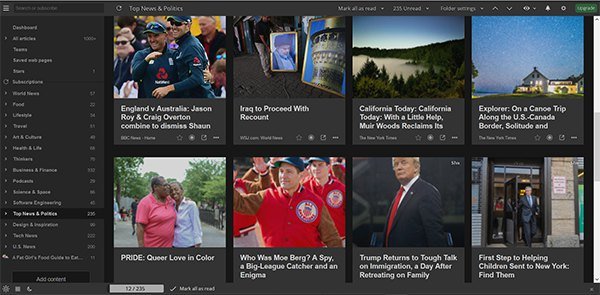
RSS readers can tap into that feed and show you as either a Twitter-like list of posts, a grid of pictures and headlines, or even full articles, magazine-style. Running one is pretty easy, and viewing one is even easier – there are dozens of Web, mobile, and desktop apps out there that can bring hundreds of these sources together into one place.
Also read: How to Create Custom RSS Feeds in WordPress
What can I use RSS for?
There are a lot of different ways to use RSS, and they’re not all immediately obvious.
- News: Just hook up to a bunch of your favorite news sites and get the day’s headlines delivered straight to your RSS feed. You can customize it to be as broad or narrow as you like, and many readers now offer all kinds of handy tools to filter and sort all the content.
- Niche interests: If you’re especially interested in one particular topic, you can connect to any number of blogs and websites that specialize in it. You can have an entire RSS feed about Kanye West, if you really want. Alternatively, follow community events, local businesses, satellite launches – the sky is the limit.
- Staying up to date on prices and deals: Lots of sites that monitor deals have RSS feeds, and you can even get updates on flight prices, Craigslist categories, stock and currency activity, et cetera.
- Find a job: Some job-search websites have a feature that allows you to constantly get updates whenever a new job appears that fits your search criteria.
- Severe weather updates: Or just weather updates in general. But the highest return is probably getting a heads-up when there’s a hurricane or tornado warning out.
You can get pretty creative with the stuff you put in an RSS feed – shipping updates, flight delays, music recommendations, and so on. You can even track Reddit and Digg, if you’re one of the nine people who still uses Digg.
Getting Started: Choose Your Weapon
Because RSS feeds are so easy to generate, you don’t have to worry about content. Your favorite sites are probably set up with them already. The real key to getting the most out of RSS is finding a good reader with a nice design and useful features.
You can get web-based, desktop, mobile, and even browser add-on versions, most of which let you subscribe to up to 100 sites before asking you to pay to upgrade your membership to access more features. There are dozens out there, but these four are a great place to start.
1. InoReader (Web/Android/iOS/Windows Phone)
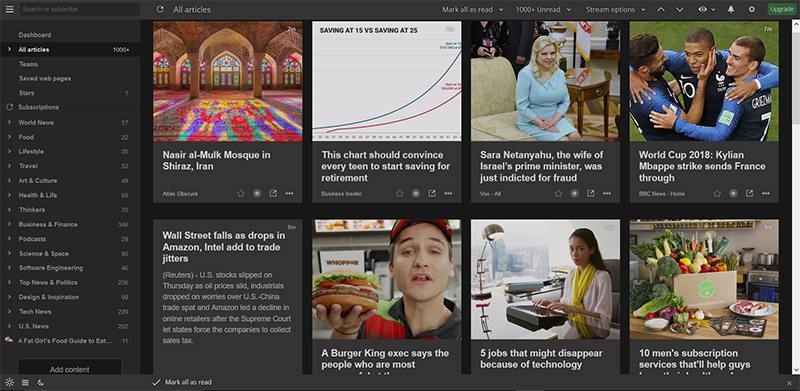
InoReader has a nice layout, no subscription limit (mostly why it’s on top of this list), and more free features available than average. It’s user-friendly, if a little less sleek than some others, and power users will enjoy how customizable it is.
2. Feedly (Web/Android/iOS)
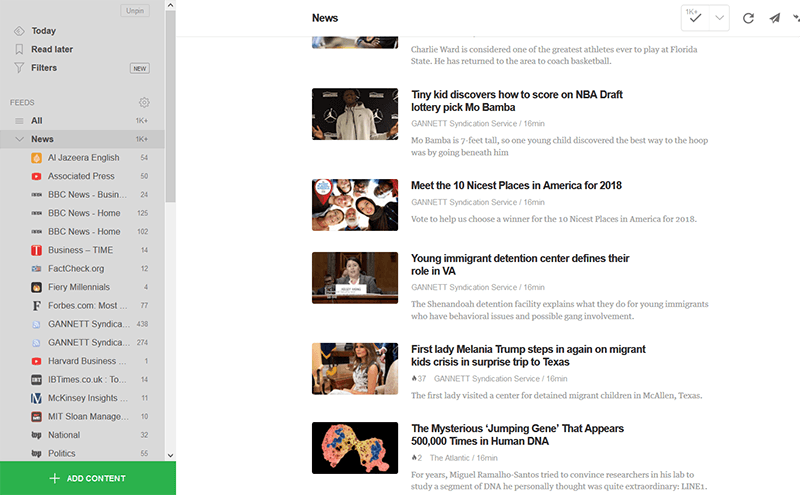
Feedly is the most popular reader with a smooth, very user-friendly interface. It’s probably the easiest way to get into RSS. You get up to 100 site subscriptions with a free account, and its algorithms are quite good at giving you relevant, trending content.
3. The Old Reader (Web/Android/iOS/macOS/Windows Phone/Linux/Browser Extensions)
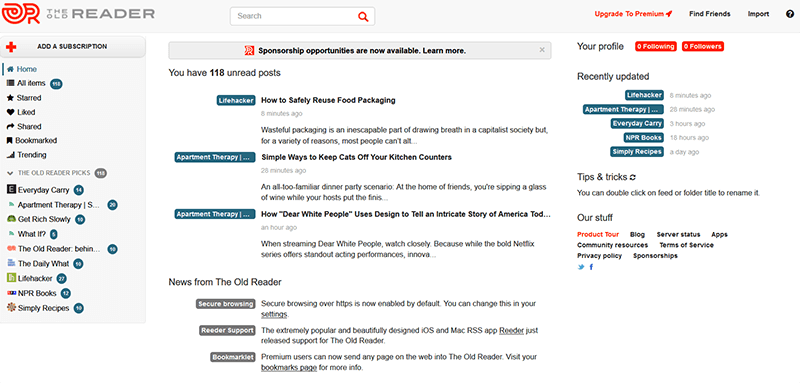
Not only does The Old Reader have a pleasant modern-retro interface, but its open API means that it has a lot of access options. It allows up to 100 subscriptions with a relatively inexpensive premium option and is excellent at curating trending content with a social emphasis.
4. NewsBlur (Web/Android/iOS)
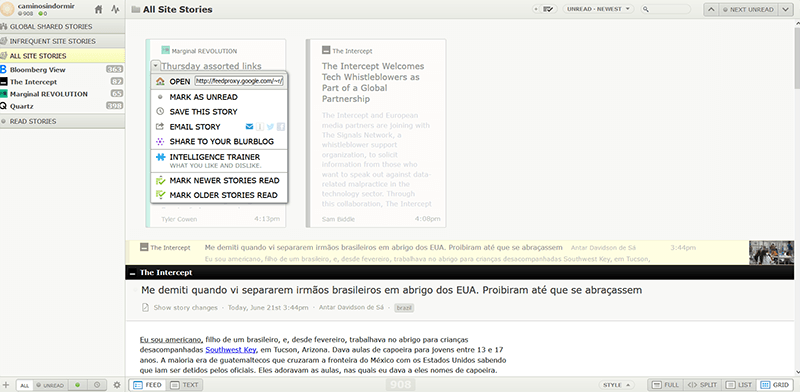
NewsBlur‘s interface is a bit clunky, and it only gives you 64 free sites, but the machine learning that lets you zero in on exactly the type of content you want by upvoting or downvoting certain aspects of articles really sets NewsBlur apart.
Create Your Space
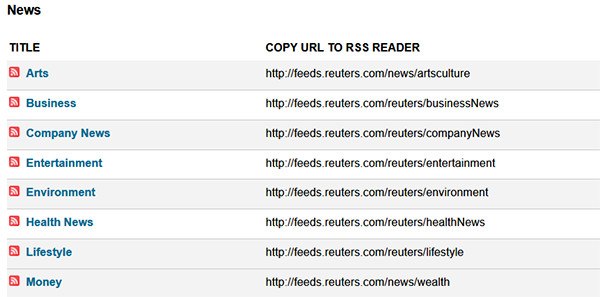
Once you’ve decided on a reader, all you have to do is start pulling in your sources. Most RSS readers have a search function that will find pretty much any major site or publication, but if it doesn’t show up there, most things are easy to add manually. Just paste the URL into your RSS reader, and it should automatically find the feed for you or keep an eye out for the RSS symbol on blogs and sites, which will take you straight to their feed. Once you add your sources, you can organize them however works for you!
Conclusion: RSS is not dead

If you’re an Internet user from the mid-to-late millennial generation, chances are you don’t currently use RSS and may have never even heard of it. It’s still very much a part of the Internet, though, and it’s refreshingly free of the personal issues and opinions that so often affect information shared on social media. While its information-aggregating properties are nice, RSS’s most valuable feature may now be its ability to help users consciously balance the perspectives they read, going beyond the Facebook and Twitter trends.
Image credit: RSS Digital Announcement Network Technology Concept by Rawpixel.com/Shutterstock