
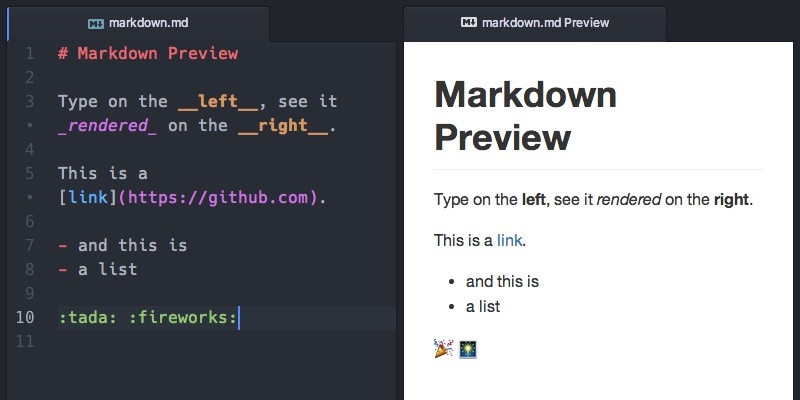

Markdown is a simple markup language that helps you format your plain text documents with minimal effort. You may be used to formatting your articles using HTML or the Visual Editor in WordPress, but using markdown makes formatting a lot easier, and you can always export it to several formats including (but not limited to) HTML.
WordPress does not come with native markdown support, but there are plugins that can add this functionality to your website if you so desire.
In this tutorial I will demonstrate how to use the popular WP-Markdown plugin to add markdown support to a WordPress website.
Installation
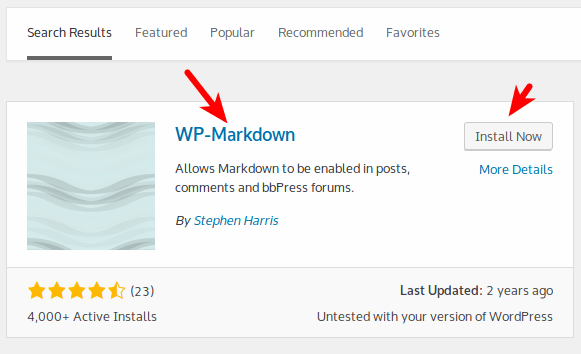
You can install this plugin directly by navigating to “Plugins -> Add New” and entering “wp-markdown” in the search box provided. The plugin should appear as the first option on the list. Click “Install Now” to install it.
Configuration
Once you have installed the plugin and activated it, navigate to “Settings -> Writing” in the menu and scroll down until you get to the markdown section.
You can enable markdown support in posts, pages and comments. You can also enable a help bar for your post editor or comments which could be handy if you’re just learning the markdown syntax.
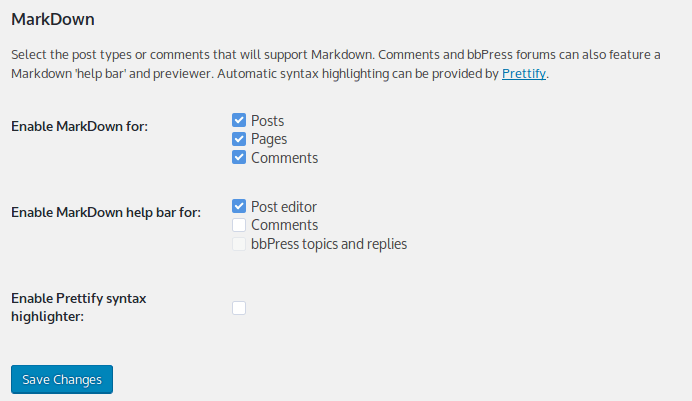
If you include code snippets in your blog posts, enabling the “Prettify syntax highlighter” option will automatically provide syntax highlighting for your code snippets.
Once you are satisfied with your selections, click “Save Changes” to save your settings.
Write your posts with Markdown
Once you have enabled markdown support on your website, you can start using it right away.
Create a new post by going to “Posts -> Add New.” You will notice that the default Visual and Plain Text editors have been replaced by the markdown editor.
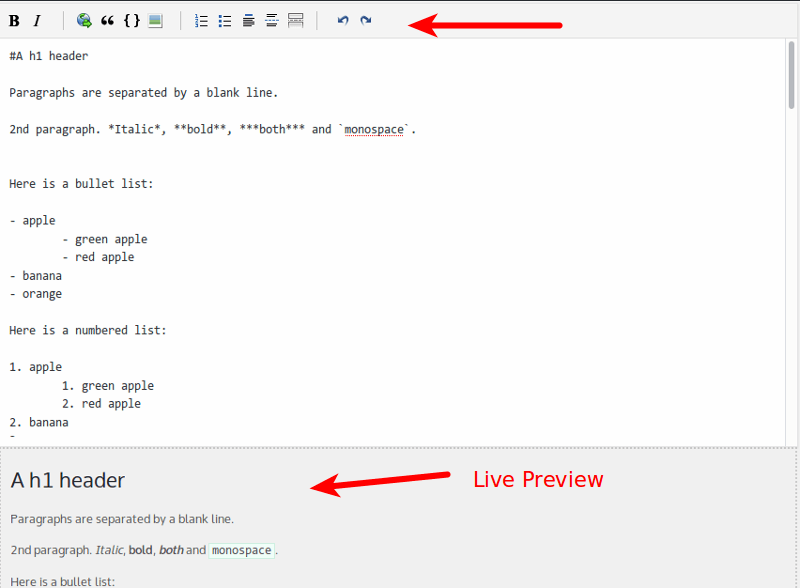
If you did not enable the markdown help bar in the configuration options, you will not see a live preview of your formatted markdown. Nonetheless, as long as your syntax is correct, your markdown will be converted to valid HTML when you save or publish the post.
However, if you’re a beginner to markdown and the live preview feature is important to you, simply go back to the settings to enable the help bar option, and you will get a nice live preview area at the bottom of your posts. In addition, you also get some buttons on top that will help you quickly insert markdown syntax into your posts. This could be a potentially amazing setting if people use it. You can adjust the priority of the notification on individual apps. This will let you choose what you see in the notification bar.
Wrap up
As you can see adding markdown support to a WordPress website is really easy, and it will only take a few minutes of your time. If you are completely new to markdown, you might also check out our markdown cheatsheet which provides a comprehensive reference to the markdown syntax.