

Chrome has a wide range of extensions that is available for almost every function. If you are using Firefox or Opera, but need to use an extension that is only available for Chrome, then you will be pleased to know that you can use Chrome extensions in Opera and Firefox as well. With the help of a dedicated extension you can make Chrome extensions compatible with Opera and Firefox. Today we will show you how you can use Chrome extensions in Opera and Firefox with the help of a native extension.
Also read: 7 of the Best Chrome Extensions You Need to Try
Get Chrome Extensions in Opera
Both Opera and Chrome have the same base of Chromium and extensions based on WebExtensions API, so it is really easy to make Chrome extensions compatible with Opera and make them easily work without glitches. Download Chrome Extension is an Opera extension that lets you easily use Chrome extensions in Opera. I am using this extension for quite a few months now and managed to download many different types of Chrome extensions in Opera.
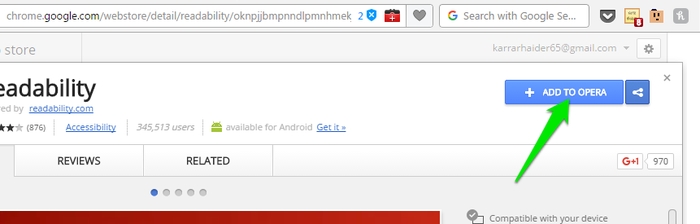
Download the extension in Opera and go to Chrome Store to download an extension. You will see that the Install button for the extension will be changed to “Add To Opera.” Click on it and the Chrome extension will start downloading in Opera.
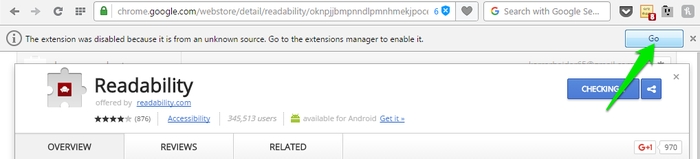
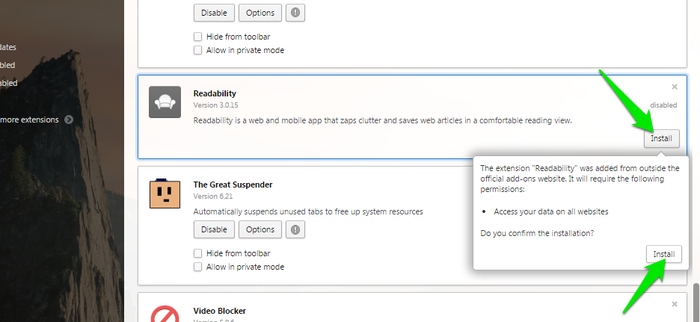
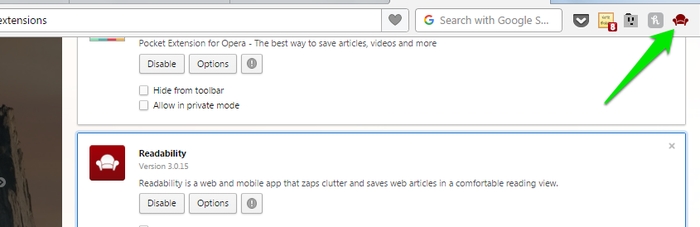
Most probably Opera will not automatically install the extension and tell you that it is from an unknown source, and you will have to enable it yourself. Click on “Go” and the Opera extension manager will open in a new tab. Now click on “Install” next to the newly added Chrome extension, and confirm the prompt to complete the installation.
The extension button (if available) should show up in the Opera toolbar where you can easily use the extension.
Get Chrome Extensions in Firefox
Mozilla is working on enabling support for WebExtensions in Firefox that will allow Firefox to install Chrome extensions. The WebExtensions API is still a work in progress, and a stable version will be released this August. This means you might have some issues using some of the Chrome extensions before a stable version is released. However, it should work fine with most Chrome extensions. The following details what you will need to do.
Chrome Store Foxified is a Firefox extension that does all the background work of converting the Chrome extensions format and making it compatible with Firefox, although the installation process is a little complex compared to Opera.
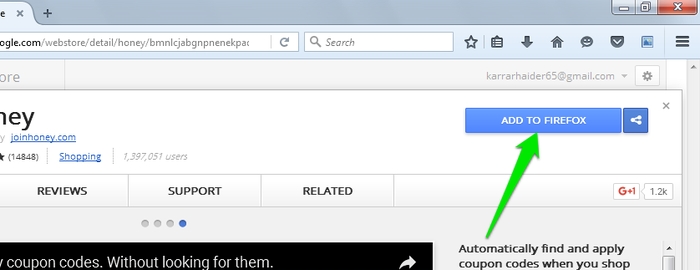
Once the extension is installed in Firefox, you will see that the Chrome extension install button will be converted to “Add To Firefox.” Click on the button to download and convert the extension to Firefox format (xpi format). After the conversion, Firefox will give you three options to proceed – “Sign Addon then Install,” “Just Sign and Download,” and “Install Temporarily.”
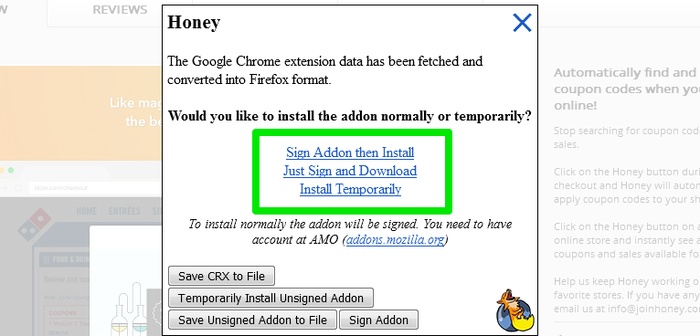
For the extensions to be used permanently in Firefox, you need to sign them. For signing you need to have a Mozilla account. If you don’t want to use the extension permanently, then you can simply install it temporarily, and it will be deleted as soon as you close Firefox.
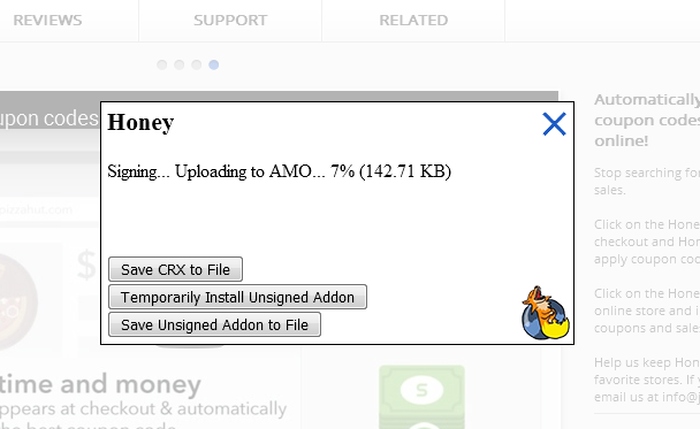
To sign and install an extension permanently, log in to your Mozilla account, and click on “Sign Addon then Install.” If you are not logged in you will be prompted to log in first. Otherwise, the extension will be uploaded to Mozilla Add-ons to be signed and then downloaded again to be installed. If the extension successfully installs, you will see its icon in the toolbar. Otherwise, you will get an error that the extension is corrupt.
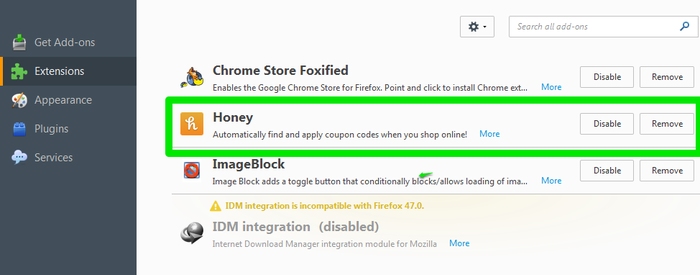
If you choose to click on the “Install Temporarily” button, then the extension will be installed immediately without any special processes.
Conclusion
If you are a Firefox or Opera user, then you should definitely give the above solutions a try. Chrome extensions were one of the biggest hurdles for me when I decided to move from Chrome to Opera, but this little extension solved everything. If Chrome extensions are forcing you to stay glued to Google Chrome as well, then your problem has just been solved. Do let us know in the comments how these solutions worked out for you and whether you were able to get your favorite Chrome extensions to work or not.