Updated: The updated version of this tutorial for Ubuntu Intrepid can be found at Turn Ubuntu Intrepid into Mac Leopard.
You can’t really turn a Linux system to a Mac, but you definitely can make your Ubuntu Hardy looks like a Mac OSX Leopard.
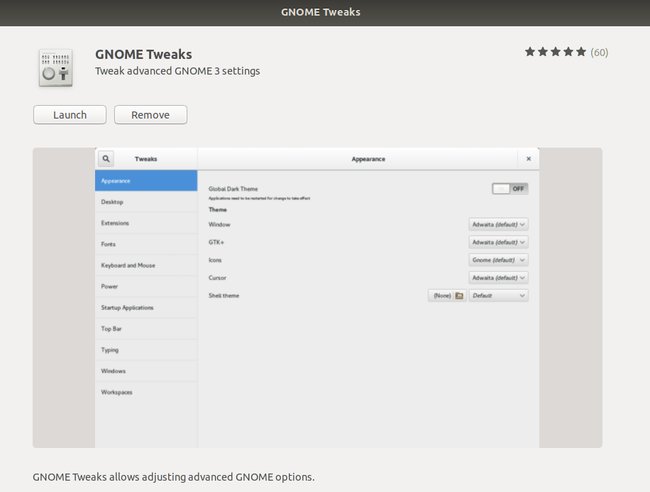
If you want to change this
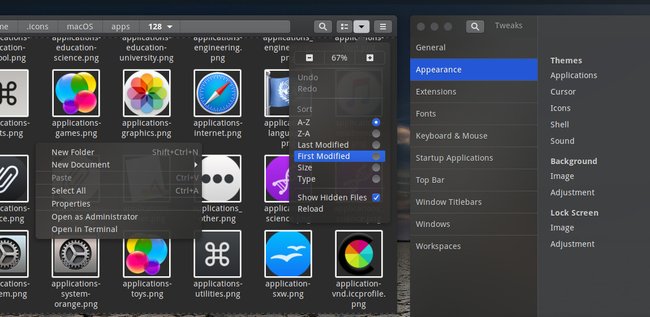
into
, follow the steps below.
Before we start…
First, create a folder in your Home and name it Mac_files. Download the following files to the Mac_files folder.
Using Archive manager, extract the three Mac4Lin zip files Modified Mac4Lin theme and Mac4Lin wallpaper to the Mac_files folder.
Apply Mac OSX Leopard Theme
Go to System->Preferences->Appearance.

Select Install and select the Mac4Lin GTK theme (/home/username/Mac_files/Mac4Lin_v0.4/GTK Metacity Theme/Mac4Lin_GTK_v0.4.tar.gz).

Next, click Install again and select the Mac4Lin icon theme. (/home/username/Mac_files/Mac4Lin_Icons_Part2_v0.4.tar.gz /home/username/Mac_files/Mac4Lin_Icons_modified.tar.gz). When prompted, select “Apply new themes“.
Click Install again and select the Mac4Lin mouse cursor theme. (/home/username/Mac_files/Mac4Lin_v0.4/GTK Cursor Theme/Mac4Lin_Cursors_v0.4.tar.gz). Select “Apply new themes” when prompted.

Click ‘customize’ and choose Mac4Lin_GTK_v0.4. Go to the “Window border” tab, choose Mac4Lin_GTK_v0.4. Click Close.

On the top, go to the Background tab. Click Add and select the Leopard wallpaper. (/home/username/Mac_files/Wallpapers/Leopard.jpg). Click Close to terminate the Appearance window

Install the Dock (Avant Window Navigator)
Open a terminal (Applications->Accessories->Terminal) and type
gksu gedit /etc/apt/sources.list
and add the following lines to the end of the file:
deb http://ppa.launchpad.net/awn-testing/ubuntu hardy main
deb-src http://ppa.launchpad.net/awn-testing/ubuntu hardy main
Save and close the file. In your terminal, type
sudo apt-get update
sudo apt-get install avant-window-navigator-trunk awn-manager-trunk awn-extras-applets-trunk
Go to System->Preferences->AWN manager. On the left, click on the Theme. On the right, click Add and navigate to the Mac_files folder. Select the Elegant_glass.tgz file. Check the bullet beside the Elegant glass theme and click Apply.

Next on the left, click on the Applet icon. On the right, scroll down to the stack Applet. Highlight it, then click Activate. This will add the Mac Leopard stack to your dock.

Before you launch the AWN, remove the bottom panel from the desktop first. Right click on the bottom panel and select “delete this panel”. Open AWN via Applications->Accessories->Avant Window Navigator. Once it is activated, you can simply drag and drop the applications into the dock.
Install OSX Fonts
Open a terminal and type the following:
sudo apt-get install msttcorefonts
This will Install the Microsoft core fonts.
Next, copy the OSX fonts to the fonts folder
cd /usr/share/fonts
sudo tar xvzf /home/username/Mac_files/Mac4Lin_v0.4/Fonts/OSX_Fonts.tar.gz
Configure the fonts:
cd/
sudo tar xvjpf /home/username/Mac_files/Mac4Lin_v0.4/Fonts/fontconfig.tbz -C /etc/fonts
Open the Appearance window (System->Preferences->Appearance) and select Fonts tab. Select the following fonts according to the image below. Click Close.

Change the traffic light window control to the left
In the terminal, type
gconf-editor
This will bring up the gconf-editor window. Scroll down to App->Metacity->general. On the right, double click on the button_layout and change the content to ‘close,minimize,maximize:menu’ (without the quote). Click Ok and close the gconf-editor.


Change the menubar
Remove all the icon and applications on the left side of the top panel. Right-click on the icon and select ‘Remove from panel‘. You will left with something like this:
![]()
On the right of the top panel, remove the logout icon. Still on the right hand side of the top panel, right click and select ‘Add to panel‘. Scroll down the list and add ‘Search for files‘. This will add the spotlight icon to the panel.

On the extreme left, right-click and select ‘Add to panel‘. Scroll down the list and add ‘Main Menu‘. This will add the apple icon on the left. You can now log out and shut down from the Apple dropdown menu (same as Mac OSX).

Next, we are going to install globalmenu so as to display the menubar for each application. In your terminal,
cd Mac_files
wget http://gnome2-globalmenu.googlecode.com/files/gnome-globalmenu-0.4-svn964.tar.gz
tar zxvf gnome-globalmenu-0.4-svn964.tar.gz
cd globalmenu
sudo dpkg -i *.deb
If you have any errors when installing the package, try
sudo dpkg -i –force-overwrite *.deb
If you are having some installation problems with the gnome-globalmenu-applet, try
sudo apt-get install -f
Once finished, right click on the top panel and select ‘Add to panel‘. Scroll down the list and add ‘Global Menu Applet‘.

You might not see anything initially. Log out and log in again, you should now see the menubar for each application showing on the panel.
If your globalmenu is of a different shade of grey from the rest of the panel (as shown in the image below), right click on any empty space on the panel and select ‘Properties‘. Go to Background tab and select ‘Background image’. Under the selection, go to /home/username/.themes/Mac4Lin_GTK_v0.4/gtk-2.0/Panel and select panel-bg.png. Click OK. (Updated: If you can’t find the .themes folder, right-click and select ‘show hidden files‘.)
![]()
Drag the globalmenu to the left just beside the Apple icon. Right click on the globalmenu and select ‘Preferences’. Tick the box beside ‘Display the title of the current application‘ and put maximum width 100. Select the font to be Lucida Grande Bold. Click Apply and OK. You should now have a desktop that resemble Mac Leopard.

![]()
Configuring the Login screen
Click on the Apple icon, go to System->Administration->Login Window. On the Local tab, click Add. Navigate to the path /filesystem/home/username/Mac_files/Mac4Lin_v0.4/GDM Theme and select the file Mac4Lin_GDM_v0.4.tar.gz. Check the box beside the newly installed theme to activate it.

Underneath, there is a color selection field, select it and key in the number E5E5E5 into the color code field.

Click Ok. Log out. You should see the login screen as the diagram below.

Configure usplash screen
usplash is the screen that you see when your computer is booting up. We are going to change it to show the white apple screen. In your terminal,
sudo apt-get install startupmanager
Go to System->Administration->Start-Up Manager Go to Appearance tab. Click on the ‘Manage bootloader theme‘. Click Add and navigate to the file /filesystem/home/username/Mac_files/Mac4Lin_v0.4/GRUB Splash/appleblack.xpm.gz. Check the box “Use background image for bootloader menu” and select ‘appleblack”.


Next, click “Manage usplash theme”. Click Add and add the file /filesystem/home/username/Mac_files/Mac4Lin_v0.4/USplash Theme/osx-splash.so. Click OK. Select OSX-splash from the dropdown box.
Now reboot. You should see the following images:


Creating Dashboard effect
We will use a combination of screenlets and Compiz widget plugin to achieve the dashboard effect.
Install Screenlets
sudo apt-get install screenlets compizconfig-settings-manager
Go to System->Preferences->Advanced Desktop Effect Setting. On the Left, click on Desktop. On the right, put a check beside ‘Widget layer’

Go to Accessories->Screenlets. Activate the widgets that you want to display. Right click on the widget and select ‘Properties’. Go to Options tab and select ‘Treat as widget’. Do this for all the widgets that you have activated.

You can now see your dashboard in action by pressing F9.

Done. You have completed the transformation of your Ubuntu desktop to Mac OSX Leopard.
This is a really great tutorial. Well done.
Why ?
Just in case some of you are wondering why I choose to emulate the Mac Leopard, my main purpose is to highlight and showcase the flexibility and user-friendliness of Linux desktop, and its ability to customize the theme to what you want. While I can easily create a nice Linux theme, the effect will not be as great as emulating the Mac Leopard.
Fair play. I love linux and have been an avid user for years, I think it’s nice to be able to show people a leopard can change its spots.
This is great! Unfortunately I ran into this error when trying to run Avant Window Navigator: Error: Screen isn’t composited. Please run compiz (-fusion) or another compositing manager.
I’m thinking this is because I was running it in a virtual machine. I will have to experiment on a dedicated machine to really find out.
Hi! I was trying to follow your tutorial (great by the way) but when I try to install the new theme I got the message: “Mac4Lin_v0.4” does not appear to be a valid theme. Could you please help me? I’m using ubuntu 8.04 on i386
thanks a lot
There needs to a section on configuring compiz to look like leopard.
Wow dude well written indeed.
JT
http://www.FireMe.To/udi
I can understand Linux as a desktop OS, that’s fine.
Why would you want to turn it in to a fake Mac? The original Mac OS dock isn’t that great from a usability stand point to begin with, never mind some cheesy open-source clone.
It seems like there’s quite a few Linux (desktop) users that spend more time playing with themes/icons/widgets than doing actual work.
It’s a well written article, but the whole concept seems pretty nerdy/lame.
Why don’t you just buy a mac?
Very cool. Thanks.
Really loving these Linux tweaks! one day soon my old Vaio will be rid of windows and officially on Linux, thanks to posts like these……nice, simple and effective.
Thanks for this great article. Very detailed instructions.
Shows you what Linux is capable of. Nice, you can make ubuntu look like anything, even vista (urk – I know)
Now how do you uninstall it.
Well written tutorial – but the sad fact remains that there is such a demand of changing the default Ubuntu desktop at all.
The current brownish theme is disturbing, to say the least, for most of new Linux users or wannabee users. I dont understand why the Ubuntu Artwork Team does not get this. Ubuntu is losing hundreds of thousands new users because of its dead ugly desktop appearance.
BTW, your captcha is really hard to read even for humans…..
What a shame !
I unfortunately got to agree with trev….
Most people spend all their time making everything look nice, i personally would rather go through the hassle of installing mac os x86 then faking an ubuntu installation to kinda half look like leopard..
Although I will most likely not use the Leopard theme, it is great to see just how flexible Ubuntu really is! Great tutorial though for anyone interested. Great job!
Why bother.
Mac is not better, just a follower in this respect.
Mandriva stays put and so does Ubuntu.
You want a Mac, buy one. Why be a look alike.
*Facepalm* What the fuck is this failure? Mac4Lin 1.0 is about to be released in a few days.
I don’t get all these nay sayers. It’s just a theme. I like the look of it but prefer linux in general. Just because people are changing the theme does not mean they want to use Mac.
Linux is Linux, Mac is Mac and Windows is Windows despite the look or feel. This is like people argueing that using X on a nix is stupid. People can use what ever the hell they like and it’s just good that Linux gives them the option to do so. It proves it versatility.
Apologies for the poor spelling.
Applied this to my older laptop and gave it to my mom. Result: pleased.
I wouldn’t use it myself, but that doesn’t mean someone else couldn’t be happy with it.
That looks pretty awesome. Gonna give this a try, nice tutorial by the way. Dugg.
WOW! thanks for using my AWN theme in your tutorial :D
And when you decide to (try to) go back to a more standard theme you’ll have to undo the font aliasing that was put in place. With this:
cd /etc/fonts
sudo rm alias.conf local.conf misc.conf msfonts-rules.conf
Good stuff. So, I decided to follow your steps on a brand new install. Everything worked like a charm, except the usplash screen. Any ideas?
Anand
I successfully got this to work on an actual machine. I appears that this tutorial, as far as i can tell or want to figure out :), will not work on a virtual machine, virtualbox specifically.
Great work!
@nexusgx: Other than the AWN dock and screenlets, all other configuration will work on a virtual machine, especially VirtualBox. I know it because most of the screenshots are taken from my VirtualBox VM.
very creative……
like your ideas….
This tuto lacks of something very important. 32 bits only. It does not work on a 64 bits OS.
All okay until you arrive to globalmenu for amd64.
it’s time to try tu unistall… or better to reinstall. thanks ;)
gato: no puedo instalar el global menu, me parece que ese paquete corre solo sobre AMD, que onda??
after I installed the theme, icons, and cursors, the traffic lights remained grey rather than the apple three colors… is there a way to fix that?
You forgot Gnome Do for the Quicksilver stuff. Very Nice Tutorial.
Thanks.
There needs to be a section on how to make mac os look decent
@Tom:Go to ‘System->Preferences->Appearance’. Click Customize and go to the Icon tab. make sure that the mac4Lin icon theme is selected.
Wow! that’s aewsome, now I think that it would have been better… if I had gone for a normal PC than Macbook itself.
Is there any reason why you didn’t change all the fonts (like the Application font) to Lucida Grande?
someone asked “Why?” Well, I just did this to my 8 year old daughter’s old Toshiba laptop and she is stoked! She stopped using it after windows crashed and burned and I put Ubuntu on it despite the Dell Ubuntu being a fav. Now that it looks like Mom’s Macbook Pro, her and her sisters fight over it. Bottom line: As Mark Shuttleworth understands; the UI is probably more important to the average user than what is under the hood. Viva la Revolucion! Good job; even I had no idea that it was this flexible.
Awesome!!! this is the best i have seem on this topic !!!
This is very very gay. If you want Ubuntu, run Ubuntu and make it look like whatever you want. If you want a mac to use ostentatiously in your overpriced coffee shop over an almond latte breve, get a mac. It’s really simple.
Also, you really think mac people are capable of following all these directions?
URGENT!!!
I’m having trouble with installing the “Mac4Lin icon theme”. I’ve downloaded the files several times and extracted the files several times but the files needed are no where in sight. Please help!
How do you get Ubuntu back to normal??
Excellent guide, I’m spending loads more time in Ubuntu now thanks to you.
Unfortunately I have got a few things that don’t work. I cant get the file menu to appear, the widget screen also wont show itself and the fonts seem to just error when I try to install them.
Other than that, great work and thank you :-)
When choosing the Global Menu Applette i can not see it. i restarted and i still cant see it. but when i open a terminal window i can see it. Can anyone help me out?
Emhlol!!! My Uncle is obsessed with macs and I’m gonna install Ubuntu soon. THIS IS AWESOME!!!
Why a Mac..
PLEASE, can you do a tutorial to emulate Windows 3.1, 95, XP, or Vista =)
This is great!
I am not able to get the file/edit/view menus to appear however. I just have the “File Manager” menu, which does have all of the applications, etc.
Has anyone else ran into this problem or know of a solution?
Thanks,
Josh
HELP! when I ran sudo apt-get install -f it removed everything from my computer?! what happened please help!
May I suggest from a feasibility standpoint to change the use of ‘/home/username/Mac_files’ in the tutorial to simply ‘~/Mac_files’
I rebooted and got an error message about the USB something or other.. wouldn’t boot for nothin’. Problem resolved 15 minutes later, I’m running full disk encryption and can’t use the OSX usplash, it has to be Ubuntu usplash or you can’t type your passphrase to access your data.
To restore to your original theme, here are the steps:
Change of desktop and icon themes
Go to System->Preferences->Appearance->Customize
Change of usplash screen
Go to System->Administration->Startup manager. Change the usplash screen to ubuntu-theme
Change of login screen
Go to System->Administration->Login Window and select Local tab.
Remove AWN
In your terminal, type sudo apt-get autoremove avant-window-navigator-trunk awn-manager-trunk awn-extras-applets-trunk
Remove screenlets
In your terminal, type sudo apt-get autoremove screenlets
Restore the close window button to the right
Type gconf-editor in the terminal. Scroll down to App->Metacity->general. On the right, double click on the button_layout and change the content to ‘menu:minimize,maximize,close’
Restore back to the orignal menubar
Right-click on the top panel and remove the Global menu and the main menu icon. Right-click again and select “Add to panel”. Select Menubar.
That should be about all.
To restore to your original theme, here are the steps:
Change of desktop and icon themes
Go to System->Preferences->Appearance->Customize
Change of usplash screen
Go to System->Administration->Startup manager. Change the usplash screen to ubuntu-theme
Change of login screen
Go to System->Administration->Login Window and select Local tab.
Remove AWN
In your terminal, type sudo apt-get autoremove avant-window-navigator-trunk awn-manager-trunk awn-extras-applets-trunk
Remove screenlets
In your terminal, type sudo apt-get autoremove screenlets
Restore the close window button to the right
Type gconf-editor in the terminal. Scroll down to App->Metacity->general. On the right, double click on the button_layout and change the content to ‘menu:minimize,maximize,close’
Restore back to the orignal menubar
Right-click on the top panel and remove the Global menu and the main menu icon. Right-click again and select “Add to panel”. Select Menubar.
That should be about all.
I don’t get “clones”. If someone wants the Mac OS X look and feel, why not actually getting the real deal? Don’t get me wrong, I think Ubuntu has a nice default that is immediately recognizable as its “identity’, no need to try to make a half-assed copy. Look and feel is so much more than simple bitmapped themes, it has to do with foundation and behavior. You can make Windows look almost exactly like this, but it has neither Linux nor Mac foundations. But it shouldn’t, Windows should look like WIndows. Not as a half-baked Linux nor Mac. Themes always breaks something, the sutil pixels between margins, buttons, typeface kerning, it is too difficult to make it pixel perfect. 1 pixel wrong and the whole thing falls apart, so don’t try it. Make Ubuntu look nicer instead, if that’s the problem. This is a waste of time.
Well done, but only the windows, not the gui element like buttons look like os x. I guess the feeling is also nicht compareable.
Thanks for a great tutorial, but I have two questions. My dock does not want to start when I login, even though the option is checked and my Global Menu doesn’t work right either. There is just a greyed out area. I have followed the troubleshooting help on this site, but still nothing.
Any help with this please?
Thanks
To noozeguy:
I ran into the same problem. My fix was just to apply the background image used to make the entire back the same color gray. If you can’t find the “.themes” folder, it is because it is invisible. Just press Ctrl+H to see it and find the file.
One other thing, the menubar at the top won’t appear like the mac in which it changes based on what program is being used at the moment. This is because every program has its own menubar in its window.
To CrownAmbassador:
My dock didn’t startup also, even though I checked the box for it to do so. What fixed it was I ran the dock (Accessories/Avant Window Manager) and now every time I log in, the dock appears. My only problem is that the programs I drag into the dock aren’t saved the next time I log in (same with the widget/screenlets).
Thanks for the reply to the top menu question.
I am also having trouble adding applications to the bottom bar… is there a quick/easy way to do that that I missed?
-Josh
Can anyone pls help me with the fonts.This is the error i get every time i try and do the copy to the fonts folder….
****@****:~$ cd /usr/share/fonts
****@****:/usr/share/fonts$ sudo tar xvzf /home/****/Mac_files/Mac4Lin_v0.4/Fonts/OSX_Fonts.tar.gz
tar: /home/****/Mac_files/Mac4Lin_v0.4/Fonts/OSX_Fonts.tar.gz: Cannot open: No such file or directory
tar: Error is not recoverable: exiting now
tar: Child returned status 2
tar: Error exit delayed from previous errors
Dude this is really impressive, as I know how hard it is to make a Linux box look this much like a Mac. I do unfortunately have to agree with @AkitaOnRails, however, as I believe that if you so badly want to be something else, then why not be it? I understand fully that your personal intention was to showcase to what extent one can modify a Linux box, and congrats cos I think you did a damn good job!!!
Pretty excellent job. Thanks!
Very cool indeed, now if I could only get those photo editing programs the Mac has…
wow this is very impressive. it looks like you put a lot of time into this.
HOla, no consigo poner el GLOBAL MENU APPLET
por favor alguien que me ayude
If you want a Mac then buy a Mac… otherwise leave your Ubuntu desktop alone.
How cool
great tutorial, but i got into problem when i enter this section.
sudo apt-get install avant-window-navigator-trunk awn-manager-trunk awn-extras-applets-trunk
it says:
Reading package lists… Done
Building dependency tree
Reading state information… Done
Some packages could not be installed. This may mean that you have
requested an impossible situation or if you are using the unstable
distribution that some required packages have not yet been created
or been moved out of Incoming.
The following information may help to resolve the situation:
The following packages have unmet dependencies:
avant-window-navigator-trunk: Depends: libawn0-trunk (>= 0.3.0) but it is not going to be installed
awn-extras-applets-trunk: Depends: libawn0-trunk (>= 0.3.0) but it is not going to be installed
Depends: libpango1.0-0 (>= 1.20.5) but 1.20.1-1 is to be installed
awn-manager-trunk: Depends: python-awn-trunk but it is not going to be installed
Depends: python-central (>= 0.6.7) but 0.6.5ubuntu1 is to be installed
E: Broken packages
any idea what’s wrong with this. FYI i’m a nubie in Linux
Cant wait to try it looks cool
I’m having a hard time with the awn dock, of all things. Everything else worked out fine, but once I restarted my computer, the dock was nowhere to be found, even though the awn manager clearly shows that I’ve applied the necessary settings.
Any help?
I am having trouble at this part:
Next, click Install again and select the Mac4Lin icon theme. (/home/username/Mac_files/Mac4Lin_Icons_Part2_v0.4.tar.gz). When prompted, select “Apply new themes“. In the download provided, there is no Mac4Lin_Icons_Part2_v0.4.tar.gz
Please help :(
Depending on your system configuration, you might have problems installing the AWN. If you are faced with dependency issue, you will have to go to System->administration->Synaptic Package Manager and install the individual dependency before re-attempt to install AWN.
For those who don’t see AWN when you login, try go to System->Preferences->AWN manger. On the General tab, check the box “Automatically start AWN on login”.
Similarly for Screenlets, when you activate the widget, check ‘Auto start on login’
@Executor: My apology, the file should be Mac4Lin_Icons_modified.tar.gz. I have make the changes in the post.
Incredible work! Thank you for the taking what must have been a considerable amout of time to document every step. My system now looks better than before and even runs faster – I swear.
yeah it works very neat! highly recommended
I got the same problem like Lee.
Any help , pls ?
Thank you.
Hmm… Almost literally stolen^wcopied from http://www.howtoforge.com/mac4lin_make_linux_look_like_a_mac without giving any credit.
Unless you [Damien] are the same person as Anirudh. But somehow I don’t think so.
Oh well…
hey i do not have a folder called .themes and i cant change the glbalmenu to match the rest of the bar plz help
nvm the directions were wrong i had to go unzip a file and it worked fine
Cool
I don’t understand why people do things I don’t understand. I just don’t get it. Why don’t they only do things I understand? And they have too much time on their hands, obviously, as I only have enough time to find the article, read the article, then post a comment about how I don’t understand why anyone would do this. My Mom told me when I turn three I’ll be able to understand something from someone else’s perspective. But don’t understand that, either…
this is not working,,,if i applied the theme it says ,” it is not a valid theme”
cool stuff!! thanks!
I can’t get the window border to work and the change in window icons doesn’t work …. anyone else seen this? … have a fix?
thanks
Mike
Great article…! very help to me thanks
Pretty slick! I love Ubuntu.
Love your work. Unfortunately I can’t get the dock to work. I’ve tried reinstalling, but no luck. Am I supposed to be able to see the dock along the bottom of the screen? You say to drop the applications on the dock, but I’m not quite sure how … Any suggestions gladly appreciated.
Why the f*** does everyone keep posting asking why people want their machines to look like macs. If you dont like the look of macs, fine. Just stop bothering people who do. If you cant see why people think that macs look nice your clearly blind and dumb.
Erm… im having trouble with the dock. I put the commands into the terminal but it seems to get so far before hanging on 99%
@ockley: “Dropping the applications” means you can drag the applications from the menubar at the top panel to the dock. Just click on the Apple icon, navigate to your favorite application, drag it to the dock, that’s it.
For those who are having trouble installing (or running) the awn dock, it can be either your computer does not support Compiz (or any other compositing manager) or you have some unmet files dependencies. An alternative is to install the awn-manager found in the ubuntu repository. This is an older version with no extra applet support, but it should work on your machine. Simply type “sudo apt-get install awn-manager“. Hope this helps
For some reason AWN doesn’t come up at log-in even though it’s set to, and Firefox’s menu bar doesn’t appear at the top panel though every other program I’ve tried does.
Finally, thank god I can finally wipe that brown shit of a paint job off my screen, now it actually looks like a *real* desktop, thanks!
Yes, very good tutorial.
But I wanna know hao can I make this idea using Fedora 8 or Fedora 9. It´s possible.
Please, tell us how can we do it.
Thanks!
…”é como transar com um travesti”…
You should look into Cairo Dock.
It’s a pretty good clone of the OS X dock.
It has the mexican wave effect =)
It is a pity about the globalmenu issue. I find myself stuck at that spot as well.
@Damien – When I go to open AWN the outline of a box appears for a second or two, and then goes away.. I see no dock at all after that. Also, there is no accessories > screenlets even though terminal shows: screenlets is already the newest version. Any help? Thanks
@CJ: Do you use any compositing manager on your machine? Simply said, does your machine support Compiz? Alternatively, you can try installing the awn-manager package in the repository, or even try out Cairo dock or Sims dock.
As for the screenlets, try activating it via the terminal (type ‘screenlets’ in the terminal). If the screenlets manager load up, then your screenlets is working fine. You can add an entry to the Accessories by righting clicking on the Menu bar and select “Edit Menu”
@Damien I don’t see why it wouldn’t support Compiz. It’s a brand new computer. I just did a fresh install of 8.04.. As for screenlets, typing it into terminal returns: bash: screenlets: command not found
Great job! Thank you!
This worked great for me, after a little tweaking. I had issues with the AWN bar until I set it to start with login, then rebooted, then set it to start again.
This was something fun to try, and a great idea to give a plain desktop a new look and feel. Thanks!
Hold up, is there a version for AMD64?
HELP!
When i come to the global menu applet and tries to install it with “sudo dpkg -i *.deb” it says the package architecture (i386) don’t fit to the system (amd64) Any solutions? Thanks in Advance =)
There is no easy way to install globalmenu on amd64 system. You have to compile from source. Here is a great tutorial that teaches you how to compile globalmenu from source. http://ayozone.org/2008/03/12/global-menu-the-new-gnome-macmenu/
Awesome thanks for this
I hate you. Now my Sans and Serif fonts are not antialiased. SHit… i cannot uae the system normally :(
This is very good but have one problem,in programs cant see anymore menus mean file and edit and those menus they are disappeared ? can anybody tell me how i can get those menus back ?in firefox i can see them
You should just remove the global menu from the one of gnome’s panels.
By the way, the sound icon is AWFUL and UGLY :( It should be vector :(
Nice theme but it would approach MacOSX’s design much more with Cairo-Dock instead of AWN.
Just Nice n Eazy
can anyone tell me how to remove it ???
please help me
thanks
how to get those maclin firefox extensions works ? can anybody help me ? when i try to drop them to firefox its says cant install not compatible
i have firefox 3.0.1 in ubuntu 8.04.1
great tuturial hahaha even thu 3hours of understanding tnx anyway
Cool tutorial. Thank you.
Now we need two more – one how to emulate quicksilver and another how to emulate textmate.
Thanks again.
Hey Damien great Tut man, I set this up on an old P4 Gateway Eseries. Granted I might be a new user at Linux but this is a nice way to get started thanks :)
I had to enable the restricted video drivers (System -> Administration -> Hardware Drivers) in order to get both AWN and Screenlets working properly.
Nice tutorial indeed. But I got trouble with awn manager. On my laptop with intel chipset, everything works smoothly. But on my desktop using nvidia card, when I run an application, the icon didnt appear on the dock. Pls help!
nice tutoriol.only problem was i could`nt put on the doc.
Excellent work… !!!
@Hankie
Thx for the directions to restore the fonts. I installed most of this successfully, but I had some troubles (apparently) since I’m using an x64 version of Hardy.
The fonts were the one thing that I couldn’t fix, and it’s good to see that someone knows how to repair them.
For Cyrillic support you must use ttf-dejavu package wich fonts in (names of fonts are different from original and Starts from Dejavu).
Thanks for post :)
Can I change back to original theme after changing into these.
without compiz enabled there seems to be no way this thing is going to work like it’s supposed to
Nice!! :D
I LOVED everything! *note* exept the apple top icon wasnt 3d like the real leopard .. still pretty nice
After doing all the changes if i wanna come back to my original ubuntu theme will i be able to revert back.. This is important for me as i am a new user of ubuntu.
WOw thanks dor this tip it is absolutely useful!
This truly amazing and very artistic! thanks i adore it!
Escoofield –
http://alotofit.com
Erstmal ein Kompliment zu der guten Beschreibung! Mein Problem: Mir kam es weniger darauf an, dass mein Ubuntu (Hardy) 1:1 wie Leopard aussieht; wichtig war mir das “Global Menu”. Ausgerechnet dieses verliert nun von einer zum nächsten Neustart des Rechners seine Einstellungen und wird “unsichtbar” bzw. grau. Es lässt sich aber im Kontextmenü konfigurieren: Dort sind dann immer die Werte für Maximum Width und Fontgröße auf 1 bzw. 0 (bei den Fonts) zurückgesetzt. Wenn ich dann die Werte auf 100 / 9 richtigstelle und den X-Server neu starte, ist das Menü wieder da – bis zum nächsten Systemstart…
Ist das Problem bekannt?
Ok. This page worked great. I now have a Mac OS looking Ubuntu install. Big problem however is that I no longer have xrandr. I used xrandr to create an asynchronouse screen. I am currently using a Dell Latitiude with an Intel Graphics card, and after following the above options, xrandr no longer works.
Has anybody else have the same problem?
With such detail! Love it!
Thank you very much for this great post. I had difficulty with the dock (natural for a linux newbie). But finally, I manged to do the job!
nice bro.thanks.i’m succesfully to try it.
The dock won’t appear. It’s just blank space down there.
did you ever get an answer for this question?
finally got the awn manager to install and it wont appear either.
Menuda estupidez, ¿por qué nadie quería emular la nula usabilidad de Apple en ningún sitio? Próxima lección: echen silicona a las tapas de la bateria de sus reproductores de mp3 y portátiles para acercarse a lo que sienten los usuarios de iPod y MacBook :S
great stuff man, ive done this like three times already, and by the third attempt i was not looking at the tutorial…wonderful theme. keep up the good work…and oh, a friend looked at my GUI and said wow u use a mac now?
Quit with the “Why don’t you buy a Maaaac….” whine!
Seriously, it is a great tutorial illustrating the flexibility of the Linux desktop, and /extremely/ well written.
So what if it looks like Mac?
I admit, Linux functionality + Mac looks = awesome :D
Very useful tutorial, it work perfectly for me, thank you for sharing :)
Cool…. I have followed the steps and using it…
Excellent article.
Is there any similar tutorial explaining how to make kde 4 look like Mac OS X Leopard ?
Thanks
Nice, pity the Global Menu Applet isn’t 64Bit compatible.
Cannot install Global Menu Applet
get this error:
“The panel encountered a problem while loading “OAFIID:GNOME_GlobeMenuApplet”.
Do you want to delete the applet from your configuration?”
Any help?
same pb on Intrepid (8.10) : Global Menu Applet for Hardy is maybe not compatible with Intrepid (8.10) & the GMA for Intrepid is still not availaible.
on Intrepid, done with this tuto http://ayozone.org/2008/11/10/how-to-install-globalmenu-06-on-ubuntu-intrepid/
Remaining problem : cannot turn panel into same grey color through displaying preferences by clicking right the Global Menu
Does this customization work with Ubuntu intrepid?
This is an awesome write up. To all the nay sayers: if you don’t like it don’t use it. Simple ain’t it? This tutorial showcases the flexibility of Linux. We know Ubuntu is not Leopard (that’s why it’s called Ubuntu not Leopard, duh!). So why be a bitch and hater about it. Give this guy props, he did a damn fine job here. Keep it Damien.
amazing transformation idea.
i can’t get pass the AWN installation.Tried to install its dependencies via Synaptic Package Manager, but got stuck even there, as not all dependencies get installed, some displayed as installed,but still remain requested to be installed. Any ideas, or maybe somebody can write the AWN part in depth?
i can do this because when i install the new theme it says:Installation for theme “Mac4Lin_GTK_v0.4” failed. Can’t move directory over directory
While doing the above procedure when I type in the terminal– “sudo apt-get install avant-window-navigator-trunk awn-manager-trunk awn-extras-applets-trunk” there occurs an error saying
requested an impossible situation or if you are using the unstable
distribution that some required packages have not yet been created
or been moved out of Incoming.
The following information may help to resolve the situation:
The following packages have unmet dependencies:
avant-window-navigator-trunk: Depends: libawn0-trunk (>= 0.3.0) but it is not going to be installed
Depends: python-awn-trunk (>= 0.3.1~bzr489-hardy1-1) but it is not going to be installed
awn-extras-applets-trunk: Depends: libawn0-trunk (>= 0.3.0) but it is not going to be installed
Depends: libffi4 but it is not installable
Depends: libgnome-desktop-2 (>= 1:2.22) but it is not installable
Recommends: libvte but it is not installable
Recommends: python-awn-trunk but it is not going to be installed
Recommends: vala-awn-trunk but it is not going to be installed
awn-manager-trunk: Depends: python-awn-trunk but it is not going to be installed
E: Broken packages
can you please help me about this
Thank you.
All those on Intrepid can grab the latest RC1 of Mac4Lin from http://sourceforge.net/projects/mac4lin website. RC1 still has some minor issues tho, with Ubuntu 8.10/GNOME 2.24, which I’m working on (BTW, I’m the developer of Mac4Lin! :P).
Stay tuned for Mac4Lin ver.1.0!
–Anirudh
Very nicely done, but I do have a few problems trying to install the splash screen/login screen as well with the fonts and icons. I just got Ubuntu like 7 hours ago, and very happy with it. I just wish Vista was this easy to customize.
This is all I got done thus far:
Before:
http://i185.photobucket.com/albums/x20/magedesigns/misc/ubuntu_screen_shot.png
After:
http://i185.photobucket.com/albums/x20/magedesigns/misc/ubuntu_mac.png
http://i185.photobucket.com/albums/x20/magedesigns/misc/ubuntu_mac2.png
After installing the restricted drivers for my ATI Radeon 9000 video card, the tutorial was spot on! Looks great! Thanks!
Great tutorial I own a 12inch powerbook and was looking to get the eeepc 900ha pretty soon. I think this may work on it nicely. Im a long time mac user and linux’s amazing flexibility my make me switch (for all my non Pro needs). I miss the days when Macs had half as much GUI themeing. Now mac are almost as bad as PC.
As TomTom said eariler “Linux is Linux, Mac is Mac and Windows is Windows despite the look or feel” but these mods will definatly make a linuxnoob like me feel a bit at ease during the learning process.
thanks
Thanx a lot!!
I’ve got two problems at least.
1. FireFox menus don’t work with with gnome2-globalmenu-applet.
2. Dash Board via clicking F9 doesn’t work at all.
Any idea ?
http://s59.radikal.ru/i164/0812/b1/1c26399f9e31.png
Sweeeet. I’m running OS X on my Macbook, but this will be great for the netbook I will be getting soon. =D Thanx a lot!
One of the great things about Linux is I, as a user, have the freedom to do whatever I want with it, including making it look like a mac if I so choose. Please respect the freedoms of others :)
Some people turn their 67 beetle’s into hot rods.
Some people turn their trucks into convertibles.
Some people decorate their houses with art deco.
All of those are a little silly, over the top, and not worth the time of a straight shooten utilitarian such as yourself.
But…they are fun… and why not?
My final answer to your question “why?” is…Because you can.
and why do you have to work if you use linux? can’t you just have fun? I am….
thanks for the great tutorial!!!
i get the following error message when i try to launch awn via Applications->Accessories->Avant Window Navigator:
Screen is not composited.
error: screen isn’t composited. please run compiz (-fusion) or another compositing manager.
can you help me?
I see 2 different sets of options for starting ubuntu on your startup screen…Will performing this mod create an additional startup record, so that I can boot ubuntu as normal or as OS X…or will it change my ubuntu so that it will permenantly look like mac os x?? Thanks!
I think this is great! I am a novice to linux and never knew it was this easy to customize. I have never used Macs but after installing this theme I love the doc down at the bottom. Great work!
Anthony
This is great unfortunely when I got to the step to install the global menu applet I first got a bunch of dependency problems, like:
dpkg: dependency problems prevent configuration of gtk2.0-examples:
gtk2.0-examples depends on libgtk2.0-0 (= 2.12.9-4ubuntu3); however:
Package libgtk2.0-0 is not configured yet.
dpkg: error processing gtk2.0-examples (–install):
dependency problems – leaving unconfigured
Using –force-overwrite didn’t work, and now when I use the Synaptic Package Manager says I have 153 broken packages…
Excellent tutorial I did it and was really nice, in case that i want to take it back, what is the easy way? i mean just to uninstall the global menu., Thnks.
This is great. I love both Mac and Ubuntu, but the Mac desktop is much more aesthetically pleasing in my humble opinion. Either way I’m impressed with this tutorial. It was in depth but not overly detailed at the same time. The only problems I had were user error on my part.
Thanks!!
Cute. I’m about half-way done doing this to my 8.10 install and had some trouble since I thought I should look for a newer version of global-menu. I read at https://launchpad.net/~globalmenu-team/+archive that there are now repositories for the app.
deb http://ppa.launchpad.net/globalmenu-team/ubuntu intrepid main
deb-src http://ppa.launchpad.net/globalmenu-team/ubuntu intrepid main
When installing the global menu I get error messages with both commands.
============================================================
Unpacking replacement libgtk2.0-common …
dpkg: dependency problems prevent configuration of gnome2-globalmenu-applet:
gnome2-globalmenu-applet depends on gnome-common; however:
Package gnome-common is not installed.
gnome2-globalmenu-applet depends on gnome-pkg-tools; however:
Package gnome-pkg-tools is not installed.
dpkg: error processing gnome2-globalmenu-applet (–install):
dependency problems – leaving unconfigured
dpkg: dependency problems prevent configuration of libgtk2.0-0:
libgtk2.0-0 depends on libcupsys2 (>= 1.3.4); however:
Package libcupsys2 is not installed.
libgtk2.0-0 depends on libgnutls13 (>= 2.0.4-0); however:
Package libgnutls13 is not installed.
dpkg: error processing libgtk2.0-0 (–install):
dependency problems – leaving unconfigured
dpkg: dependency problems prevent configuration of libgtk2.0-bin:
libgtk2.0-bin depends on libgtk2.0-0 (>= 2.12.9-4ubuntu3); however:
Package libgtk2.0-0 is not configured yet.
dpkg: error processing libgtk2.0-bin (–install):
dependency problems – leaving unconfigured
Setting up libgtk2.0-common (2.12.9-4ubuntu3) …
dpkg: dependency problems prevent configuration of gtk2.0-examples:
gtk2.0-examples depends on libgtk2.0-0 (= 2.12.9-4ubuntu3); however:
Package libgtk2.0-0 is not configured yet.
dpkg: error processing gtk2.0-examples (–install):
dependency problems – leaving unconfigured
dpkg: dependency problems prevent configuration of gtk2-engines-pixbuf:
gtk2-engines-pixbuf depends on gtk2.0-binver-2.10.0; however:
Package gtk2.0-binver-2.10.0 is not installed.
Package libgtk2.0-0 which provides gtk2.0-binver-2.10.0 is not configured yet.
gtk2-engines-pixbuf depends on libgtk2.0-0 (= 2.12.9-4ubuntu3); however:
Package libgtk2.0-0 is not configured yet.
dpkg: error processing gtk2-engines-pixbuf (–install):
dependency problems – leaving unconfigured
Processing triggers for man-db …
Errors were encountered while processing:
–force-overwrite
gnome2-globalmenu-applet
libgtk2.0-0
libgtk2.0-bin
gtk2.0-examples
gtk2-engines-pixbuf
nice info….
this tutorial really helpfull for me.
thanks a lot
It seems that I need to run Avant Window Navigator each time I restart. Is this normal? And if so shouldn’t this be added to .profile so it runs at start up?
You can tell Gnome to start awn on start-up. Two of the methods are outlined at http://en.gentoo-wiki.com/wiki/Avant_Window_Navigator#GNOME
Thanks. I found a setting in the AWN GUI to run it on system start
Ya I’m running into trouble with the Mac4Lin GTK Metacity Theme, I’m running Ubuntu Studio 8.10
This is really NICE!!
But one problem I ran into is globalmenu does not work with my AMD64 ubuntu hardy! I checked out and it seems that there are no working 64bit globalmenu is available. Anyway this tutorial really cool. Thank you.
By far the best tutorial around…
Fantastic!
Perfectly put together wonderful work. Easy to follow. Loads of fun… Can’t wait to show folks my Tecra 8200 Hacentosh!
Many thanks, it looks wonderful
Thanks for this.
Great tutorial
I ran into a few problems… is this 8.10 compatible?
For instance, the Mac4Lin_Icons_modified.tar.gz package would not install. Then the globalmenu installed failed big time. Tried all the steps you suggested if problems occured. No luck. Then discovered that 152 packages in the Ubuntu App installer were broken.
I stopped at that point. So… is this 8.10 compatible or should I have not attempted this?
Really keen to get this working on 8.10 though. Thanks… Jonathan
Much thanks.
Yes, this compatible. But instead
deb http://ppa.launchpad.net/awn-testing/ubuntu hardy main
you should write
deb http://ppa.launchpad.net/awn-testing/ubuntu intrepid main
Icons installed properly.. try again.
Thanks for the Tutorial! Everything worked out perfectly, easy to use and easy to setup now it looks like I don’t even have to buy a Mac ha ha.
Take it from me I’m not that smart at Linux I’m still learning but I was able to do this thanks.
jonathan, i found it didnt work with 8.10 as the code has changed for one of the dependancies. Going to hardy worked fine tho (after I did the updates first )
There were a few tweaks and stuff I had to fix up that werent in the tutorial, Ill post them a little later.. but its working great now and all is well.. my linux box looks like a mac !!!
Very nice, Work excellent, tested on Radeon 9100 (yeaah!), 1.75ghz,Ubuntu 8.10,
Nice,nice, nice!!!, spescially the down apllication panel.
Ps.The one problem was only with adding
“Global Menu Applet” but he show after few restarts.
Thanks,all the best !
Ps..nr.2 .Few weeks ago i have installed Ubuntu 8.10 on Pentium II with 256 mb ram and hdd 5GB.Works great also with wine.Installation procces was around 3-4 hours (each time),first time with crash on end, second time without error.Wow! With 128Mb ram was some problem with installation, 5 time crash.(talking about pentium II)>and was NOt Completed Never !(on 128mb)
All DONE with exception of the AWN dock. Can’t seem to be able to add anything elese to it! I don’t have the firefox and word icons in the awn manager nor can I drop icon on the dock! Any ideas?
thanks for the tutorial. i’m running into a couple problems:
i can’t launch avant windows dock. i get an error message that screen is not composited and i should run compiz-fusion. i don’t know what that means and i’m not familiar with compiz.
also, i get an error message for the desktop theme saying it won’t look right (it does look a bit off) because i haven’t installed the proper gtk+ engine.
any ideas how to fix these up?
other than that, this is great. definitely the best and most thorough tutorial i’ve ever come across!
one more problem: i keep getting an error when i try to add the global menu applet
The panel encountered a problem while loading “OAFIID:GNOME_GlobalMenuApplet”.
then it asks me if i want to delete, but either way nothing happens.
i can not install icon set why
Hi, I have followed this to the letter and am getting an error message from GLobal menu…
The panel encountered a problem while loading “OAFIID:GNOME_GlobalMenuApplet”.
any ideas??
thanks
Hi all, I have updated this tutorial for Ubuntu Intrepid. It can be found at Turn your Ubuntu Intrepid into Mac OSX Leopard.
Most of you are having issue with the globalmenu. The installation is now much easier in Ubuntu Intrepid, so do check out that post.
My English not so good but thank for lovely site with information I looking for and need also.
I got the following error message while installing. I am printing the entire history of the installation process. the error is coming while installing global menu, Last commands while installing Global Menu Applet. Any advice…
——————————————————————–
rohit@rohit-laptop:~$ cd Mac_files
rohit@rohit-laptop:~/Mac_files$ wget http://gnome2-globalmenu.googlecode.com/files/gnome-globalmenu-0.4-svn964.tar.gz
–2009-01-11 22:46:34– http://gnome2-globalmenu.googlecode.com/files/gnome-globalmenu-0.4-svn964.tar.gz
Resolving gnome2-globalmenu.googlecode.com… 74.125.47.82
Connecting to gnome2-globalmenu.googlecode.com|74.125.47.82|:80… connected.
HTTP request sent, awaiting response… 200 OK
Length: 8502700 (8.1M) [application/x-gzip]
Saving to: `gnome-globalmenu-0.4-svn964.tar.gz.2′
100%[======================================>] 8,502,700 209K/s in 44s
2009-01-11 22:47:18 (189 KB/s) – `gnome-globalmenu-0.4-svn964.tar.gz.2′ saved [8502700/8502700]
rohit@rohit-laptop:~/Mac_files$ tar zxvf gnome-globalmenu-0.4-svn964.tar.gz
globalmenu/
globalmenu/gtk2.0-examples_2.12.9-4ubuntu3_i386.deb
globalmenu/libgtk2.0-bin_2.12.9-4ubuntu3_all.deb
globalmenu/gtk2-engines-pixbuf_2.12.9-4ubuntu3_i386.deb
globalmenu/libgtk2.0-common_2.12.9-4ubuntu3_all.deb
globalmenu/gnome2-globalmenu-applet_0.4-3_i386.deb
globalmenu/libgtk2.0-0_2.12.9-4ubuntu3_i386.deb
rohit@rohit-laptop:~/Mac_files$ cd globalmenu
rohit@rohit-laptop:~/Mac_files/globalmenu$ sudo dpkg -i *.deb
[sudo] password for rohit:
(Reading database … 124535 files and directories currently installed.)
Preparing to replace gnome2-globalmenu-applet 0.4-3 (using gnome2-globalmenu-applet_0.4-3_i386.deb) …
Unpacking replacement gnome2-globalmenu-applet …
dpkg – warning: downgrading gtk2.0-examples from 2.14.4-0ubuntu1 to 2.12.9-4ubuntu3.
Preparing to replace gtk2.0-examples 2.14.4-0ubuntu1 (using gtk2.0-examples_2.12.9-4ubuntu3_i386.deb) …
Unpacking replacement gtk2.0-examples …
dpkg – warning: downgrading gtk2-engines-pixbuf from 2.14.4-0ubuntu1 to 2.12.9-4ubuntu3.
Preparing to replace gtk2-engines-pixbuf 2.14.4-0ubuntu1 (using gtk2-engines-pixbuf_2.12.9-4ubuntu3_i386.deb) …
Unpacking replacement gtk2-engines-pixbuf …
dpkg – warning: downgrading libgtk2.0-0 from 2.14.4-0ubuntu1 to 2.12.9-4ubuntu3.
Preparing to replace libgtk2.0-0 2.14.4-0ubuntu1 (using libgtk2.0-0_2.12.9-4ubuntu3_i386.deb) …
Unpacking replacement libgtk2.0-0 …
Preparing to replace libgtk2.0-bin 2.12.9-4ubuntu3 (using libgtk2.0-bin_2.12.9-4ubuntu3_all.deb) …
Unpacking replacement libgtk2.0-bin …
Preparing to replace libgtk2.0-common 2.12.9-4ubuntu3 (using libgtk2.0-common_2.12.9-4ubuntu3_all.deb) …
Unpacking replacement libgtk2.0-common …
dpkg: dependency problems prevent configuration of libgtk2.0-0:
libgtk2.0-0 depends on libcupsys2 (>= 1.3.4); however:
Package libcupsys2 is not installed.
libgtk2.0-0 depends on libgnutls13 (>= 2.0.4-0); however:
Package libgnutls13 is not installed.
dpkg: error processing libgtk2.0-0 (–install):
dependency problems – leaving unconfigured
dpkg: dependency problems prevent configuration of libgtk2.0-bin:
libgtk2.0-bin depends on libgtk2.0-0 (>= 2.12.9-4ubuntu3); however:
Package libgtk2.0-0 is not configured yet.
dpkg: error processing libgtk2.0-bin (–install):
dependency problems – leaving unconfigured
Setting up libgtk2.0-common (2.12.9-4ubuntu3) …
dpkg: dependency problems prevent configuration of gnome2-globalmenu-applet:
gnome2-globalmenu-applet depends on libgtk2.0-0 (>= 2.12.0); however:
Package libgtk2.0-0 is not configured yet.
dpkg: error processing gnome2-globalmenu-applet (–install):
dependency problems – leaving unconfigured
dpkg: dependency problems prevent configuration of gtk2.0-examples:
gtk2.0-examples depends on libgtk2.0-0 (= 2.12.9-4ubuntu3); however:
Package libgtk2.0-0 is not configured yet.
dpkg: error processing gtk2.0-examples (–install):
dependency problems – leaving unconfigured
dpkg: dependency problems prevent configuration of gtk2-engines-pixbuf:
gtk2-engines-pixbuf depends on gtk2.0-binver-2.10.0; however:
Package gtk2.0-binver-2.10.0 is not installed.
Package libgtk2.0-0 which provides gtk2.0-binver-2.10.0 is not configured yet.
gtk2-engines-pixbuf depends on libgtk2.0-0 (= 2.12.9-4ubuntu3); however:
Package libgtk2.0-0 is not configured yet.
dpkg: error processing gtk2-engines-pixbuf (–install):
dependency problems – leaving unconfigured
Processing triggers for man-db …
Errors were encountered while processing:
libgtk2.0-0
libgtk2.0-bin
gnome2-globalmenu-applet
gtk2.0-examples
gtk2-engines-pixbuf
Are you able to create the same instructions except for AMD64?
I was able to get to where I can download the global menu software, but because of the architecture, I cannot proceed anymore.
Thanks.
Wonderful,
Worked excellent to me
Hey guys,
the new look is really cool, but is there any “easy” way to get back to my old Ubuntu style???
Maybe some kind of program that saves the configurations, i did?
Wow! so cool, i didn’t make it when i was using gutsy since there were problems to turn on the compiz desktop effect on my X61. now, i can have this desktop effect after i upgraded into hardy.
Thanks heaps.
There is one thing which not work as you described above, the screenlets is not appearing in Accessories-Screenlets (I need to go to the file location). Apart from it, it work perfect.
Very Best, but dont work multiple windons , apear once stacks,
Hi, all went on until i reached:
Before you launch the AWN, remove the bottom panel from the desktop first. Right click on the bottom panel and select “delete this panel”. Open AWN via Applications->Accessories->Avant Window Navigator. Once it is activated, you can simply drag and drop the applications into the dock.
A window appeared with:
Warning: Screen isn’t composited. Please run compiz (-fusion) or another compositing manager.
Stuck here on, what to do next?
@Jim: AWN depends on a compositing window manager (such as Compiz) to work. If your computer does not have, or not able to support, then it is impossible to get AWN to work. You might want to give Cairo dock a try then.
I will come up with a tutorial on installing Cairo dock shortly.
Hi
It worked like a charm.The author has explained the tutorial in very elaborate steps so that you dont make a mistake at all and alls running well in the end.
I am enjoying my desktop for now
cheers!!!
I just can’t install the fonts. Everything else worked just fine and looks cool but how do I get the fonts installed?
The terminal just keeps saying “no such directory” or something like that although the folders are there.
Is there any other way to install the fonts besides the terminal? Like with the package installer?
Thanks
bonjour
je fait ton theme est je suis ploquer a applet préferences
il n’y a rien dans le active applets et un “launcher/taskmanager”dans le conpartiment available applets
ou cest con fait sa??
pour que je puise continuer
merci
I am not sure what version this was made for but every time I try and go into the terminal (before the dock is up) I get some error.
Wow, it’s very nice indeed, good job! I have but one question: Everytime I try to activate the Global Menu it tells me there’s something wrong and gives me the following message: ‘OAFIID:GNOME_GlobalMenuApplet.’
What am I doing wrong? I can get the menu items at the right from the Apple logo at this moment.
I CAN’T get the menu items…. (sorry for the typo)
Excellent article, helped me lots.
However, I am wondering if there is a way to change the mouse pointer.
When I drag a window the pointer turns into a hand. Is there anyway to make it stay as the default cursor?
–Thanks.
u need to go to system preferences appearance then go to coztimez go to pointers and select wich one u want
how do i change my menubar back to original menubar???
hi?
sorry for my english.
well i’m running ubuntu from vmware workstation 6.5 and XP as a host..
i’ve do the step from ur article and almost all working except the awn doesn’t running , it because something error with the composite / compiz fusion..
after i’ve search at the google it said i have to install the graphic driver..
i’m using GeForce 6600,
well i just don’t know what to do know..
i don’t know how to install it if i running ubuntu from vmware, or maybe u have another alternative?
cheers
it doesnt work
This install worked all the way down until I was trying to install the Elegant_glass theme. when I entered the command strings, i ended up with :
W: GPG error: http://ppa.launchpad.net hardy Release: The following signatures couldn’t be verified because the public key is not available: NO_PUBKEY 7D2C7A23BF810CD5
W: You may want to run apt-get update to correct these problems
any thoughts?
I suppose we two are the only people on the planet that had a problem installing elegant glass theme. This machine is a new hardy install. And my error is -Elegant_glass.tgz- Theme not compatable. How did you correct this problem?
i got everything to work so far but cant get the awn to work i get error messages when i type the sudo apt-get update it says
W: GPG error: http://ppa.launchpad.net hardy Release: The following signatures couldn’t be verified because the public key is not available: NO_PUBKEY 7D2C7A23BF810CD5
W: You may want to run apt-get update to correct these problems
and it would let me install anything
Help???
Dude U ROCK!!!!
Hey!!
Thanks for the awesome how to!
The only point im stuck is getting the globalmenu to work.. i somehow installed the globalmenu and added to the panel. but everytime is try to access the preferences of globalmenu, there is a blank page :(
im using ubuntu 8.10 on an amd64 ang globalmenu 0.7.3
Has anyone a hint for me?
Thank you very much!
I got everything to work but the globalmenu. I can’t drag it to the left and it doesn’t show up right. It won’t show the entire menu, nor does it show the file manager.
Please help! I have an awesome set up.
got stuck here aswell :
GPG error: http://ppa.launchpad.net hardy Release: The following signatures couldn’t be verified because the public key is not available: NO_PUBKEY 7D2C7A23BF810CD5
W: You may want to run apt-get update to correct these problems
if anyone could help this would be highly appreciated
thx
Yes, I got the same error too. I dont get the dock follow by that.
Hey, at the step where you said run avant windows navigator in accessories, i get a message saying screen isnt composited, Run compiz of another compositng manager. What should I do? Is there anyway I can restore things to the original way? Please help, thanks.
I am too, NEED HELP!
press alt+f2 and write metacity -c then run
I gotta know? Why would anyone want to do this???? If you are a Linux user be proud, use the compiz manager to give it some eye candy, but really – why would you want your open source ‘do anything’ box look like a piece of expensive propitiatory ware?
I don’t know why, but my Gnome Global Menu is still at a different shade of grey even if i changed the settings as you saied. Please help. Thanks!
HOW DID YOU GET THE GNOME GLOBAL MENU TO WORK?!?! I keep getting errors. I also can’t get the fonts to work. =P
Thanks for the great work!! Well done! I got one problem using global menu: im able to install globalmenu on my amd64 system, but if im trying to enable the global menu, an empty ‘setting’ window is showing up.. can anyone help me?
THX
http://ubuntuforums.org/showpost.php?p=6724591&postcount=2712
See the link above.
How did you install globalmenu on amd64?
Thanks.
PS reply to email squelchy451@gmail.com
I get stuck at the part where you say to run sudo apt-get install avant-window-navigator-trunk awn-manager-trunk awn-extras-applets-trunk…it will not run, and says that there has been an error…I also get the message about NO Pub Key…
me, too.
typing this in your terminal will download this public key for your ppa:
sudo apt-key adv –recv-keys –keyserver keyserver.ubuntu.com 7D2C7A23BF810CD5
And your error will be gone!
jango
Whenever I try to run Avant Window Navigator, I get an error saying “Screen isn’t composited.Please run compiz (-fusion) or another compositing manager.” I’m a total newb and I don’t know what to do! Help me, please!
i think you must install the Compiz First
I dont know what could be wrong, each time I try to apply [install] this theme [~/Mac_files/Mac4Lin_v0.4/GTK Metacity Theme/Mac4Lin_GTK_v0.4.tar.gz]
I run into problems. The window just closes. It’s a bug I know… but, it’s being occuring for a while now, first on a 64bit and now on 32bit. what exactly could be wrong
Im having the same problems too. Were you able to find the solution to this?
So most of it I got to work fine. The awn manager was installed using
“sudo apt-get install avant-window-navigator”
reference to website : “http://wiki.awn-project.org/DistributionGuides#Hardy_Heron_.288.0x.29_and_later”
This was done “after” the commands in the section “install the Dock” didn’t work.
The Gobal Home Applte still isn’t workin’ giving the “The panel encountered a problem while loading “OAFIID:GNOME_GlobalMenuApplet”.message after which deleting and not deleting don’t seem to make much difference. No solution found for that yet. (If somebody can get it to work, let me know. I’m working on a latitude D600 Dell.) In the “configure the fonts” section “cd/” should be “cd /”
Other then that I enjoyed it a lot, Thanks.
The step where you install the dock is very confusing. You say “Open a terminal”, then you say save, then you say open your terminal?
You can’t save a terminal! Gah!
This owesome, great article dude… never been so easier to hack linux display after I’ve tried this… thank you so much ^_^
NICE WORK!!! WAHT ABUOT THE MAC LEOPARD EFFECT???
Thankes
Well, cool stuff, but if you have an encrypted boot you yill have to start in recovery mode if you change the usplash screen…
error running at ubuntu 8.10: The following signatures couldn’t be verified because the public key is not available: NO_PUBKEY 7D2C7A23BF810CD5
u have answer for this problem?
I tried this on a Dell Mini 9n running Ubuntu 8.04.01 Netbook Remix. I can’t get the globalmenu to install. I tried all 3 methods in these instructions and it doesn’t work. These instructions are for Ubuntu 8.04.02. Is there a different version of
wget http://gnome2-globalmenu.googlecode.com/files/gnome-globalmenu-0.4-svn964.tar.gz
That I should be using?
If you want the Mac look on your mini 9 then just make it into a hackintosh. Its the perfect machine, everything runs perfectly!
I have done everything up to the top bar thing and all of my icons look nothing like the ones in the screenshots any help?
After doing the “Next, we are going to install globalmenu so as to display the menubar for each application. In your terminal,” step my terminal wont open and anything that i minimize gets lost and i cont actually open up anything HELP ME!!!!!!!
Thanks a ton and I really love it and it was very helpful and time saving and I wonder you taken more time in putting this forth to the people.May be you should license your work under creative commons license
Torrent is causing problem while installing.
Thnx man!!!
it looks great
Amazing!!! U rule!
Cheeser Freakin’ Muffin! Nice Job…
hi.. is the best woowwww .. best best and the best
May want to add GNUstep and GNUStep apps to the system to give it that NEXTStep/Cocoa feel.
If have trouble with Global Menu see below links:
http://code.google.com/p/gnome2-globalmenu/wiki/InstallingonUbuntu
http://code.google.com/p/gnome2-globalmenu/
why???? seriously! you want the OS X interface? GET EFFING OS X! I just don’t get it… all the time, linuxlovers tells me about their “oh so wonderfull GUI”, … and then this…
i cant get the screenlets to appear in the accessories this is what it says when it install…..tanner@tanner-desktop:~$ sudo apt-get install screenlets compizconfig-settings-manager
Reading package lists… Done
Building dependency tree
Reading state information… Done
screenlets is already the newest version.
compizconfig-settings-manager is already the newest version.
0 upgraded, 0 newly installed, 0 to remove and 0 not upgraded.
tanner@tanner-desktop:~$
thats all i need to be done please help my email me at tannert994@hotmail.com or t12181@yahoo.com any one that knows
this is cool thanks
`Tanner
tanner@tanner-desktop:~$ sudo apt-get install screenlets compizconfig-settings-manager
Reading package lists… Done
Building dependency tree
Reading state information… Done
screenlets is already the newest version.
compizconfig-settings-manager is already the newest version.
0 upgraded, 0 newly installed, 0 to remove and 0 not upgraded.
tanner@tanner-desktop:~$
what am i doing wrong?
~tanner
Nothing wrong. It just means that screenlets and Compiz config setting manager is already installed in your system.
i think cairo dock in os x theme would work better than awn
I am really annoyed by the workspace setup. Whenever i am scrolling with my mouse wheel it inadvertantly switches workspaces. How do I reduce the number of workspaces???
I am tring to add Avant Window Navigator
I am getting no Public key error
When I type this in terminal: sudo apt-key adv –recv-keys –keyserver keyserver.ubuntu.com 7D2C7A23BF810CD5
I get this error: Executing: gpg –ignore-time-conflict –no-options –no-default-keyring –secret-keyring /etc/apt/secring.gpg –trustdb-name /etc/apt/trustdb.gpg –keyring /etc/apt/trusted.gpg –keyserver keyserver.ubuntu.com add 7D2C7A23BF810CD5
usage: gpg [options] [filename]
any clue on how to get public key or do I have a setting incorrect?
gpg –no-default-keyring –keyring /tmp/awn.keyring –keyserver keyserver.ubuntu.com –recv B0BE17C2A0C914F086B7B8327D2C7A23BF810CD5 && gpg –no-default-keyring –keyring /tmp/awn.keyring –export –armor B0BE17C2A0C914F086B7B8327D2C7A23BF810CD5 | sudo apt-key add – && rm /tmp/awn.keyring
i hope its work
I’m using Ubuntu 9.04 beta, and i get this error: Executing: gpg –ignore-time-conflict –no-options –no-default-keyring –secret-keyring /etc/apt/secring.gpg –trustdb-name /etc/apt/trustdb.gpg –keyring /etc/apt/trusted.gpg –keyserver keyserver.ubuntu.com add 7D2C7A23BF810CD5
usage: gpg [options] [filename]
Me too. please help
I run into problems at the font section. When I input into the terminal I get this:
paul@ziggy:~$ cd /usr/share/fonts
paul@ziggy:/usr/share/fonts$ sudo tar xvzf /home/username/Mac_files/Mac4Lin_v0.4/Fonts/OSX_Fonts.tar.gz
tar: /home/username/Mac_files/Mac4Lin_v0.4/Fonts/OSX_Fonts.tar.gz: Cannot open: No such file or directory
tar: Error is not recoverable: exiting now
tar: Child returned status 2
tar: Error exit delayed from previous errors
As well, when trying to copy and paste the files manual it simply gives me permission denied… Please help!
When im trying to install the Dock it appear this error:
ricardo@DontTouchMe:~$ sudo apt-get install avant-window-navigator-trunk awn-manager-trunk awn-extras-applets-trunk
Reading package lists… Done
Building dependency tree
Reading state information… Done
E: Couldn’t find package avant-window-navigator-trunk
And before all things are ok. Can i have some help here?
Thanks, works fine! My eeePC 701 4G looks like a Mac Book :-))
How do I remove the icons beside the button titles?
I have the same problem, anyone can tell how to remove the icons?
I found it in gconf-editor under /desktop/gnome/interface/buttons_have_icons
Why the hell would you use Avant? It is crap! If you ran Cairo Dock it would be faster and also looks more like an OSX desktop!
Updated to the latest 9.04. It hosed my AWN. Basically after you restart got accessories and start it, your platform at the bottom will fire up.
the two first link’s are a inative.
I Said screw it and installed OSX86, Much better than faking it
ok i got the looks right but somewhere along the process i stayed without internet…, and i checked logged in to windows and i have internet there….can someone help me please.
now my internet doesn’t work :S, but logged in to windows it does…what do i do to get it to work again ?
What type of computer? laptop? did you lose wireless? If its wireless, try booting by adding noapic as a kernel option ( just type it in when you see your boot screen it will append ) then see if your wireless comes back… my hp laptop has to be booted with noapic before working with wireless
Thanks for fixing the broken links. thanks!!!!
I have a problem, when it will show me this error “Warning: The screen is composed. Please run compiz (-fusion) or another composer window.”
What can I do? We Thank
Hi, I’m type that but the error continue… =/
If you have a problem with keyring copy paste in terminal :
gpg –no-default-keyring –keyring /tmp/awn.keyring –keyserver keyserver.ubuntu.com –recv B0BE17C2A0C914F086B7B8327D2C7A23BF810CD5 && gpg –no-default-keyring –keyring /tmp/awn.keyring –export –armor B0BE17C2A0C914F086B7B8327D2C7A23BF810CD5 | sudo apt-key add – && rm /tmp/awn.keyring
if you got an error (again) try to Installing Dependencies, AWN Compilation, AWN Applets Compilation! Manually
gpg –keyserver subkeys.pgp.net –recv 7D2C7A23BF810CD5
gpg –export –armor 7D2C7A23BF810CD5 | sudo apt-key add –
Solution for:
GPG error: http://ppa.launchpad.net hardy Release: The following signatures couldn’t be verified because the public key is not
available: NO_PUBKEY 7D2C7A23BF810CD5
W: You may want to run apt-get update to correct these problems
note: Be Sure VGA support for compiz
Your site is a much needed addition to my life. THANK YOU!
This is the second Ubuntu Hardy box I’ve transformed. Thank you!
I’vegot a problem with AWN : Warning: Screen isn’t composited. Please run compiz (-fusion) or another compositing manager.
Can anyone help me?
.. and now all the linux user became a windows user, only desktop effect and not use linux as it is ^_^ ..
Wannabes, go get real Macs!!
The only good thing about Macs is the look!!!
What if we can’t afford Macs, they’re not cheap! Ubuntu’s free!
I have an AMD64 version of the Ubuntu Hardy Heron, and I’m trying to install the Global Menu Bar on my system, and it says the following:
“dpkg: error processing gnome2-globalmenu-applet_0.4-3_i386.deb (–install):
package architecture (i386) does not match system (amd64)
dpkg: error processing gtk2.0-examples_2.12.9-4ubuntu3_i386.deb (–install):
package architecture (i386) does not match system (amd64)
dpkg: error processing gtk2-engines-pixbuf_2.12.9-4ubuntu3_i386.deb (–install):
package architecture (i386) does not match system (amd64)
dpkg: error processing libgtk2.0-0_2.12.9-4ubuntu3_i386.deb (–install):
package architecture (i386) does not match system (amd64)
Selecting previously deselected package libgtk2.0-bin.
(Reading database … 120805 files and directories currently installed.)
Unpacking libgtk2.0-bin (from libgtk2.0-bin_2.12.9-4ubuntu3_all.deb) …
Preparing to replace libgtk2.0-common 2.12.9-4ubuntu3 (using libgtk2.0-common_2.12.9-4ubuntu3_all.deb) …
Unpacking replacement libgtk2.0-common …
dpkg: dependency problems prevent configuration of libgtk2.0-bin:
libgtk2.0-bin depends on libgtk2.0-0 (>= 2.12.9-4ubuntu3); however:
Version of libgtk2.0-0 on system is 2.12.9-3ubuntu5.
dpkg: error processing libgtk2.0-bin (–install):
dependency problems – leaving unconfigured
Setting up libgtk2.0-common (2.12.9-4ubuntu3) …
Errors were encountered while processing:
gnome2-globalmenu-applet_0.4-3_i386.deb
gtk2.0-examples_2.12.9-4ubuntu3_i386.deb
gtk2-engines-pixbuf_2.12.9-4ubuntu3_i386.deb
libgtk2.0-0_2.12.9-4ubuntu3_i386.deb
libgtk2.0-bin”
What should I do? Gr8 tutorial, by the way.
You should install global menu as root
try this for ubuntu 9.04
”
deb http://ppa.launchpad.net/globalmenu-team/ppa/ubuntu jaunty main
deb-src http://ppa.launchpad.net/globalmenu-team/ppa/ubuntu jaunty main
apt-get install gnome-globalmenu
“
Hi!
I did this procedure, but the globalmenu install show me errors, i suspect thats errors was originated by the Ububtu update (2.16).
When attempt install .deb package at the system, the Packager Installer show me the next error: A later version is already installed
you have already any update to this package?? (globalmenu)
Thanks in advance
Rgds.
Hi,
Thanks a lot for instructions. I installed this on Jaunty.
I would not recommend using force option to install package. Find the right ones and install it.
Best Regards,
Freedom
Thanks for the great job! But how do you get the mac sound done in one shot? Or is changing the sound one by one the only method? Thanks.
Reuben
Loved the instructions. Followed it to the tee. Marvellous job!!!! Thanks.
Note: Screenlets is is System->Preferences->Screenlets and not in accessories.
Cairo-Dock2 is now the recommended dock. It gives a much better “MacOS” look and feel.
Once before when I installed this i had wiggly windows when I moved them; now they don’t wiggle. What can I do to get them back? Thanks.
Great Instructions for a linux newbie ! got a bit started but started seeing erros with first 2 commands:
Need some help:
1st command: Is this OK ?
sudo apt-get update
E: Some index files failed to download, they have been ignored, or old ones used instead.
2nd one: Install avant window manager failed as follows:
Looks like some packages need to be installed but I dont know how or where from. So, now I dont have the AWN in system->preferences.
Some packages could not be installed. This may mean that you have
requested an impossible situation or if you are using the unstable
distribution that some required packages have not yet been created
or been moved out of Incoming.
The following information may help resolve the situation:
The following packages have unmet dependencies:
avant-window-navigator-trunk: Depends: libawn0-trunk (>= 0.3.0) but it is not going to be installed
Depends: python-awn-trunk (>= 0.3.3~bzr566-1.8.04) but it is not going to be installed
awn-extras-applets-trunk: Depends: libawn0-trunk (>= 0.3.0) but it is not going to be installed
Depends: libffi4 but it is not installable
Depends: libgnome-desktop-2 (>= 1:2.22) but it is not installable
Depends: python (< 2.6) but 2.6.2-0ubuntu1 is to be installed
Recommends: python-awn-trunk but it is not going to be installed
Recommends: vala-awn-trunk but it is not going to be installed
awn-manager-trunk: Depends: python-awn-trunk but it is not going to be installed
E: Broken packages
I have same problem please help me on this. One more if i got to screenlet there i can find any widgets coming up by pressing f9 tell me something. I am using ubuntu 9.0
which Ubuntu version is recommend for this mac osx?
@ BOlLIX
Ubuntu INTREPID
it’s for ubuntu 8.04 of course,,, it’s reflect from this article title… ubuntu hardy = ubuntu 8.04
cheers,
This is the reason I had to re-install Ubuntu. It destroyed gnome desktop completly. Lucky I had KDE installed so I was able to BackUp my data. If you are smart, you’ll avoid this shit at all cost, rather find somewhere only a theme file and add it manualy, instead of beating the shit out of your kernel with this disaster.
Who is interested in half-working, overpriced Mac? We like free, open-source software, so stop your annoying!
Hi,
I have a problem on running `sudo apt-get update`. When I typed that, I got this message:
W: GPG error: http://ppa.launchpad.net hardy Release: The following signatures couldn’t be verified because the public key is not available: NO_PUBKEY 7D2C7A23BF810CD5
W: GPG error: http://ppa.launchpad.net hardy Release: The following signatures couldn’t be verified because the public key is not available: NO_PUBKEY A015287D24698AA9
W: You may want to run apt-get update to correct these problems
After that, when I typed `sudo apt-get install avant-window-navigator-trunk awn-manager-trunk awn-extras-applets-trunk`, I got this message:
Reading package lists… Done
Building dependency tree
Reading state information… Done
Some packages could not be installed. This may mean that you have
requested an impossible situation or if you are using the unstable
distribution that some required packages have not yet been created
or been moved out of Incoming.
The following information may help to resolve the situation:
The following packages have unmet dependencies:
avant-window-navigator-trunk: Depends: libawn0-trunk (>= 0.3.0) but it is not going to be installed
Depends: python-awn-trunk (>= 0.3.3~bzr566-1.8.04) but it is not going to be installed
awn-extras-applets-trunk: Depends: libawn0-trunk (>= 0.3.0) but it is not going to be installed
Depends: libffi4 but it is not installable
Depends: libgnome-desktop-2 (>= 1:2.22) but it is not installable
Depends: python (< 2.6) but 2.6.2-0ubuntu1 is to be installed
Recommends: python-awn-trunk but it is not going to be installed
Recommends: vala-awn-trunk but it is not going to be installed
awn-manager-trunk: Depends: python-awn-trunk but it is not going to be installed
E: Broken packages
Please, help me
Subject: Ubuntu into MAC
Hello mate,
Having exactly the same issue as you have (had??? ;) any luck with this?
Fetched 308B in 0s (528B/s)
Reading package lists… Done
W: GPG error: http://ppa.launchpad.net hardy Release: The following signatures couldn’t be verified because the public key is not available: NO_PUBKEY 7D2C7A23BF810CD5
W: You may want to run apt-get update to correct these problems
you need to run:
sudo apt-key adv –recv-keys –keyserver keyserver.ubuntu.com
in your case:
sudo apt-key adv –recv-keys –keyserver keyserver.ubuntu.com 7D2C7A23BF810CD5
Hello,
when run that command, another message error appears.
Do you know what it might be? Ubuntu 9.0.4
Thanks.
junior@junior-desktop:~$ sudo apt-key adv -recv-keys -keyserver keyserver.ubuntu.com
Executing: gpg –ignore-time-conflict –no-options –no-default-keyring –secret-keyring /etc/apt/secring.gpg –trustdb-name /etc/apt/trustdb.gpg –keyring /etc/apt/trusted.gpg -recv-keys -keyserver keyserver.ubuntu.com
gpg: conflicting commands
junior@junior-desktop:~$ sudo apt-key adv -recv-keys -keyserver keyserver.ubuntu.com 7D2C7A23BF810CD5
Command:
sudo apt-key adv –recv-keys –keyserver keyserver.ubuntu.com 7D2C7A23BF810CD5
Result:
Executing: gpg –ignore-time-conflict –no-options –no-default-keyring –secret-keyring /etc/apt/secring.gpg –trustdb-name /etc/apt/trustdb.gpg –keyring /etc/apt/trusted.gpg –recv-keys –keyserver keyserver.ubuntu.com 7D2C7A23BF810CD5
usage: gpg [options] [filename]
Can’t get rid of it….any help?
hi,
thank 4 a great demo…
some doubts to clear.
>. globalmenu apllet is not installed in anyway. any alternate options ?
>. screenlet also.
pls help//
thanks again…
ok
followed the thing
now my panels are flashing on ubuntu.
and i cant access anything.
have important data and cant back up
any antidote??
tried to unselect the theme, didnt help
thanks
pharohandy, if u still have the “flashing panels” problem try hitting ctrl+alt+F1 to get “a terminal” then try the “sudo apt-get install -f” then you should be able to access your data
(remember to plug in a network cable)
Thanks a lot for your post. I configured and its pretty good…
I have no words for you.
Its just amazing
great tutorial! really easy to understand for noobies like me. i followed this and got the desired results!
I hope that you can also make a tutorial just like this to turn ubuntu into windows 7.
for the globalmenu prob just install then sudo apt-get remove –purge globalmenu* then
sudo apt-get install gnome-globalmenu
that is how i did it on jaunty (9.04)
I just maced my ubuntu 9.04 and here are some hints:
Don’t copy and paste the sources. Should be jaunty instead of hardy :)
Skip the global menu part. It is much easier installing globalmenu with Jaunty.
Have a look: http://abz89.wordpress.com/2009/04/27/how-to-install-globalmenu-panel-applet-on-ubuntu-904/
Above you can find a posting about a Problem that occurs due to a non verified Publc Key, Thee Solution is posted as well :)
Now for a quick question….Could I get a step by step how to remove this?
Thanks,
it says : Next, click Install again and select the Mac4Lin icon theme/home/username/Mac_files/Mac4Lin_Icons_modified.tar.gz). When prompted, select “Apply new themes“.
I downloaded the icon theme and extracted Mac4Lin_Icons_modified.tar.gz and it came up with loads of files.. which one do i pick? Cos when i click on the Mac4Lin_Icons_modified.tar.gz file when it aint extracted it doesnt work, and when I do extract it it has no files called Mac4Lin_Icons_modified.tar.gz in it…
Great instructions, youve done a great job. Now I have a Ubuntu OS X, hehehe.
hello… afte the sudo apt-get update i was trying to install the awn…
the terminal gives me this message…
mandos@mandosonthenet:~$ sudo apt-get install avant-window-navigator-trunk awn-manager-trunk awn-extras-applets-trunk
Reading package lists… Done
Building dependency tree
Reading state information… Done
Some packages could not be installed. This may mean that you have
requested an impossible situation or if you are using the unstable
distribution that some required packages have not yet been created
or been moved out of Incoming.
The following information may help to resolve the situation:
The following packages have unmet dependencies:
avant-window-navigator-trunk: Depends: libawn0-trunk (>= 0.3.0) but it is not going to be installed
Depends: python-awn-trunk (>= 0.3.3~bzr566-1.8.04) but it is not going to be installed
awn-extras-applets-trunk: Depends: libawn0-trunk (>= 0.3.0) but it is not going to be installed
Depends: libffi4 but it is not installable
Depends: libgnome-desktop-2 (>= 1:2.22) but it is not installable
Depends: python (< 2.6) but 2.6.2-0ubuntu1 is to be installed
Recommends: python-awn-trunk but it is not going to be installed
Recommends: vala-awn-trunk but it is not going to be installed
awn-manager-trunk: Depends: python-awn-trunk but it is not going to be installed
E: Broken packages
since ive had this problem above i kept working on the other steps and in the end of it o dont have the icon bar below my screen… and also… dont have the globalmenu
i have the same problem with gabriel after the sudo apt get it won’t continue and same error with him hope someone could help us out here :D we would really appreciate it
This seems like the kind of thing that updates would kill. It seems awesome until you get some daily update and your system is dead.
everything works fine except that when applying the theme, it crashes the application and doesnt install (Mac4Lin_modified_theme.tar.gz)
Running Jaunty here…
hey nice tutorial. but i can’t get a few things right… first off, i can’t get the apple icon for the gnome menu. and i also can’t get gnome-globalmenu to work. whenever i try to add it to my panel i get the error “The panel encountered a problem while loading “OAFIID:GNOME_GlobalMenuApplet”. any idea what has caused this?
thanks :P
Hey
Great tutorial!
Just to let you know I’ve got almost all of this working on Jaunty, had quite a few problems with the globalmenu but eventually managed to install it through the synaptics package manager. I’m just working on getting the usplash working now.
Thanks for the great tutorial, I’ve been wanting a mac for ages mostly because of the looks and this has solved my problem and saved me 100’s :)
cheers
Thanks for the tutorial….
Im also missing the apple icon for gnome. Jaunty here aswell, anyone crack this?
Thanks in Advance…
when i try to install the dock i do everything and the awn manager isnt in my preferences??????????????????????????????
Hey, nice tutorial
I have the same error as above with globalmenu and AWN. As well I don’t see the splashscreen when I do a bootup. But the old splashscreen works fine. So it must be something with the file.
I have Ubuntu 9.04.
Thanks in advance.
Meu dá até gosto de mecher no computador agora, meus parabéns pelo seu post. d++ meu linux ficou o bicho.
I am getting the same errors installing AWN
I first run sudo apt-key adv –recv-keys –keyserver keyserver.ubuntu.com 7D2C7A23BF810CD5D
Then I run sudo apt-get update which still says
W: GPG error: http://ppa.launchpad.net hardy Release: The following signatures couldn’t be verified because the public key is not available: NO_PUBKEY 7D2C7A23BF810CD5
W: You may want to run apt-get update to correct these problems
Anyone find a solution to this yet?
Hey, at the end I could install AWN by installing it via synaptic.
Splashscreen and globalmenu is still not working. With globalmenu I nearly broke my linux. Now I use Ubuntu 9.10.
Thanks in advance.
Hi could you tell me, how you recovered your system please.
I locked in as a different user and deleted globalmenu with synaptics. Then it worked again.
That sounds quite good.
But i have activated the automatic login.
So, where and how do i say Ubuntu which user to login?
Do i have to start the recovery mode with shell?
I would rather enjoy if you could help me this time again.
greetings
Degreez
Hallo.
I do have a big poblem now. I follow your instruction untill the “global menu applet”. I activated it and restarted the system.
When i boot now the upper panel appears and is blinking slowly (like in a neverending circuit) and that was it. No chance to control anything.
Do you know any solution. I dont want to reinstall now.
By the way: great job.
I will buy an apple soon, but i want the look now :-)
Hi
I just followed your instruction untill the “global menu applet”. I activated it and did a restart.
Now my system is booting like this:
– Mousearrow appears
– the upper panel appears
– wallpaper appears
– the upper panel is blinking slowly like its in a neverending circuit
I have no chance to get the panel-otions-menu, no chance to get anything.
Do you know any solution for my killed system?
bytheway: you did a great job
Hey, have you tried “Ctrl + Alt + F1” and then sudo aptitude and try to find it there.
Sth. with global menu.
Good luck
Hello,
have you tried
“Ctrl + Alt + F1”
login
“sudo aptitude”
and try to find global menu applet and deinstall ist.
Good Luck,
Alex.
I use Ubuntu 9.10 Karmic. and I tried to install but getting error NO PUBKEY.
Pasted error below.. Would you please help me get through it.
Get:23 http://us.archive.ubuntu.com karmic-updates/multiverse Packages [14B]
Get:24 http://us.archive.ubuntu.com karmic-updates/multiverse Sources [14B]
Fetched 222kB in 6s (35.3kB/s)
Reading package lists… Done
W: GPG error: http://ppa.launchpad.net hardy Release: The following signatures couldn’t be verified because the public key is not available: NO_PUBKEY 7D2C7A23BF810CD5
jino@Spirit:~/Mac_files$ sudo apt-get install avant-window-navigator-trunk awn-manager-trunk awn-extras-applets-trunk
Reading package lists… Done
Building dependency tree
Reading state information… Done
E: Couldn’t find package avant-window-navigator-trunk
jino@Spirit:~/Mac_files$
Then i tried to change the entry from hardy to karmic.. but same issue…
Hit http://us.archive.ubuntu.com karmic-updates/universe Packages
Hit http://us.archive.ubuntu.com karmic-updates/universe Sources
Hit http://us.archive.ubuntu.com karmic-updates/multiverse Packages
Hit http://us.archive.ubuntu.com karmic-updates/multiverse Sources
Fetched 308B in 2s (114B/s)
Reading package lists… Done
W: GPG error: http://ppa.launchpad.net karmic Release: The following signatures couldn’t be verified because the public key is not available: NO_PUBKEY 7D2C7A23BF810CD5
jino@Spirit:~$
Great job man. Who needs a MAC when they already got the looks!
COuld not get pass the update.
Tried to get this key and got:
Executing: gpg –ignore-time-conflict –no-options –no-default-keyring –secret-keyring /etc/apt/secring.gpg –trustdb-name /etc/apt/trustdb.gpg –keyring /etc/apt/trusted.gpg –recv-keys –keyserver keyserver.ubuntu.com 7D2C7A23BF810CD5D
usage: gpg [options] [filename]
Curious if there is a solution for this issue.
(8.04)
Please read the command to get the message above…..sorry forgot this to mention.
sudo apt-key adv –recv-keys –keyserver keyserver.ubuntu.com 7D2C7A23BF810CD5D
cannot install the Dock under Karmic koala, all the variables are only for Hardy… help
There’s a dock in the Ubuntu Software Center for Karmic Koala. Avant Window Navigator.
Thanks for the answer!
I was finally able to make it work, I have the systems->preferences->appearance->visual_effects settings on NONE, put that to NORMAL and ubuntu automatically downloaded and installed the driver for my 3d video card… isn’t that great?… Restarted PC and VOILA! Looking good!
Finally put the visual effects to EXTRA and is running smoothly!
It’s only to Ubuntu, in Fedora not cool. The commands are different.
Thanks, buddy!
I’m get started in Ubuntu and a good Theme looks cool :D
Greetings!
I am trying to install Globalmenu and am getting the following error
deepa@deepa-laptop:~/Mac_files/globalmenu$ sudo dpkg -i *.deb
dpkg: error processing gnome2-globalmenu-applet_0.4-3_i386.deb (–install):
package architecture (i386) does not match system (amd64)
dpkg: error processing gtk2.0-examples_2.12.9-4ubuntu3_i386.deb (–install):
package architecture (i386) does not match system (amd64)
dpkg: error processing gtk2-engines-pixbuf_2.12.9-4ubuntu3_i386.deb (–install):
package architecture (i386) does not match system (amd64)
dpkg: error processing libgtk2.0-0_2.12.9-4ubuntu3_i386.deb (–install):
package architecture (i386) does not match system (amd64)
dpkg: warning: downgrading libgtk2.0-bin from 2.18.3-1ubuntu2 to 2.12.9-4ubuntu3.
(Reading database … 129469 files and directories currently installed.)
Preparing to replace libgtk2.0-bin 2.18.3-1ubuntu2 (using libgtk2.0-bin_2.12.9-4ubuntu3_all.deb) …
Unpacking replacement libgtk2.0-bin …
dpkg: warning: downgrading libgtk2.0-common from 2.18.3-1ubuntu2 to 2.12.9-4ubuntu3.
Preparing to replace libgtk2.0-common 2.18.3-1ubuntu2 (using libgtk2.0-common_2.12.9-4ubuntu3_all.deb) …
Unpacking replacement libgtk2.0-common …
Setting up libgtk2.0-common (2.12.9-4ubuntu3) …
Setting up libgtk2.0-bin (2.12.9-4ubuntu3) …
Processing triggers for man-db …
Errors were encountered while processing:
gnome2-globalmenu-applet_0.4-3_i386.deb
gtk2.0-examples_2.12.9-4ubuntu3_i386.deb
gtk2-engines-pixbuf_2.12.9-4ubuntu3_i386.deb
libgtk2.0-0_2.12.9-4ubuntu3_i386.deb
deepa@deepa-laptop:~/Mac_files/globalmenu$
Hey guys,
I got the same error. This is what I’ve done to fix it:
1. get the key “gpg –keyserver keyserver.ubuntu.com –recv-keys 7D2C7A23BF810CD5”
2. export the key “gpg -a –export BF810CD5 > mykey.key.gpg”
3. add the key “sudo apt-key add mykey.key.gpg”
4. now you can run apt-get update again
Hope I could help you….
this would be awesome except for the finder bar turning a darker shade of gray, unfortunetly you cant access the panels properties in order to change the background png, whats up with that?
never mind i had to remove the global app and then reset it my bad All is good i like it much better now that its working!
This looks pretty much identical to OSX, incredible. I am a satisfied Voyeur
having a bit of trouble with the whole thing cant get the sudo apt-get install avant-window-navigator-trunk awn-manager-trunk awn-extras-applets-trunk to work and am a lil scared to continue on with out it if you can help contact me at jww80906@yahoo.com plz thank you!
hey damien, your theme worked but i m getting a problem in installing the global menu, it is showing it in the ADD TO PANEL but when i add it it says “panel encountered a problem while loading “OAFIID:gnome_GlobalMenuApplet””.. a little bit help would be apreciated.. Thanks
I’m trying to do the same on openSolaris but I don’t know why it is not working. I can’t event extract those files successfully. Any glue ?
Thanks,
@Selim
Pal,that theme cannot be installed on OpenSolaris,i don’t know either if OpenSolaris can be installed and modify its theme
when I try to install the AWM manager I get this
daddy-dupont@ubuntu:~$ sudo apt-get install avant-window-navigator-trunk awn-manager-trunk awn-extras-applets-trunk
Reading package lists… Done
Building dependency tree
Reading state information… Done
E: Couldn’t find package avant-window-navigator-trunk
daddy-dupont@ubuntu:~$
I’m getting what Nicholas is getting, any help would be great
NVM, fixed that. Just not finding everything
f3ar and Nicholas–
I had the same problem you two did. Any program (AWN or Avant) that you can’t get to work in terminal, you can usually find in the ‘Ubuntu Software Center’ under applications – thats how I had to do it anyways.
To the author of this article: Thanks for the info man. My system looks IDENTICAL to a mac.
I was having the same problem with the AWN Dock along with Avant. I got Cairo-dock instead. Works great!
theme works fine and looks awesome! i just cant install global menu applet without error!! plz help! thx
Installing from the Gnome Global Menu PPA worked for me: http://code.google.com/p/gnome2-globalmenu/wiki/InstallingonUbuntu
I had to reboot to see it in the “add to panel” menu.
How does this work for ubuntu 9.10? Some features such as the font changes and startup do not work for ubuntu 9.10 and i have searched and all i can find information for is the Hardy version not Karmic Koala, I’m new to Ubuntu basically because I strongly dislike MS Windows. If I can get some help from someone that would be greatly appreciated.
Hey um for some reason my awn isn’t showing the Mac Leopard stack. When i insert [sudo apt-get update
sudo apt-get install avant-window-navigator-trunk awn-manager-trunk awn-extras-applets-trunk] into the terminal i keep getting 99% [Connecting to wine.budgetdeicated.com (81.171.111.247)] so im not sure what i should do from here =(
Don’t install it w/command line. Use Synaptic Package Manager. Installed on 9.10 without a hitch.
For Karmic (9.10)
Before apt-get update i needed to add the key:
sudo apt-key adv –recv-keys –keyserver keyserver.ubuntu.com 7D2C7A23BF810CD5 ; gpg –export –armor 7D2C7A23BF810CD5 | sudo apt-key add –
apt-get install avant-window-navigator-trunk was enough to install avant.
on the last screenshot how did you made that minimize effect or what ever it is i want to know :D cheers
can I install this on ubuntu notebook remix?
I have installed Ubuntu 9.10, why i can`t install Global Menu? Until the fonts i go, but when i try to install the Global Menu; i can`t all the rest. If someone can help me? I really apreciated, Thank You!!!
I am running Ubuntu Serve 64 bit with the desktop installed. I am having some problems installing the Mac desktop…
1) sudo apt-get install avant-window-navigator-trunk awn-manager-trunk awn-extras-applets-trunk
does not work
Ed
When i go to (system–> preferences) AWN Manager isnt there PLEASE HELP
After i type
sudo apt-get update
sudo apt-get install avant-window-navigator-trunk awn-manager-trunk awn-extras-applets-trunk
in the terminal it does a bunch of stuff then i get this message
W: GPG error: http://ppa.launchpad.net hardy Release: The following signatures couldn’t be verified because the public key is not available: NO_PUBKEY 7D2C7A23BF810CD5
W: You may want to run apt-get update to correct these problems
im am new to ubuntu, and wanted to download ubuntu v9.10.
is this tutorial compatible with 9.10? like will all the features work such as the login screen and the fonts? or do i need to change something?
or can i just install ubuntu hardy and then update to koala and still keep all the changed settings?
thanks!
can u do all these changes on ubuntu 9.10 karmic koala with the same commands
Thanks for tips. Very useful.
Hey, nice one. But the links are broken. Could you restore them please? I love this theme, i’ve used it for 4 months and reinstalled ubuntu, but now the links are broken.
Same difficulty here. Could you please fix the links?
A good tutorial, though I am not a big fan of the Mac look. Still shows the versatility of Linux.
I install it (more or less) but I don’t like it. AWN is working bad and sometimes doesn’t start. Screenlets are horrible, they appear and dissapear when they feel like. Usplash is impossible to be installed to Karmic. I kept a few components only (fonts, theme, icons, mouse tip) that are excellent. That’s a good idea for a Lucid Lynx theme. Only one issue. I’m trying to get rid of the half eaten apple shown on the bar but is very tricky to change it.
Really nice work, but, somewhy i’m getting my system falling when i install globalmenu… i cant start x-server after reboot (it stucks on screen with cursor, but the login screen doesn’t appear ever), so i think the x-server works, but the login screen doesn’t? But my system was bugging when i just installed GlobalMenu, i couldn’t start synaptic, then any other program, i couldn’t logout, turn off, logoff… nothing… so it’s probably the incompatibility of the GlobalMenu for Karmic… I’m going to download it manually, it will work then probably. But really nice work, thumb’s up.
could someone help me?
The tutorial said:
Go to System->Preferences->AWN manager. On the left, click on the Theme. On the right, click Add and navigate to the Mac_files folder. Select the Elegant_glass.tgz file. Check the bullet beside the Elegant glass theme and click Apply.
the file Elegant_glass.tgz does not excist in map: elegant glass.
I only have theme.awn + thumb.png in this map.
I opened AWN Manager and he couldn't find it.
The main menu for the Apple, is not showing log out, or shutdown, its just a rehash of the one already there.
This is the reason I had to re-install Ubuntu. It destroyed gnome desktop completly. Lucky I had KDE installed so I was able to BackUp my data. If you are smart, you'll avoid this shit at all cost, rather find somewhere only a theme file and add it manualy, instead of beating the shit out of your kernel with this disaster.
The following packages have unmet dependencies:
python-libdesktop-agnostic: Depends: python (< 2.6) but 2.6.4-0ubuntu1 is to be installed
I have python2.6 install, how do i fix this?
very nice! but tutorial too long
Russian translation: “A?????? ?????, ???? ????? ?????, ????????”.
Why would any self respecting Ubuntu fan turn it into Leopard.
Correct russian translation: “?????? ?????! ?????? ??????? ?????? ????????” ;-)
This is great, but the global menu won't install. It tries to downgrade GTK2 in the current repository, and fails with errors, and in the process breaks dependencies. These can be fixed, and the global menu does show, but it will not attach to the menu bar (either before or after fixing dependencies). So, had to move on.
Also, the bitstream fonts don't show up. Only these:
ppleGaramond-BoldItalic.ttf AppleGaramond-Light.ttf LITHOGRL.TTF
AppleGaramond-Bold.ttf AppleGaramond.ttf Lucida Grande Bold.ttf
AppleGaramond-Italic.ttf Aquabase.ttf Lucida Grande.ttf
AppleGaramond-LightItalic.ttf HardGothicNormal.ttf lucon.ttf
Called it a day after trying to get globalmenu to work – will get back to it later. Looks pretty good so far. Using Lucid 10.4 with Gnome. Would prefer to have Gnome logo instead of Apple. But obviously much work gone into this.
Oops. Fixed it – followed the link in Glenn's post to http://code.google.com/p/gnome2-globalmenu/wiki… and that showed how to get it into the repository, get the key, and pull it in through synaptic. AWN manager is in the repository already, so no need to pull it down via the command line (which didn't work for me that way either). So, I'll run with this for a day or two before moving on. Thanks.
M.
Executing: gpg –ignore-time-conflict –no-options –no-default-keyring –secret-keyring /etc/apt/secring.gpg –trustdb-name /etc/apt/trustdb.gpg –keyring /etc/apt/trusted.gpg –primary-keyring /etc/apt/trusted.gpg –recv-keys –keyserver keyserver.ubuntu.com 7D2C7A23BF810CD5
gpg: requesting key BF810CD5 from hkp server keyserver.ubuntu.com
gpgkeys: HTTP fetch error 7: couldn't connect to host
gpg: no valid OpenPGP data found.
gpg: Total number processed: 0
gpg: WARNING: nothing exported
gpg: no valid OpenPGP data found.
Not able to install AWN Manager.
Tried command line, Synaptic Package Manager. Is there any other way to do it without AWN manager?
I need some help with this! i have 2 problems 1) global menu wont install! is there a way to manually do it? 2) After I follow this guide all the way or half way or whatever when i restart or log off my themes r set to original and my top bar appears and disappears and spazzes out, after a while it completely freeses (as its spazzing i cant do anything if i open a desktop shortcut it completely freezes)
I had to remove AWN, it threw up an error every time I started my gnome session. The installation broke a couple of dependencies with the current 10.4 in the repos, uninstalling AWN, fixing broken links, updating the repository on synaptic and applying seems to have fixed it. The rest of it seems to work without AWN. I also got rid of the bit that gives the black apple logo, and switched the buttons back to the RHS (which I am more used to). Not an OSX look-alike, but a nice look anyway. Couldn't get all the fonts either. Was an interesting diversion, but TBH not much use to me – I like Gnome…
Mish
Mish I don't think you ment it but you helped me out a ton with that comment :D thx, I'm gonna go try out my idea
Do tell…
Mish
uh when i try installing the elegant glass setting it says its not compatible in awn manager themes. help me?
Hello Sir..
I try your steps but when I go to Install the Dock (Avant Window Navigator) and follow the procedure using terminal it wont work….. I using UBUNTU V9 please help me I newbie for Linux I want to finish this….
I had the same problem you two did. Any program (AWN or Avant) that you can't get to work in terminal
please help….
I have some problem installing awn or avant too.. I am using ubuntu 10.04
having same problem as waterboy. using 10.04 email me at grbrysmith@yahoo.com if anyone finds a solution. otherwise great tutorial so far!
if i logout my ubuntu 8.04 crashes and don't react anymore.
use Gnome-do.. that should do the trick.. in the settings you can also choose the docky view and then use the OS one
hai i got a huge problem here i was going with tutorial but in the mid when i was installing global menu my pc shut down (by electricity problem) now i restart menu and panel area blinking nothing showing i cant reach terminal our any system tool
now what can i do
i dont want to reinstall all things again
i'm using ubuntu 9.04
dualboot with window xp
I was going thru the procedure and got struck when I executed my UBUNTU Update command. Am using Ubunut 10.04. Please help out!
sudo apt-get update
Get:1 http://dl.google.com stable Release.gpg [189B]
Ign http://dl.google.com/linux/deb/ stable/main Translation-en_US
Get:2 http://dl.google.com stable Release [2,544B]
Get:3 http://ppa.launchpad.net hardy Release.gpg [307B]
Ign http://ppa.launchpad.net/awn-testing/ubuntu/ hardy/main Translation-en_US
Hit http://us.archive.ubuntu.com lucid Release.gpg
Ign http://us.archive.ubuntu.com/ubuntu/ lucid/main Translation-en_US
…
…
…
Hit http://us.archive.ubuntu.com lucid-updates/multiverse Packages
Hit http://us.archive.ubuntu.com lucid-updates/multiverse Sources
Fetched 4,104B in 1s (3,280B/s)
Reading package lists… Done
W: GPG error: http://ppa.launchpad.net hardy Release: The following signatures couldn't be verified because the public key is not available: NO_PUBKEY 7D2C7A23BF810CD5
there are some problem with awn on ubuntu 10.04, you can us Docky instead. it works really well