

Markdown is a great way to write cleanly-formatted text online. However, it doesn’t always play nicely with web services like Google Drive. Here are three editors and one script that will improve your Google Drive/Markdown relationship.
Tip: Use these Google Drive keyboard shortcuts to supercharge your routine.
1. StackEdit
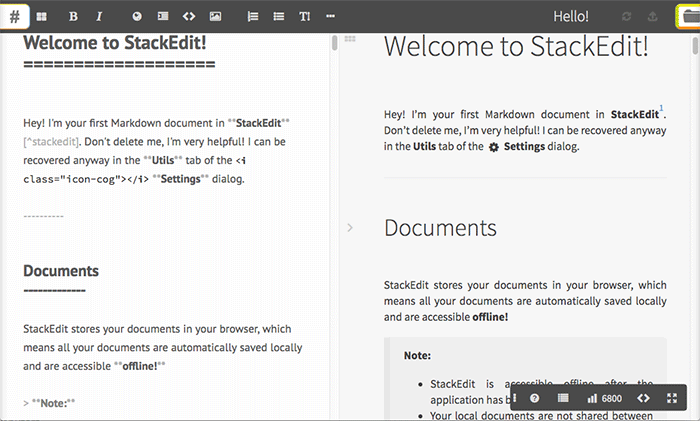
If you want a capable Markdown editor that interfaces cleanly with Google Drive, StackEdit is an awesome choice. It’s a fully-functional WYSIWYG editor that lives in your browser. It supports Markdown Extra, also known as GitHub Markdown, allowing for a wider range of formatting options that vanilla Markdown. It also includes syntax highlighting through Highlight.js, with support for 172 programming languages. Math-focused users can get LaTeX mathematical expressions using MathJax.
You can sync Markdown documents to Google Drive from within Stack Edit for backup or export them to Google Docs as fully-formatted files. These exported files can then be further edited and shared in Google Docs like native files, allowing you to start writing in Markdown but share fully-formatted files. The export is a one-way process, unfortunately. Edits you make in Google Docs won’t be ported back into your Markdown file.
StackEdit also supports exporting to Dropbox, GitHub, Gist, Blogger, and Tumblr, as well as custom export templates for attractive HTML layouts. Files are saved in your local browser storage as you write, so every time you open the app or visit the website, you’ll be greeted by the last file you edited. That storage doesn’t sync across browsers, of course, so you’ll need to use Google Drive for that.
You can use StackEdit in your browser or download the Google Chrome app.
2. Dillinger.io
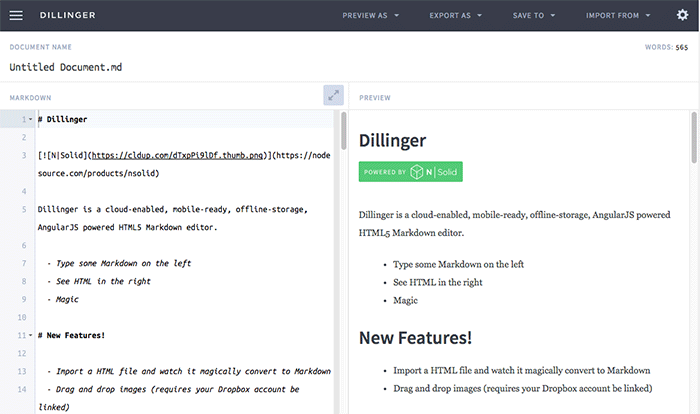
Dillinger is another WYSIWYG Markdown editor available online. Like StackEdit, it lives in your browser, storing documents in your local cache. Dillinger’s default theme is more attractive that StackEdit’s, and the interface feels better designed. However, it’s missing some of the many features that StackEdit offers, which is a little disappointing.
The application can sync files to Google Drive, though it lacks the ability to export to Google Docs like StackEdit does. Dillinger also doesn’t include support for keyboard shortcuts, which is a major shortcoming. This means that to add links, you actually need to type out the appropriate Markdown syntax for links. This isn’t challenging, but it’s much less convenient than using a shortcut to automatically turn the highlighted text into a URL. The developer is actively working on new features, however, and they may add these missing options in the future.
Dillinger does allow you to export straight and styled HTML alongside Markdown and PDFs, and you can save files to Dropbox, Medium, GitHub and OneDrive, in addition to Google Drive.
3. Writebox
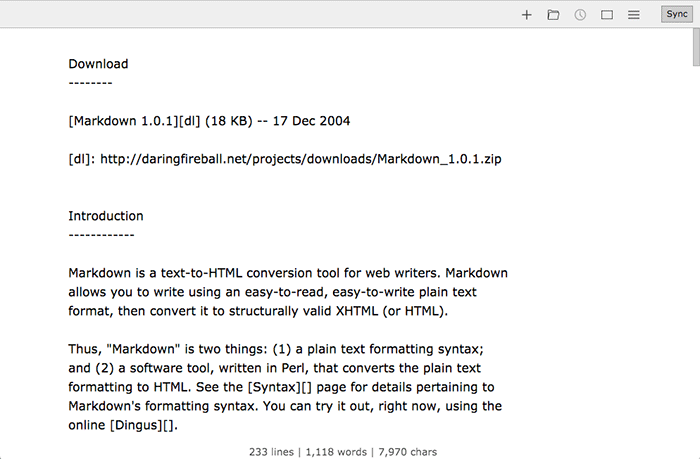
Writebox is an ultra-simple Markdown editor, positioning itself as a distraction-free text editor designed to help you get work done. It includes none of the helpful utilities of either StackEdit or Dillinger. However, if you prefer an ultra-clean writing space, you might like Writebox’s minimalist approach. Writebox can sync files to Google Drive or Dropbox, but the app doesn’t support any kind of Markdown conversion for Google Docs, so you’ll just be looking at plain text files. Like the above options, files are also saved in your local browser cache, so you have access to them from your hard drive, too.
4. gdocs2md
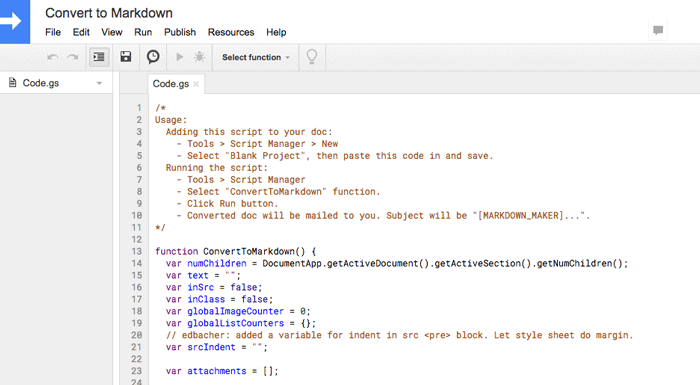
What if you’re trying to go from Google Drive to Markdown instead of the other way around? You can use gdocs2md, an open-source Google Docs script that converts files from Google Docs format to Markdown. Check out the repository on GitHub to get started.
Unfortunately, the script isn’t as easy to use as just opening an app. For each document you want to convert, you’ll need to add and run a new script on that document. The converted Markdown document will then be emailed to the email address associated with your Google Drive account.
Even though it’s a little complicated, the tool works well. It’s especially useful for moving back and forth between Google Docs format and Markdown. You do need to take care to write Google documents that export to Markdown cleanly by using the built-in heading and paragraph styles rather than in-line styling, but that’s actually an easier way to write for most folks.
Conclusion
If you want to write Markdown and export to Google Docs, StackEdit is an excellent choice. If you want to go the opposite direction, gdocs2md will convert your Google Docs to Markdown files.