

Some of us have numerous email addresses with services like Gmail, Hotmail and Yahoo to name a few. In such a situation, it may be preferable to have all email addresses managed by one email client for ease of accessibility instead of having to painstakingly check each one at a time. Internet Messaged Access Protocol (IMAP) and Post Office Protocol (POP3) are two methods of accessing mail stored on a server with a mail client such as Microsoft Outlook.
The main difference between these two protocols is that IMAP has a two way communication path, whereas POP3 has a one way communication path.

For IMAP: Emails you have marked “read” in your mail client would be updated on the mail server and the subsequent changes appear in your webmail inbox. Even if you are performing these actions offline, the changes will be reflected online as soon as you have reconnected to the Internet and your mail application has synchronized with the server.
For POP3: Any emails you may have read may still show as “new” in your webmail inbox, and any replies you have sent may not be in your webmail sent items (depending on your provider and how you configure the POP account). This pronounced contrast can cause great inconvenience to some users who may prefer that their mail client and mail server are properly synchronized to lessen confusion and avoid repeating the same exercise.
Another contrast between the two protocols is that POP3 requires emails to be downloaded onto the desktop PC before being displayed, whereas, IMAP can allow you to download the headers only and the content on-demand. The issues that normally spring up with POP3 in this case is that if you normally utilize more than one computer to access emails you may need to wait for the local copy of your mailbox to update, which can be very time consuming! On the flipside, since the POP3 approach downloads entire emails to the computer in use, this allows users access to their old emails even when offline.
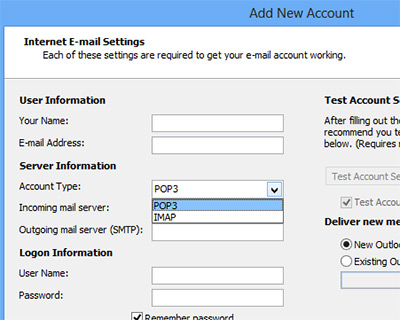
People who are forced to use a POP3 account (for work, for example), may be able to use a proxy approach to get around POP3’s limitations. Many services, like Hotmail or Gmail, allow you to add an external POP3 account which will be automatically synchronized with your webmail platform. This means you could use the web-based mail service via IMAP in your mail client and all changes would be synchornized to the server, preventing unnecessary duplication.
The question now remains, which is the preferred protocol? POP3 or IMAP? It really does depend on how you use your emails. If you are the type of person that access your email account from multiple locations (thereby random PCs) and would like to ensure all changes you make are automatically synchronized online, then IMAP is your preferred option. If you are a user that only accesses your email from one location and is not particularly anxious about storage space on their computer (downloading emails), then POP3 would be recommended.
Image credit: Two Sided Arrow Road Sign by BigStockPhoto