

Mozilla Firefox is an impressive and speedy browser most of the time. However, there are times when its users are not happy with the rate in which it loads webpages. Not to worry! Here is a tweak that you can use to improve the speed of the browser.
It’s a simple tweak known simply as HTTP pipelining. What does it do? By default Firefox sends only one HTTP request per HTTP connection it makes. When you enable this hidden feature, you’ll be telling Firefox that it can send multiple requests at a time. Doing this will improve the speed in which your browser loads pages.
Enable HTTP pipelining
Turning on HTTP pipelining is a fairly simple process. Just open a new tab in Firefox, put about:config into the address bar and press the Enter key on your keyboard.

One you’ve made it to about:config, you’ll see a warning. Accept it to be brought to the Firefox browser configuration area.
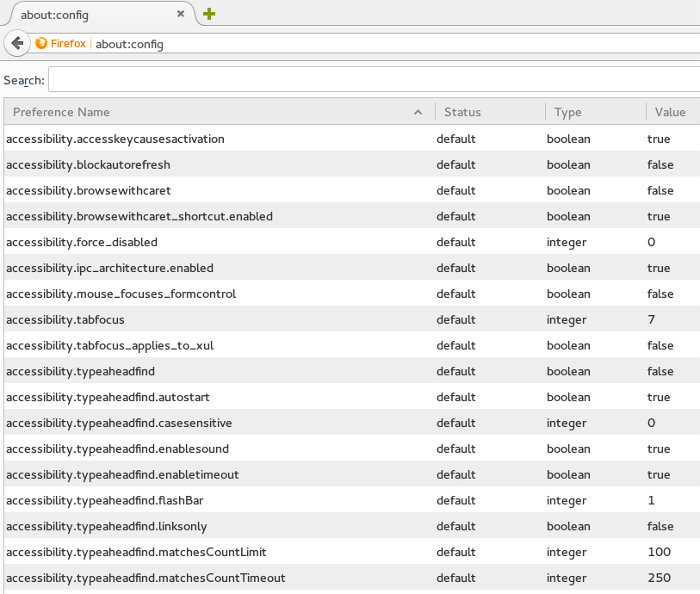
Inside this configuration area, click on the search box and enter network.http.pipelining. Once it’s entered, you should see it pop up.
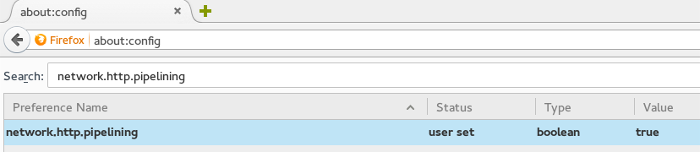
When you see what you’ve searched for, you’ll notice that it’s set to false. Double click on it and you’ll be able to set “network.http.pipelining” to “true,” thus enabling HTTP pipelining.
Enable HTTP pipelining behind a proxy
If the network you are connected to is located behind a proxy of some sort, you’ll need to do an additional step for this to work. Inside the about:config window, search for network.http.proxy.pipelining.
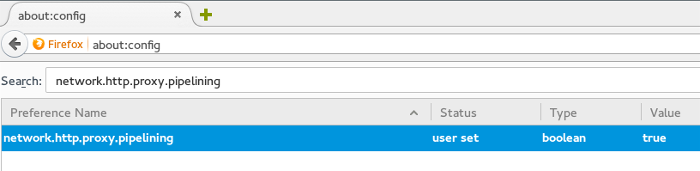
Just like before, you’ll need to double-click on what you’ve searched for inside about:config to enable it. After that, HTTP pipelining should be enabled on proxies!
Other ways to speed up Firefox
Besides just enabling HTTP pipelining to reduce the latency between loading web pages, there are other ways that you can quickly make your Firefox installation a little bit faster.
One thing you can do is force your browser to use Mozilla’s new HTTP cache system. It’s not enabled by default but by opening up a browser tab and heading over to about:config.
Once you’re there, enter browser.cache.use_new_backend into the search box. It should pop up fairly quickly.
Move your mouse over to the “0” and right click on it. A context menu should pop up. Inside this context menu, just click the modify option.
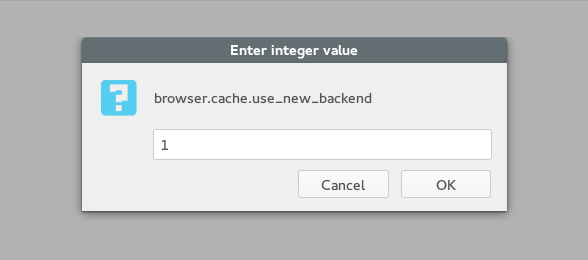
Doing this will bring up a text box with “0” already inside it. Change the “0” to a “1” and press the OK button. After this is done, Firefox should be using the new caching system.
Conclusion
Personally, I love Firefox and its speed, but for those who are obsessed with making web pages load even quicker than the defaults, tweaking Firefox in this way is totally warranted.
I hope that by following these few tricks you’ll be able to make Firefox just a little bit faster.