


Have you ever come across a web page where you wanted to save all the images on it? The most common way to do so is to easiest way to right click on each image and select the “Save Image As” option. However, this can be too time consuming if there are tons of images on the web page, not to mention that you are doing it on multiple web pages. Here are three easy ways to quickly save every images on a web page in Firefox.
Show Page Info in Firefox
1. On any web page, simply right click the mouse and select the “View Page Info” option
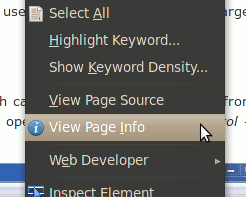
2. Click on the “Media” tab. It will show all the media content (images, videos etc) for that page.
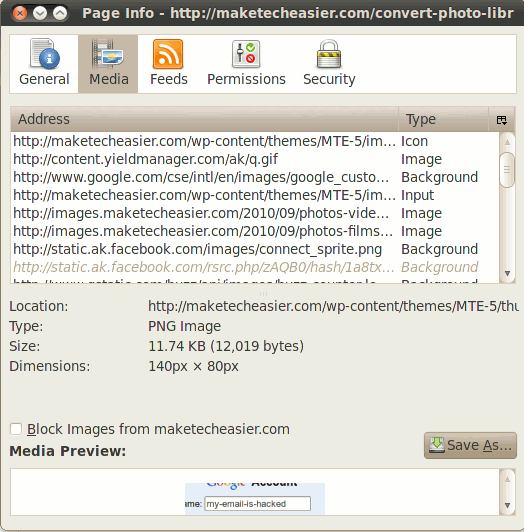
If the web page is lazy loading its images, make sure you scroll all the way down to the end of the web page to make sure all the images are loaded.
3. Now you just have to select all the items (using Shift or Ctrl key to select multiple items) and click the “Save As” button.
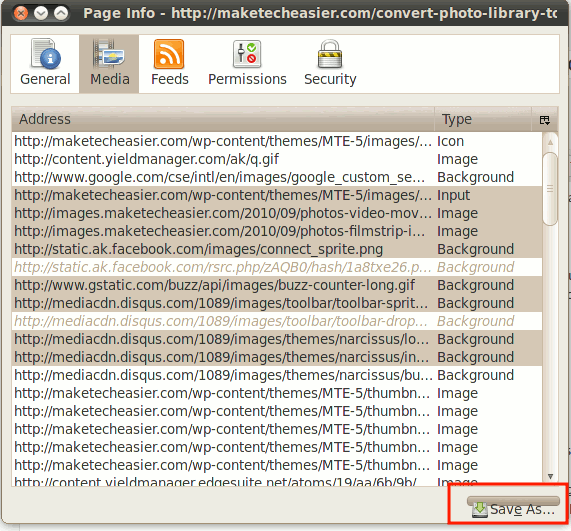
That’s it.
Note: One caveat for this is that it can’t save image file in webp format as it doesn’t get detected by the “Media” option.
Save the whole page
Another way to do it is to save the whole page to your desktop. This will save the HTML file as well as all its embedded images.
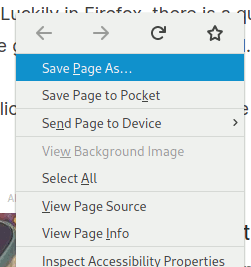
1. On the web page, right click your mouse and select “Save Page As”.
2. On the file dialog, make sure the save option is “Web Page, complete”.
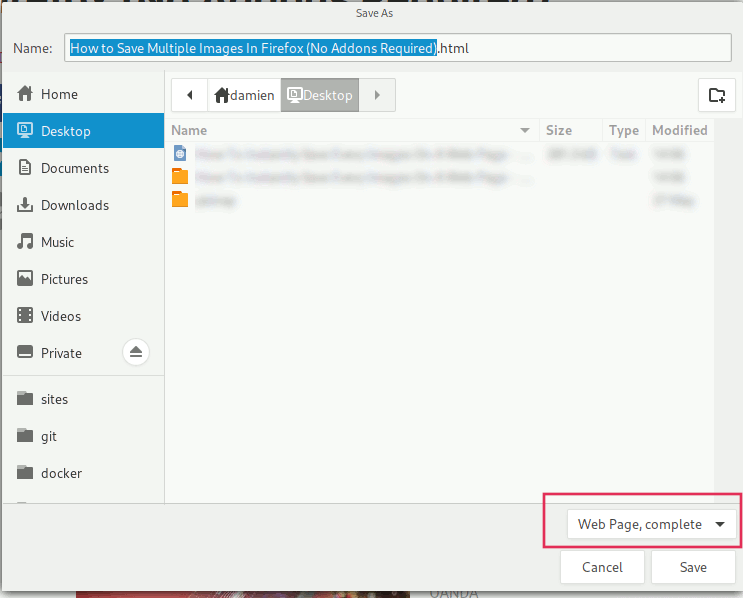
3. Click Ok.
Now check your desktop for the saved web page folder. Within you will find all the embedded images.
Download All Image
If none of the above works, then you can make use of this “Download All Images” addon to easily save all images.
Once installed, on every web page that you want to save images, click the Image icon on the toolbar.
A window will pop up and calculate the number of images on the web page, their total sizes etc. There are plenty of options you can customize, including the minimum and maximum width of the images, images type, regular expression etc.
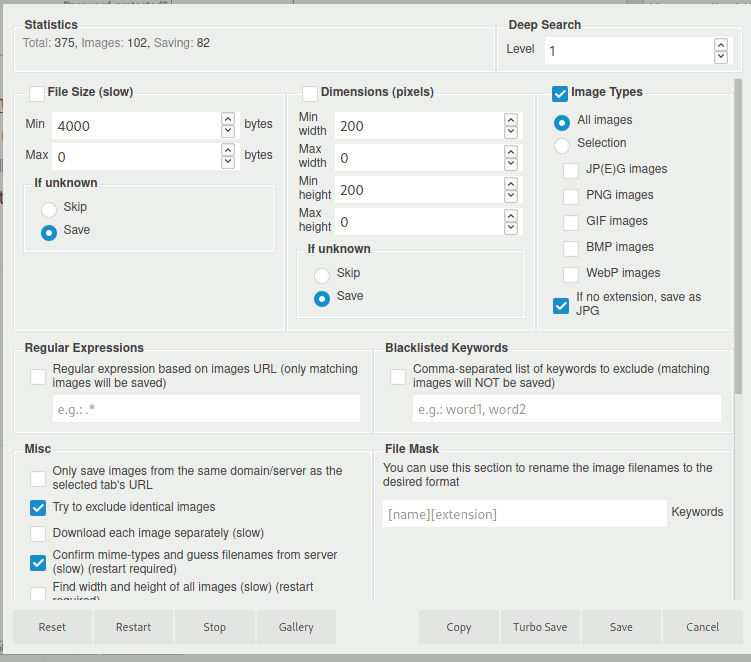
Click on the “Save” button to save all the images.
Other than saving images, learn how you can edit a live site with the Developer Tools here.
Image credit: Mozilla sign on downtown office of a not-for-profit Mozilla Foundation by DepositPhotos