

No matter how hard you try to avoid it, eventually the day is going to come when you find yourself locked out of a Microsoft account. Unfortunately, forgetting a password is all but a rite of passage for all internet users. And when it happens, you’re not just locked out of email, you’re also blocked from accessing other Microsoft favorites like OneDrive and Office 365.
For better or worse, Microsoft works off a “single sign-on” system, so if you’re locked out, you’re locked out of everything Microsoft. Don’t panic. You’re not stuck in password purgatory forever. Recovery is just a few steps (and minutes) away.
How to Do Basic Password Recovery
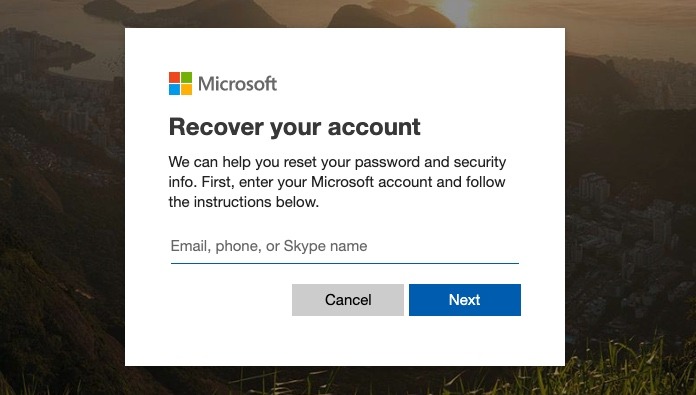
After trying an incorrect password a few times, Microsoft will show a warning which takes you directly to the Microsoft Account password reset page. This is where recovery begins. Enter the account you wish to recover, select “Next” and then step number two will begin.
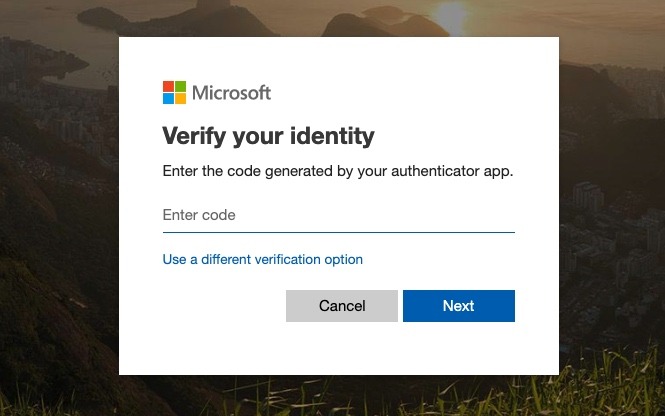
In the second step, Microsoft will first try to verify your identity. This is actually a good thing, as it’s in place to prevent someone from trying to hijack your account. If you have authenticator software enabled on your smartphone, start it up and enter the available code.
If you don’t have authenticator installed, there are additional options available to prove you’re the account owner. Click on “use a different verification option,” and select your email or phone number to receive a numerical code to continue on to the next recovery step. Microsoft will then send a numerical code within a minute or two that allows you to continue the recovery process.
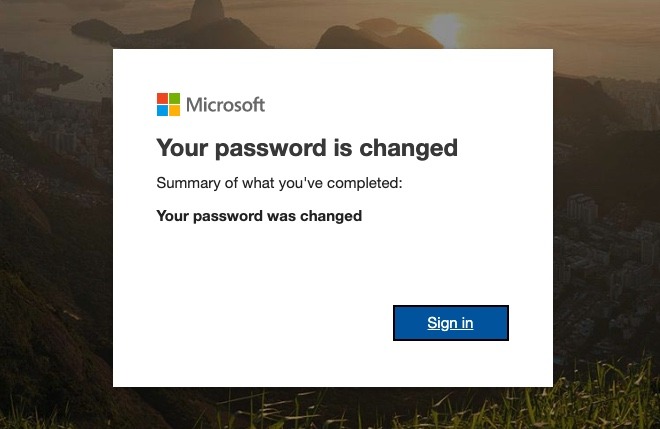
If you’ve made it this far, you’re almost there. Once you’ve verified you’re the account owner, the next step is choosing a new password. Microsoft asks you to choose a password with at least eight characters, and it is case sensitive. For the best possible security, we recommend a password manager to help choose a complicated password that won’t easily be guessed by bad entities.
Just enter your new password, and you’re back in business. Now you can sign in to your Microsoft account including Outlook.com, OneDrive and Office 365.
If Basic Recovery Did Not Work, Try this Instead
If you’ve made it this far, you should be logged in with complete control of your account. Unfortunately, there are instances of the password reset method failing, as the recovery steps aren’t 100% foolproof. Alternatively, there are also individuals who don’t have access to the backup verification information on their accounts. Rest assured, Microsoft knows this happens and has a second option available.
1. Head to the “Recover your Microsoft account” page and start from the top. Most importantly, you’ll need access to another working email account so you can receive information from Microsoft. If necessary, create a new Microsoft account just for the purpose of attempting to regain access to your existing one.
2. Now you can begin filling out the recovery form including your secondary email address as well as the address you wish to recover.
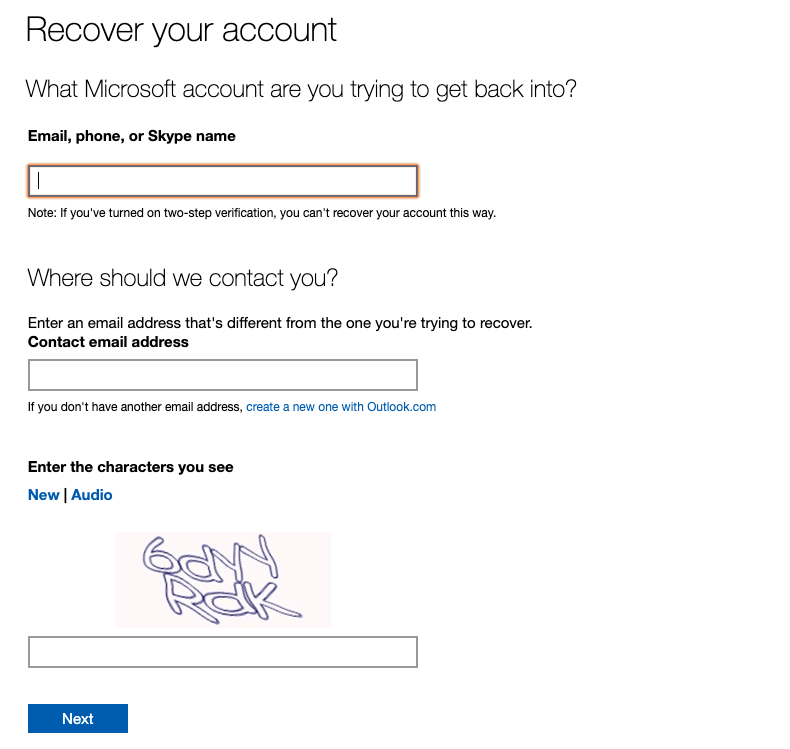
3. Next, you’ll want to start answering the necessary questions Microsoft will ask to ensure you’re the account owner. These include your name and your date of birth, as well as the answer to your original security question.
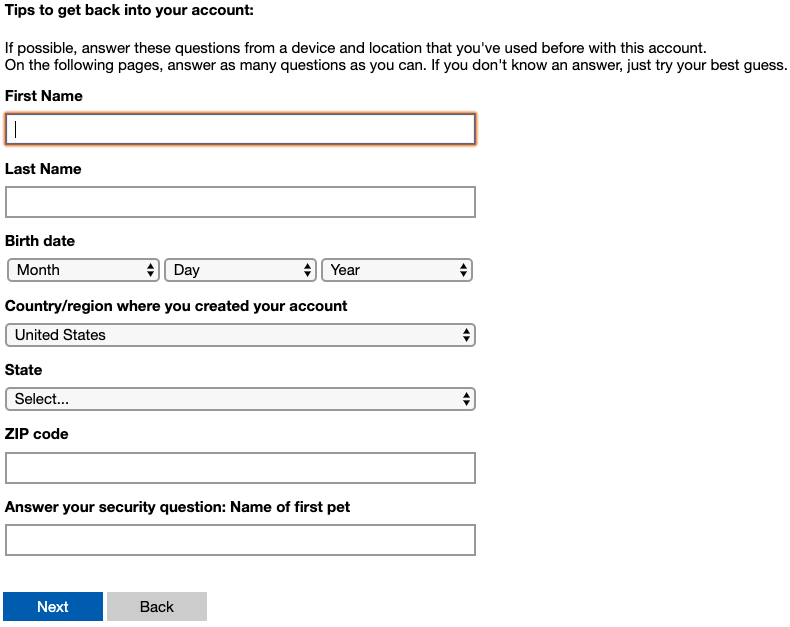
4. All that’s left now is to complete the rest of the recovery steps and reclaim your password for good. There are only a few more questions revolving around previous use of Microsoft products to help verify your identity. Remember, as frustrating as this process is, these questions make sure no one is able to maliciously gain access to your account.
Conclusion
As agonizing and frustrating as it can be to lose your password, don’t lose your cool. Microsoft knows this happens and has evolved its recovery process over the years to make it even faster. Just remember that there’s no such thing as a password that’s too strong. Now’s the time to check out those password managers and drop the “password123” login forever.
To improve your own workflows, try one of these Outlook keyboard shortcutsOutlook keyboard shortcuts.