Ever since my podcast consumption crossed from a couple hours a week to something I looked forward to every single day, I knew I needed to up my podcast client game. And just one look around the Google Play Store gave me the answer. For me, Pocket Casts ($3.99) was the clear winner. If you value thoughtful design along with pro features as much as I do, you’ll find that Pocket Casts strikes the right balance between the two. They also have an awesome web app ($9).
If you still haven’t tried Pocket Casts and are ready to spend a couple of dollars to get a better podcasting experience, check out the reasons below.
- Pocket Casts 5.0 looks awesome with Material Design and matching podcast artwork backgrounds.
- Silence removal features removes the lull between the hosts and saves you a lot of time (I’ve saved around 25 hours so far).
- Volume Boost helps you listen to podcasts even in a loud environment without making the hosts sound bad.
- Pocket Casts Sync keeps your subscriptions and progress synced between all your devices.
If you’re already using Pocket Casts, let’s talk about the ways you can take your podcasting game to a whole new level.
1. Start Using Filters
Are you using Filters – Pocket Casts’ (limited) version of playlists? You should be. Granted, Pocket Casts’ implementation isn’t the easiest to navigate through, but once they’re set up, Filters can be immensely helpful.
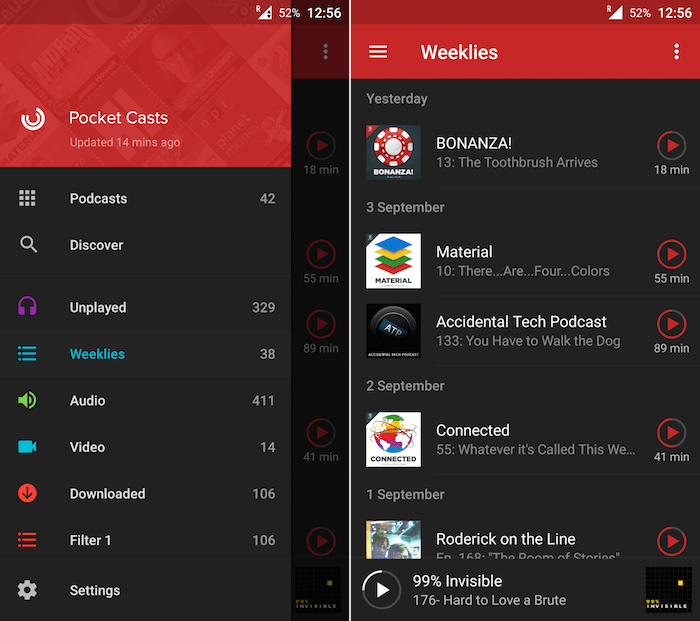
I have a filter called “Weeklies” which contains all the shows I listen to every week without fail. Pocket Casts creates filters like Unplayed, Audio, Video and Downloaded by default, and you can access them from the sidebar. To create a new filter, tap the “Add episode filter …” button and give the filter a name.
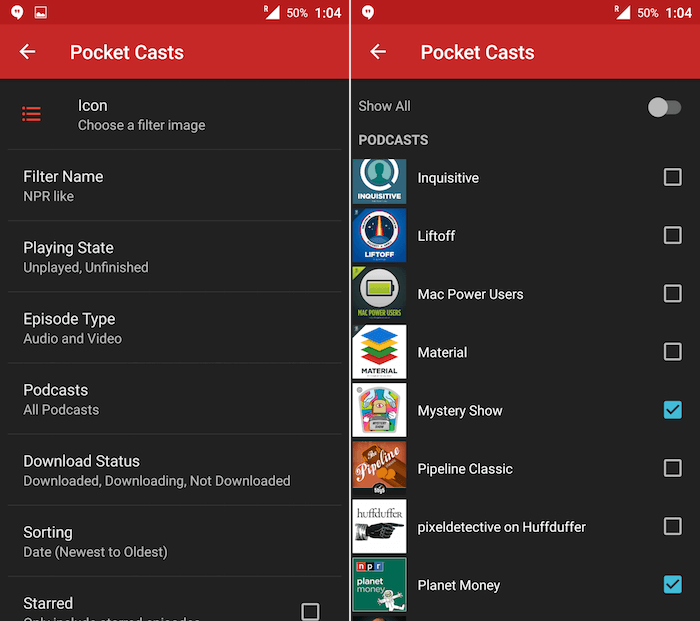
You’ll be taken to a filter settings screen. Choose an icon if you like. The important stuff is below. From “Podcasts,” select the podcasts you want to include in the list. From other settings you can include only episodes that are downloaded, not downloaded, played, unplayed and more. There’s a lot of mixing and matching you can do here.
Pocket Casts also has an auto-download option just for specific filters.
2. Use Up Next
Pocket Casts’ Up Next feature is kind of hidden, but once you get the hang of it, it’s addictive. If you have used any music app, you already know how “Up Next” works. It lets you quickly add any podcast episode to the queue. This is especially helpful when you’re going to be out for a long time and don’t want to fiddle with the app.
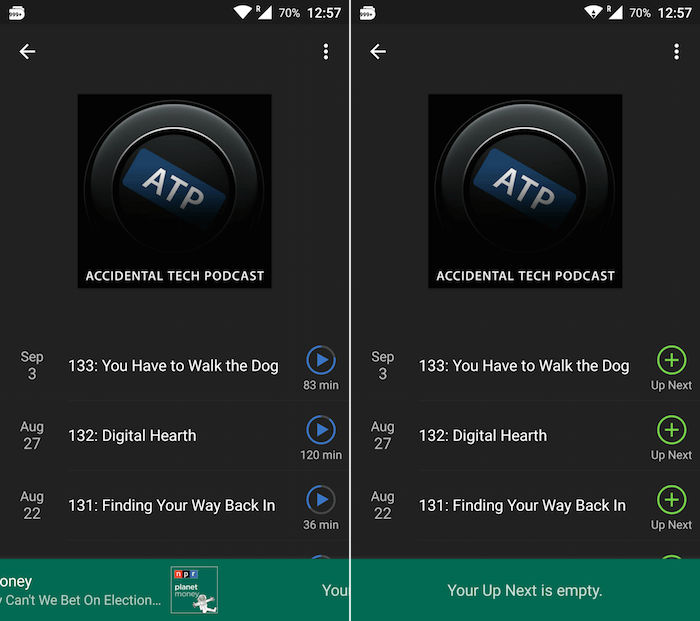
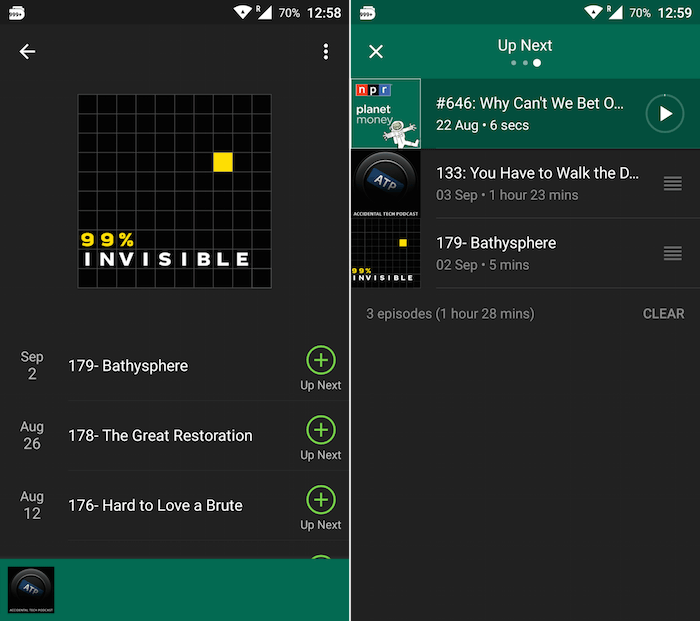
The Up Next queue is visible from the right most pane of the playing screen.
My favorite part, though, is adding podcast episodes to Up Next. It’s a really cool gesture. Just go to any screen that shows the mini player in the bottom of the screen (not the Now Playing screen), and just swipe left on it. You’re now in the “Up Next” adding mode. All the podcast episodes on the top will now have a “+” button instead of play. Tap to add them to the list. You’ll see them populate the mini player as well. Swipe left and tap on any one of them to start playing.
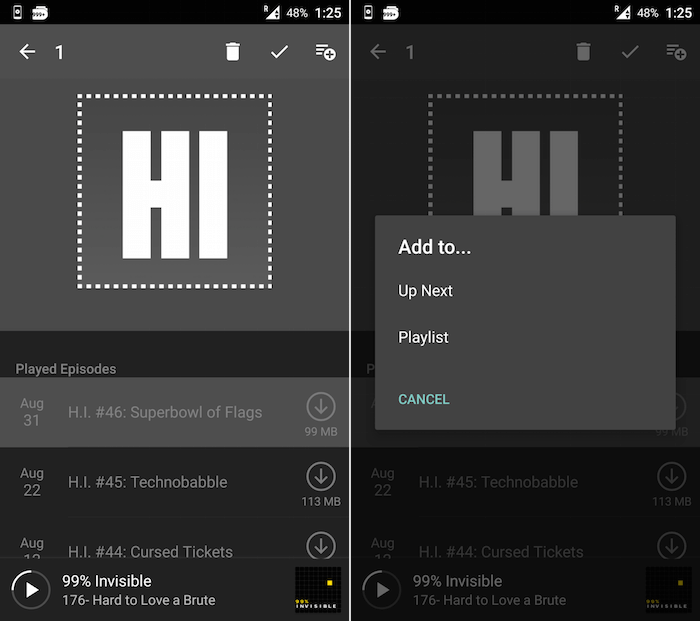
Yes, there are other more boring ways to add an episode to Up Next like long-pressing the episode title, then tapping the “Add to …” button and selecting “Up Next.”
3. Level Up Your Pocket Casts Game on Chrome
Pocket Casts is one of the few mobile podcast clients that has a decent web app. It costs $9 to get, but if you listen to podcasts enough to warrant the need for a desktop solution, you know that the price is worth it. But as a web app, it’s limited and more than an app ever would be. But if you’re using Chrome, we can use apps and extensions to get it closer to that app feel.
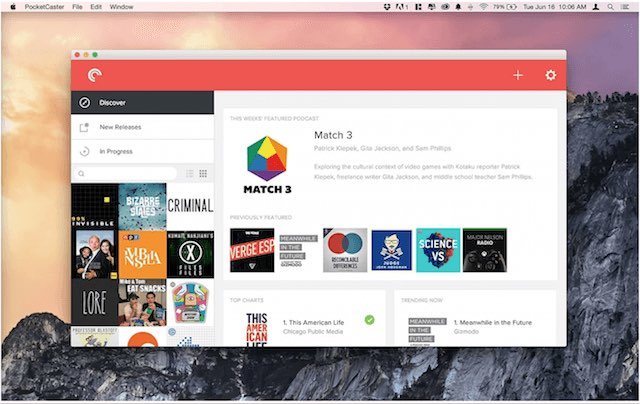
Convert Pocket Casts into an app: PocketCaster for Chrome lets you run Pocket Casts in its own window separate from all your browsing.
Play/Pause Button For Pocket Casts: This is my favorite extension for Pocket Casts. It puts a simple Play/Pause button in the extension bar.
Control Pocket Casts playback using media keys: If you’re using a Mac or a compatible Windows PC, you can map your media keys to Pocket Casts (for play/pause, previous and next) using the Stream Keys extension. It also supports keyboard shortcuts.
What Are You Listening to These Days?
Recently I’m binging on Mystery Show and old episodes of 99% Invisible. What are you listening to? Share with us in the comments below.