


Journaling and keeping diaries as well as blogging are more popular than ever as people share their lives with others. If you want to keep a video diary instead of just a written one, check out these useful apps and websites you may wish to explore.
[mte_toc]Also read: 11 of the Best Journaling Apps for Windows
1. Day One Journal (Android, iOS)
The iOS version of the Day One app lets you record a journal using pictures, voice recordings, videos, and text. However, the video feature requires a subscription. You can only enter text and attach pictures on Android. Its diary organization is one of the best out there, giving it a friendly, personal look that makes it feel like your private digital space (which of course it is).
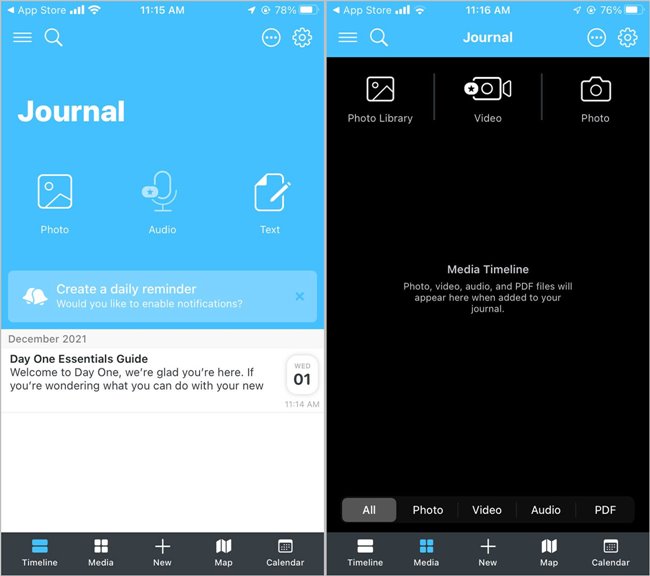
You can set up prompts to remind you to write in it every day, and there are plenty of features that make it a joy to look back on your old entries, such as “On This Day,” which shows you things you wrote on a chosen calendar date in previous years.
You can add as many entries as you wish in the free version, while the paid premium version gives you unlimited cloud storage, syncing between different Day One apps, and customer support.
2. 1 Second Everyday (Android, iOS)
Instead of just taking regular-length videos, 1 Second Everyday (iOS, Android) allows you to take a one-second clip every day and stitch it together into a breezy slideshow, essentially documenting your life.
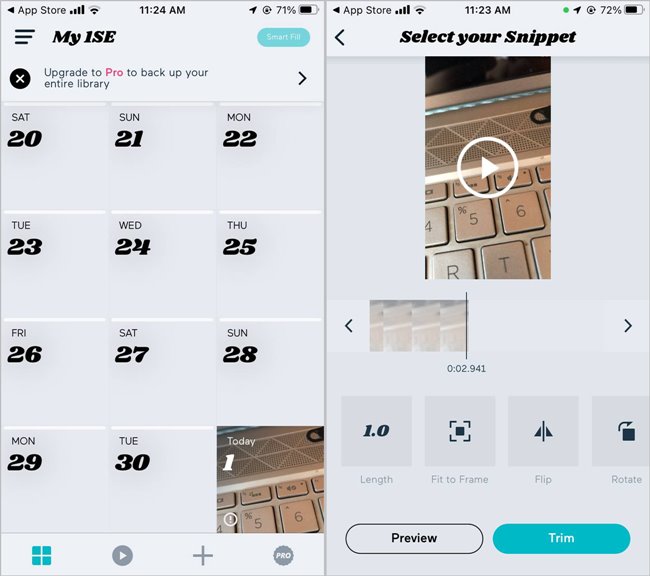
The app has its own built-in editing suite, so you can spruce up your clips however you wish. You can get off to a running start as well, as the app can use your existing videos to fill in past dates on your 1SE calendar.
There’s something serene about this style of documenting your life via such short clips. The way it manages your videos makes it very low-maintenance and a great way of amalgamating your precious moments into a stunning continuum.
3. Journey (Android, iOS, Web, Mac)
This app is truly multi-platform. Journey works on any mobile device (Android, iOS), on the Web at Journey Cloud, as a Chrome extension, or on a desktop application that does not require the Internet.
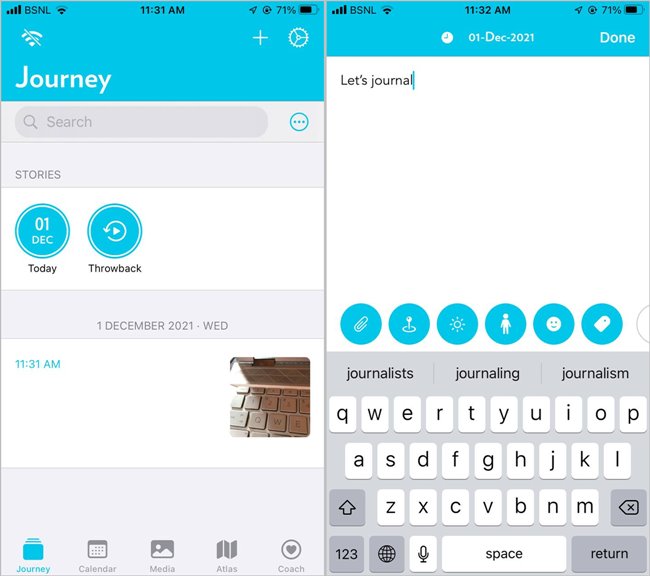
The Journey app is a Google’s Choice app, probably because of the number of features it offers. For example, entries sync with Google Drive so you can access them anywhere. It also gives options to upload multiple images, other videos, and panoramas; to tag your entries to locate them later; and the ability to download them as PDFs or Word docs to print them.
4. Daylee: Your Video Diary (Android, iOS)
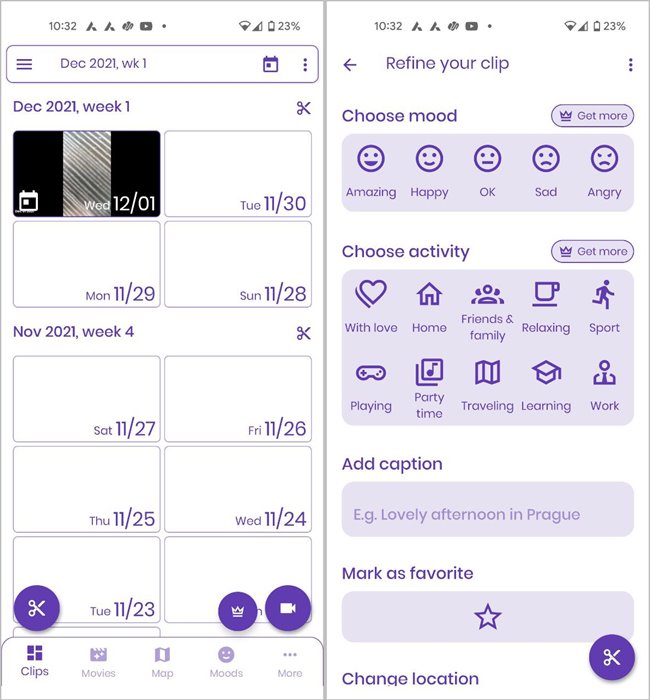
Available for both Android and iOS, the Daylee app lets you record short video clips up to 10 seconds long each day. You can also add photos, drawings, and text to the entry. The video entry can be further improved by attaching information, such as mood, emoji, caption, location, etc.
Initially, the clips are saved locally, then are synced to Google Drive or Apple iCloud storage, depending on the backup option selected. The premium version of the app lets you upload clips of any length, offers all moods and emojis, all app colors, no ads, and other features.
5. Daily Moments (Android)
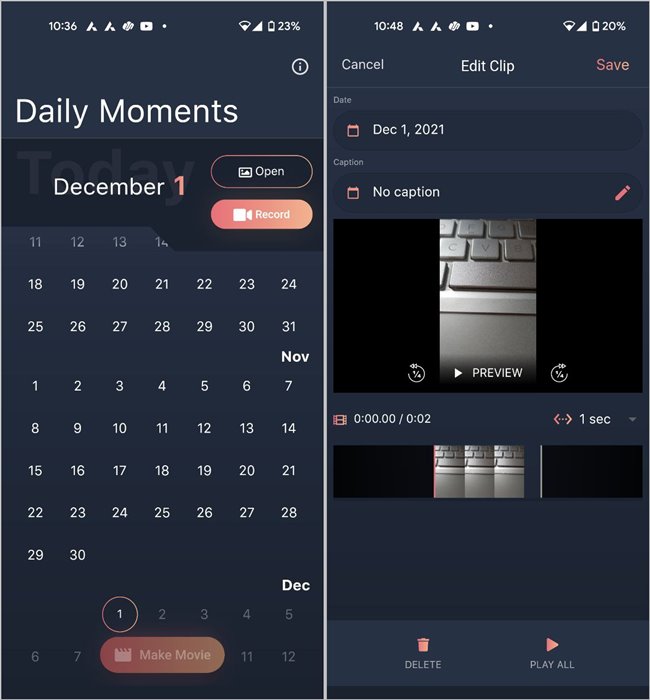
The best thing about the Daily Moments app is that you can start recording right away without signing up first. Very few apps let you do this. However, this is also its drawback, as it doesn’t offer the backup feature.
If you are okay with that, the app offers an intuitive user interface. On the first screen you get the calendar and two buttons – Open and Record – to add your videos. The app supports both landscape and portrait videos.
6. My Life Journal (iOS)
Whether you are looking to keep video journals private or share with a handful of friends (up to 15), the My Life Journey app lets you do both. You can create videos of up to five minutes, post pictures, and add audio notes. The app will automatically create life movies every year. You can even add goals and keep track of them.
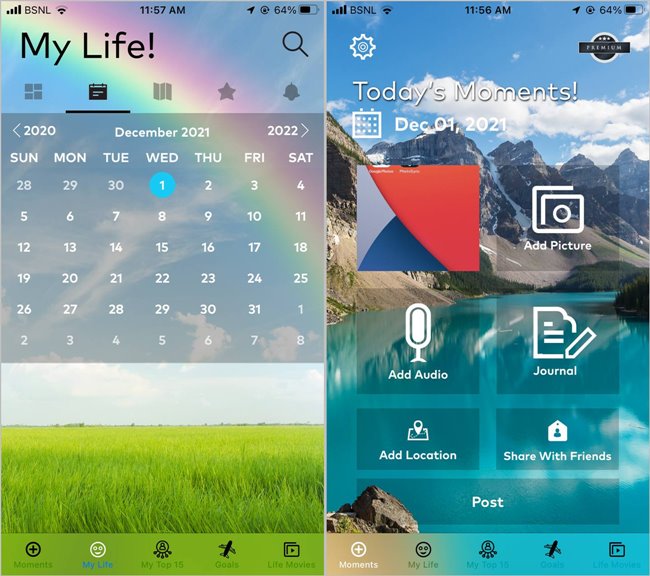
The premium version lets you private message people, share life movies, add unlimited entries, has no ads, and offers unlimited cloud storage.
7. LiveJournal (Android, iOS, Web)
LiveJournal (Web, Android/iOS [no longer available]) is for private journaling or sharing your writing within the LiveJournal community. It combines blogging with social networking, so people have the option to share their content with other similarly-minded people.
To use the video journaling component, you have to create the video, then upload it to the site.

Some of the features of LiveJournal include uploading photos and videos, creating polls, and the ability to work offline. Because it offers a vast, active community, you can read others’ posts and comment on them.
You can use LiveJournal online and mobile for free with limited features. If you want more images and no ads, subscribe to one of three plans.
- Annual: $25 for one year
- Semi-annual: $15 for six months
- Monthly: $5 for one month
The app is not the easiest to navigate but has many good features if you can find them.
Wrapping Up
Instead of downloading a dedicated app, you can also use regular note-taking apps – such as OneNote, Evernote, and others – to record a video every day. You will have to do some manual labor, as they will not provide the proper features present in the journaling apps. Aside from that, you can open a private Instagram account and post an unlimited number of videos for free on a daily basis.
Also take a look at the best journaling apps for Windows. If you’re looking for more communal activities, check out how to watch videos online with friends in real time.