

I know that this topic has been mentioned a thousand and one time in the blogosphere, but still, there are many people asking me how to do it the easy way. Since this site is about making tech easier, I have decided to come up with a comprehensive and easy to follow guide for those who have decided to jump the ship.
For those who have no idea about the differences between WordPress.com and self hosted WordPress, read this article first before you proceed.
First thing first
Before you start the migration from WordPress.com to self hosted WordPress, you will need to have:
- a domain name
- a web hosting account and
- the WordPress software already installed.
If you do not have any of the three, go to Hostgator and register for a domain name and a webhost account.
Once you have registered for your domain name and web hosting plan, you will receive an email with your login info.
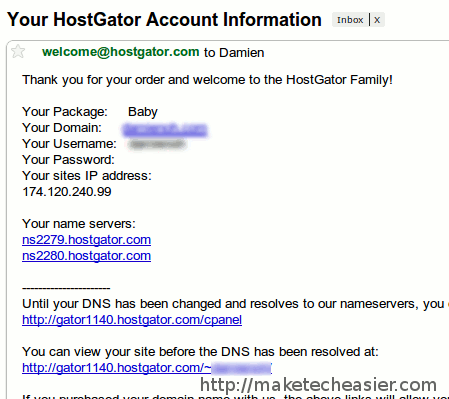
Click on the cPanel link and login with your username and password.
Once you are in the cPanel dashboard, scroll down till you see the Fantastico icon. Click on it.
On the left pane, click on the WordPress link
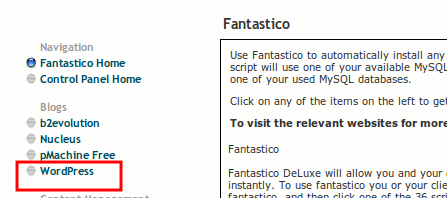
You will be asked to enter login name, password and your email address. In a few clicks, the WordPress software will be installed in your server.
You can test it by going to the URL http://your-domain.com/wp-login.php
Migrating from WordPress.com
The next thing that you are going to do is to export all your content from your WordPress.com site.
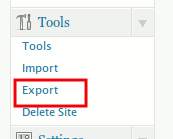
Login to your WordPress.com account and go to Tools -> Export
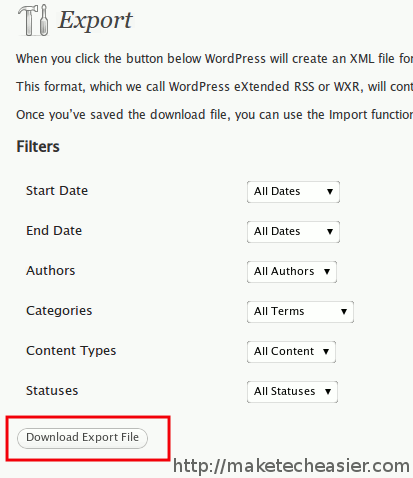
Click the Download Export File button to export the content. It should generate a XML file.
Importing to the content to your self hosted WordPress site
Login to your self hosted WordPress site and go to Tools -> Import.
Click on the WordPress link.
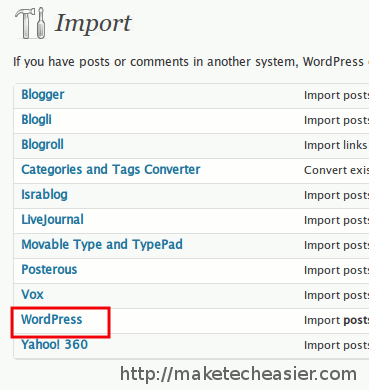
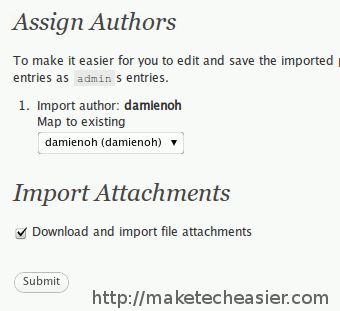
Upload the XML file. It will then prompt you to map the posts author to the new account’s author. Remember to check the box “Download and import file attachments”
Note: If your XML file is more than 2MB in size, you might face problem uploading it to the server (most servers only allow 2MB of file upload). You will have to submit a ticket to your web host and get them to increase the file upload limit.
Redirecting readers from WordPress.com to self hosted WordPress site
You have migrated your content over, don’t you want to migrate your readers over too?
Currently there is no free way to do this. The only way to redirect your readers is to use the domain mapping method which will cost you $9.97 per year.
You can head on to the WordPress support site for detailed instructions to map the WordPress.com site to your domain. In general, you need to:
- change the nameserver of your domain to point to the WordPress.com server
- Add your domain name to your WordPress.com site in the Settings -> Domains section (This will require you to pay an annual fee of $9.97).
- Change the nameserver of your domain back to its original setting.
With that, any readers arriving at your WordPress.com site will be redirected to your self hosted WordPress site. You get to keep your readers as well as your search engine ranking.
That’s it. If you have any questions, feel free to shoot them in the comments.