

MetaMask is your key to what some call “Web 3.0,” or the blockchain-based decentralized Internet. Websites and web apps (decentralized apps/”dapps”) that function using Ethereum can’t be fully run using just your normal browser – you need to have an Ethereum identity that the website can recognize and interact with. To achieve that, the MetaMask browser extension adds a few extra layers to your browser:
- MetaMask is a wallet that stores any Ethereum you send to it. All your information is encrypted and locally-stored, so it is fairly secure.
- MetaMask checks the sites you visit to see if they are Ethereum-enabled. If they are, it activates and prompts you to give it instructions.
- After it activates, MetaMask acts as a security barrier between you and the site or dapp, asking for your permission before it allows any transactions through.
- MetaMask manages your Ethereum identities, meaning you can import and switch between several different Ethereum addresses.
Sounds complicated. Why do I need it?
If you’re already comfortable with buying cryptocurrencies and putting them in a wallet, MetaMask isn’t much more complicated than that. In practice, all you really need to do as a user is create an account, fund it, and follow the prompts whenever you’re using an Ethereum-based program. Dapps are still relatively experimental, but many are up and running and range from “fun” to “pretty useful.”
Without MetaMask, you would need to be running a full Ethereum node to access these dapps, which is way beyond most people’s ability and patience. MetaMask does all the heavy lifting on its servers, vastly simplifying your experience.
Setting it up
1. Either download the Brave browser, which comes with MetaMask by default, or have a compatible browser, like Firefox, Chrome, or Opera.
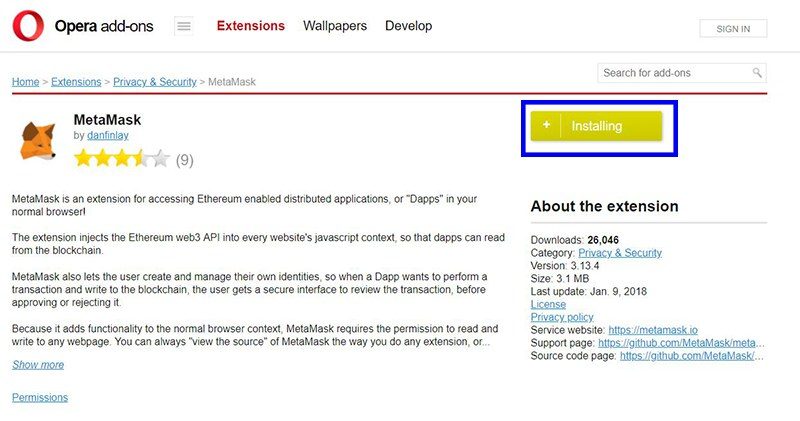
2. If you’re not using Brave, you’ll need to find your browser’s extensions list, search for the MetaMask extension (Firefox, Chrome, Opera), and install it.
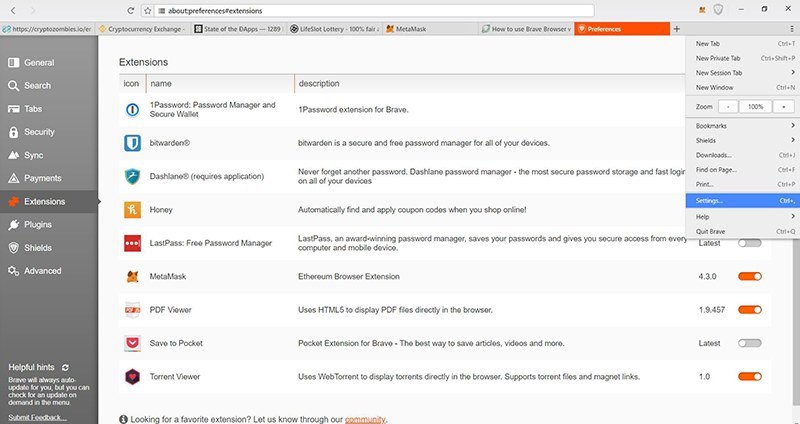
3. If you are using Brave, you’ll have to find the MetaMask extension and activate it.
4. Accept the terms of service. Be aware that while they definitely aren’t harvesting your data, they are collecting a little bit of it. If this skeeves you out, maybe download a browser for dedicated dapp use.
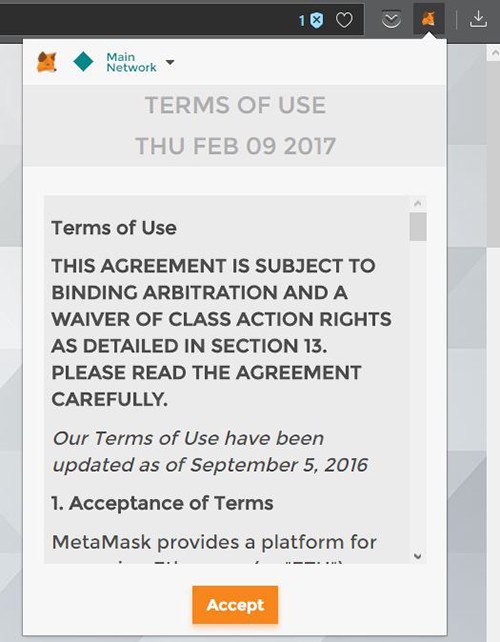
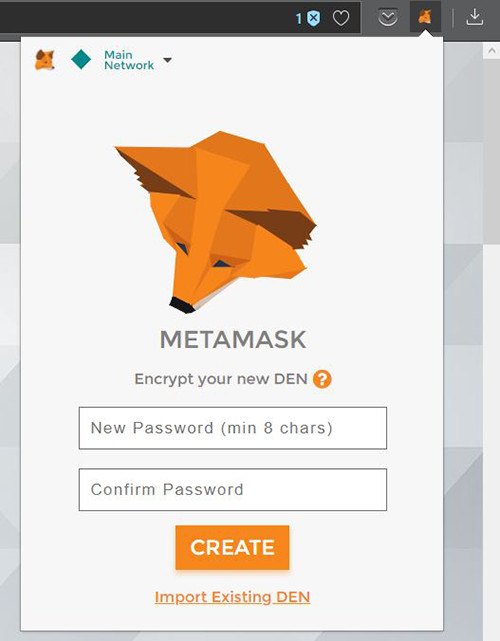
5. Now you can create a password. Remember that strong passwords are long and easy to remember. Password recovery is not guaranteed, so you may want to record it somewhere safe.
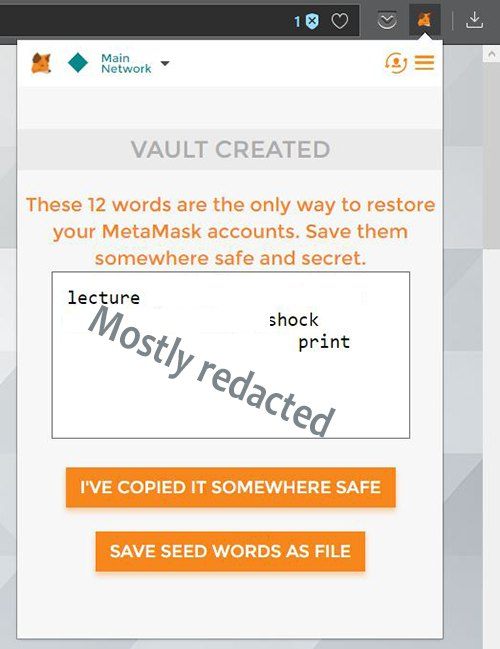
6. After this, you’ll have to set the seed phrase, which is a string of twelve random words. This is your private key (anyone who has this can access your account) and is pretty much your only password recovery option, so keep this safe, too.
7. Now that you have a wallet and an identity, you’ll want to fund it. First, make sure you’re on the Main Network, not a test network.
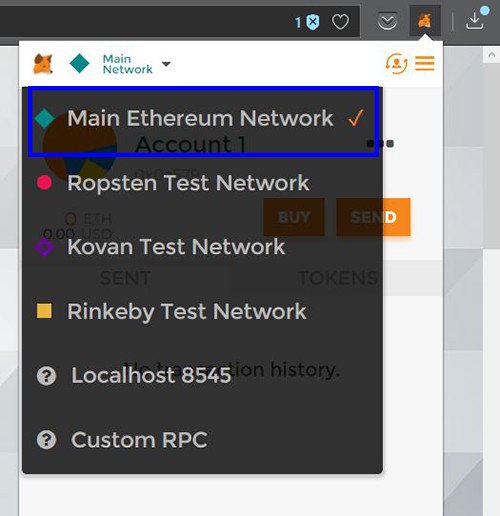
8. You can find your address by hitting those three black dots on the upper-right side and clicking either “Copy address to clipboard” or “Show QR code,” depending on how you want to send your ETH over.
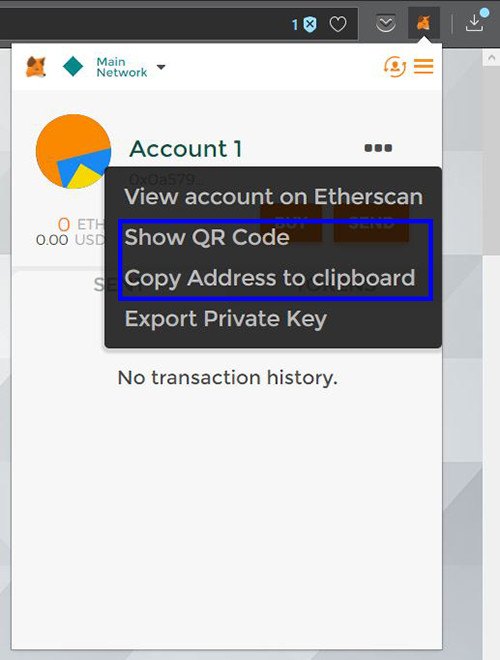
9. Log in to your other account or wallet, enter this address or QR code, and send it over.

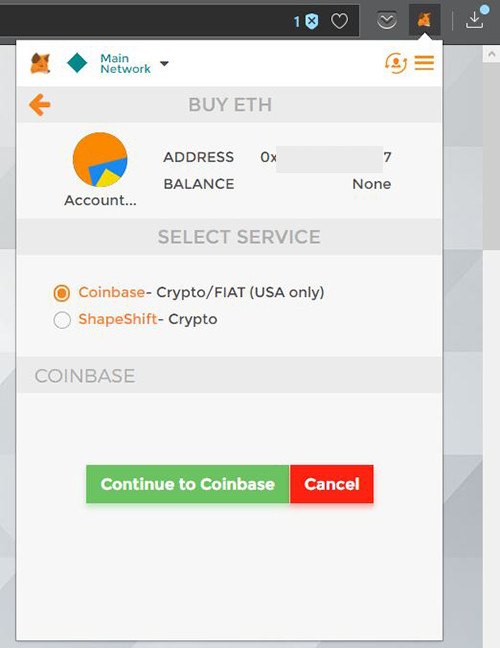
10. Another alternative: you can buy Ethereum through MetaMask using your existing Coinbase account, or you can convert and send some other cryptocurrency using Shapeshift.
11. Once your MetaMask wallet has some money, you’re all set to start using it however you want.
Nice. Can I have an example?
MetaMask works with a wide range of Ethereum-enabled sites and dapps, but the best place to start is State of the Dapps. They have a comprehensive list of Ethereum dapps and even have a list of those that work best with MetaMask. You can find some useful stuff here, but to keep it simple we’ll demonstrate with a mathematically fair slot machine.
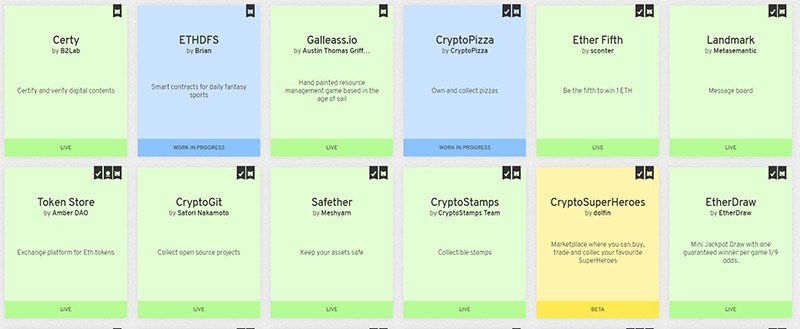
1. Visit the dapp’s website.
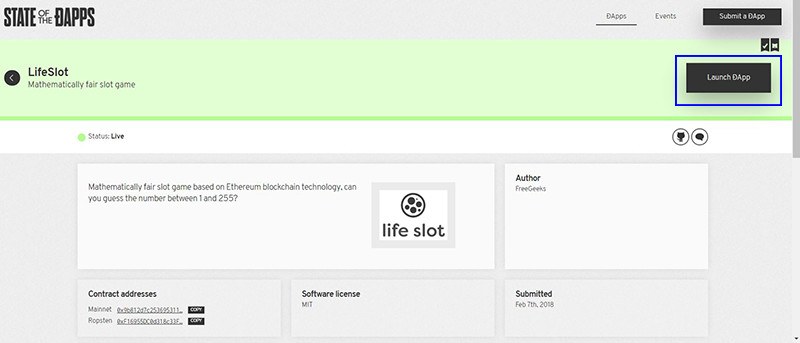
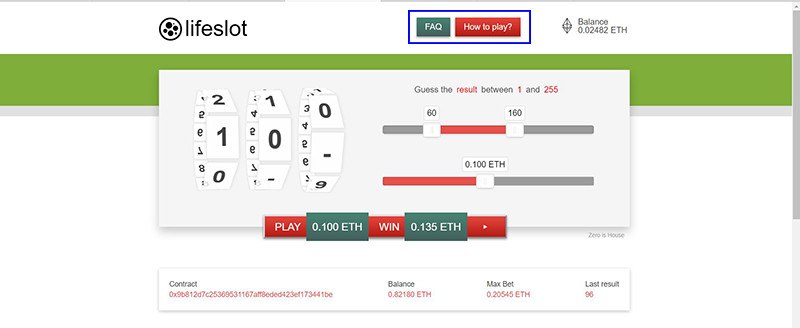
2. Find directions on how to use the dapp.
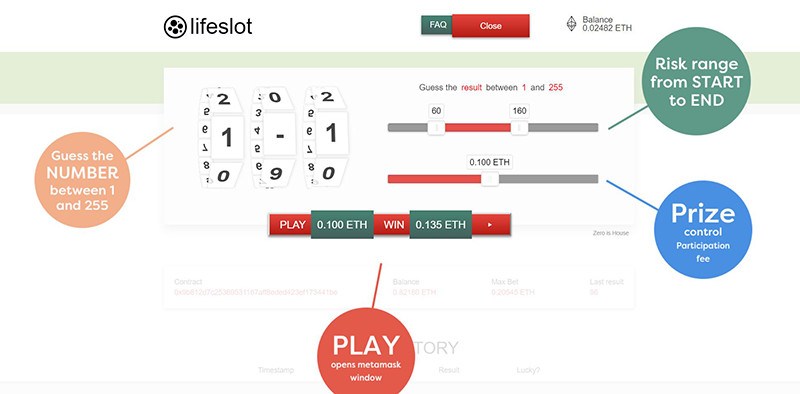
3. Set things up the way you want them.
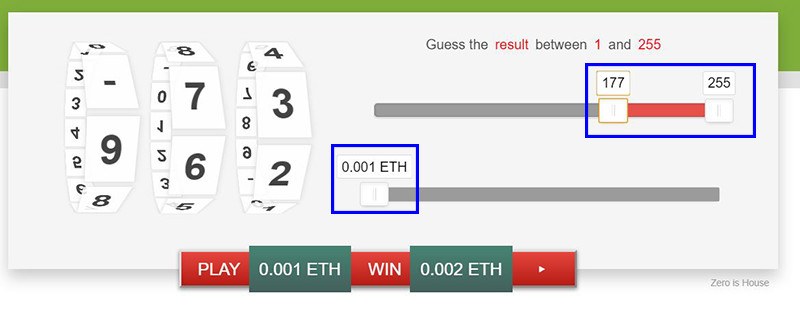
4. Execute whatever the dapp’s main function is, then open up MetaMask. This should show you a list of requested transactions, which you can accept (Submit) or deny (Reject).
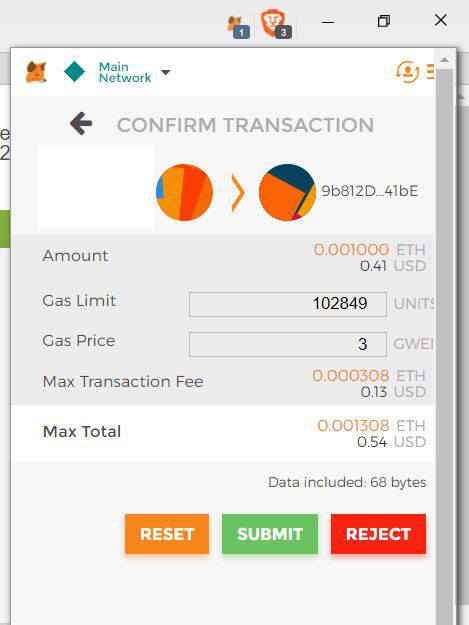
5. Hit the “Submit” button and the transaction should execute! In this case, you can choose to pay more gas, which serves as a monetary incentive for miners to process your transaction. If you paid the minimum amount of gas, settle in for a minute and wait.
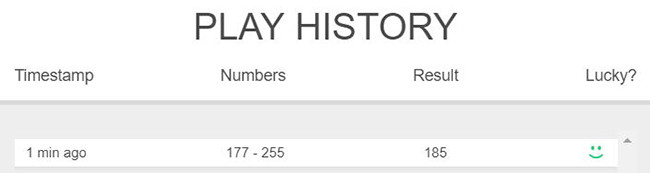
6. This is a simple gambling game, but it illustrates the platform quite well. As with cryptocurrency in general, only put in what you can afford to lose!
Conclusion
As the technology develops it will undoubtedly become more user-friendly, but MetaMask is currently the best option for anybody looking to play around with Web 3.0. As with all cryptocurrency activities, don’t put in more than you’re comfortable losing (especially if you’re using the slot machine!) and don’t be afraid to try new stuff!