One of the most useful features in modern browsers is tabbed browsing. One of the most memory intensive feature in modern browsers is also tabbed browsing. The more tabs you open in your browser, the more resources the browser use and the longer it takes to respond. If you are one of those people who work with many opened tabs (more than 10 at one go) and want to better manage the tabs in Google Chrome, you should give OneTab a try.
OneTab is a very useful extension that allows users to manage opened tabs in Google Chrome efficiently. What OneTab does is convert all your tabs into a list and open the list in a new tab. Clicking on any URL in the list will open it in a new tab. You can also remove items from the list, restore all tabs, import/export all the URLs from OneTab and share them as a web page with anyone you want.
How to Use OneTab
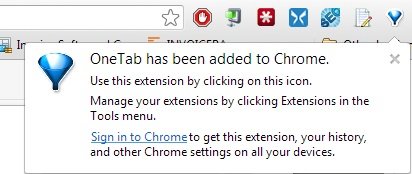
Using OneTab is fairly simple and straightforward. Download and install OneTab extension from Chrome Web Store. Once installed, it will add a small OneTab icon in the extensions area in the Google Chrome taskbar.
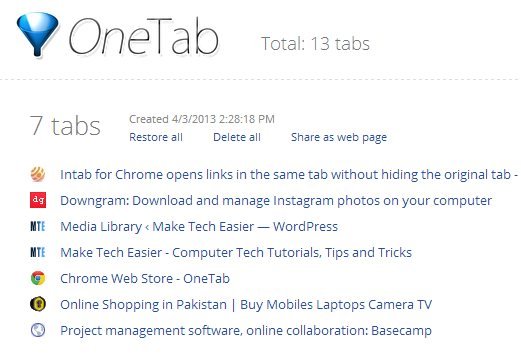
Clicking on the OneTab icon will minimize all the opened tabs and show them as lists in a new tab. Note that if you are using any pinned tabs in Google Chrome, they will not be minimized. Even if you don’t open all the links, it keeps a history of all the tabs that you saved in OneTab so that you can access it anytime in the future as well.
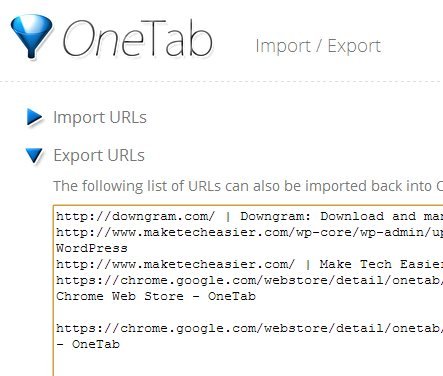
If you want, you can import or export all the URLs that are in a Onetab list so that they can be shared or emailed to anyone you want.
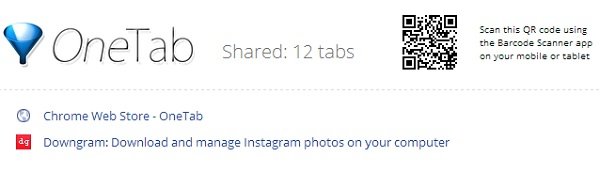
You can even share the lists as a web page using a direct URL as well. The service also generates a QR code for the list that can be opened using any QR Code reader app on your mobile phone or tablet.
Depending on how many tabs are opened and the number of scripts running in the background, minimizing the tabs using OneTab can improve your PC’s performance by reducing the memory consumption of Google Chrome.
Conclusion
If you work with a lot of opened tabs, I definitely recommend you to give OneTab a try. It will not only help you manage tabs in Google Chrome efficiently but also help in freeing up system resources to boost its performance. If you tried OneTab extension for Google Chrome, feel free to share your thoughts in the comments section below.








