There are some websites that provide user login function, but the logout button is either missing or hard to find. It’s too risky to remain logged in, especially on a public computer, so you might want to try some workarounds to log out. However, be warned that these might not work.
Usually it’s not your fault you can’t log out and is because of a site bug or a usability blunder. It doesn’t help much that it’s not your fault when your account is at risk of being compromised. If you are logged in from a computer nobody else but you uses, the risks aren’t that high, but if this is a shared computer, you most certainly need to log out ASAP. Here are a few tricks to try, but don’t expect them to always work.
1. Close the Browser, Reopen, and See If You Are Still Logged In
As a rule, just closing the browser doesn’t log you out, so don’t count on this option too much. If this will work or not depends on the site. Most sites store logins for days, weeks, or months, but there are also sites that require a login on every reopen of the browser. If this is the case, you are lucky. When you close the browser, open it again and see if you are out or not.
2. Search Hard, Really Hard, for that Logout/Signout Button/Link
Often the logout function is there, but it’s not visible right away. I know what you are thinking about the usability of such sites, and I side with you, but this doesn’t change the fact that for one reason or another many sites put their logout button/link in a hard-to-find place.
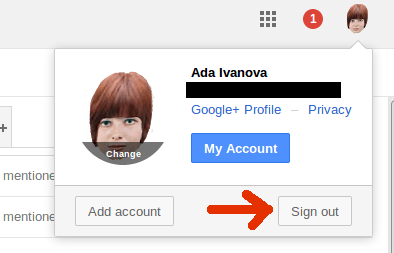
Most sites put their login/logout buttons/links in the top right corner, either standalone or in a menu, such as in account, settings, profile, or something similar. If you don’t see it directly, try browsing the menus or hover.
3. Delete the Session and Browser Cookie
You can also delete the session and browser cookie(s) to log out from a site. Most sites store login data in a cookie, and when this cookie is gone, you are logged out. If you are afraid you will lose all your cookies when you clear the browser’s cache, don’t worry; for most browsers you can delete the cookies only for a given site. The exact steps for deleting cookies differ among the different browsers, so check what’s applicable for yours.
4. Try Logging Out from a Different Browser/Device
It’s possible that the browser/device you are using is the problem. For instance, if your browser is old, it’s possible to click the logout button/link with no action taking place. In this case log in from a different browser/device and log out from there.
If the site doesn’t allow multiple simultaneous logins to the same account, the new login will eliminate the old. However, even though you logged in and logged out from a different browser/device, it’s possible you are still logged in in the original browser/device, so don’t forget to check if you are really logged out.
If you notice the logout problem happens with a particular browser/device only, your only option is to stop using this browser/device for this site. You can try contacting the site admins to tell them, but usually this won’t help. You’d better switch to a different browser. If you are a Linux user, try these Linux browsers instead.
5. Logout with SSO
If you logged in with Single Sign On (SSO), you can log out with it, too. For instance, if you logged in to a site with your Facebook or G+ account, go to Facebook or G+ and log out from there. Then go to the site you were trying to log out from, refresh the page, and see if you are still logged in.

6. If It’s a Popular Site, Check Its Forums
You might not be the only one with a logout problem with a particular site. Though it usually happens after a redesign of the interface or a software update when something gets broken, it’s not unheard for a site that has been okay for many years – all of a sudden its logout functionality breaks. In this case, if the site has a forum such as this one, check it to see what other users are experiencing and if there is a solution.
As I mentioned, there is no guarantee any of these tricks will work. If none of them work, there is nothing you can do but wait for your login timeout – your session will expire in a predefined amount of time. This isn’t much of a comfort because this predefined amount of time could be weeks or more, but basically you are out of any other options.








