

Facebook privacy is one of the biggest concerns for many netizens. Without even getting started on the social network’s dubious use and abuse of its users’ data, there’s also the more direct matter of making sure that other people using your computer after you – whether it’s your home PC or a public one – can’t go snooping around on your Facebook account.
Or maybe you just want to log out of Facebook so you’re not pathologically clicking onto it every five minutes.
Whatever your reasons, we’ll show you not only how to log out of Facebook, but also put up safeguards to make sure that people using your PC after you (or even using a different PC but on a browser that you’re signed into) can’t access your account.
Also read: How to Secure Your Facebook Account
How to Log Out of Facebook
So you’ve clicked Facebook on your browser and log in right away. Let’s start dismantling this cosy little setup, shall we?
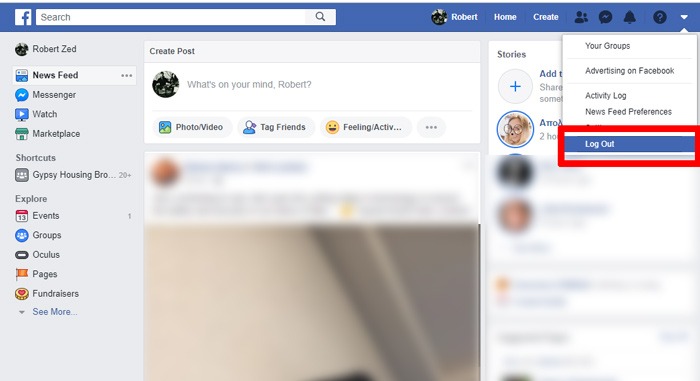
The simplest way to log out of Facebook is to click the downward arrow icon sneakily hidden at the top-right corner of your Facebook homepage, then click Log Out.
Chances are that your browser has saved your password, and also Facebook itself may have set up various things that make logging back in basically automated.
Remove Facebook Login Details from Chrome/Firefox
The first thing you should do is make sure your Facebook login details aren’t saved in your browser.
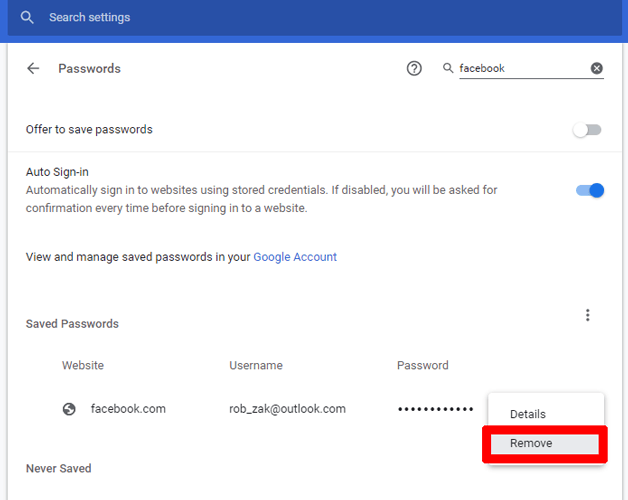
To remove your Facebook login details from Chrome, click the three-dotted menu icon at the top-right corner of Chrome -> Settings, then under the Autofill heading click Passwords. Find Facebook in the list, click the three-dotted icon next to it, then click Remove.
In Firefox, click the menu icon at the top right corner -> Options, then click Privacy & Security in the pane on the left. Under the Logins & Passwords heading, click Saved Logins, then find Facebook in the list and click Remove.
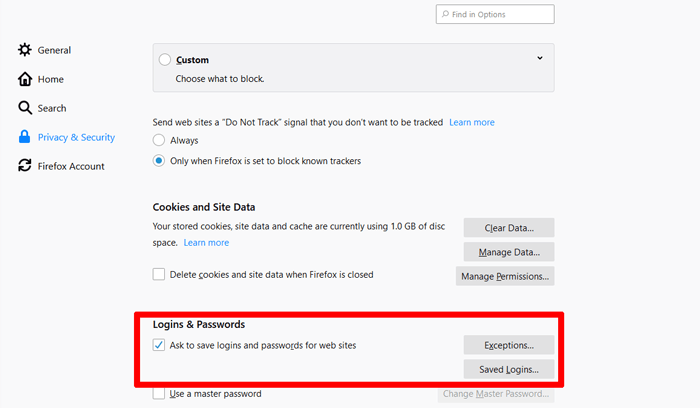
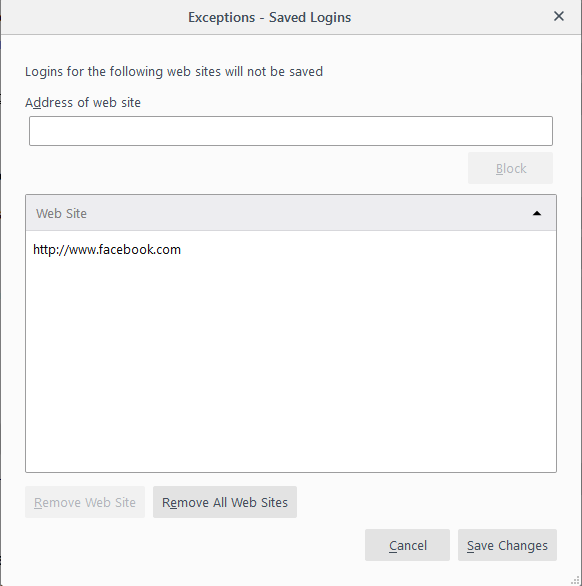
As an added measure in Firefox, you can click Exceptions under Logins & Passwords and add “https://www.facebook.com” to the list. This way, Firefox won’t offer to save your password the next time you log in to Facebook.
Delete Credentials on Facebook
So log back in to Facebook, click the downward arrow at the top-right corner, then click Settings and “Security and Login” in the pain on the left.
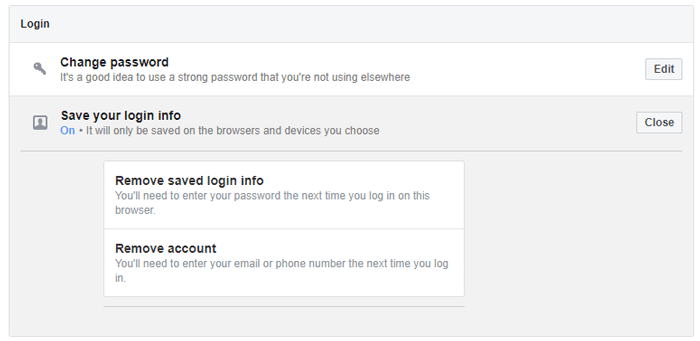
First, under the “Login” heading, click “Save your login info” if it says “On” underneath. Next, click “Remove account,” which will ensure that Facebook doesn’t save your account credentials between logins either.
Two-Factor Authentication
The final step in making sure Facebook is a chore for anyone (including yourself) to log into is to set up two-factor authentication.
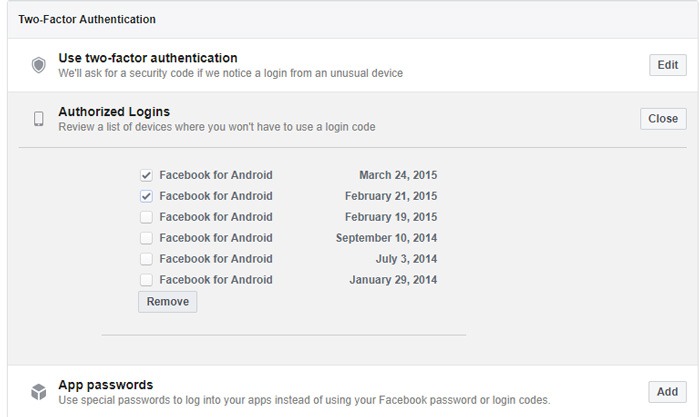
In the “Security and Login” menu, under the Two-Factor Authentication heading, click “Use two-factor authentication” and follow the instructions to set it up. You’ll need to have your phone handy to get a confirmation code or alternatively identify photos of your friends.
Finally, back on the Two-Factor Authentication heading under “Security and Login,” you can also select “Authorized Logins,” and remove devices that you don’t want Facebook automatically logging into without a two-factor authentication code.
Conclusion
And that’s it for logging out of Facebook and making sure you stay that way. Whether it’s for your own productivity, security, or to fight off that dreaded Facebook addiction, there are plenty of good reasons why you may not want to make Facebook too readily available all the time.