Since the release of Grammarly, proofreading apps have become far more common. Is Grammarly still the best proofreading app? Let’s take a look at Grammarly and some Grammarly alternatives for Chrome.
Why Are Good Proofreading Apps Hard to Make?
What makes grammar checking so difficult? English, mostly.
While any literate human can craft complicated sentences in their native language, that’s far harder for a computer. Even with advances in machine intelligence, AI can’t yet write a novel or tell a joke. Within the domain of written text, grammar checkers can pick up on obvious errors, like the wrong form of “its” used in a sentence. But more subtle errors, like the appropriate use of commas, can flummox the system.
With one punctuation mark wearing dozens of hats, a computer won’t have an easy time sorting out what’s right, what’s wrong, and what’s unusual but grammatically correct. Run any proofreading app over a Shakespeare play, for example, and you’ll be sure to see tons of red underlining.
In short, very few proofreading apps perform at a rate even close to a human proofreader. Work remains to be done, but developmental progress is happening quickly.
Also read: 7 Must-Have Chrome Extensions for Writers
Grammarly Is Good, but Not Perfect
Grammarly has a lot going for it. It was the first to market with a super-spellchecker that aims to replace your computer’s built-in dictionary. Most of the time it gets things right. But any habitual user of the extension will likely voice frustration at the extension’s many failings. For example, it frequently identifies stylistic choices as grammatical errors, insists on comma splices, or demands dramatic changes to a sentence before it stops complaining.
Grammarly has strong opinions about your writing stylist e and will enforce them on your writing whether you like it or not. Depending on your skill as a writer, this is either helpful, since it saves you from your worst impulses, or terrible, since it often encourages you to sandblast off your writing’s personality. And sometimes it’s both.
While the grammar checking still needs work, the spellcheck functionality is nearly perfect. While it does have some difficulty with capitalization or non-standard spellings, it’s far less tedious than Chrome’s built-in spellchecker.
Grammarly Alternatives for Chrome
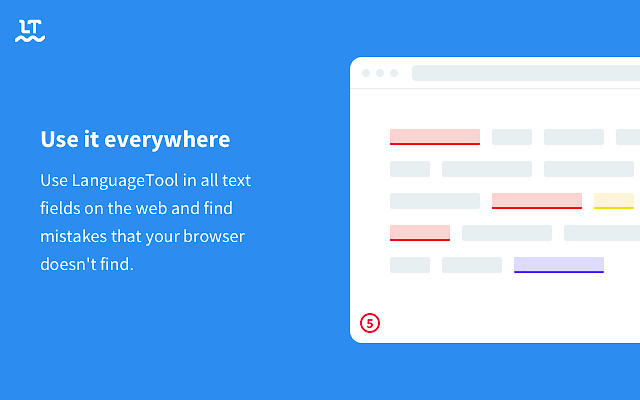
LanguageTool is our favorite alternative to Grammarly. It catches just about the same mistakes, but it’s smarter about certain phrasing issues. Subject-verb agreement is LT’s weak spot, but the same could be said for Grammarly. Overall, it provides fewer false alarms and catches more true errors. And it doesn’t constantly hassle you to sign up for the premium version like Grammarly does.
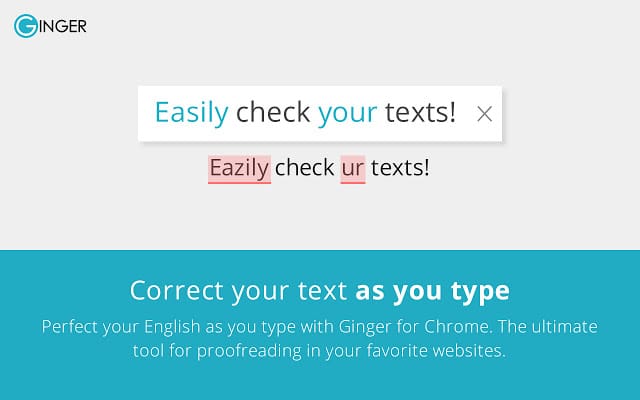
Ginger offers similar features to LanguageTool, but they’re all locked behind a mandatory login scheme. In our eyes, this is a needless frustration that helps the extension collect user data. Nevertheless, Ginger provides high-quality spellchecking along the same lines as Grammarly and LanguageTool.
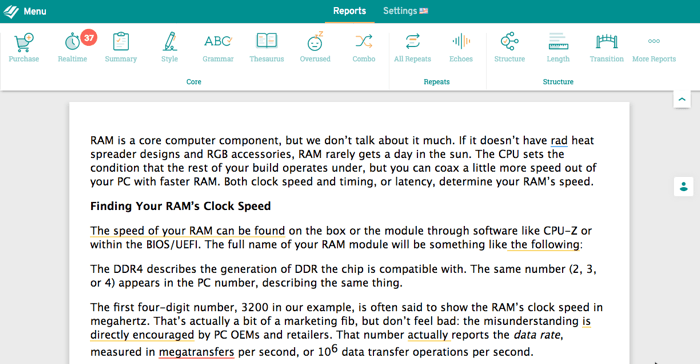
ProWritingAid provides a more holistic and intelligent analysis of your work. It’s the most professional of the tools in our lineup. You’ll find it’s best suited for longer pieces and more complex writing. It still catches spelling and grammar mistakes, but you’ll find it’s rarely worth the trouble for a short email. Because it doesn’t provide underlining in context, you need to paste your work into the web interface. It’s not as easy to use as LanguageTool or Grammarly; however, it is far more comprehensive.
Conclusion
While Grammarly wins in brand recognition, its functionality disappoints. Try LanguageTool to get a less aggravating experience while preserving roughly the same proofreading functionality.








