

When you think of the major web browsers, chances are that Apple’s Safari features somewhere on your list. However, despite its popularity, Safari has never been officially released for Linux – particularly strange considering macOS and Linux both have historical ties to UNIX.
If you’re a Linux user and a web developer and need to provide support for the Safari browser, the good news is that there are some workarounds to get Safari up and running on Linux. Although you’ll be restricted to Safari 5, this version still has everything you need for surfing the Web.
[mte_toc]Also read: Safari Not Working on Your iPhone? Here’s How to Fix It
Installing Safari Browser on Linux
There are two potential workarounds for installing Safari on Linux: using WINE (the compatibility layer, not the drink) or using WINE and PlayOnLinux, which provides a graphical user interface (UI) for WINE.
As an added bonus, you can use WINE and PlayOnLinux to install many other Windows applications beside Safari.
How to Install WINE
WINE is one of the most well-known Linux packages and is found in most Software Center/Package managers. In Ubuntu (or Ubuntu-based distro), you can install WINE with the following command:
sudo apt install wine64
One thing to note is that the WINE version in Ubuntu is pretty outdated. If you want to get the latest stable version of WINE, do the following:
- Add the WINE key.
wget -nc https://dl.winehq.org/wine-builds/winehq.key
sudo apt-key add winehq.key
- Add the repository.
sudo apt-add-repository 'deb https://dl.winehq.org/wine-builds/ubuntu/ impish main'
The above command is for Ubuntu 21.10 (impish). If you are using version other than Ubuntu 21.10, change the name accordingly (like “bionic,” “xenial,” etc.)
- Update the system:
sudo apt update
- Lastly, install the stable version of WINE.
sudo apt install --install-recommends winehq-stable
WINE will now be installed. For more information, refer to our guide on installing WINE on Linux.
Also read: 5 Tricks to Speed Up Compile Times in Gentoo Linux
Installing Safari using WINE
Before downloading Safari, we need to create a download and build directory.
- Open a Terminal window and run the following commands:
mkdir -p ~/build/safari
cd ~/build/safari
- Download Safari using a
wgetcommand:
wget http://appldnld.apple.com/Safari5/041-5487.20120509.INU8B/SafariSetup.exe
- Once the download is complete, launch Safari Setup using the following:
wine SafariSetup.exe
- At this point you may be prompted to download some additional software, such as Mono or Gecko. If prompted, click “Install” and wait for these packages to download.
- Once you have all the necessary supporting software, the Safari Installer should launch automatically.
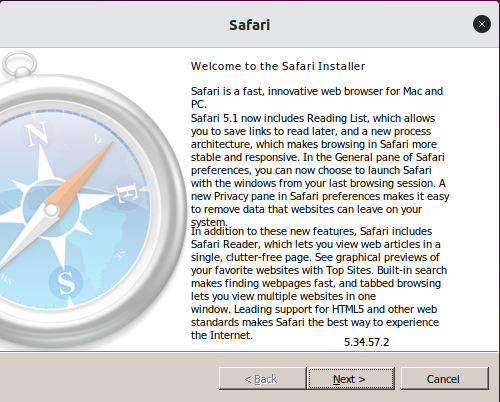
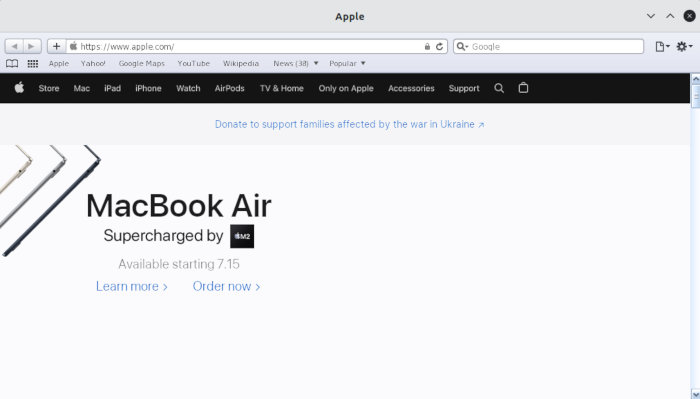
Once you’ve completed the standard Safari setup, the web browser will be installed, and you can start using Safari on Linux!
Installing Safari Using PlayOnLinux
WINE isn’t always the most user-friendly software, so you may want to consider installing PlayOnLinux, which provides a graphical user interface for the underlying WINE code.
- To install PlayOnLinux, use the following command:
sudo apt install playonlinux
- You can now find PlayOnLinux in your Applications menu.
- In the PlayOnLinux window, select “Install a program.”
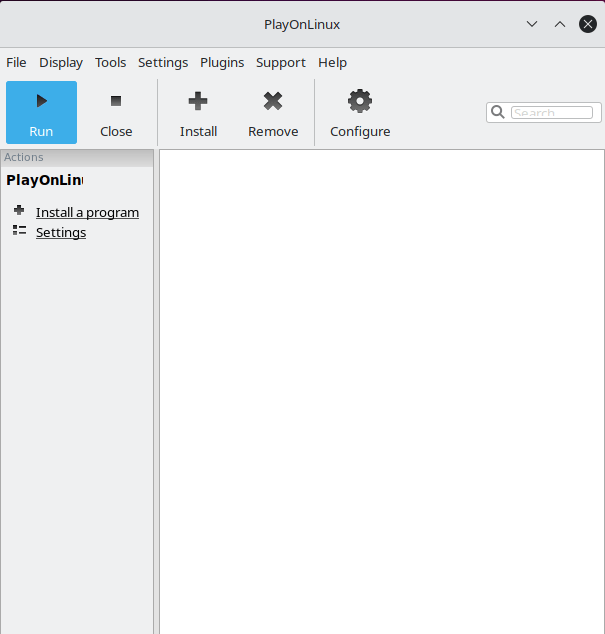
- Enter “Safari” in the search bar.
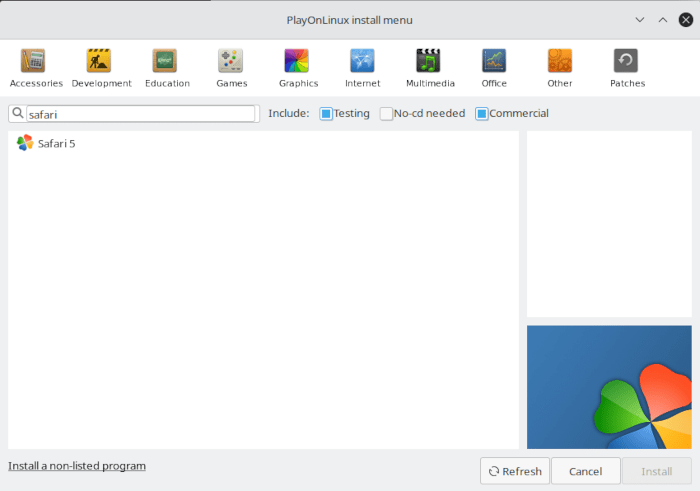
- When the web browser appears, select it and click “Install.”
- Read the disclaimer, and if you accept it, click “Next -> Next.”
The Safari installer will be downloaded to your computer.
Also read: How to Install Zoom on Linux
Using the Safari Install Wizard in Linux
Once PlayOnLinux is installed, It will display a custom installation wizard that will guide you through the installation of Safari.
- The screen will show a brief summary of the installer’s maintainer as well as where it will install the browser.
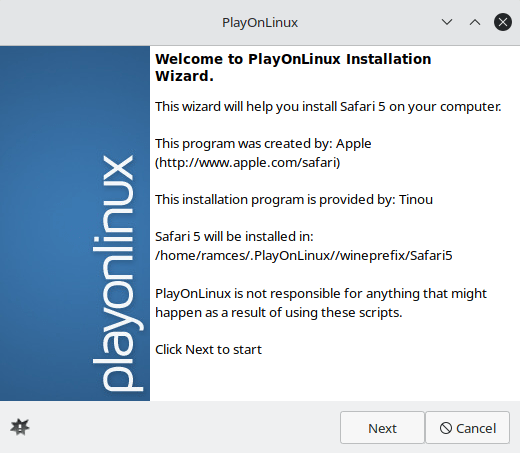
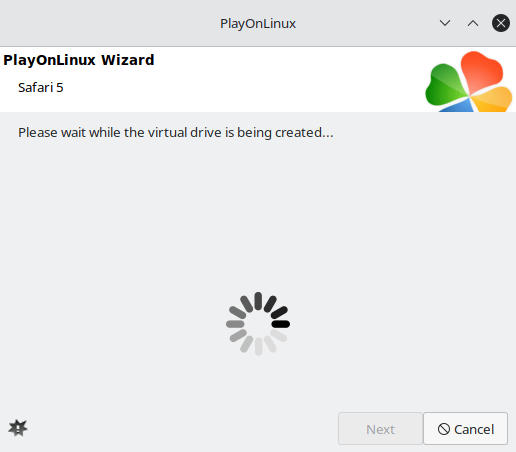
- Press “Next” to begin the installation process. The installer will first create a sandbox where it will install a version of WINE that is compatible with Safari in Linux.
- In some cases, PlayOnLinux will ask if you want to install the optional WINE Mono package. This is a compatibility layer that ensures .NET programs have the required DLL files to work properly. If you receive this message, press “Install.”
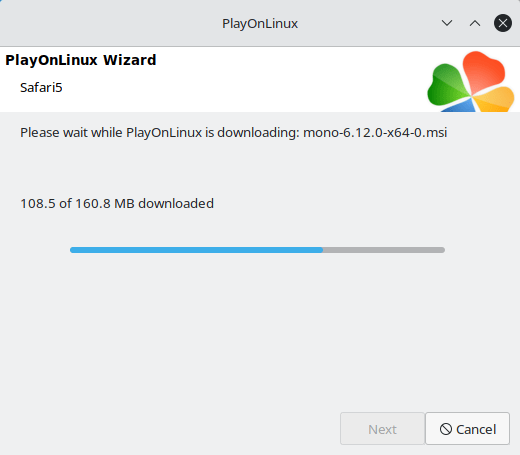
- PlayOnLinux will also ask you if you want to install the optional WINE Gecko package. Similar to Mono, this will provide a more seamless compatibility with the Safari browser. Once again, press “Install.”
- The wizard will ask whether you want to use a custom binary or download the installer. Select “Download the program,” then press “Next.”
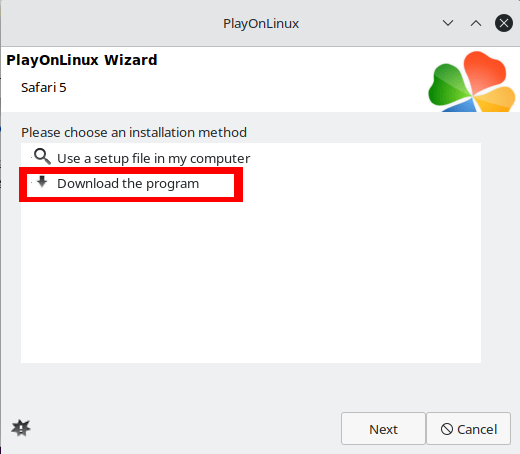
- PlayOnLinux will run the Safari installer, and you can proceed with the standard browser installation process.
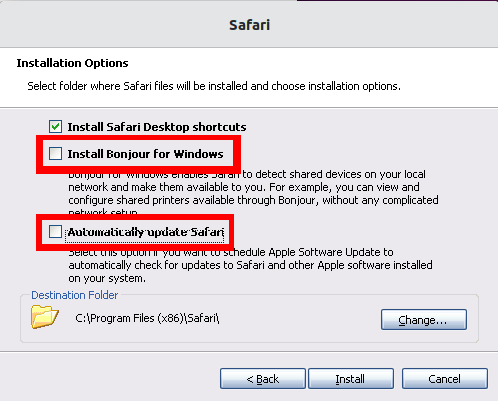
- Be sure to uncheck both the “Install Bonjour for Windows” and “Automatically update Safari” options during the install.
Installing a Safari Theme for Firefox in Linux
While using a native Safari 5 client in Linux can be helpful for some users. This particular version of the browser can present some issues, especially if you are visiting modern websites. This is mostly because the Safari 5 browser no longer receives new updates from Apple.
As a result, using this version of Safari can result in either broken or insecure websites. For example, it is not possible to access YouTube from a native Safari 5 client.
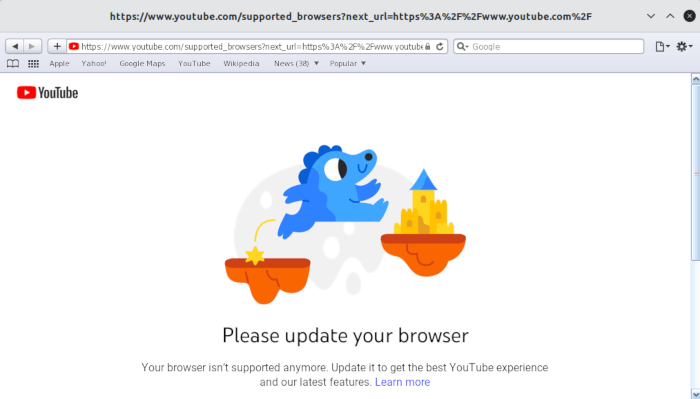
One way of dealing with this issue is to use a modern browser and convert it to look and feel like the Apple browser. For example, it is possible to take Firefox and theme it to look like the modern version of Safari.
Also read: How to Block and Allow Pop-ups on Safari
Converting Firefox through White Sur GTK
Converting Firefox to look like Safari is relatively simple with the WhiteSur-gtk theme for Firefox.
- Download the theme by either downloading the ZIP file from the author’s Github page or running the following command:
wget https://github.com/vinceliuice/WhiteSur-gtk-theme/archive/refs/heads/master.zip
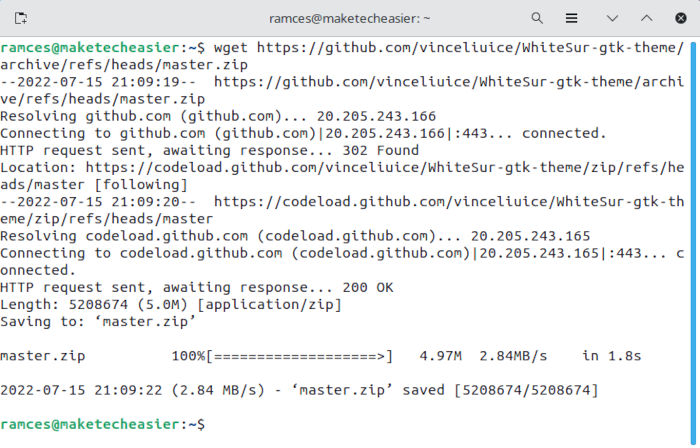
- Extract the repository’s ZIP file to the current working directory and go inside it by running the following commands:
unzip ./master.zip
cd ./WhiteSur-gtk-theme-master
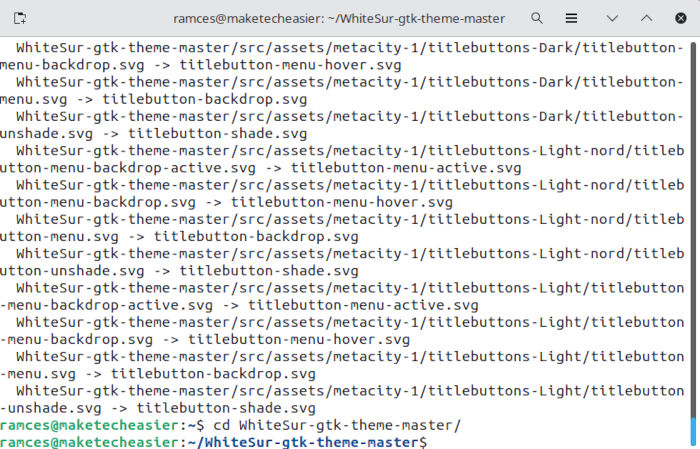
- Run the initial install script, which will prepare all the necessary files and dependencies for your Firefox theme, by running the following command:
./install.sh
- Run the Firefox theme installer by typing the following:
./tweaks.sh -f
- Doing this will, then, automatically copy all the necessary settings and configurations for your Firefox client.
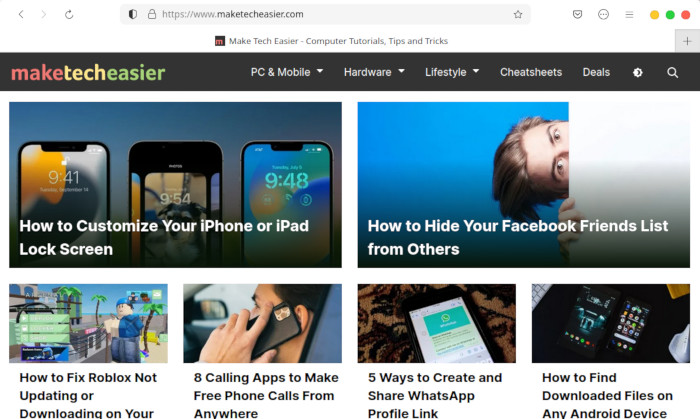
It’s important to note that the installer will not run if Firefox is currently running. Once done, however, you can reload the browser to look at your converted Firefox instance.
If all this talk made you curious about what you can do more with Linux. You can check this article where we discuss how you can use sed for basic tasks.
Also read: How to Use Sed in Linux
Frequently Asked Questions
Is it possible to install Safari in Linux using the Mac installer?
Sadly, no. While it is possible to install DMG files in Linux, the native Safari browser for macOS is purpose built to only run for that operating system, as the browser uses Mac-specific functions which allow it to integrate well into macOS. For example, the Quick Note feature in Safari relies on external Apple programs to work properly.
I already have WINE installed. Is it alright to install PlayOnLinux on top of it?
Yes! By default, PlayOnLinux creates its own set of virtual drives where it places the custom WINE version that it uses. Because of that, it is safe to install PlayOnLinux alongside with a mainline version of WINE. For example, when you install Safari through PlayOnLinux, it creates a clean sandbox where it installs all the programs and WINE patches that it needs.
Further, this approach also means that removing a program that you previously installed through PlayOnLinux is incredibly simple: press “Right click” on the “Safari 5” entry in the main menu and select “Remove.”
Is it possible to remove the Safari theme and return Firefox to the default?
Yes! It is relatively simple to remove the Safari theme and revert your Firefox installation back to its default settings. First, go back to the White Sur directory that you extracted. From there, you then need to type the following command: ./tweaks.sh -f -r && ./install.sh -u.
Doing that will allow you to remove all the Safari-related files for Firefox as well as delete all theme files from your machine. With that done, the last thing that you need to do is to restart the browser to reload your default settings.
Image credit: Unsplash. All screenshots by Ramces Red.