


A huge concept of programming is that you’re writing human-readable code to be parsed by machines. Even Assembly code is in a somewhat readable format for humans. Often, you’ll “minify” your code to speed up processing time but will ultimately make it less readable. A beautifier turns this minified code back into something you can read.
In this post, we focus on JavaScript Object Notation (JSON), specifically beautifiers to help turn minified code into something beautiful to look at once again.
Also read: What’s the Difference Between Java and JavaScript?
Why You’d Want to Beautify Your JSON Data
One major aspect of modern programming is to make your code readable to other humans. This makes a lot of sense, given the process of turning high-level code into low-level machine instructions means your well-formatted code takes a turn for the worst.
Under most circumstances, you’ll carry out this change through minification. This is where the white space is removed from a file in order to increase computing efficiency.
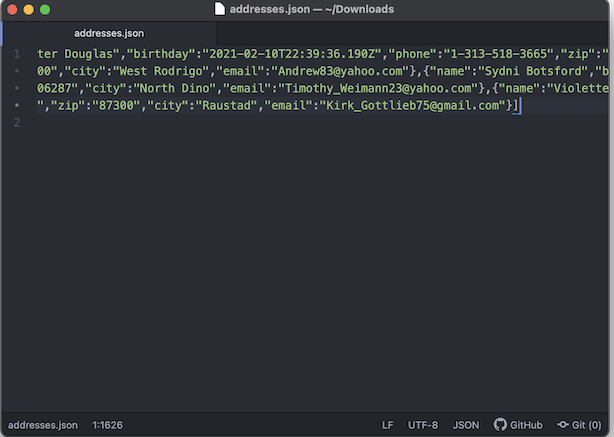
However, you’ll also find that JSON data can come back from processing looking the worst for wear. This is due to the amount of white space the code format uses. In order to make it readable again, you’ll need to run it through a dedicated tool. Fortunately, there are many available, and they’re all free to use.
3 Great JSON Beautifiers to Make Your Data Pop
If you carry out a quick search for a JSON formatting tool, you’ll find a wealth of options. However, they’re all practically the same. The three options below all have something unique to offer, and we discuss each one’s key selling point below.
1. DuckDuckGo’s Built-In Beautifier
Our first inclusion is accessible and found in the most unlikely of places. DuckDuckGo is a privacy-focused search engine that we’ve featured before.

However, in order to compete with more popular search engines, DuckDuckGo offers helpful programming tools, too. One of these is a JSON beautifier.
To use the tool, search for “JSON beautifier.” It will pop up as the first result on the Search Engine Results Page (SERP):
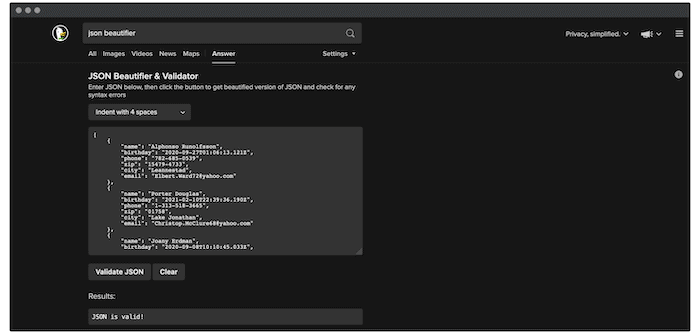
The options here are scarce, but this isn’t meant to be a full-featured tool. It’s simply a way to quickly beautify (and validate) your JSON code. As such, it’s handy to have bookmarked when you need it.
2. JSONGrid’s JSON Formatter
Next up, JSONGrid’s JSON Formatter caught our eye for a couple of reasons. First, there are a many useful tools to use, such as a parser and validator. However, the JSON Formatter also lets you visualize your data in a grid, as well as beautify it.
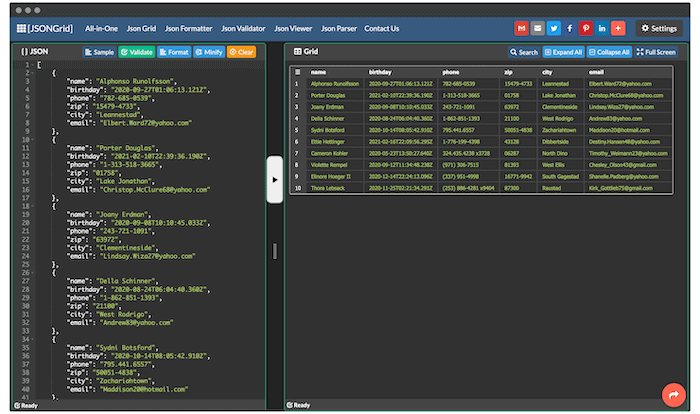
You’re able to carry out searches on the JSON data and view it in full screen. What’s more, if you select a cell in the table, it will highlight the row in your JSON file. This is useful and means the JSON Formatter may become more of a permanent tool in your workflow.
3. The Online JavaScript Beautifier
Finally, we have the Online JavaScript Beautifier. However, don’t be fooled into thinking it can’t handle JSON data. Given the parent language for these types of files, it’s more than capable of beautifying JSON.
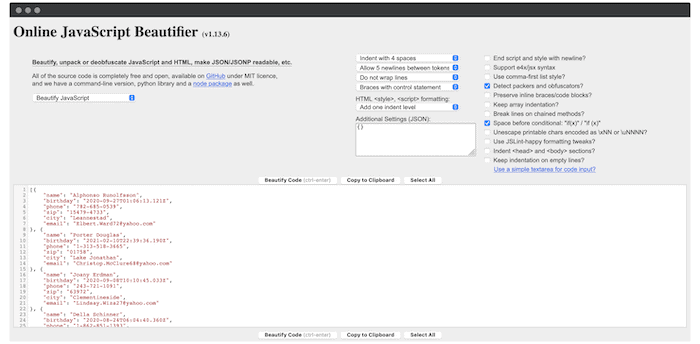
However, the Online JavaScript Beautifier doesn’t stop there. You’re able to set a wealth of options to help whip your JSON data into shape, and there’s more than just spacing formats to consider.
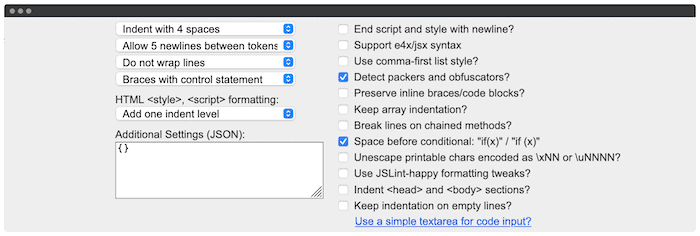
We particularly like how these options are also presented as formatted JSON, so you can take them and apply those preferences in a straightforward way in your own code editor of choice.
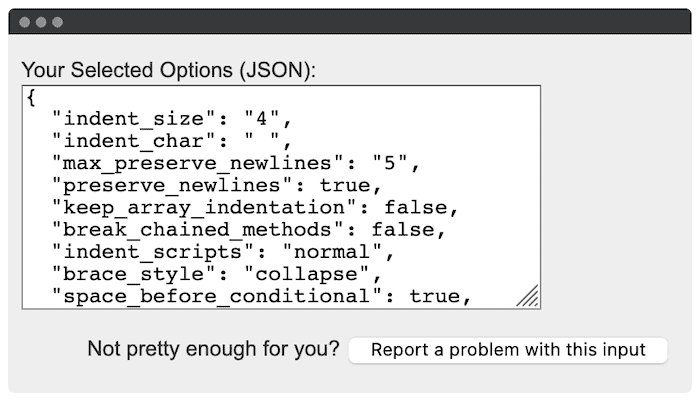
Overall, it’s a powerful solution for beautifying JSON, and you’d be hard-pressed to find something as comprehensive as this – especially for the cost.
Wrapping Up
If you are looking for a quick way to format your JSON data, DuckDuckGo is a good one. For a dedicated JSON editor, both JSON formatter and Javascript beautifier are capable tools. If you are looking to learn coding instead, these online code editors will help you to code on the go.