

If you’ve been keeping up with technology, you can see that modern people are virtually living in the cloud. From emails and files to music and movies, we basically put our data in the cloud and access it using our gadgets.
That’s why cloud storage is so popular these days, and one of the biggest players in the field is Google with its Google Drive. Hundreds of millions of people are using the service to store and sync files across devices.
But last July Google decided to pull the plug on Google Drive and gave users until March 12, 2018, before they shut it down completely.
The App, Not the Service
Now before you frantically press the emergency button and jump out the window, please note that the “Google Drive” that Google kills is not the cloud storage service but the PC app we use to access the service.
While you can breathe with a slight relief knowing your data is safe, you still need to do something about it. You need to find alternative methods to access your data.
Worry not, Google has prepared a successor to the Google Drive app called Backup and Sync. Those who currently access their Google Drive or Photos might notice the nudge to upgrade.
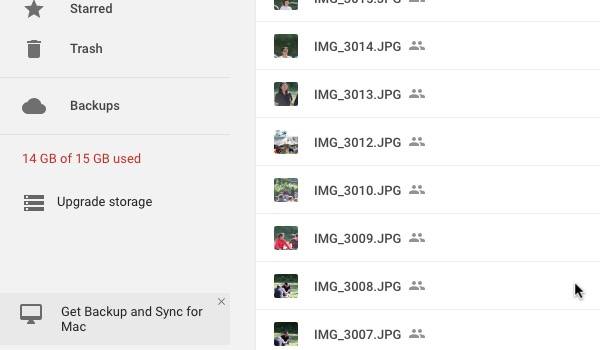
This replacement app does the same thing as its predecessor but comes with broader file-synchronization abilities. It’s able to selectively synchronize the files you have on your desktop with the ones on the cloud, including your photos to Google Photos.
Similar to Dropbox, Microsoft OneDrive, and Apple iCloud, Backup and Sync cuts people’s dependency on a single computing device and turns their personal computers or other gadgets into the tools they need to access their data in the cloud.
How to Set Up Backup and Sync
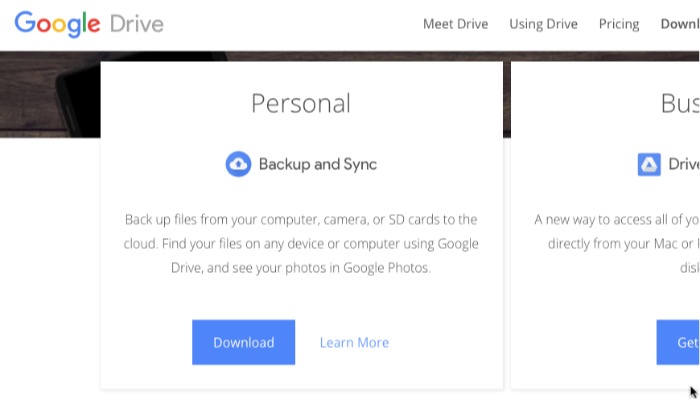
To start using Backup and Sync, you need to download the app from Google Drive or Google Photos.
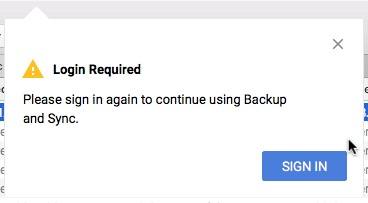
Sign in using your Google account. At the moment, Backup and Sync can only handle one account. If you want to switch accounts, you’ll need to log out and then back in using another account.
Sync Your Local Drive to the Cloud
After signing into your Google account, a setup window will appear. You can select which folders you ‘d like to back up to Google Drive. There are three default folders included, but you can add more by clicking the blue “Choose Folder” link below the folder list.
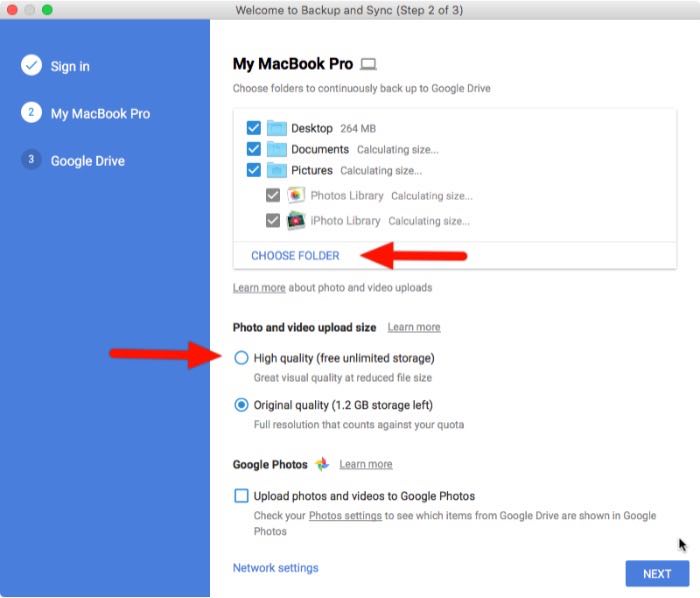
Your backup will appear in the new “Computers” folder on your Google Drive. You can find it on the left menubar along with your existing folders.
Another option that you can choose is whether you want your photos uploaded as “high quality,” even if you do, itwill not count against your data cap (translation: unlimited storage) or “original quality,” which will eat up your free 15GB storage. High quality means lower than 16-megapixel photos or less than 1080p-quality videos.
Checking the “Upload photos and videos to Google Photos” box means you want all the photos on your computer to show up in Google Photos.
Click the “Next” button to continue the process.
Sync Your Cloud Drive to Local
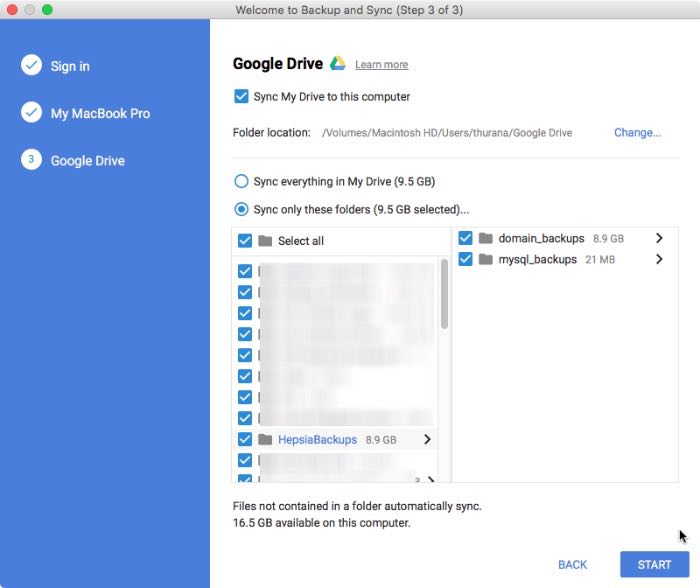
The process goes both ways. Other than allowing you to back up your computer’s folders to the cloud, Backup and Sync also let you sync the content of your cloud drives to your computer. This way you can access your important files in the cloud even when you are offline.
You can choose to sync all of your folders, or you can select specific folders.
Set a Delete Rule
After finishing the setup stage, you can set a delete rule by opening the Backup and Sync app and opening “Preferences.” Find the “Removing Items” area and choose how you want the Drive to react every time you delete a file on your computer.
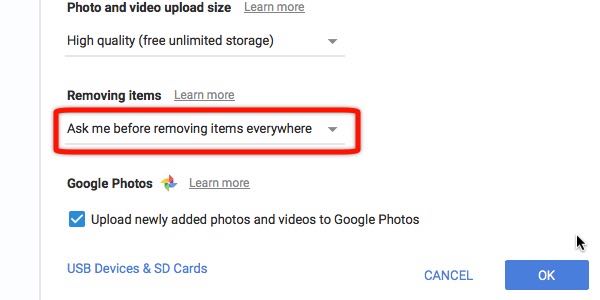
The safest option would be to make the app ask you every time it’s about to delete something whether from the local drive or the cloud. You can also set it so that the deletion process will take place without having to confirm with you beforehand.
And any changes you make on either side will be reflected almost instantly on the opposite site provided that you have a good Internet connection.
Wrapping Up
As the name suggests, the app is a great tool to back up and sync your files to and from the cloud. But that’s how far it goes.
Consider the app as an additional drive in the cloud, the combination of Google Drive and Google Photos in one application. Never think that you can use it to restore the OS of your crashed computer.
What do you think about the new Backup and Sync? Even though Google Drive users will surely appreciate the improvements, it doesn’t really do anything new that Dropbox and other cloud-based backup services haven’t already been doing for years. Share your thoughts and opinions in the comments below.