


Have you encountered a strange error in your web browser when trying to access a website? These particular errors state that the DNS has given an error, such as a DNS lookup error. You may still be able to use programs such as Skype or online games, but websites will refuse to load. Even more annoyingly, sometimes this error only affects some websites. So, what is this “DNS error,” why does it affect websites (or only some), and how do you fix it?
What Is a “DNS”?
“DNS” stands for “Domain Name System,” and it is usually associated with a “DNS server.” If you’re unsure how loading a website works, this doesn’t really help in revealing what a DNS does! Let’s analyse what role the DNS performs so we can get a better idea as to why it has errors and how to fix it.
A DNS server acts a lot like the address book on your phone. When you want to call somebody, you can manually enter their number, but remembering everyone’s numbers is a huge hassle. It’s so much easier to add their number in the phone’s memory and associate a name with it – such as “Mark” – so that when you want to call Mark, you find his name on the list and hit call.
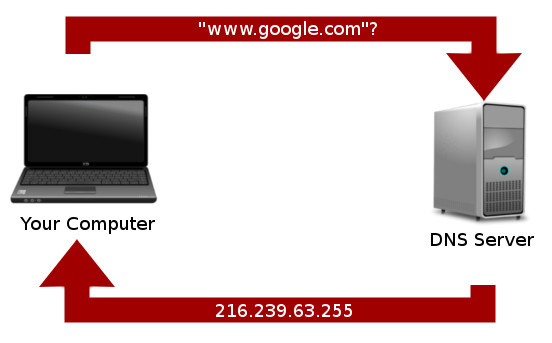
The same goes for your computer. It doesn’t know what a “Google” or a “Facebook” or a “Twitter” is. It does, however, know what an IP address is. When you enter a website such as “www.facebook.com,” your computer figures that this is a URL and goes to its address book of URLs to figure out where Facebook is on the network. This is what the DNS server does – it acts as an address book for URLs.
Why DNS Errors Occur
What would happen if the address book on your phone was corrupted or deleted? If you entered “Mark,” your phone couldn’t look him up and wouldn’t be able to phone him. Similarly, when you enter a URL into your browser and the DNS server is down, your machine can’t get an IP address for that URL. Since your computer doesn’t know how to get to a “Google,” it comes back with a DNS error.
Particularly clever readers will realise that if you directly enter the IP address of a website into the address bar, you could technically surf the web even after your DNS server has gone unresponsive. While this is true, we don’t want to remember every IP address for when the DNS goes down! It’d be a lot better if we could fix the problem instead.
Fixing DNS Errors
So that’s enough about what a DNS is. Now, let’s take a look at the options you have when your DNS is acting up.
Flush DNS Cache
If you’re visiting the same page a lot, it makes sense for the computer to remember the addresses for URLs so it doesn’t have to page the DNS server every time. This storage of remembered URLs is called the DNS cache. Sometimes your machine will rely on this to resolve a URL, but if this cache is corrupted, it will return an error.
Windows
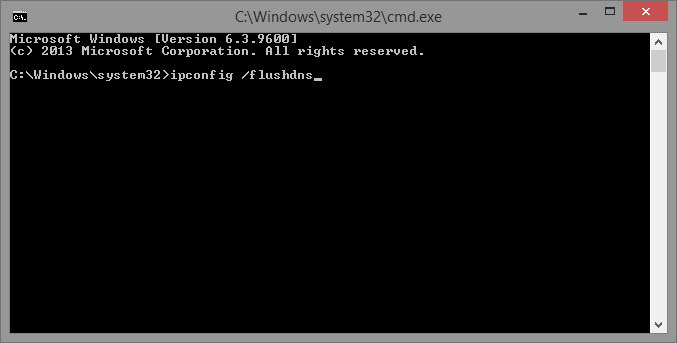
Flushing the DNS cache in Windows is very easy. To start, press the Win key and start typing cmd. When command prompt appears in the search results, right click on it, and select “run as administrator.” This brings up an elevated command prompt window which can accept system-level changes.
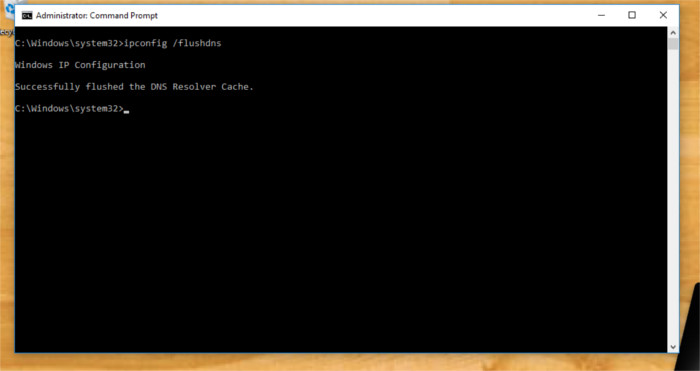
To flush the DNS cache in Windows, enter this command:
ipconfig /flushdns
macOS
The commands for flushing DNS on Apple’s operating system seem to change with the direction of the wind. There are about four separate and different commands for each separate version of OS X. For this reason we’ve only included the most recent ones.
To flush the DNS cache on Mac OS, the user will need to launch a terminal window. Head over to the Applications area, look for an application named “terminal,” and launch it. With the terminal open, flush all DNS leases from your Mac and enter this command.
(OSX 10.10.4+)
dscacheutil -flushcache;
sudo killall -HUP mDNSResponder
(OSX 10.10-10.10.3)
sudo discoveryutil mdnsflushcache;
sudo discoveryutil udnsflushcaches
Linux
If you’re using Linux, open a command window and type:
/etc/init.d/nscd restart
Use A Public DNS Server
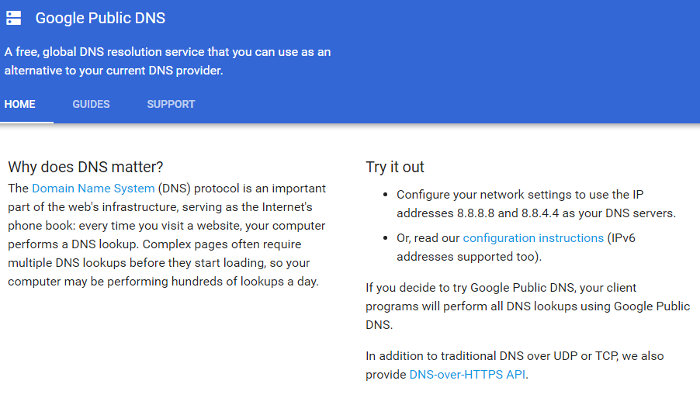
If the above doesn’t work, then the ideal solution is to change the server you’re using. Perhaps the server you use by default has gone down so you can’t resolve URLs. A good public DNS server to try when yours dies is the Google public DNS server. It’s located at “8.8.8.8” and “8.8.4.4.” You can change your adapter settings to use that DNS server instead of your default one.
If you’re not sure how to change the DNS server for your PC, check out our guides for Windows, Mac, Linux, and Android.
Disable Security (For a Short Time!)
It’s not ideal for security software to be disabled while using the Internet. However, an overzealous or corrupt security suite can sometimes block outgoing DNS requests, resulting in a DNS error. If you’re having trouble and have tried all of the above, try disabling firewalls and other security options to see if that fixes it. If it doesn’t, try uninstalling and reinstalling the software, or try a different vendor’s software. If it does, remember to turn the software back on!
Conclusion
DNS server issues can be frustrating to fix, especially when you don’t know how the errors occur in the first place. Hopefully, you now have a better idea of what causes these errors and how to fix DNS-based problems when web browsing.