

If you’ve been champing at the bit for Firefox to catch up to Chrome’s Progressive Web App (PWA) functionality, your wait may now be over. Mozilla has flirted with the site-specific browser (SSB) feature a few times over the years (e.g., Prism), and has supported it on mobile since 2017, but starting with Firefox 73, it seems to be headed towards becoming a core part of the desktop browser.
It’s currently hidden as an experimental feature, but you can still enable and use it in any major Firefox browser version (Nightly, Developer, Beta, stable) before it’s eventually rolled out and becomes available by default.
What does a site-specific browser do?
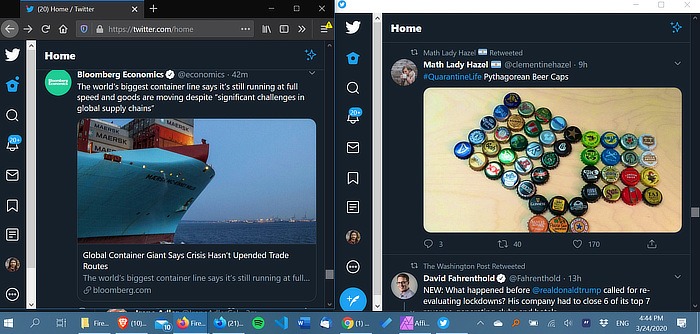
A site-specific browser essentially creates an “app” out of any website, running in a separate browser instance and behaving like a desktop app. That means some sites can become “first-class citizens,” with taskbar buttons, offline functionality, program-like launching, and other perks that make them more usable than traditional browser-based sites.
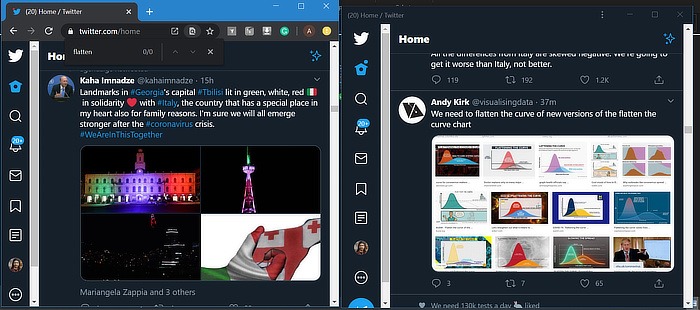
It also strips out a lot of your browser’s toolbars, menus, and other UI functionality (the current Firefox implementation as of version 74 especially takes a lot out), limiting you mostly to what the website is programmed to do. Depending on the app or site, this may make your experience smoother, though sites that aren’t built for the SSB/PWA standard may be less usable.
How to enable it
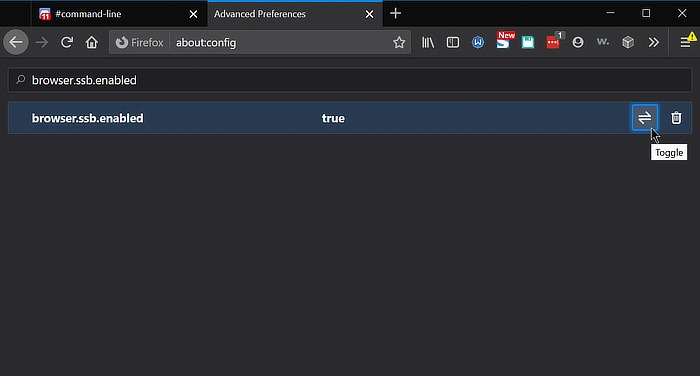
1. Type about:config in the Firefox address bar and click past the warning.

2. In the search bar, type browser.ssb.enabled.
3. You should see a Boolean value here, so press the arrow button on the right to switch the value to true.
4. Restart the browser.
Also read: How to Install Progressive Web Apps (PWAs) in Chrome
How to use it
1. Visit any website you want to use as an app. The Discord chat app is a good example because it already has a desktop app that uses the Electron framework to run web technologies as a program, which means an SSB/PWA version should look quite similar to the existing desktop version.
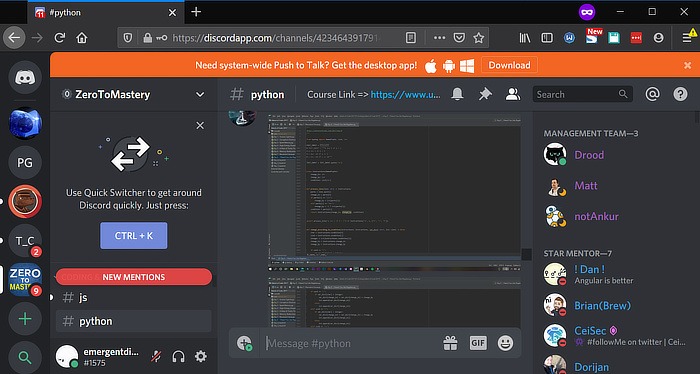
2. Click the three dots in the address bar to the right of the URL.
3. Select either “Install this website as app” or “Launch Site Specific Browser.” (This may vary depending on the version you’re using.)
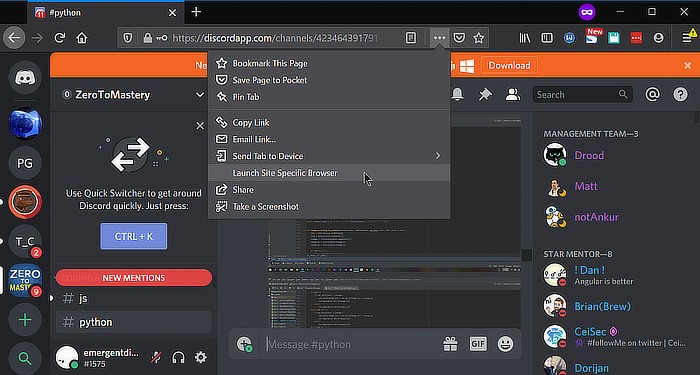
4. This will install a shortcut to the app directly onto your desktop, allowing you to access it like you would a normal program. If the app already has a desktop version, you can even use them both at the same time if you want.

5. To manage your installed websites in the future, navigate to the hamburger menu and find the “Site Browsers” or “Installed websites” item (depends on your Firefox version).
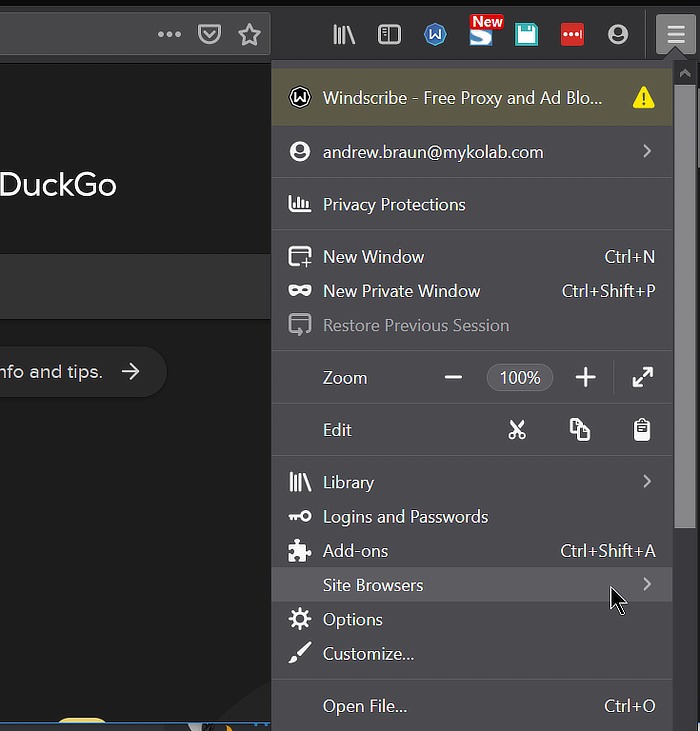
6. Clicking on a site here will launch it in a new window. In the current stable version (Firefox 74), that’s all you can do, but Developer and Nightly both include an “X” on the right side that allows you to delete the installed website.

The future of web apps in Firefox
Chrome already supports progressive web apps quite well, as Google has basically been creating the standard, so you can play around with it there if you want to see what this feature might look like once Mozilla finishes developing it. Firefox’s version is still relatively rough and behind-the scenes, but if you need to use a PWA/SSB on Firefox right now, it’s there. They’re going to be part of the future Internet, and Firefox’s support for them is an important step forward for the browser.
If you are a Linux user (and not a Firefox user), you can also create your own web apps using Peppermint in Linux or Hermit in Android.
Image credits: Firefox logo, Javascript UI widgets library