

GIMP is a great alternative to Photoshop. However, it misses out on some important features like adding shapes and arrows. But that doesn’t mean you cannot add an arrow or shape in GIMP. Here are four methods to add or draw arrows in GIMP.
Tip: you can use GIMP and VLC to make a GIF from a video.
1. Make Your Own Arrow
One of the easiest ways to add an arrow in GIMP is to draw it manually. For that, click on the Paintbrush tool in GIMP. Choose a simple brush from the list of brushes.
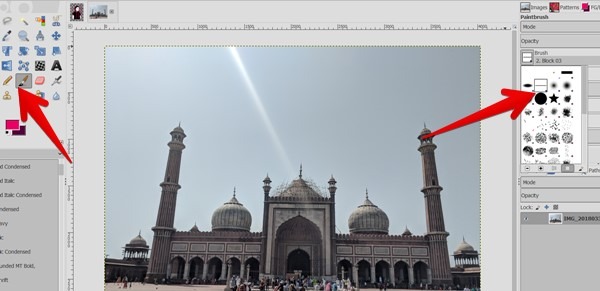
Click once on your image where you want one of the arrow to begin. Press the Shift key on your keyboard. (Find more GIMP keyboard shortcuts in our cheatsheet.) With the key pressed, click again on the canvas to draw a straight line. Similarly, draw arrowheads on the arrow. You can also save it for future use as shown in method 4.
2. Add Arrows Using Plugin
Apart from the above method, you were previously able to head to the plugin site and download a script that could handle all your arrow-based needs without an issue. However, that method no longer exists.
Thankfully, the original plugin is still available at other sources. It’s a very useful plugin, so it’s worth hunting down to solve your arrow-based problems. Here are the steps to download and use the arrow plugin in GIMP:
1. Open the forum post that has the file. Fortunately, they keep on updating it as well. Download the script file from the link. That will download the ZIP file on your computer. Extract the downloaded file.
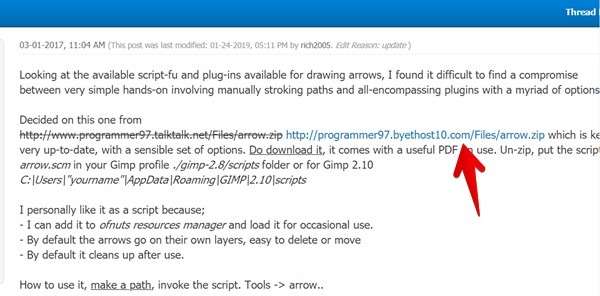
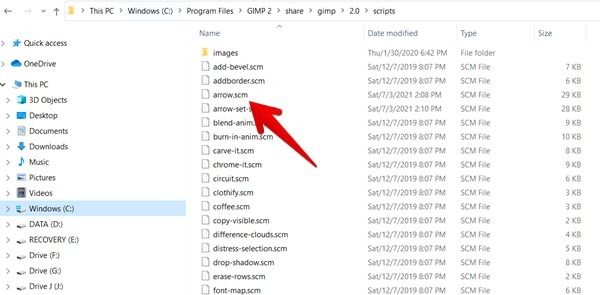
2. You will find an arrow.scm file in the extracted folder. That’s the file you need.
Install GIMP Script on Windows
First, open your GIMP and go to “Edit -> Preferences.” In the window that opens, on the left pane, go to “Folders -> Scripts.” On the right pane, you will find the folder path where you need to place the .scm file from step 2.
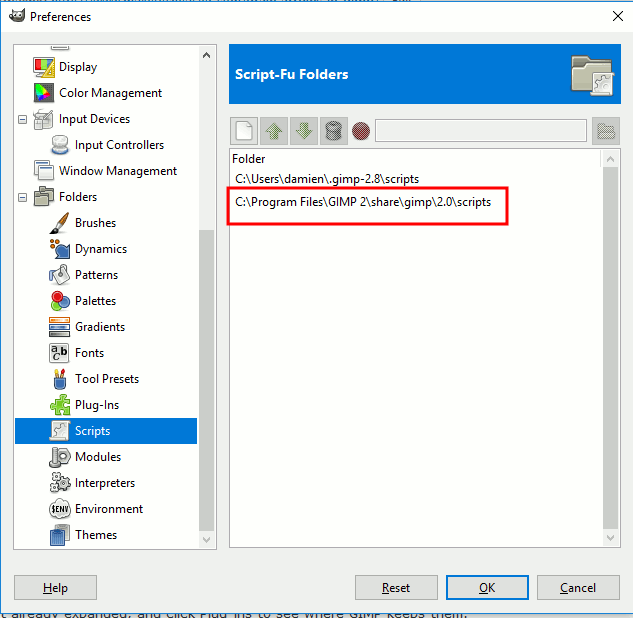
Next, open Windows Explorer and go to the GIMP script location that you found above. In my case, it is located at “C:Program FilesGIMP 2sharegimp2.0scripts.” Copy-paste the arrow.scm file in the scripts folder. Relaunch GIMP.
Install GIMP Script on macOS and Linux
Similarly, place the arrow.scm file in the directory “~/Library/Application Support/GIMP/2.10/scripts” on macOS and “~/.config/GIMP/2.10/scripts” on Linux. Close and reopen GIMP to relaunch it.
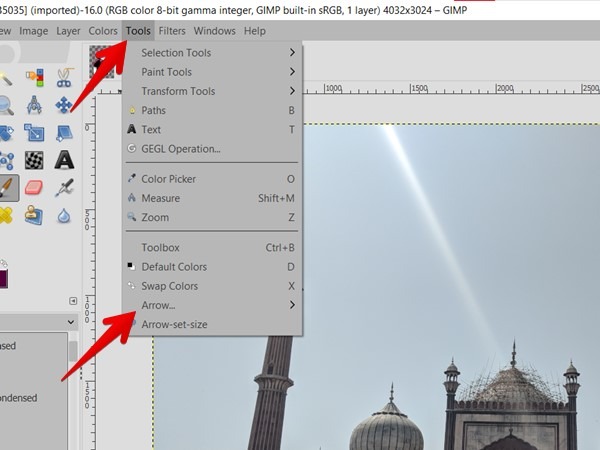
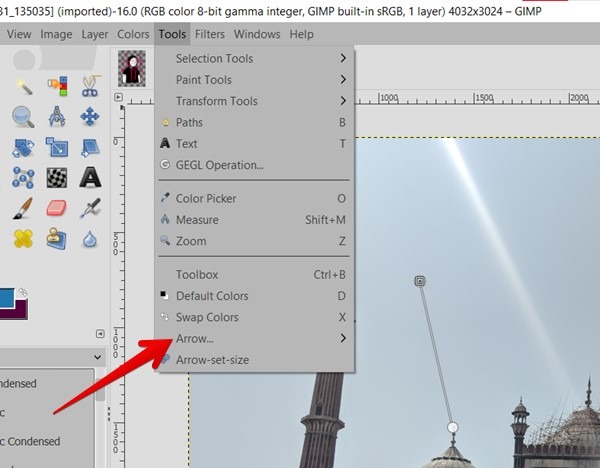
3. To verify whether you have successfully installed the script, click on the Tools menu. You will see the Arrow option that we will use while adding arrows.
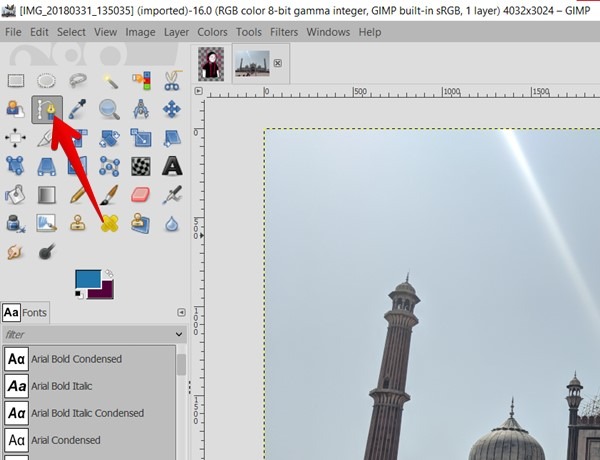
4. To add the arrows, you need to use the Path tool. Open the image in GIMP you wish to add an arrow to. Click on the Path tool.
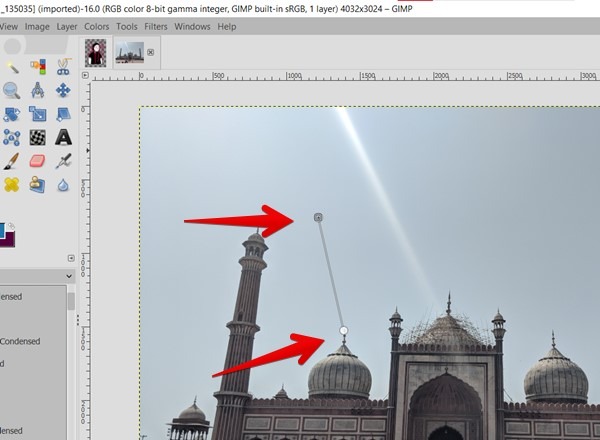
5. Click on two spots on the canvas. A path will be formed between them. The two spots should be the points where your arrow’s start and endpoints should be. By default, the first spot will be the arrowhead, and the second will be the end of the arrow.
6. Click on the Tools menu followed by “Arrow -> Arrow” to activate the arrow plugin.
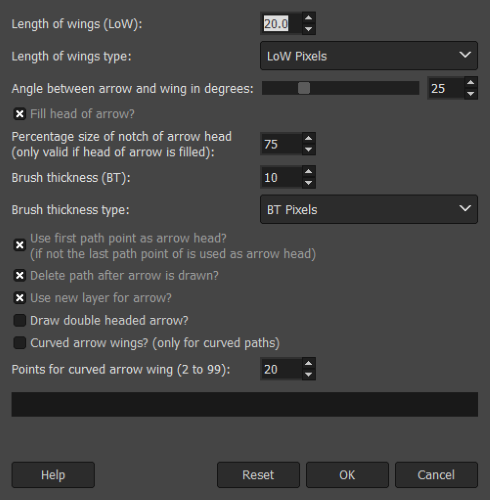
7. A pop-up window will open with many options to customize arrows. You can tweak the length of the arrow wings and the brush thickness here. If you want the arrow to be pointing toward the second point that you click, untick “Use first path point as arrow head?” You can even make a double-headed arrow here if you’d like. Once you’re done, click OK.
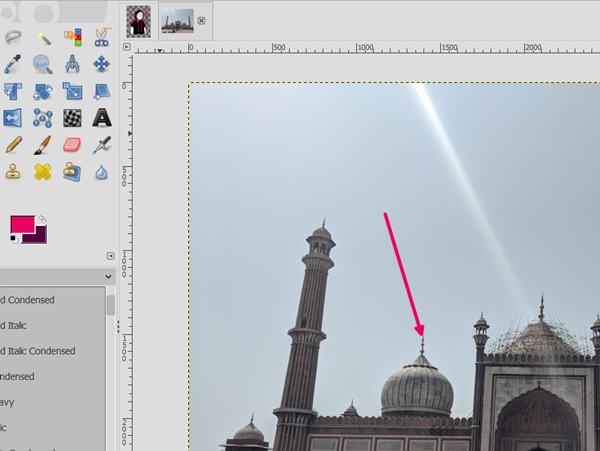
The arrow will be drawn per your parameters on the image. Change its color by choosing a new color from the GIMP’s color selection box. Interestingly, the arrow will be added as a layer, so you can easily resize, rotate, and reposition it. You can even duplicate or hide it.
3. Using Arrow Brushes
If you’re not a fan of fiddling with paths and settings, you can use brushes instead. You need to download brushes in the form of arrow shapes. The arrows are then painted over the image as a static image.
Arrow brushes usually come in one of two styles: a single arrowhead with multiple directions or a variety of arrows that all point one way and need to be manually rotated. You can find brushes anywhere, but GimpHelp has some pretty good ones. Download the arrow brushes from the given links first.
Then in your GIMP folder on your PC (check method 3 for location), go to “Share -> gimp -> version number -> brushes.” Take the folder the brushes came in (or make a new one if it didn’t come in one) and place it here among the other folders. Relaunch GIMP on your PC.
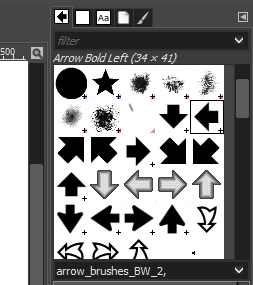
To use these arrows, click on the Paintbrush tool in GIMP. On the right pane in the brushes panel, you will find the newly installed arrows.
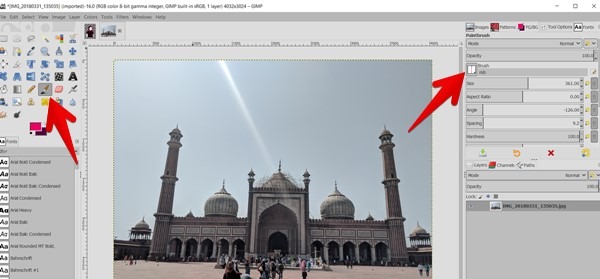
Click on the arrow you want to use. Click once on the canvas, as if you were using a stamp. This will paint an arrow on the canvas. You can tweak its color by changing the brush color and clicking on the canvas again.
4. Make Your Own Brush
If you were able to draw a good arrow but don’t want to keep redrawing it every time you want a new one, why not make it a brush? Once it’s made into a brush, you can then stamp it wherever you’d like.
To do so, start by drawing your perfect arrow on a transparent canvas as shown in method 1. Crop the image so that it’s as close to the arrow as possible. You can do this by drawing a selection box around it, then clicking “Image menu -> Crop to Selection.”
Once cropped, click on “File -> Export As.” Save it as a .gbr file to use as a brush. You may need to manually add the “.gbr” extension if you don’t find the option in the drop-down box. Talking about extensions, know how to save files to WebP in GIMP.
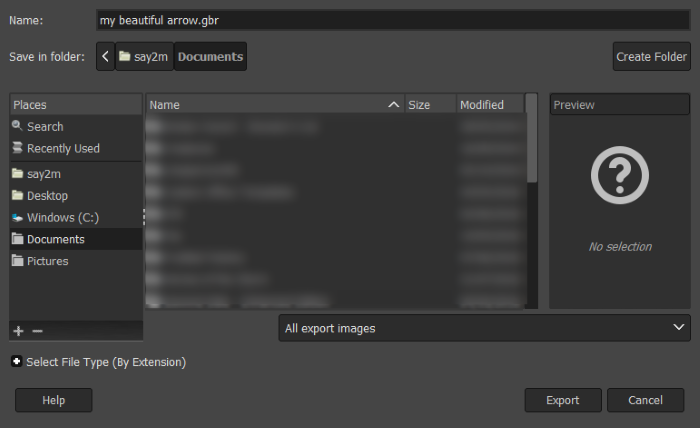
Add the newly exported brush in the “Share -> gimp -> version number -> brushes” folder as shown in method 3, then select it from the brush selection box and use it on your images.
I hope you were able to draw arrows in GIMP using these alternate means. GIMP can prove helpful in other situations too. For instance, you can use it to sign a document with GIMP, create Flames, and abstract wallpapers.