
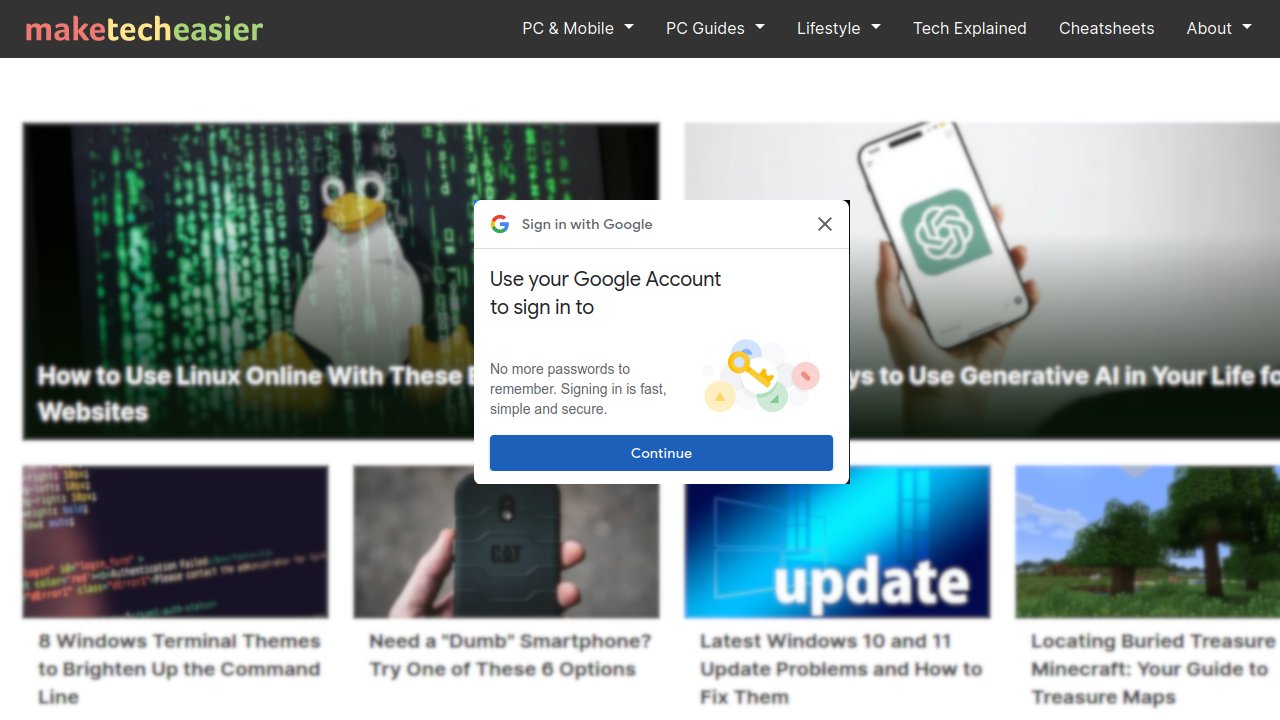

You may have noticed that many websites are showing the “Sign in with Google” pop-up when you land on them. This can be annoying for those of us who hate pop-ups. If you don’t have a Google account, or if you have a Google account but are not keen on sharing your information with the site, then this sign-in prompt is irrelevant to you and can be annoying. We show in this guide how to disable the “Sign in with Google” pop-up prompt on websites.
[mte_toc]But don’t forget to secure your Google account before you enable the “Sign-in with Google” option.
What Happens If You Click the Sign-in Prompt?
If you are not logged in to Google when you click the “Sign-in with Google” prompt, it will prompt you to log in. Once you are in, the site will ask for permission to retrieve your data from your Google account, to set up a user account for the site. Then log in to the site, and access whatever benefits it provides.
Most sites implement these Sign in with Google prompts, as it offers the least resistance for you to sign up, and they can get the most accurate data about you. This allows them to easily flood you with tons of marketing material and get you to spend money.
Disable Sign in with Google Pop-up For Users Signed in to Google
If you are using Chrome, have logged in to your Google account, and your browsing activities are actively synced to your profile, then you are constantly logged in. Follow these steps to disable the “Sign in with Google” popup In prompt.
1. Go to your Google user account.
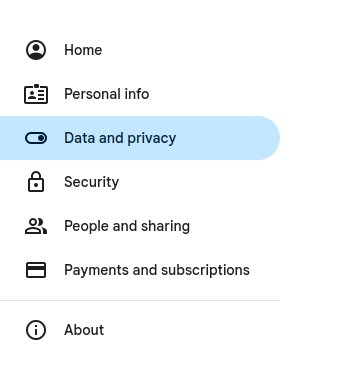
2. In the menu on the left, click on Data and privacy.
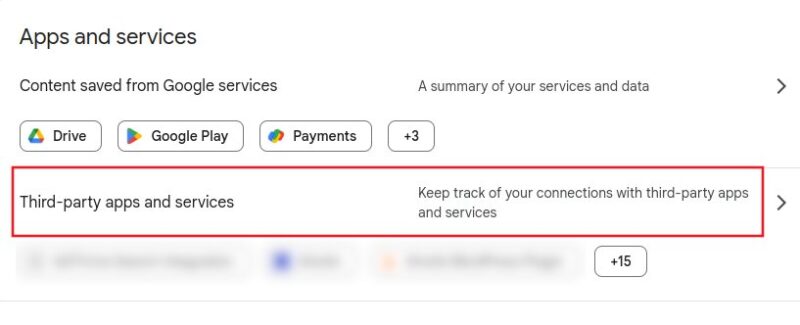
3. Scroll down the list until you see the Data from apps and services that you use section. Click on the Third-party apps and services link.
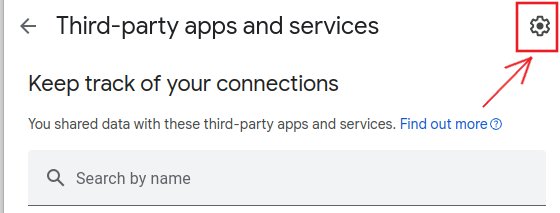
4. Click on the cog icon on the right.
5. Disable the Google Account sign-in prompts by sliding the slider to the left.
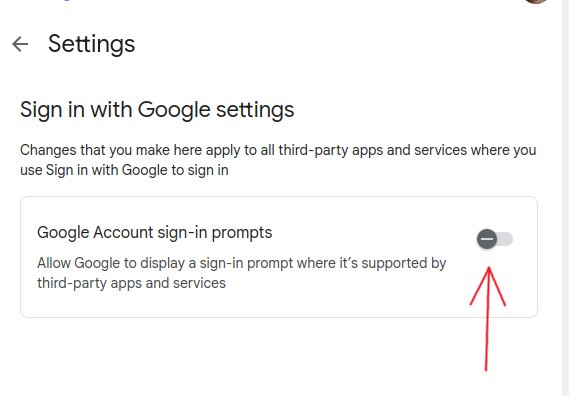
That’s it. Now you can browse the Web without seeing the Google Sign-in prompt.
Note: personally, I don’t like to be logged in to Google at all times, as I don’t want Google to be able to keep track of all my Web activities. If you are like me, learn how to automatically log out of your Google account after each session.
For Users Not Logged in to Google
If you are not logged in, Google will not know your preferences, so the “Sign-in with Google” prompt will show up every time you land on the site. There is no way to get Google to disable it (since it doesn’t know your preferences), but you can use “uBlock Origin” to prevent it from showing up.
uBlock Origin is a powerful adblocker browser extension with tons of customization options.
1. Install uBlock Origin on your browser. It is available for Chrome, Firefox, and most Chromium-based browsers that can install Chrome extensions.
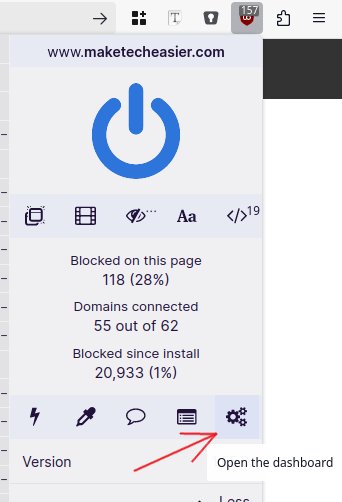
2. Enable uBlock Origin. Click on it, then click the cog icon to open the dashboard.
3. Go to the My filters tab,
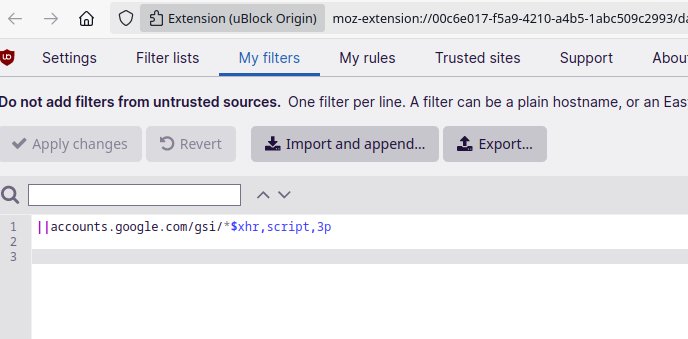
and paste the following line into it.
||accounts.google.com/gsi/*$xhr,script,3p
That’s it. Refresh the website you are on, and you will find that the “Sign-in with Google” prompt will no longer show up.