


Getting things done faster in your browser is always something you can do with helpful add-ons and extensions.
It’s always good to have a set routine as soon as you open your browser, which helps you focus on tasks that matter.
In this case, we discuss a way to open multiple links to websites simultaneously in Firefox by using an add-on called Multiopen.
This is somewhat similar to a Chrome extension called LinkClump.
This Firefox add-on, however, is so much more simpler and straightforward with its function and features.
There really is only one specific purpose for Multiopen, and that is to specify any number of URLs to open at the same time when clicking on the Multiopen icon.
First, you would need to install the free add-on and restart Firefox.
When you restart, the Multiopen icon (blue letter M) is found on the top right corner of the browser window.
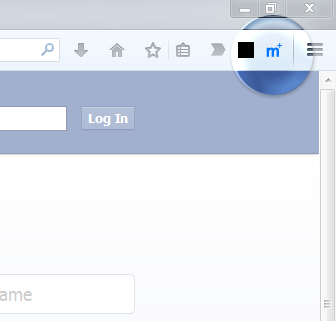
If it’s not configured yet, you would need to right-click on it to open the Options page.
Here, you can add the list of URLs you want to open. Add one URL per line, and hit Enter after typing each one.
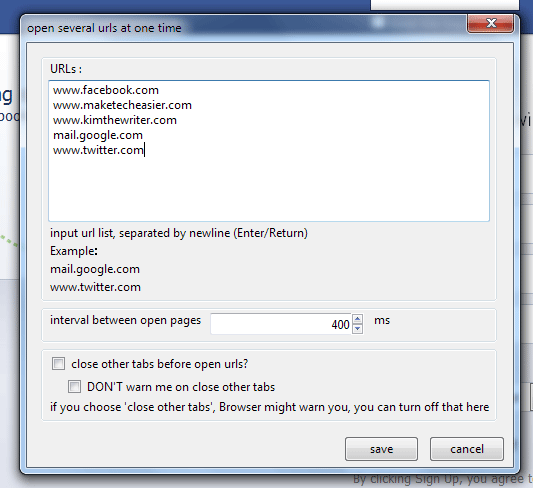
There appears to be no limit as to how many URLs you can add, but adding too many may cause performance issues with Firefox, so try to keep it to a maximum of seven URLs.
Note that they will open in the same browser window, but in different tabs. If you don’t want too many tabs open at the same time, it’s a good idea to choose only a handful of URLs.
You can also configure the time interval between opening links in milliseconds. If you set it to 0, then all links will open at the exact same time.
There’s also an option to close existing tabs first before opening links using the add-on. Check the box next to “close other tabs before open urls?” to enable this option.
Additionally, you can disable a warning about closing existing tabs before opening multiple URLs. To do this, check the box next to “DON’T warn me on close other tabs”.
When you’re done with the settings, click Save.
To open your set of URLs, left-click on the Multiopen icon.
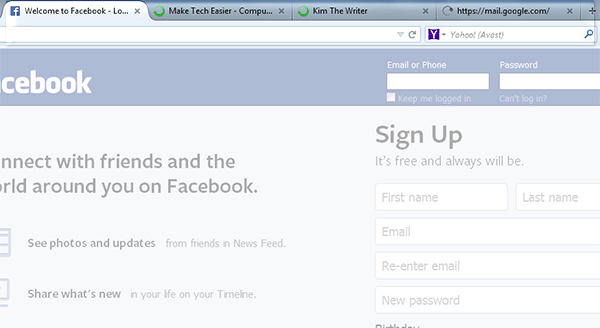
You should see a set of tabs loading as configured earlier in the Options page. The URLs load in the order that they were added to the list, from left to right.
In the example below, I have four URLs opening with an interval of 4000 ms.
While Multiopen is very useful in opening multiple links, it only allows for one set of links, and there is no option to add a separate set.
Also, there is no option to close all tabs that were opened using Multiopen, so you would have to manually close each tab in case you don’t need some of them.
If this doesn’t concern you and you like the simplicity of this add-on’s features, then it’s still an excellent way to save time when using your Firefox browser.