

If you are running a website with fairly high traffic, one of the things that you will want to do is to migrate your images/videos out of your server and serve them from a Content Delivery Network (CDN). The greatest benefit of a CDN is that it can serve your web content from the location closest to your reader, and thus speed up the loading of your site, reduce your server bandwidth usage and of course rank well in the search engine.
While there are many CDN providers around, the one that I will go for is Amazon CloudFront. The reason is because it is well-integrated with Amazon S3 (and other Amazon Web Services). If you are not aware, Amazon S3 is a cloud storage services provided by Amazon that allows you to save a great amount of files for cheap. You can use Amazon S3 to backup your personal files or to store your web content such as images and videos. There is no monthly charge and you only pay for what you use, so you don’t have to worry about any long term commitment.
By itself, Amazon S3 is only a storage services. To use it as a CDN, you have to activate CloudFront and configure your Amazon S3 with it.
Note: This tutorial assumes that you already have an Amazon Web Services (AWS) account and using Amazon S3 to store your website images/videos.
1. Login to your AWS Management Console.
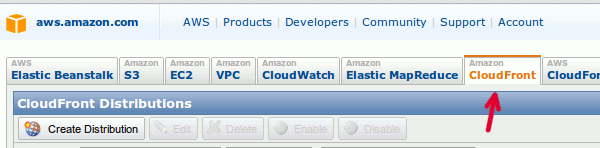
2. Click the CloudFront tab.
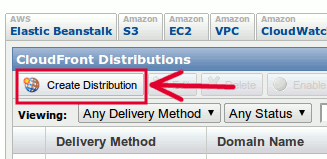
3. Click the “Create Distribution” button.
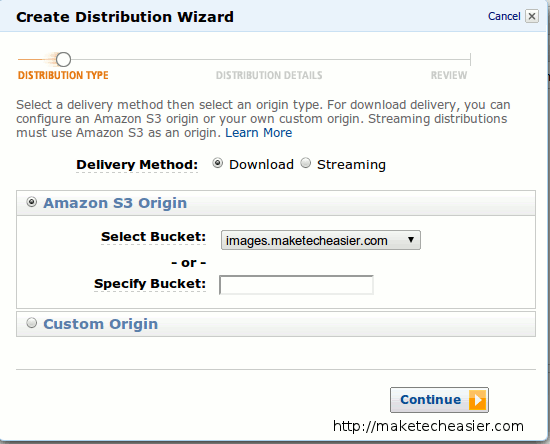
4. In the “Delivery Method” field, choose “Download” if you are serving static content (like images) or “Streaming” if you are serving media files (like podcast, videos etc.). Next, select the Amazon S3 bucket that you want to serve as CDN. Click “Continue”.
5. The next step is to configure the CNAME. The CNAME is a masked URL (usually a sub-domain name of your website, for example, http://cdn.maketecheasier.com) that points to the actual CDN URL. To illustrate this, Amazon CloudFront will serve your content from a http://xyz.cloudfront.net domain. By using a CNAME, you can serve the content from your domain, such as http://cdn.your-domain-name.com rather than the cloudfront URL.
In the CNAME field, enter a sub-domain that you want to use to serve your content.(Note: Do not put “http://” infront of your sub-domain).
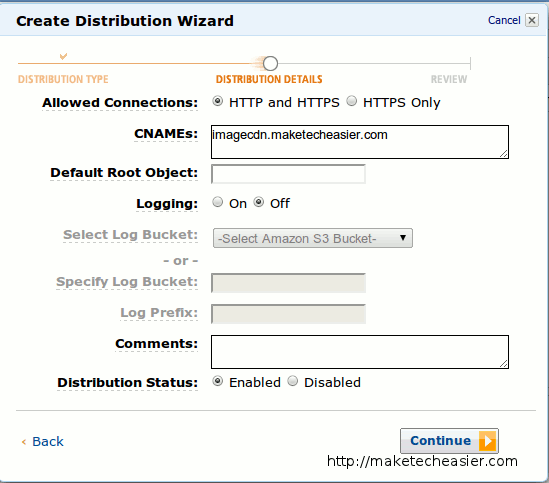
The logging option is optional. If you set it to ON, it will log all the events and details onto a log file. You will have to specify a bucket for it to store the log file.
Make sure the distribution status is set to “Enable”. Click “Continue”.
6. Lastly, review your settings. If everything is correctly, click “Create Distribution”.
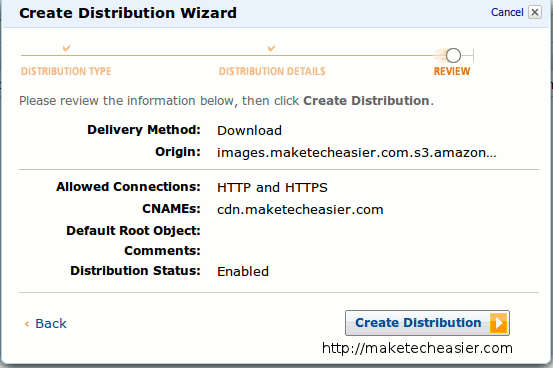
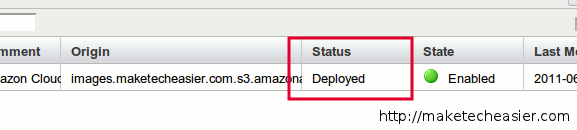
Amazon CloudFront will now take a while to configure itself. When you see the “Deployed” status, your CDN is now ready to use.
Configuring your CNAME
Still in the AWS Management Console, copy your CloudFront domain name for this particular distribution.
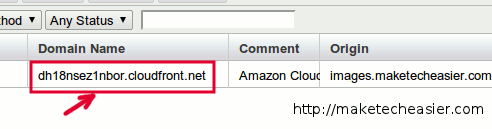
Contact your webhost and get them to create a CNAME record to point the sub-domain you have entered previously to this CloudFront domain name.
That’s it. As long as you use this sub-domain in your website, all your static files will be served from the location closest to your readers.