


As a Chrome user, you’ve probably installed an extension here and there. If so, you’ve also seen the amount of information that extension needs access to. In some cases, the permissions may seem reasonable, but that’s not always the case.
Chrome extensions are divided into three different alert levels. For example, you have High which means it can access everything on your computer and on the site you’re visiting. Medium alert level means it can access most of the data on the sites. Lastly, Low implies that it will only access precise data.
What Are Chrome Permissions?
Chrome permissions are just what the name implies. It’s a message displayed when you install a Chrome extension that will ask you for permission on accessing or changing information.
Depending on the extension you add, it can either read and change the data of the sites you visit or access all the information on your computer.
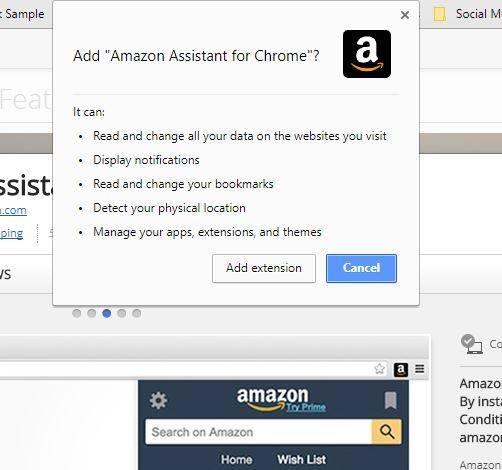
Why Some Extensions Want to Read and Change All Your Data
It’s an all or nothing deal for extension developers with Chrome extensions. It’s not like Android Marshmallow when you were able to control what apps could access. The reason why many Chrome extensions ask to access so much is that it makes them easier to program for.
Any extension that will need to collaborate with a web page will most certainly ask for the “Read and change all your data on the websites you visit” permission. Some extensions won’t ask you for this permission.
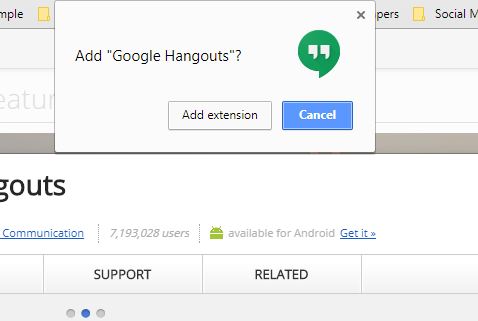
For example, Google Hangouts doesn’t include any features that will collaborate with a web page you’re using.
A Word of Caution
Be careful when thinking about installing antivirus browser extensions since they ask for an invasive amount of permissions.
For example, they can ask to change your home page, read and change your browsing history, manage your downloads, communicate with cooperating native applications, manage your extensions, apps, and themes.
Precautions to Take When Installing a Chrome Extension
When installing a Chrome extension, make sure you read every single permission it asks for. If you see that it’s asking for permissions that have nothing to do with its intended purpose, it’s best that you don’t install it. It’s all about using common sense and seeing if the extension is worth the risk.
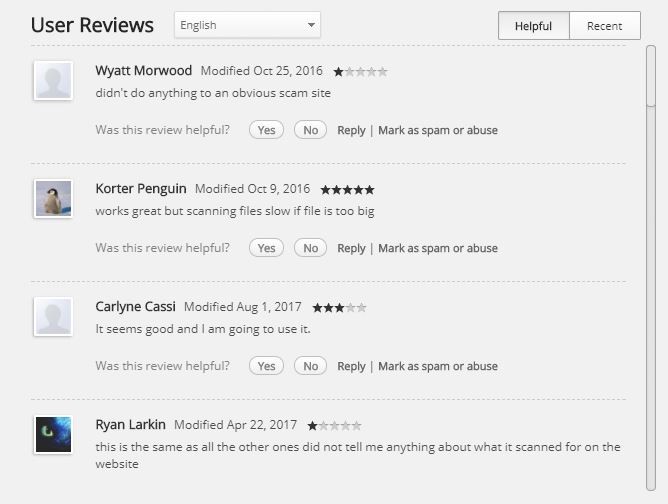
Before installing the extension, it’s also a good idea to read other users’ opinions on it. That way you’re aware of any issues the extension may cause without installing it.
Just because an extension asks to read all your data doesn’t mean that it’s not safe to use, but it’s your call whether to allow it access. It’s also a good idea to only install extensions that come from verified authors.
Conclusion
Having to sacrifice privacy is something you have to deal with if you want to use a specific extension. Only you can decide if the extension you want to use is worth the information you’re exposing. Do you read the Chrome extension permissions when they appear? Leave a comment and let us know.