
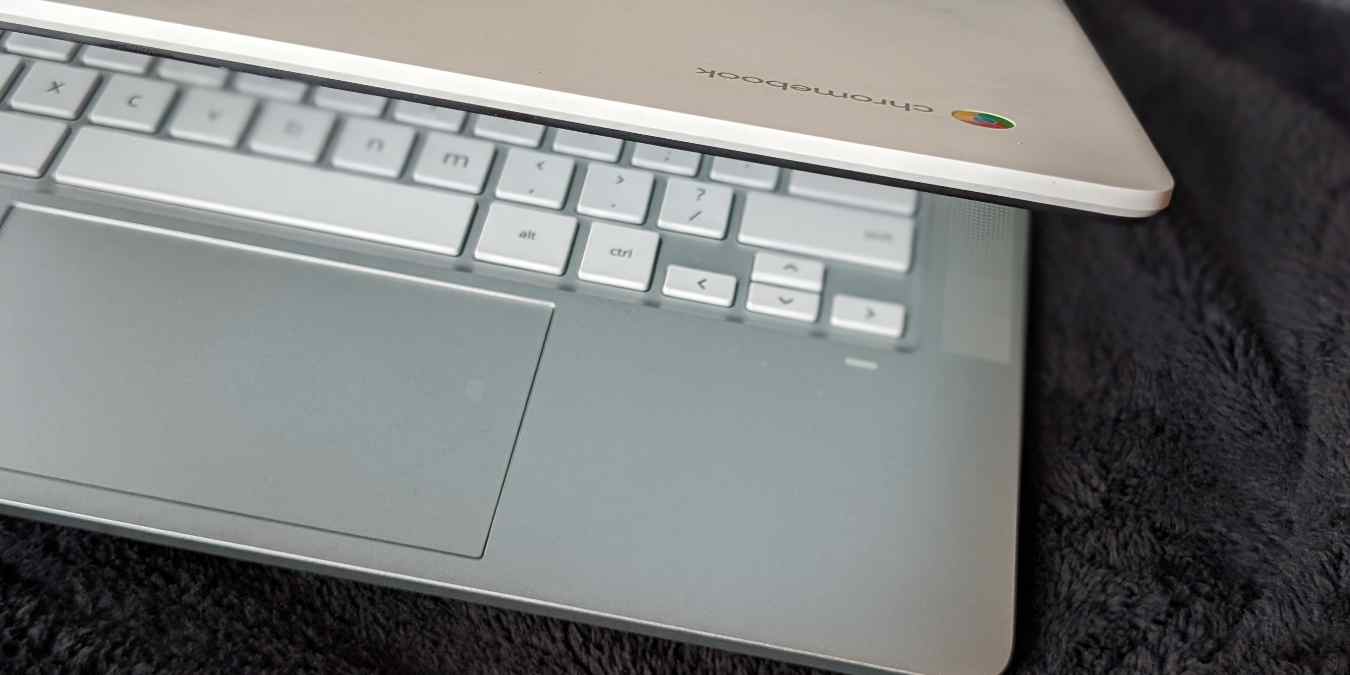

Keyboard shortcuts make our day-to-day tasks easier on any device. Thankfully, Chromebook offers a huge list of keyboard shortcuts.
You can close windows, activate the split-screen mode, swap monitors, create desks, edit and format text, launch apps, turn on accessibility features, and do much more using Chromebook keyboard shortcuts.
We have divided the Chrome OS keyboard shortcuts based on their functionality in this cheatsheet. To find shortcuts on this page, press Ctrl + F and type whatever you are looking for.
Note: If your Chromebook keyboard doesn’t have the Search key, you must press the Launcher key instead to use the shortcut.
[mte_cheatsheet_download]| Shortcut | Function |
|---|---|
| Alt + [ | Split current app to the left side of the screen. |
| Alt + ] | Split current app to the right side of the screen. |
| Alt + = | Maximize current window. |
| Alt + – | Minimize current window. |
| Ctrl + Shift + W | Close current window. |
| Ctrl + Shift + T | Reopen last closed tab or window. |
| Desk | |
| Shift + Search + = | Create a new desk. |
| Search + [ | Switch to the desk on the left. |
| Search + ] | Switch to the desk on the right. |
| Shift + Search + [desk number 1-8] | Switch to desk 1-8. |
| Search + Alt + M | Move window between screens (when Chromebook is connected to a monitor). |
| Shift + Search + [ | Move the active window to the desk on the left. |
| Shift + Search + ] | Move the active window to the desk on the right. |
| Shift + Search + A | Move a window to all desks. |
| Alt + Fullscreen | Swap primary monitor. |
| Apps | |
| Alt + 1 to Alt + 8 | Open apps 1-8 on the shelf. |
| Alt + 9 | Opens the last app on the shelf. |
| Alt + Tab | Switch to the last opened app. |
| Hold Alt and press Tab | View open apps and cycle through them. |
| Files App | |
| Alt + Shift + M | Open the Files app. |
| Ctrl + . | Show hidden files in the Files app. |
| Select File, then press Space | Preview a file. |
| Ctrl + E | Create new folder. |
| Ctrl + Enter | Rename a file or folder. |
| Alt + Backspace | Delete items. |
| Quick Panel/Launcher | |
| Shift + Alt + S | Open quick panel. |
| Shift + Alt + N | View notifications. |
| Search | Open/close the launcher. |
| Shift + Search | Open/close the full-screen launcher. |
| Display | |
| Ctrl + Shift + + | Increase screen resolution. |
| Ctrl + Shift + – | Decrease screen resolution. |
| Ctrl + Shift + 0 | Reset screen resolution. |
| Shift + Ctrl + Refresh | Rotate screen 90 degrees. |
| Screenshots | |
| Ctrl + Show Windows | Take a screenshot of the entire screen. |
| Ctrl + Shift + Show Windows | Take a partial screenshot of selected region. |
| Power button + Volume Down | Take a screenshot on tablets. |
| External Monitor | |
| Ctrl + Full Screen | Toggle external monitor modes. |
| Ctrl + Alt + . | Switch to next user. |
| Ctrl + Alt + , | Switch to previous user. |
| Sleep and Login | |
| Search + L | Lock screen. |
| Ctrl + Shift + Q (twice) | Sign out of Google account. |
| Shift + Search + L | Put device in sleep mode. |
| Text Editing | |
| Ctrl + C | Copy. |
| Ctrl + X | Cut. |
| Ctrl + V | Paste. |
| Ctrl + Shift + V | Paste without formatting as plain text. |
| Search + V | Open and view clipboard items. |
| Ctrl + Z | Undo last action. |
| Shift + Ctrl + Z | Redo last action. |
| Search + Alt | Turn caps lock on or off. |
| Text Selection | |
| Ctrl + A | Select everything on the page. |
| Ctrl + L or Alt + D | Select content in the address bar/ Focus address bar. |
| Ctrl + Shift + → | Select next word. |
| Ctrl + Shift + ← | Select the previous word. |
| Shift + Search + → | Select all text to the end of the line. |
| Shift + Search + ← | Select all text to the beginning of the line. |
| Ctrl + → | Move to the end of the next word. |
| Ctrl + ← | Move to the start of the previous word. |
| Search + → | Go to the end of the line. |
| Search + ← | Go to the beginning of the line. |
| Ctrl + Search + → | Jump to the end of a document. |
| Ctrl + Search + ← | Jump to the start of a document. |
| Ctrl + Search + ← | Jump to the start of a document. |
| Alt + Backspace or Search + Backspace | Delete next letter. |
| Ctrl + Backspace | Delete the previous word. |
| Ctrl + Alt + Backspace | Delete next word. |
| Keyboard and Language | |
| Alt + Brightness Up | Increase keyboard backlight. |
| Alt + Brightness Down | Decrease keyboard backlight. |
| Ctrl + Space | Switch to the previous keyboard language. |
| Shift + Ctrl + Space | Switch between keyboard languages. |
| Search + Shift + Space | Open emoji picker. |
| Alt + Click | Right-click. |
| Hold Search + Preferred function | Switch behavior of top-row key. |
| Accessibility | |
| Ctrl + Alt + Z | Turn ChromeVox on or off. |
| Search + Ctrl + H | Turn high contrast mode on or off. |
| Search + Ctrl + M | Magnify the whole screen. |
| Search + Ctrl + D | Magnify part of the screen/ turn docked magnifier on or off. |
| Ctrl + Search + 7 | Turn caret browsing on or off. |
| Shift + Alt+ L | Highlight the launcher button on the shelf. |
| Shift + Alt + L, then Tab (or) → | Highlight the next item on the shelf. |
| Shift + Alt + L, then Shift + Tab (or) ← | Highlight previous items on the shelf. |
| Shift + Alt + L, then Space (or) Enter | Open the highlighted button on your shelf. |
| Search + Shift + Volume Up | Open right-click menu for the highlighted item. |
| Miscellaneous Shortcuts | |
| Search + A | Open Google Assistant. |
| Search + Esc | Open Task Manager. |
| Ctrl + Alt + Shift + Refresh | Do a barrel roll. |
| Help | |
| Ctrl + / | Opens Chromebook help window. |
| Ctrl + Alt + / | View all Chrome OS keyboard shortcuts. |
| Ctrl + Search + Esc | Open Diagnostics app. |
In addition to the above shortcuts, Chromebook also supports braille and accent shortcuts. You can also remap the keyboard shortcuts on Chromebook. Before you leave, I would suggest you read the Chromebook keyboard tips and tricks post as well as our Chromebook tips article for beginners.