

Did you know you can change the way you read text on the Google Chrome browser? You can change the size of the font and even the style of the font itself to something more pleasing to the eye. Here are the steps to change the font appearing on Chrome webpages to suit your tastes.
Altering the Font Style
Start your Chrome browser and go to the top of the webpage, to the right of the address bar, where you will find the three dots in the top corner. Tap on the dots and a drop-down menu of options will appear.
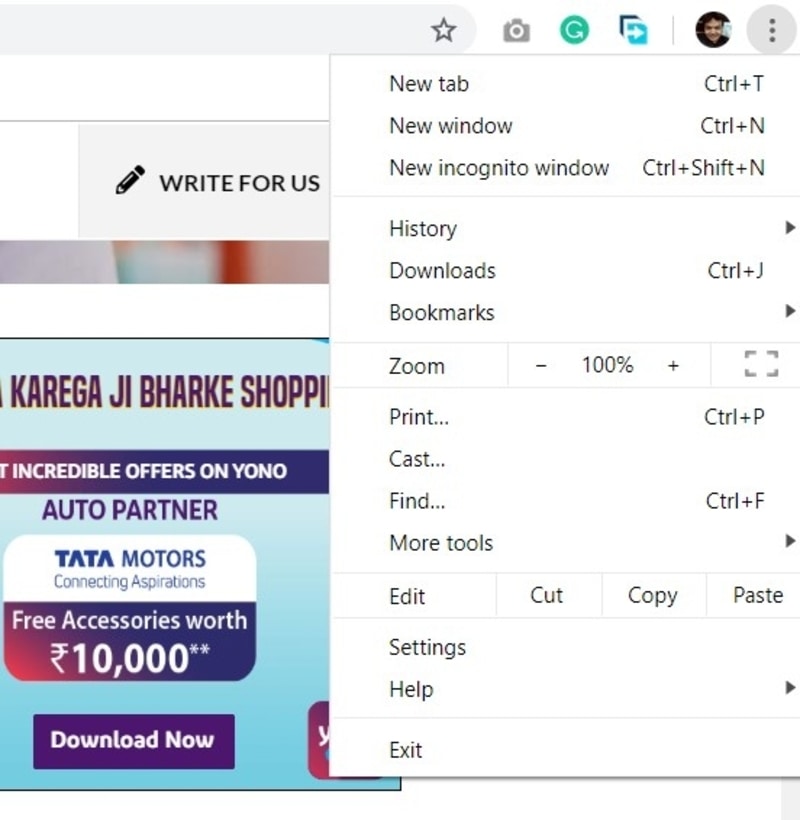
Scroll down the list until you find the Settings tab and click on it.
Also read: How to Change the Font Size of a Website in Google Chrome
A new page will open in a new tab. This is the settings page that controls the appearance and internal workings of the Chrome browser on your device.
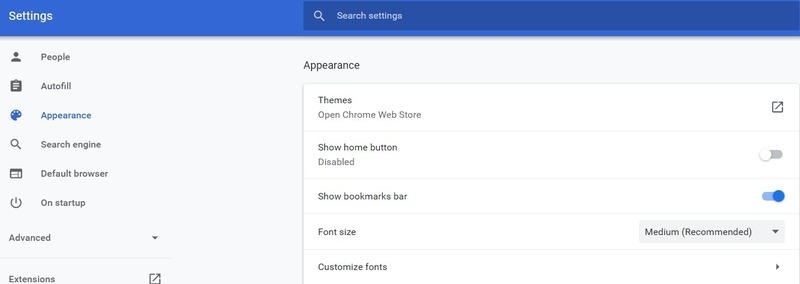
Search through the list to the left of the page, where you will see the option titled Appearance. Select this option to open the page of the browser that determines the layout of Chrome web pages on your device.
Alternatively, you can copy and paste the following address in Chrome’s’ address bar to reach this page: chrome://settings/fonts
Here you will find the Customize Fonts section, which carries the following Chrome font options:
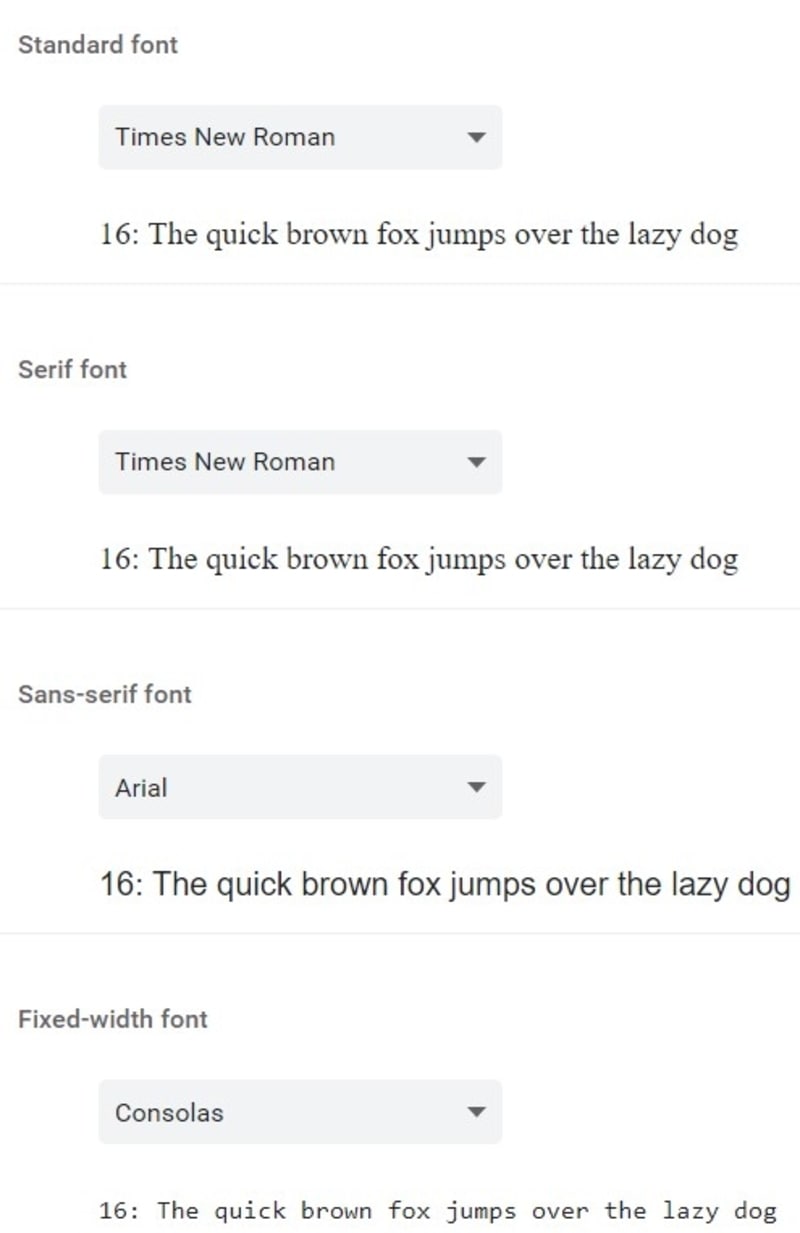
Standard: The main style of font the content of a web page will appear in on your browser.
Serif: A style of lettering where a small line or stroke is added to the end of the letter to add a degree of flair to the alphabet. Examples include Times Roman, Courier, and Palatino.
Sans-serif: Another style of lettering where the letters do not feature a stroke or small line at the end. These are used to convey simplicity and minimalism in text. Examples include Helvetica, Avant Garde, and Geneva.
Fixed width: This controls the amount of space that exists between letters, words, and sentences in a text. This is a useful option to play around with if you are having trouble with the words on a web page being too close together.
For each of these options, you can choose the type of font to your preference or change the font for only one of these options depending on your choice. Just a few popular fonts to choose from are:
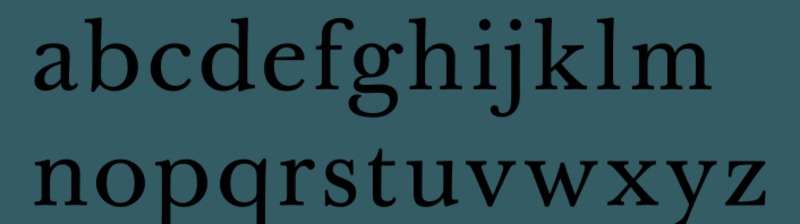
Baskerville: One of the oldest styles in existence, Baskerville offers rounder and more sharply cut text characters that are elegant, symmetrical, and soothing for the eyes.
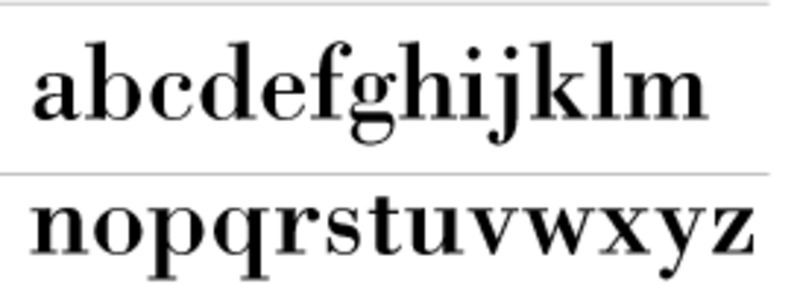
Bodoni MT: Said to be one of the most elegant fonts ever designed, Bodoni was traditionally used in glossy posters and newsletters before finding a home on the Web. The font can be difficult to read at a smaller size, which is why it is traditionally used for 9-point or higher text.

Gill Sans: A more modern font styling than the previous two entries, Gill Sans has often been described as the British Helvetica because of its enduring popularity in the UK. It is also used in posters and publicity materials and proved so influential that it helped create an entire genre of humanist sans-serif typefaces.
That is just a small sampling. There are many more to choose from! Once you have chosen the font, exit the Settings page and restart the browser.
Conclusion
If the internet is the new reading and learning hub for the cyber community, then choosing your own font style can be an important step toward customizing and personalizing the way in which you interact with web pages on your browser.