

We often share photos and videos on websites and social media without considering the potential risks. Whether through voice, video, or images, deepfakes are becoming harder to detect, as the technologies used to create them are at an incredible level of accuracy. But you don’t have to become another innocent victim. This guide shows how to detect a deepfake image, video, or sound, reliably and accurately.
[mte_toc]What Kinds of Deepfakes Should I Worry About?
The onset of deepfakes is a very recent phenomenon that has caught many of us by surprise. Its roots lie in newer AI technologies, such as “stable diffusion” and generative adversarial networks (GAN).
There are three popular types of deepfakes:
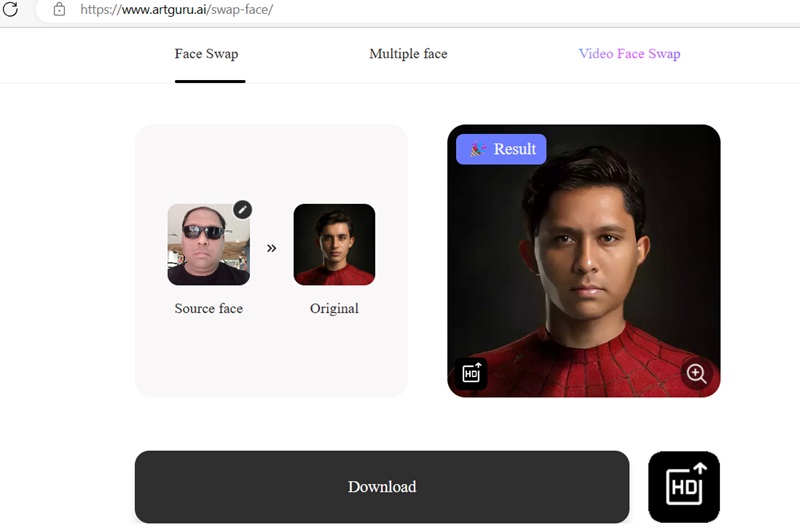
- Face swapping technologies: substitute one person’s face for another for an unrecognizable swap. I was completely blown away by how accurately one of these face-swapping software could “peek” under my shades to create a newer version of me. It’s like Photoshop – but much more powerful!
- AI voice generators: don’t like the way you sound? Now you can use many online AI voice generator technologies to give you a synthetic voice that sounds like the real deal. Of course, bad actors only need to download any of your original videos online to create a deepfake voice.
- Video synthesis software: there are many apps that can generate deepfake videos by uploading a target image on a video of your choice. Recently, an unknown video synthesizer was used by a criminal gang to cheat a Hong Kong-based company out of $25 million over a Zoom video conference.
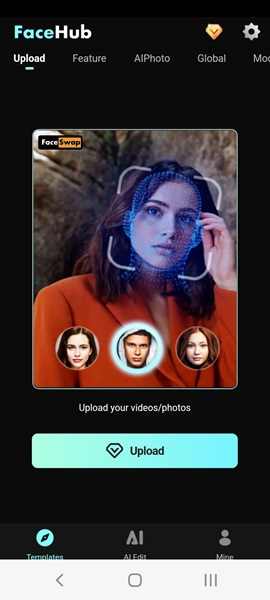
Many of the apps used to create deepfakes can be legitimately found on the Web, in Google Play and the App Store. Easily detect deepfakes using the following methods.
1. Visual Clues
Deepfake detection would seem a simple affair to those who can tell if an image feels a bit “off.” In early deepfakes, you could often catch them using a few warning signs, like blurring around edges, an oversmoothed face, double eyebrows, glitches, or a general “unnatural” feel to how the face fits.
However, the way these technologies have progressed, it’s becoming harder and harder to tell the fake images and videos apart from the real ones. Still, you can try keeping an eye out for blurring, distortion, and uncanny facial differences.
Visually, there are some obvious giveaways in the fake image to the right: especially the unnatural double chin. If you need more data, compare the fake image with many more original samples.
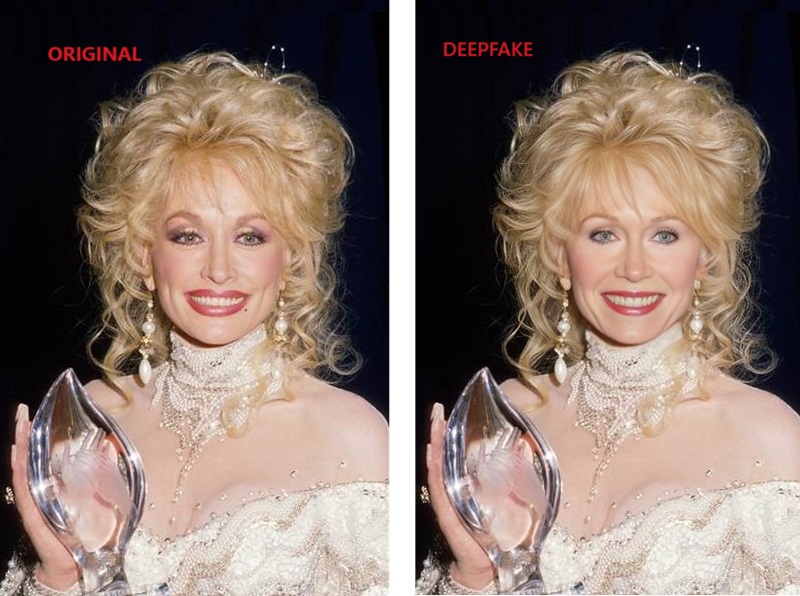
Image credit: Flickr and Wikimedia Commons.

With videos, the most obvious giveaway is when a deepfake has no natural movement, but deepfakes often do have pulses. Irregularities (like different parts of the face displaying different movements) can help identify a deepfake video.
There are also biometric indicators, but we wouldn’t get into it as it’s not possible to analyze biometric data using free smartphone or computer apps.
Tip: there are many ways to detect AI-generated images. Have a look at some of the best methods.
2. The “Zooming In” Technique
While on the surface, a deepfake image seems fairly smooth (it’s far less detectable than a Photoshopped image), you only need to “zoom in” inside the image to spot any irregularities. A hidden face, irregular contours, and misshapen ears are just some of the visible signs of a deepfake.
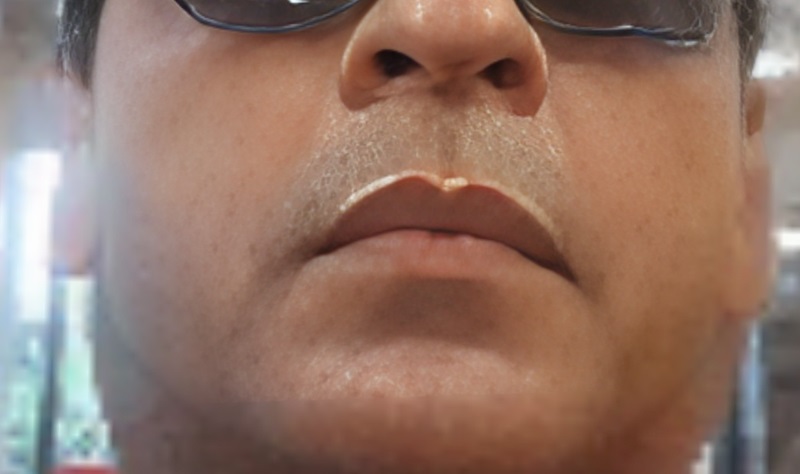
To spot deepfakes on a video conferencing platform, experts have recommended a few similar strategies. Instead of viewing the other participant in a thumbnail or gallery view, you can have a full-screen view, which will enlarge them to fill up your whole screen.
3. Using Image Metadata
Of all the AI deepfake detection methods, this is the most fool-proof one, and is easily accessible to all. Check an image’s metadata to identify whether it’s an original image.
On a Windows computer, open an image’s Properties using a right-click. Go to Details tab and you can find the camera specs such as camera maker, camera model, exposure time, ISO speed, focal length, and whether or not a flash was used. A deepfake image can never have these details.
On a Mac device, right-click on an image and select Get info -> More info to view the image metadata.
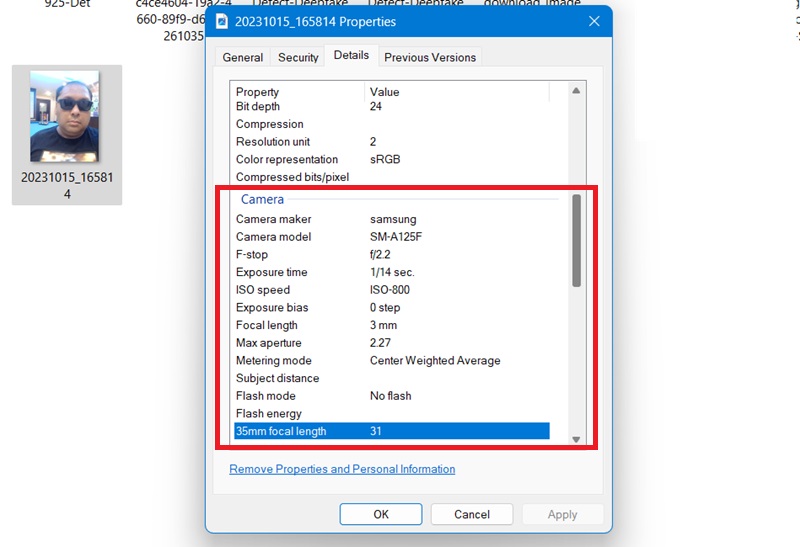
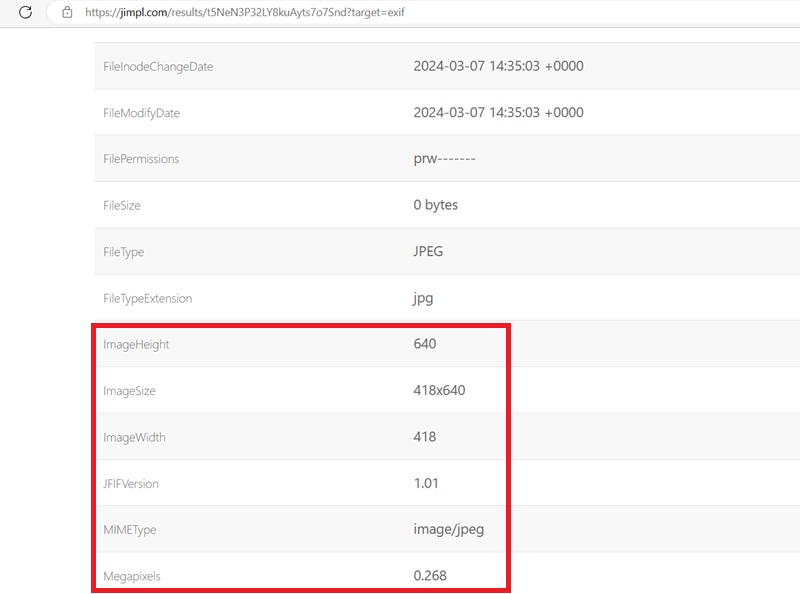
There are some image metadata software online that gives more advanced details. Jimpl is one of the best tools and is completely free to use.
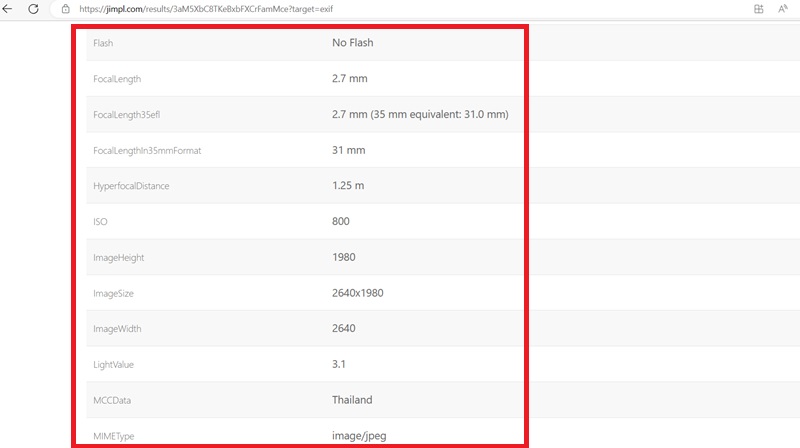
Upload an image taken on a smartphone, then view its EXIF information. Even if the location is turned off, the Mobile Content Cloud (MCC) data is always turned on. (It’s connected to the SIM provider.) Also, the image height, width, and megapixels are at their maximum values, which is something deepfake images just can’t replicate.
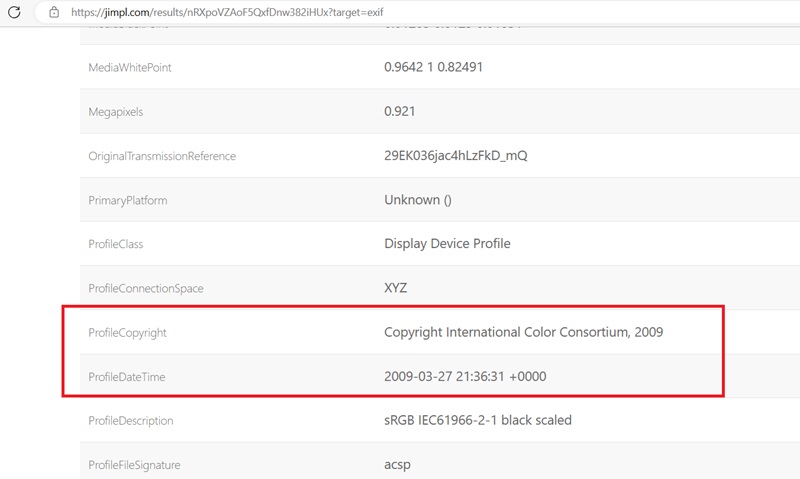
If you’re a celebrity, and your image is in the public domain, the metadata lets you view your Profile Copyright, which gives the date an image was uploaded. Rest assured that this data cannot be faked.
If you take a screenshot using an Android phone, Google becomes the Profile Copyright owner. The same goes for Apple on iPhones.
When you upload a deepfake image or video for its metadata, it will display no information above. The fake image just doesn’t have a pedigree of its own. Also, the small and restricted image size/width should be a cause of suspicion.
4. Online Tools to Detect Deepfakes
There are some deepfake detection software, but not many. We tested many online tools to detect deepfakes. Most of them give inaccurate results and false positives.
Many also demand upfront payment, which is something we wouldn’t recommend, as the results are less than satisfactory. In our experiments, they detected many of our original photos as “fake” and could not identify the deepfake ones.
However, the following online tools stand out as the best exceptions and worked quite well for us.
Fake Image Detector
Fake Image Detector is a free tool that goes deep into an image’s metadata and binaries to give straight results of deepfake detection. When you have an original image, its response is “No error level detected.” It further generates a software signature to prove authenticity.
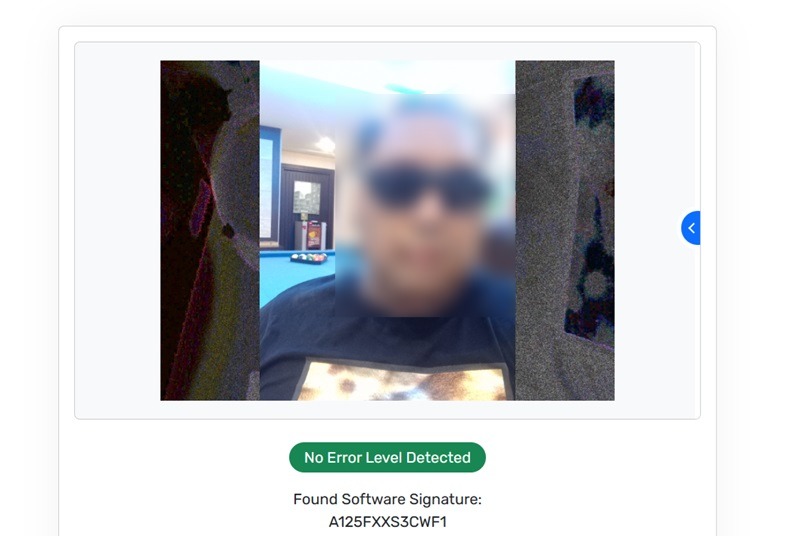
However, the software is prone to errors. It may sometimes fail to detect an obvious deepfake image, but there’s a solution for it.
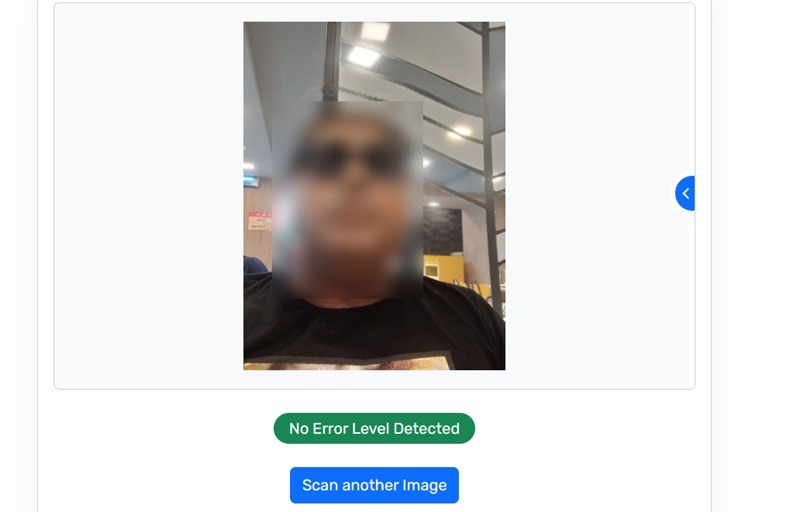
Instead of posting the deepfake image in its original size, you may want to “zoom in” on a select portion of the image. Take a screenshot, and analyze only that part. The software will identify the same image as computer-generated.
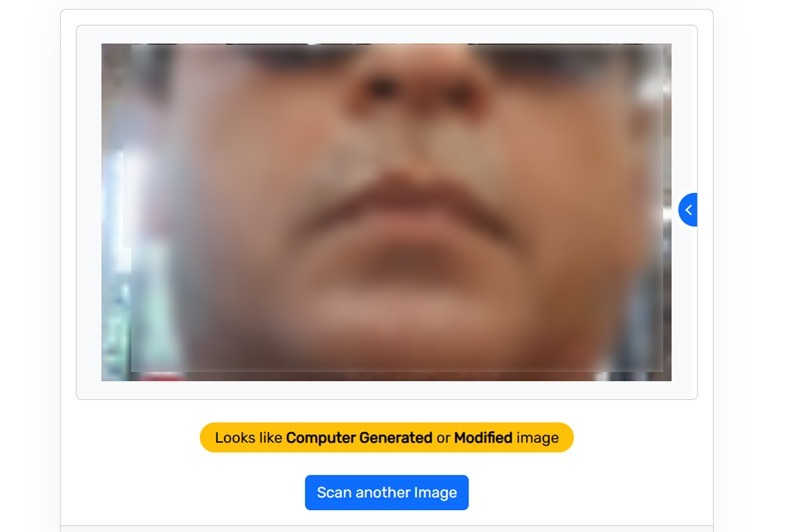
Foto Forensics
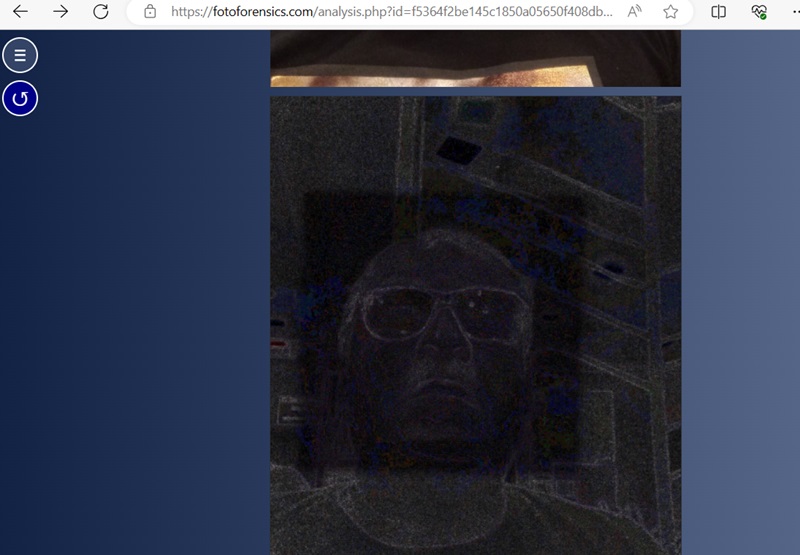
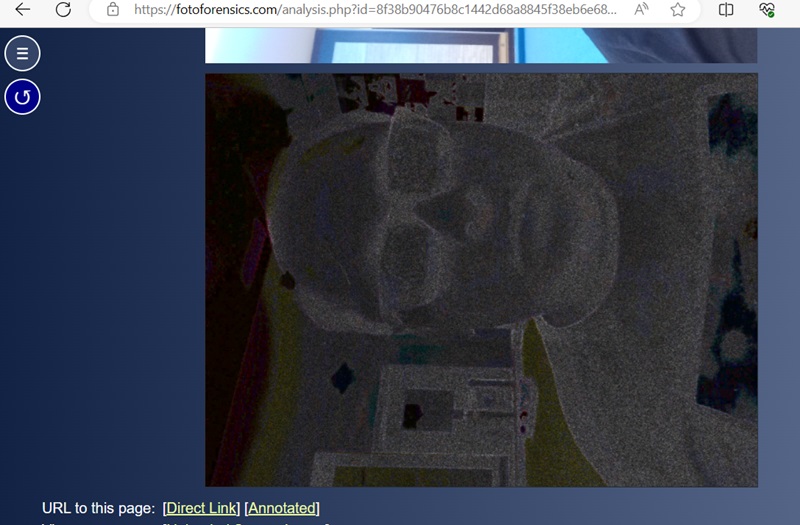
Foto Forensics is a more advanced tool that uses the highly accurate method, “Error level analysis” (ELA), to detect compression levels in images. If a particular part of an image has a different error level, it is digitally modified and added to the main image.
In this example, the image face has a different ELA color and component as seen in the black square.
On the other hand, this example is the ELA analysis for a proper camera-based image. There are no irregularities. The difference is too subtle for humans to pick up on, but machines are great at picking it up.
If you want to detect deepfakes, there aren’t many other convincing tools. However, AI or Not is a good one and much easier to use. When the software analyzes a real photo, it will identify it as “This is likely human.” It also has the best mileage when it comes to identifying AI-generated sounds.
As deepfake detection technology is an evolving field, keep your eyes out for new methods. Let’s also remember how the Internet works: even if these fakes are caught, they’ll likely be recirculated and believed by some people anyway. If you’re on an iPhone, you may be interested in checking out AI apps that generate content.
Image credits: Pexels. All screenshots by Sayak Boral.