


Using high-resolution images that are unnecessarily large in file size can slow down your website, causing a potential loss of users. Optimising your images is one of the quickest ways to provide a better user experience by reducing the load times of your website pages. Luckily, there are several plugins that can do this automatically without requiring much input from you.
This selection of plugins includes tools to help you compress your images while maintaining their quality which should make your site much quicker to load.
1. EWWW Image Optimizer

The EWWW Image Optimizer promises to optimise all images on your website by applying lossy compression techniques to drastically reduce image sizes for JPEG, PNG and GIF formats.
Unlike some other options, this plugin does not rely on third-party services to get things done, which means the optimisation process should be fast enough for both small and large media libraries.
If you prefer not to optimise images on your own server, EWWW Image Optimizer Cloud is an option you can try.
2. WP Smush

With over 700,000 active installs, WP Smush is the leading option for optimising images on a WordPress website, and it’s available in both free and premium models.
As is the norm with these sort of plugins, existing and newly uploaded images are optimised for you based on lossless optimization techniques, although the premium version provides a lossy compression mode.
You can optimise images by visiting the media library and selecting the images you want to compress. Once done, click the “Smush” button to start the optimisation process. A bulk smush option also exists for compressing multiple images at once, but this is limited to fifty files at a time in the free plan.
One thing to note is that unlike other premium plugins where you just pay a one-time fee to upgrade, WP Smush Pro requires you to subscribe to WPMU Dev membership with a $49 per month fee.
3. Kraken.io Image Optimizer

Kraken.io Image Optimizer is one of the most effective options out there for compressing images and resizing them using the robust Kraken.io API. It is a paid option but provides a free plan where you can test its features and reliability.
Kraken.io supports both lossless and lossy optimisations for all the common image formats including JPEG, PNG and GIF. The plugin allows you to optimise images individually or all at once using its “Krak ’em all” feature. All newly uploaded images are also optimised on the fly.
This plugin has several configurable options including the option to preserve certain EXIF metadata and also an option to limit images to being optimised during a bulk process to avoid hitting your request limits. Pricing starts at $5/month for up to 500mb of images to $79/month for a whooping 60GB.
4. Compress JPEG & PNG Images
Compress JPEG & PNG Images provides quick way to optimise images on your WordPress site through services such as TinyJPG and TinyPNG. To set up the plugin, you’ll need to sign up for a free TinyPNG account and register an API key.
This plugin can optimise all existing images on your site as well as newly uploaded images. The images are drastically compressed, but no discernible quality loss will be noticed in most cases.
There are not many configurable options on its Settings page, but you can customise the maximum resolution of your uploaded images and also specify if you want to preserve image metadata such as creation date and time, copyright information and GPS location.
5. Imagify
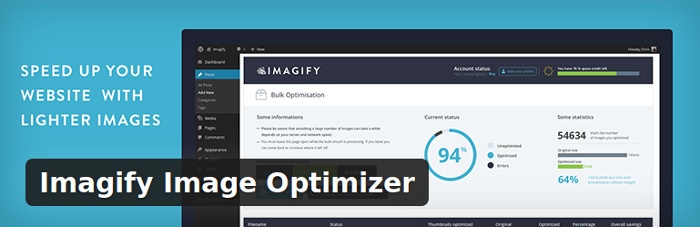
Imagify is another highly rated option for compressing images on your WordPress site. Its free option allows you to optimise up to 25MB of images every month, but you can get as much as 1GB by subscribing to its premium plan starting at $4.99/month.
Different compression modes are available depending on your needs, and you can back up the original images so that you can easily restore images to the original version if not satisfied with the results from the optimisation process.
Bottom Line
Each plugin provides its own unique features, so feel free to try them all and see which one works best for you. Did we leave out your favourite image optimisation plugin? Let us know in the comments section below.