

We live in a world where people communicate online in many languages. However, that doesn’t mean it’s always easy to understand each other, especially if the tools you use to communicate don’t automatically translate text or speech. If you want to translate foreign language text into your native tongue, these free online translators will help.
[mte_toc]1. Google Translate
Google Translate is probably the most popular online translator. You can use it to translate text, images, documents, and websites. Also, as of its most recent language upgrade in 2022, the platform can translate 133 world languages.
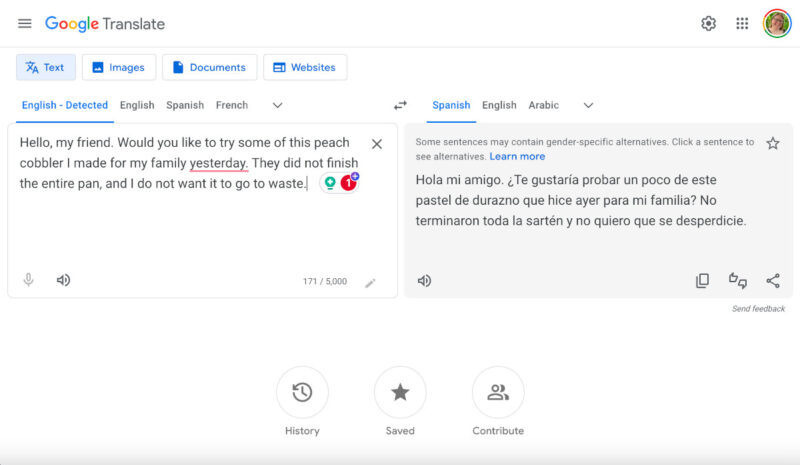
To begin using Google Translate, choose what you wish to translate (text, image, document, or website), and select the language of the item, or let Google detect the language automatically. Choose the language you want it to translate to, and let the program do the work. Listen to the result, copy it to your clipboard, rate it, save it, or share it with someone else. Additionally, you can view your translation history or any saved translations when you visit translate.google.com.
Compared to other free online translators, I like that Google Translate lets you translate entire documents. The website translation tool can also be helpful, especially if researching news from other countries.
2. Bing Translator
Bing Translator is Microsoft’s equivalent of Google Translate and operates similarly to its competitor. This free online translator supports over 100 languages, auto-detection, and a swap feature to move the languages.
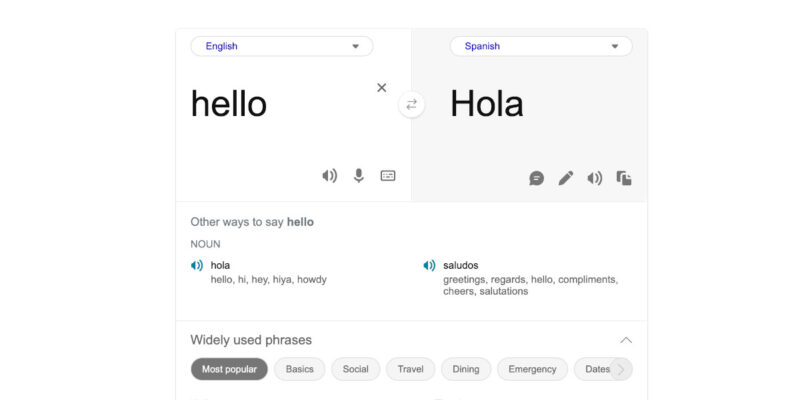
Using Bing Translator is easy: type or paste the text you wish to translate into the box on the left side of the screen, then select the language you want to translate to using the drop-down menu on the right side. Listen to the resulting translation, copy it to your clipboard, or suggest an edit.
One of my favorite features of Bing Translator is its Widely Used Phrases section which provides translated phrase examples based on the scenario you select. However, this tool lacks many features that other free online translators offer. I was most disappointed that you can only translate the text you type or paste into the text box; there is no support for uploading a document. You also can’t translate websites, which is a handy feature for many.
3. ChatGPT
Given the popularity of AI generators and tools, it’s no surprise that you can use AI tools to translate text. ChatGPT, one of the most popular free AI tools, can easily translate text for you: all you have to do is ask!
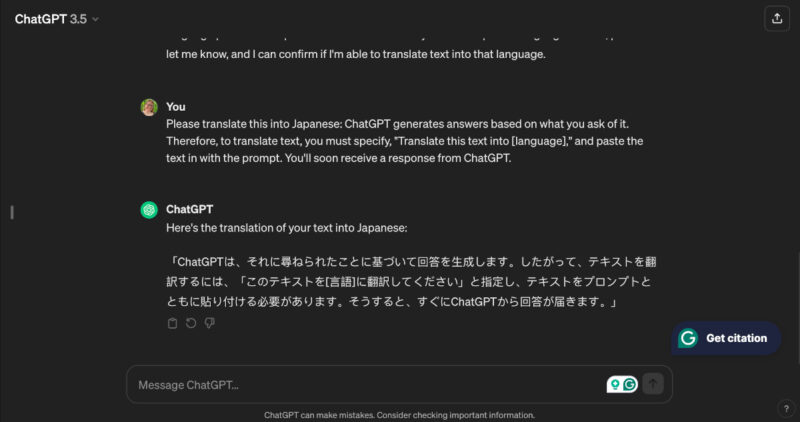
ChatGPT generates answers based on what you ask of it. To translate text, specify “Translate this text into [language],” and paste the text with the prompt. You’ll receive a response from ChatGPT.
The benefit of using ChatGPT is the versatility it provides. Other than translating text from one language to another, you can also ask it to verify a translation you’ve done, provide the pronunciation of words, or translate a single string of text into multiple languages simultaneously.
4. Collins Dictionary
Collins Dictionary is a great online resource for English grammar and vocabulary, and it was a nice surprise to discover it offers a free online translation service. Although it doesn’t offer everything Google Translate supports, it’s a simple alternative for those who don’t need bells and whistles.
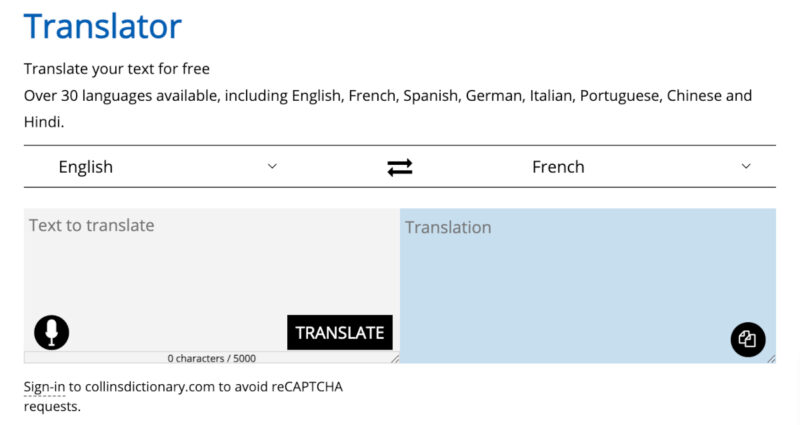
Collins Dictionary’s translation tool works the same as most of the other options on this list: you can type text into the box or paste, then choose the language from the drop-down and see the translation. You can insert up to 5000 characters at once, and you can copy and paste the translated result.
Unfortunately, this free online translator doesn’t support as many languages as Google Translate, but offers about 40 or 50 languages. The translator also doesn’t have many perks, but I think it is one of the best resources for English translations – maybe even better than Google Translate. There is also a version for Android and iPhone.
5. DeepL
DeepL claims to provide the most accurate translations online. It can only translate 32 languages at this time, but as long as you only need something translated from one widely used language to another, DeepL should be able to help.
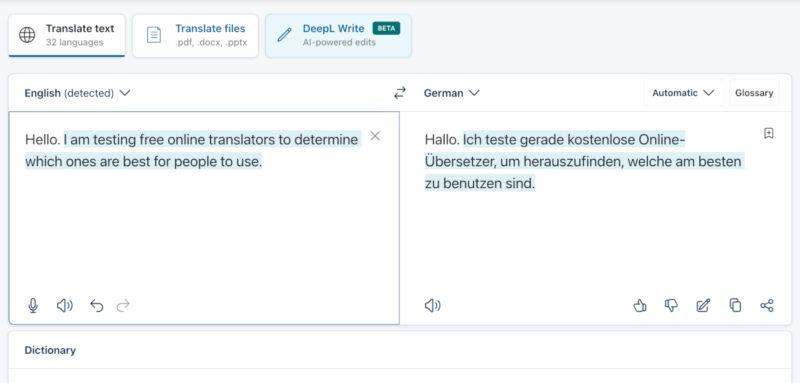
DeepL operates similarly to other online translators. I personally like that it offers the option to speak to the translator and receive text translations. Like Google Translate, DeepL will also translate files (as long as they are .pdf, .docx, or .ppt).
Unlike other free online translators I tested, DeepL lets users specify rules for certain words. This can be useful if you need regional nuances or dialects to specify words in a specific way. Also, you can click on any word on either side of the translator to receive a dictionary entry for that term, a feature no other tools offer.
6. Reverso
If you need a free online translator that provides contextual translations and grammar checks, Reverso may be of interest to you. Although it doesn’t offer quite as many languages as some of the others mentioned in this best online translators list, it does cover 25 of the most popular ones.
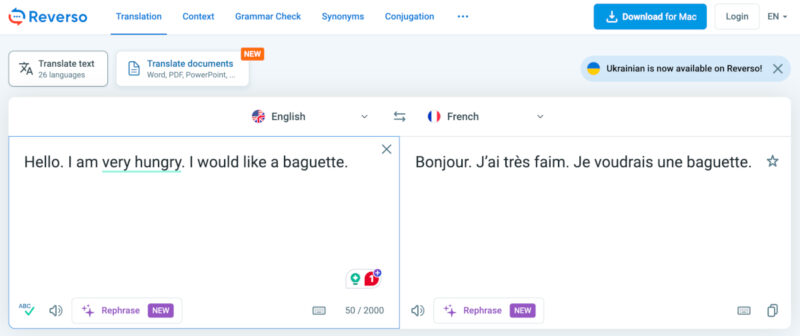
With Reverso, you can type, paste text, or translate documents. In its most basic form, this translator operates like most of the other ones on this list.
However, one standout feature I noticed is the way it offers translations. For instance, if you enter single words or short sentences into Reverso, it will provide multiple translations. This is a great feature for those who may want to speak more conversationally. Also, if you want to translate items without hopping onto your browser, Reverso offers a free downloadable app.
At the end of the day, any of these free online translators work well for simple, everyday translations. However, you may need a language-learning app instead of a translator if you’re traveling to a foreign country or working with people who speak a different language.
Image credit: DepositPhotos. All screenshots by Megan Glosson.