

The Internet is a simultaneously informative and distracting place, replete with information but also with a thousand panes, links, sidebars and banners that try to pull you away from what you’re reading at a given moment. A reader extension helps keep you focused by removing all the extraneous bits and just leaving you with the stuff you’re reading.
These extensions also let you change font sizes, styles, and backgrounds for optimized reading. They’re handy, so we’ve decided to test four of the best reader extensions for Google Chrome and tell you just how good they really are.
1. Reader View
Starting out our list of best reader extensions for Chrome is Reader View, an elegant Chrome extension that converts web pages into formal newspaper-style format. All banners disappear, replaced with an ambery background, small images, and a pane of options on the right side.
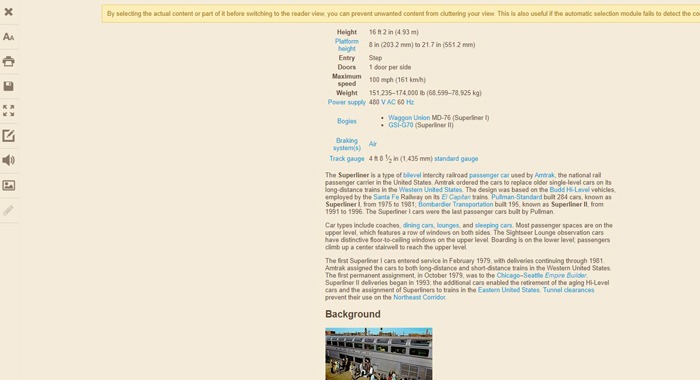
I found the default font size to be a bit on the small side, but that can quickly be fixed using the text size icon in the sidebar. You can also view the page in full-screen to really get rid of those distractions, seamlessly edit, and get rid of images altogether.
There are several preset light and dark themes and a pretty granular level of control that few other apps offer.
2. Mercury Reader
Mercury Reader keeps things very simple, which is both its strength and its undoing. Again, it’s just a case of one click to convert a webpage to the “Reader” format.
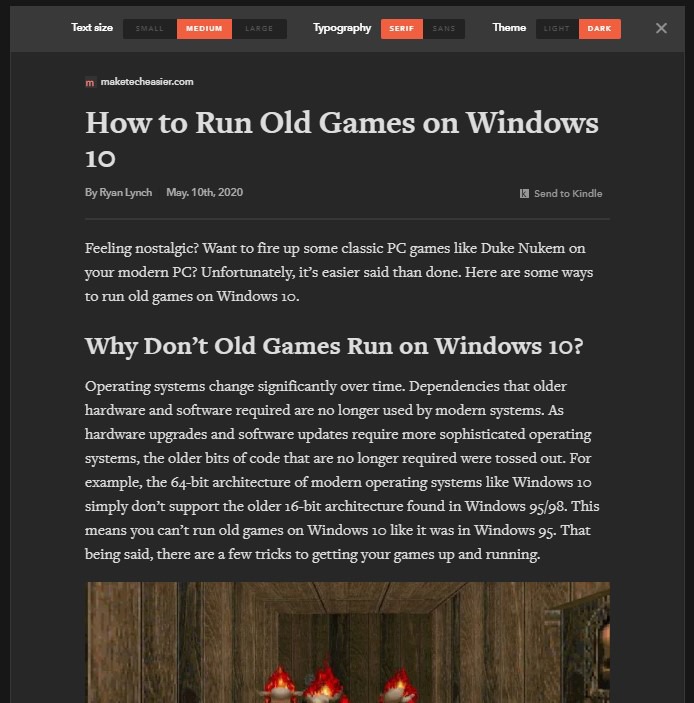
The problem is that the default Reader format here is a little inconsistent. While Make Tech Easier articles look great in Mercury Reader, the same can’t be said of Wikipedia, where the formatting goes a little bit crazy.
There are some options you can twiddle by clicking the Settings cog at the top-right corner of a page, but there are only three of them. You can change between three font sizes, two typefaces, and enable a dark mode (which is the standout feature here). The option to send articles to Kindle is cool, too, if a little niche.
3. Just Read
From the simplest reader extension to the most complex and malleable. Just Read offers yet another twist on how best to read websites. The default formats look good enough on MakeTechEasier and Wikipedia (if a little messy on the latter), but the real magic is in the level of customization.
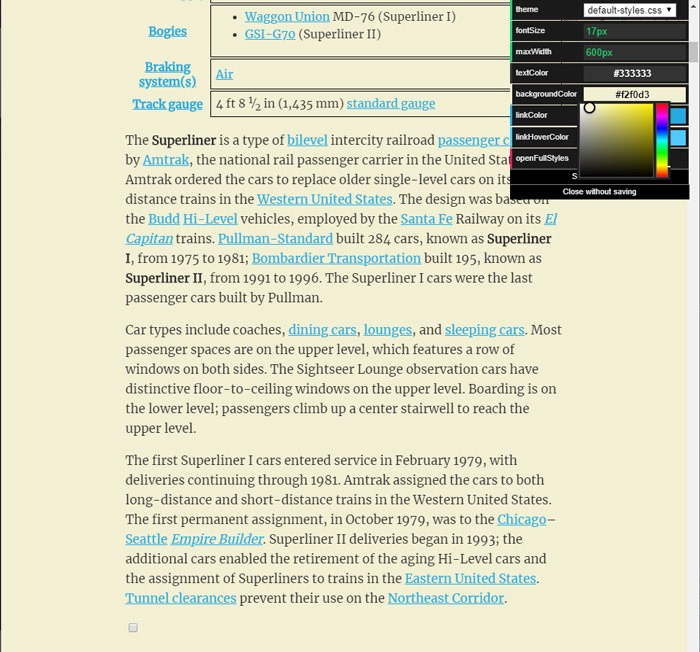
In the Just Read Settings you can switch the theme to dark easily enough, but you also have complete control over font size and the width of the reading pane, as well as the colors of just about every on-screen element.
So if, like me, you want to change the default white background to a gentler yellow-ish tint (or any other tint), you can. Then, when you’re done, you can save your bespoke Reader style for next time.
4. Distil/Chrome’s Secret Reader Mode
Chrome actually has a built-in reader mode, which you can access by going to chrome://flags, then typing “reader mode” into the Flags search box. Relaunch Chrome after enabling it, and it’ll be right there! Alternatively, you can get the Distil Reader extension which is based off that same Reader Mode.
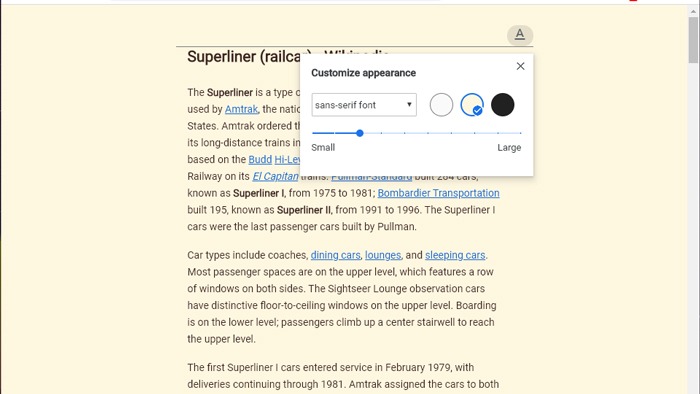
It’s a very good reader mode, with its default format being arguably the best of the bunch. Admittedly, on Wikipedia, it simply omits the side-pane information instead of trying to convert it, which means it’s not perfect, but it still looks very good.
In the options, you can switch to an off-white or fully-dark mode, as well as pick from several font types and sizes. It’s very good, and the fact that it’s integrated into Chrome is a nice bonus.
Did you know that you can now seamlessly use Chrome extensions in Microsoft Edge? We have the guide to show you how. Also, check out our more general list of the best Chrome extensions out there today.