


Many of us don’t give much thought to putting our PC or laptop into hibernate mode. After all, it’s an important capability of the machine, and Windows laptop manufacturers already include it as an integral spec. Hibernating was born out of the need to keep the computer on 24×7 without causing a drain on the battery or to ensure the system is immune to power failure, unlike the case with Sleep mode.
Questions do, however, arise. Does hibernation have a negative impact on the computer compared to a proper shutdown? How often should you be using the hibernate option? To answer these questions, there needs to be an understanding of how hibernation works, the kind of effect it has on PC performance, and whether it is unhealthy for your PC in the long run.
Also read: Shut Down vs Sleep vs Hibernate vs Fast Startup: Windows Power Settings Explained
How Hibernate Mode Works
Hibernation refers to a power mode in your laptop or notebook (much less in the case of desktop PCs). This is designed to conserve power by saving any open contents to the storage disk, These are technically known as “non-volatile” storage media, as they are not prone to data loss.
The hibernate mode functions similar to a “shutdown/restart” because the laptop does not require constant power to restore data. Despite any potential power failure, you can be confident that the computing power will be recycled. Like a hibernating bear, this mode ensures the resources of the computer against unpredictable situations. Upon resumption, the device is in the exact same state you had left it before hibernating.

The hibernate mode can be understood in contrast to the “Sleep” mode where the laptop immediately switches to RAM and goes into low-power mode. As RAM is a “volatile” memory system, it can instantly power on the laptop or notebook without delay. The disadvantage is that it will continue to consume power because of RAM’s volatile nature. It cannot survive the data loss due to a power outage.
On the other hand, hibernating computers need more time to resume because they have to fetch the data from the hard drives (instead of RAM) and then write these values into RAM, making the whole process more time-consuming.
Enabling Hibernate Mode on Your PC or Laptop
The Hibernate mode is supported in all Windows versions. In Windows 10, it can easily be accessed from the Start menu followed by “Settings -> System -> Power & sleep -> Additional power settings.”
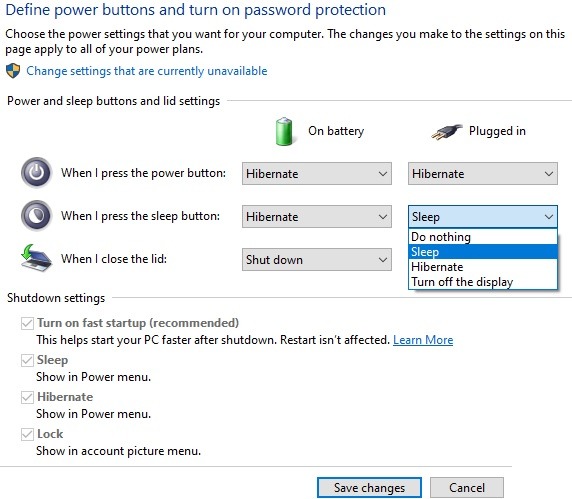
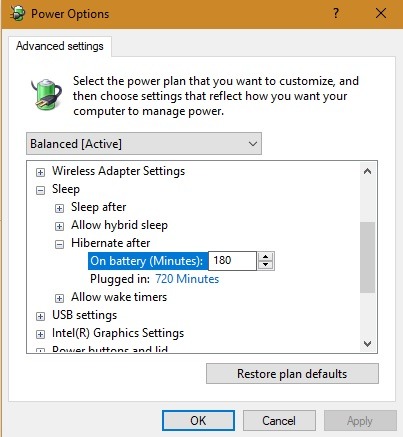
You can vary the Hibernate time in “Advanced Settings” from its default of 180 minutes on battery and 720 minutes in plug-in mode. A hybrid sleep mode can also be accessed from this menu.
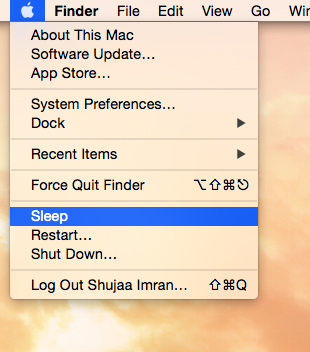
The Mac Apple menu has only two options: sleep and shut down. You can find more details here on how to put your Mac’s display to sleep. A hibernate-like deep sleep option can be accessed from its pmset settings in the Mac Terminal.
Ubuntu does not have Hibernate enabled as a default. However, a support for the feature can be tested using the pm-hibernate command in the terminal and when power is critically low. It also has a hybrid suspend option which is similar to Hybrid sleep in Windows.
Impact of Hibernating Mode on PC Performance and System Health
Despite its energy-saving abilities, hibernate mode was previously believed to be damaging to hard disk performance over time. The verdict has somewhat changed in 2020, and today, you can use Hibernate mode much more casually without any negative impact.
But is it bad for the PC? The answer depends on what kind of hard disk you have. With a hard disk drive (HDD), It basically freezes all your PC actions and stores this state safely on your hard disk in a enormous hibernation file, called hiberfil.sys in Windows systems.
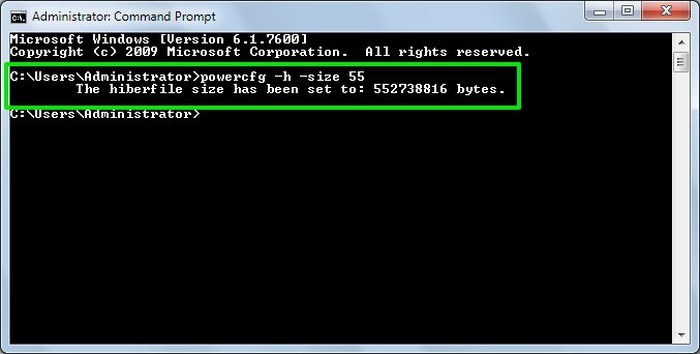
In HDD, that hiberfil.sys size can get close to your system’s RAM, as at least that much space has to be copied to the hard disk for your open files (75 percent of your RAM is allocated). Depending on how many apps you have running, the more RAM you have (16 GB), the more data that will be automatically copied to the hard disk.
However, the benefit is that less power of the laptop is consumed. Essentially, the decision to hibernate in HDD is a trade-off between power conservation and hard-disk performance drop over time.
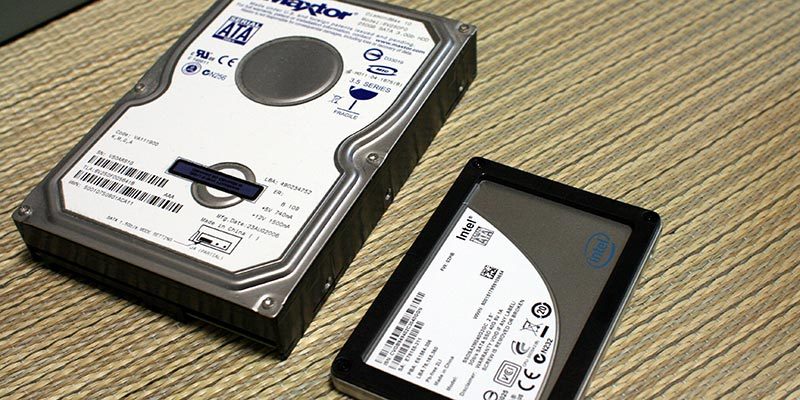
For those who have a solid state drive (SSD) laptop, however, hibernate mode has little negative impact. As it has no moving parts like a traditional HDD, nothing breaks. Thus, due to the fact that SSD is known for its longevity, your system does not undergo the wear and tear you normally experience with HDD.
How Often Should You Hibernate Then?
We have discussed above that hibernating mode has much less impact with SSD compared to HDD computers. That said, even modern HDD systems are robust enough to withstand hibernation “occasionally.” It will not cause a noticeable performance drop if you do it once a week or so. With these systems, you should hibernate only based on need. For example, when you are away from your computer 12 to 24 hours and have to resume everything without shutdowns or restarts. At other times, it is always better to go for a complete and proper shutdown.
With SSD systems, you can afford to be more relaxed, as it just writes the last state to the drive and powers off smoothly. It won’t take as long to hibernate the PC and wake it up. There is one small disadvantage of hibernate mode, even with SSD, in that the PC’s settings don’t regularly get restored as they always do when a PC is shut down and restarted in a proper way.
If you need quick access to Hibernate, you can add the Hibernate option to the Start menu. On the other hand, if you have no use for it, you can disable it to save on storage space.